
AIdeaflow Podcast
AIdeaflow · Voice & Language
AIdeaflow Podcast is a text to speech podcast tool that turns text, notes, and PDFs into two-speaker audio episodes. It offers 120+ voices across 31 languages.
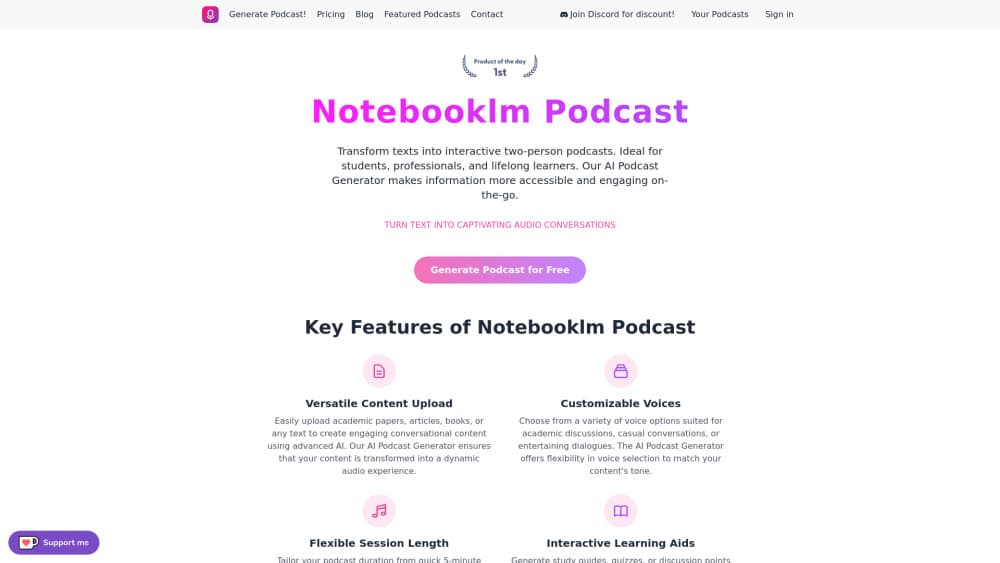
About AIdeaflow Podcast
What Is AIdeaflow Podcast
AIdeaflow Podcast is a web tool for turning written material into a spoken podcast episode. You paste text or upload a PDF or TXT file, choose a template, and the tool writes a two-speaker script and voices it with AI audio models. The result sounds like a conversation between two hosts rather than a single reader.
The tool sits on a freemium model. You can generate without an account, but anonymous mode carries limits, and the paid plans raise the character ceiling, the podcast count, and the quality of the audio and voices. Most pages of the site walk through the same workflow, so the learning curve stays short.
What separates it from a plain text reader is the conversational format. The templates include podcast, debate, therapy, academic, and lecture styles, and there are English, French, German, Spanish, Portuguese, and other localized versions. You can also feed it a script in a fixed format to read back directly.
The main trade-off is control versus speed. The tool drafts a script for you in seconds, which suits people who want audio fast, but the output still needs a listen and often an edit before it goes out. Voice cloning and custom voice design sit at the top plan.
Getting Started
- Open the AIdeaflow Podcast generator page in a browser. No sign-up is required for a first test.
- Paste your text or upload a PDF or TXT file, or point the tool at a public URL.
- Pick an AI text model, an instruction template, and a length setting.
- Choose a voice for each of the two speakers and an audio model.
- Generate the episode, then read the transcript and regenerate if you want changes.
Product Information
A quick look at AIdeaflow Podcast's pricing, supported platforms, and performance.
Best for
The users, tasks, and scenarios where this tool fits best.
Users
- Students who retain more from audio
- Content creators who publish in more than one language
- Busy professionals who skim long documents
- Podcasters testing a new show
Tasks
- Turning a study document into audio
- Repurposing a blog post into audio
- Producing a bilingual episode
- Brainstorming a debate format
- Creating a quick cover image
Scenarios
- Prepping for an exam on a long train ride
- Keeping a small newsletter alive at low cost
- Testing whether an idea holds up in audio
Key features
Text and document to podcast
The core path takes written input and returns a spoken episode. You can turn text into a podcast by typing or pasting up to the plan's character limit, upload a PDF or TXT file on the paid tiers, or pull content from a public URL. The tool then writes a two-speaker script and voices it. This is the feature most people come for, and it handles the whole run from raw text to finished audio in one pass. The free ceiling is 3,000 characters, which suits a short article rather than a long report.
Templates and AI text models
You choose both the model that writes the script and the template that shapes it. The model list spans several OpenAI and reasoning options, and the templates cover podcast, debate, therapy, academic, lecture, and summary styles, with localized versions for French, German, Spanish, Portuguese, and more. A direct-read template skips the rewriting and performs a script you supply line by line. That flexibility is what lets the same text come out as a casual chat or a formal explainer.
Voice selection and audio models
Each of the two speakers gets its own voice, drawn from a library that grows with the plan. AI voice cloning, where the tool learns your own voice and speaks with it, sits only on the top Enterprise tier. The free and low tiers use a small set, while higher tiers unlock 45 to 76 voices with different accents, plus the WorldSpeak and WorldSpeak Pro text-to-speech models. Audio quality is tiered as Standard and High Resolution. Choosing two distinct voices is what makes a dialogue feel like a real back-and-forth instead of a flat reading.
Length control and regeneration
You set how long the episode should run, from a short one to five minute clip up to extended formats past sixteen minutes, and the character ceiling scales with the plan. After a first pass, the transcript copies back to the input field so you can edit the wording and generate again without starting over. This loop is the practical heart of the tool, since most drafts need one round of trimming before they sound right.
Interactive AI podcast host
A separate mode lets you talk with an AI host and build an episode on the fly, and it supports 31 languages with the full voice library. Each session counts as one generation against your monthly total. It suits an interview format or a first rough take where you want the conversation to move without a fixed script. The quality depends on the model you pick and your own input.
Pros and cons
Pros
- Turns plain text, PDFs, and URLs into a voiced two-speaker episode in one pass.
- The template and model choices let the same text become a chat, a debate, or a lecture.
- 120+ voices across 31 languages suit creators who publish for more than one market.
- Anonymous mode lets you test the workflow before you pay or sign up.
- The transcript returns to the editor, so a second pass takes a minute.
Cons
- The free character limit of 3,000 caps you at a short piece, and file upload needs a paid plan.
- Voice cloning and custom voice design sit only on the top Enterprise tier.
- The monthly count of episodes is capped on every plan, including the highest one.
- Generated scripts can sound generic, so most episodes need a human edit before release.
- There is no public API, so teams that want to automate a pipeline have no documented path.
Frequently asked questions
AIdeaflow Podcast is a web-based AI podcast generator that turns text, notes, and documents into a two-speaker audio episode. You paste or upload content, pick a template and voices, and it writes and voices the script. It is built for students, creators, and professionals who want audio from written material.
Related content
Explore related tools, skills, and articles for AIdeaflow Podcast.
AIdeaflow Podcast Alternatives

Foley
Hanamori Labs, LLC · Voice & Language · Productivity · AI AssistantFoley is a voice to-do list that turns a spoken sentence into a filed task, complete with project, date and time, then helps you plan the day around what is already there.

HireKey
HireKey · Voice & Language · Productivity · LeaningHireKey is an AI job search copilot built by a former tech recruiter. It checks role fit, tailors resumes, runs interview practice and tracks every application.

Fluence
Yay Software (Yannick Huchard) · Writing · Voice & Language · ProductivityFluence is an Android app that reads PDFs, EPUBs, Word files and web articles aloud, follows each sentence as it speaks, and answers questions about the text on the phone itself.