

NotePerformer 4
Wallander Instruments · Voice & Language
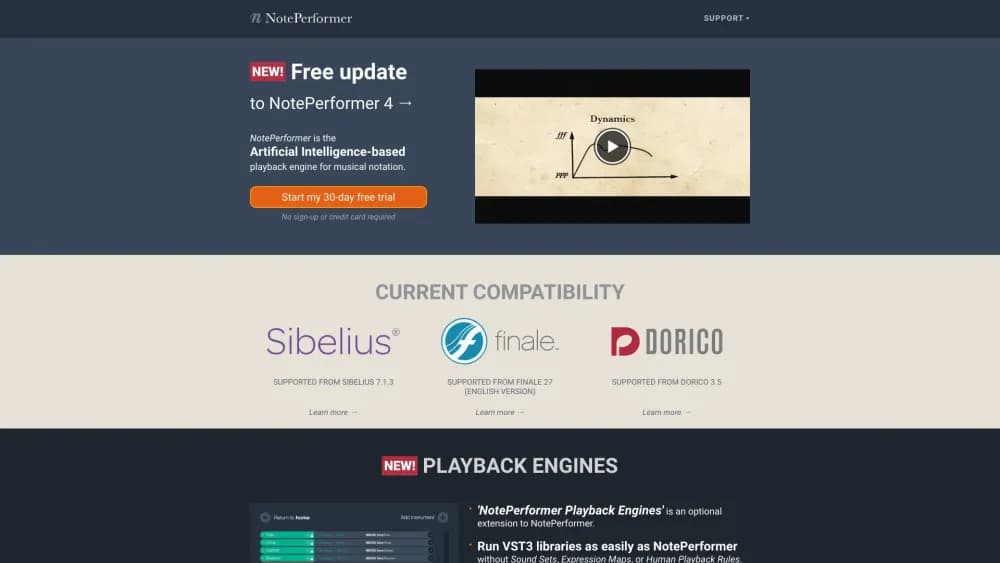
NotePerformer 4 is an AI playback engine from Wallander Instruments that makes scores in Sibelius, Dorico and Finale sound like a real orchestra, using a built-in library and automatic phrasing.
About NotePerformer 4
What Is NotePerformer 4
NotePerformer 4 is a playback engine, not a notation app. It plugs into Sibelius, Dorico or Finale and plays back whatever you've written there. The interesting part is what it decides on its own.
Most sample libraries just map one note to one recorded sound. NotePerformer reads the score's context and shapes the performance: it adjusts phrasing, dynamics and timing depending on what the surrounding notes are doing. The result is that a plain MIDI sketch sounds closer to a live reading without you editing anything by hand.
The biggest new feature in version 4 was NotePerformer Playback Engines (NPPE). That module let you route playback through large third-party orchestral libraries from Vienna Symphonic Library, EastWest, Cinesamples, Spitfire Audio and others, while NotePerformer handled the musical decisions. Playback Engines were later discontinued, so version 4.5.1 is the last release that supports them. Anyone who bought a version 4 engine can still downgrade to that build and keep using it.
Getting Started
- Buy a single-user license, or start the free 30-day trial with no sign-up. Perpetual licenses cost $129, or $10.75 per month on a rent-to-own plan.
- Install NotePerformer on macOS 10.9 or Windows 7 and up. It needs about 2 GB of hard drive space and 4 GB of RAM.
- Open your notation software (Sibelius 7.1.3, Dorico 3.5 or Finale 27 and later) and load NotePerformer as the playback device. It appears the same way as the software's built-in sounds.
- Press play. NotePerformer analyses the score and performs it, with no sample loading delays.
- For version 4 Playback Engines, open the separate NPPE app, load instruments from a supported library, then play the score back through them.
Product Information
A quick look at NotePerformer 4's pricing, supported platforms, and performance.
Best for
The users, tasks, and scenarios where this tool fits best.
Users
- Composers
- Students and educators
- Hobbyist musicians
Tasks
- Scoring a short film or game cue
- Reviewing a draft
- Teaching orchestration
Scenarios
- Working on a deadline
- Running a school lab
- Sketching on a laptop
Key features
Intelligent musical phrasing
NotePerformer reads your score and performs each instrument with phrasing that fits the music. Dynamics, note lengths and timing respond to context, so you get a natural reading instead of flat note-by-note output.
Built-in orchestral sound library
The software ships with its own sounds covering a large modern symphonic orchestra. You don't have to buy or manage a separate sample library to get a full ensemble playing back.
NotePerformer Playback Engines (version 4)
Version 4 let you load third-party orchestral libraries from Vienna Symphonic Library, Eastwind, Cinesamples and Spitfire Audio, and play them through NotePerformer's musical intelligence. The feature was discontinued in version 5, so 4.5.1 remains the build for anyone relying on it.
Fast sound loading
Sounds load much faster than a traditional sample library, so you spend time writing instead of waiting. That speed matters most when you're jumping between instruments mid-session.
Simple installation and setup
Installing NotePerformer is no harder than setting up the built-in sounds of your notation app, and its mixer sits alongside the tools you already use. There is no separate host to learn.
Patented virtual instrument technology
Wallander Instruments uses its own in-house technology that sits between sampling and synthesis. This is what lets the engine produce expressive phrasing without the storage and load times of a pure sample library.
Pros and cons
Pros
- Works inside Sibelius, Dorico and Finale, so it fits the notation workflow you already have.
- Automatic phrasing gives usable playback from a plain score with almost no setup.
- One perpetual license covers as many computers as you like, and the price is the same for students and pros.
- Fast loading keeps you in the flow of writing.
- A 30-day trial with no sign-up lets you test it before paying.
Cons
- The Playback Engines in version 4 are discontinued and no longer sold, so anyone who needs third-party library support is stuck on the older 4.5.1 build.
- It only works in notation software, so it won't help if you compose in a DAW.
- No public API, so it can't be scripted into custom pipelines.
- The trial restarts every hour and blocks audio export, which limits serious testing during the free window.
Frequently asked questions
It plays back scores in Sibelius, Dorico and Finale with a built-in orchestral sound library and automatic musical phrasing, so a written score sounds like a performed orchestra.
Related content
Explore related tools, skills, and articles for NotePerformer 4.
NotePerformer 4 Alternatives

Foley
Hanamori Labs, LLC · Voice & Language · Productivity · AI AssistantFoley is a voice to-do list that turns a spoken sentence into a filed task, complete with project, date and time, then helps you plan the day around what is already there.

HireKey
HireKey · Voice & Language · Productivity · LeaningHireKey is an AI job search copilot built by a former tech recruiter. It checks role fit, tailors resumes, runs interview practice and tracks every application.

Fluence
Yay Software (Yannick Huchard) · Writing · Voice & Language · ProductivityFluence is an Android app that reads PDFs, EPUBs, Word files and web articles aloud, follows each sentence as it speaks, and answers questions about the text on the phone itself.