

Notevibes
Notevibes · Voice & Language · Video
Notevibes is an AI voice generator with 2,600+ voices in 130+ languages, AI voice cloning, and Noty, an AI producer that turns scripts, PDFs, and slide decks into narration, podcasts, and audiobooks.
About Notevibes
What Is Notevibes
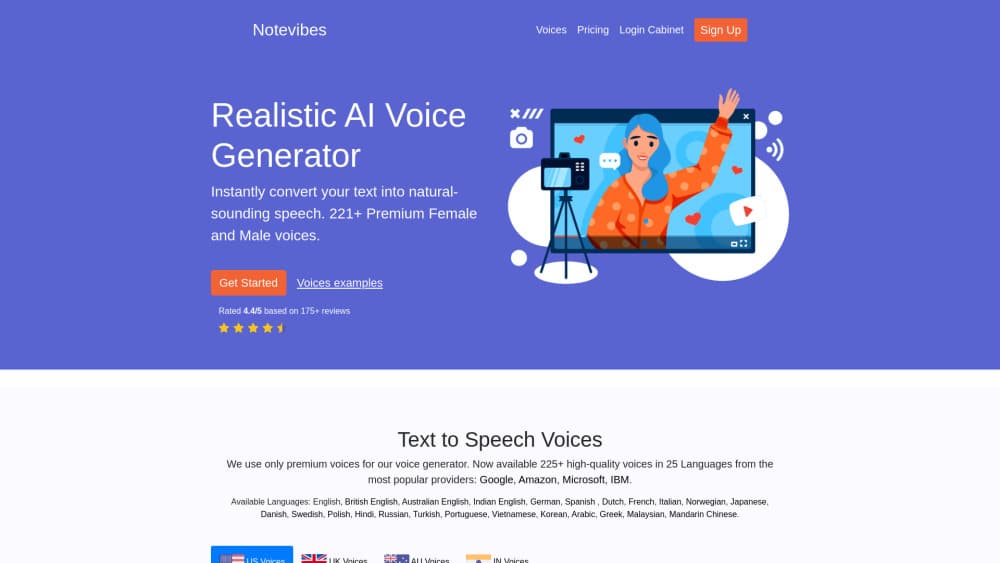
Notevibes is a browser based voice studio for turning writing into speech. Paste a script, pick one of 2,600+ voices, and download the result as MP3, WAV, or OGG. The core job is text to speech, and it's been the same since the company started building emotional voices in 2018.
What sits around that core has grown a lot. The same editor now handles audiobooks, two host podcasts, PowerPoint voiceover, AI music, transcription, and audio translation, and all of it draws from one credit balance instead of five separate subscriptions.
The current version leads with an AI producer called Noty. You describe the output you want, and Noty writes the script, casts voices from the library or your own clone, and hands back audio you can play and revise in plain language. There's no hundred switch settings panel. That's the main reason people switch to it, and it's also where expectations need calibrating: you're directing an assistant, not fine tuning a mixing desk.
Three limits shape the fit. Everything runs in a browser, so there's no offline mode or desktop app. Voice cloning is tied to paid plans, and the free tier is personal use only, which means client work needs the $8 Starter plan at minimum. The library is large but the brands behind those voices aren't disclosed, so you can't request a specific commercial voice engine.
Getting Started
- Sign up at notevibes.com with an email address. The free plan needs no card, and downloads carry no watermark.
- Paste text into the editor, or drop a PDF, DOCX, PPTX, EPUB, image, or video file. Notevibes extracts the text with OCR or transcription and splits long documents into chapters.
- Pick a voice and a language in the same panel. Preview any voice before you commit, or add your own clone if you're on a paid plan.
- Add direction where the delivery matters: emotion tags like whisper or laugh, plus rate, pitch, and volume controls. Noty will also place these for you if you ask for a tone in the chat.
- Generate and download. Export a single MP3, or the whole project as separate files, or a narrated .pptx when you started from slides.
Product Information
A quick look at Notevibes's pricing, supported platforms, and performance.
Best for
The users, tasks, and scenarios where this tool fits best.
Users
- YouTube creators and video editors
- Indie authors and small publishers
- Teachers and course teams
Tasks
- Narrating a long document
- Turning a newsletter or blog post into a podcast
- Voicing a PowerPoint deck
- Localizing existing audio
Scenarios
- Finishing a video the night before it goes live
- Producing an audiobook without hiring a narrator
- Keeping a course library in several languages
Key features
Noty, the AI Producer
Noty is the front end of the whole studio. You write a request in plain language, like turn this PDF into a podcast or voice these slides in Spanish, and it writes the script, picks voices, and returns playable audio. It asks before it spends credits, and each card shows the price of a generation. Editing happens by asking for a change, so a wrong name or a flat line is a one sentence fix rather than a re-render.
A Voice Library of 2,600+ Across 130+ Languages
The Natural library holds 2,600+ voices with 148 languages and regional variants, and every voice comes with a short note on how it sounds. You can filter by accent, age, or character, or start from 30 star voices that speak every supported language. Coverage goes well past the usual European set, with Cantonese, Tagalog, Malay, Bengali, Swahili, and dozens of smaller languages included. If your audience is regional rather than global, that breadth is the practical reason to pick this over a smaller library.
AI Voice Cloning From a 30 Second Sample
Record or upload 10 to 30 seconds of speech, then read one consent sentence aloud so the platform can confirm the voice belongs to you. The clone sits next to the library voices and reads any script the same way. It stays private unless you share it with a workspace, and it's available on every paid plan, with one voice on Starter and Creator and unlimited clones on Pro. Agencies handling several clients will feel that difference quickly.
Audiobook Studio With Character Casting
Upload a book in PDF, EPUB, DOCX, MOBI, AZW3, or TXT, and Notevibes splits it into chapters and scans for speaking characters. Each one gets a distinct voice plus a short persona for tone and pacing, and scene prompts set the mood for a chapter or a single passage. It also draws character portraits matched to the genre and offers a Read Along view that highlights words as they're spoken. For an indie author, that's a multi cast production without hiring a cast.
Podcast Mode and Multi Voice Dialogs
Two host formats are built in. You can hand over an article and get a scripted conversation, or write the dialog yourself and assign a voice per speaker. 80+ emotion tags and 44 tone modifiers cover everything from a whisper to a laugh, which is what separates a listenable podcast from two alternating robot voices. Multi voice audio also works for language lessons, radio drama, and narrated case studies.
Transcription, Translation, and Audio Repair
Upload audio or video, or dictate in the browser, and get timestamped text in 70+ languages. Audio translation goes the other way: it converts speech into another language while keeping the original pacing and intonation, and returns both transcripts. The audio editor cleans noise, evens levels, cuts silence, and splits stems, so a rough phone recording can be salvaged before it becomes a voiceover source.
Pros and cons
Pros
- One subscription covers voiceover, audiobook, podcast, slide narration, music, and transcription, which removes several separate bills.
- The voice library reaches 130+ languages including regional and smaller languages, so localization doesn't need a second vendor.
- Audiobook character detection and per chapter editing are included at every paid tier rather than sold as an add-on.
- The free plan is genuinely usable: no card, no watermark, and full quality MP3 downloads.
- Yearly billing cuts about 16% off, and the $49 one time pack gives you 1M credits that never expire.
Cons
- The free tier is personal use only, so any client or monetized work needs a paid plan.
- Credits are metered per character, and a long audiobook at 1.2 credits per character eats a plan faster than the hour estimates suggest.
- There's no desktop app or offline mode, which rules it out for studios that work without a stable connection.
- Advanced controls like SSML and the API sit behind Pro, so power users on Starter hit a ceiling early.
Frequently asked questions
Notevibes converts text into speech and produces the audio formats creators publish. That covers voiceovers for video, full audiobooks with a distinct voice per character, two host podcasts, PowerPoint voiceover, and audio translation. You can also generate background music and images inside the same studio.
Related content
Explore related tools, skills, and articles for Notevibes.
Notevibes Alternatives

Foley
Hanamori Labs, LLC · Voice & Language · Productivity · AI AssistantFoley is a voice to-do list that turns a spoken sentence into a filed task, complete with project, date and time, then helps you plan the day around what is already there.

HireKey
HireKey · Voice & Language · Productivity · LeaningHireKey is an AI job search copilot built by a former tech recruiter. It checks role fit, tailors resumes, runs interview practice and tracks every application.

Fluence
Yay Software (Yannick Huchard) · Writing · Voice & Language · ProductivityFluence is an Android app that reads PDFs, EPUBs, Word files and web articles aloud, follows each sentence as it speaks, and answers questions about the text on the phone itself.