

Notte
Notte Labs · Coding
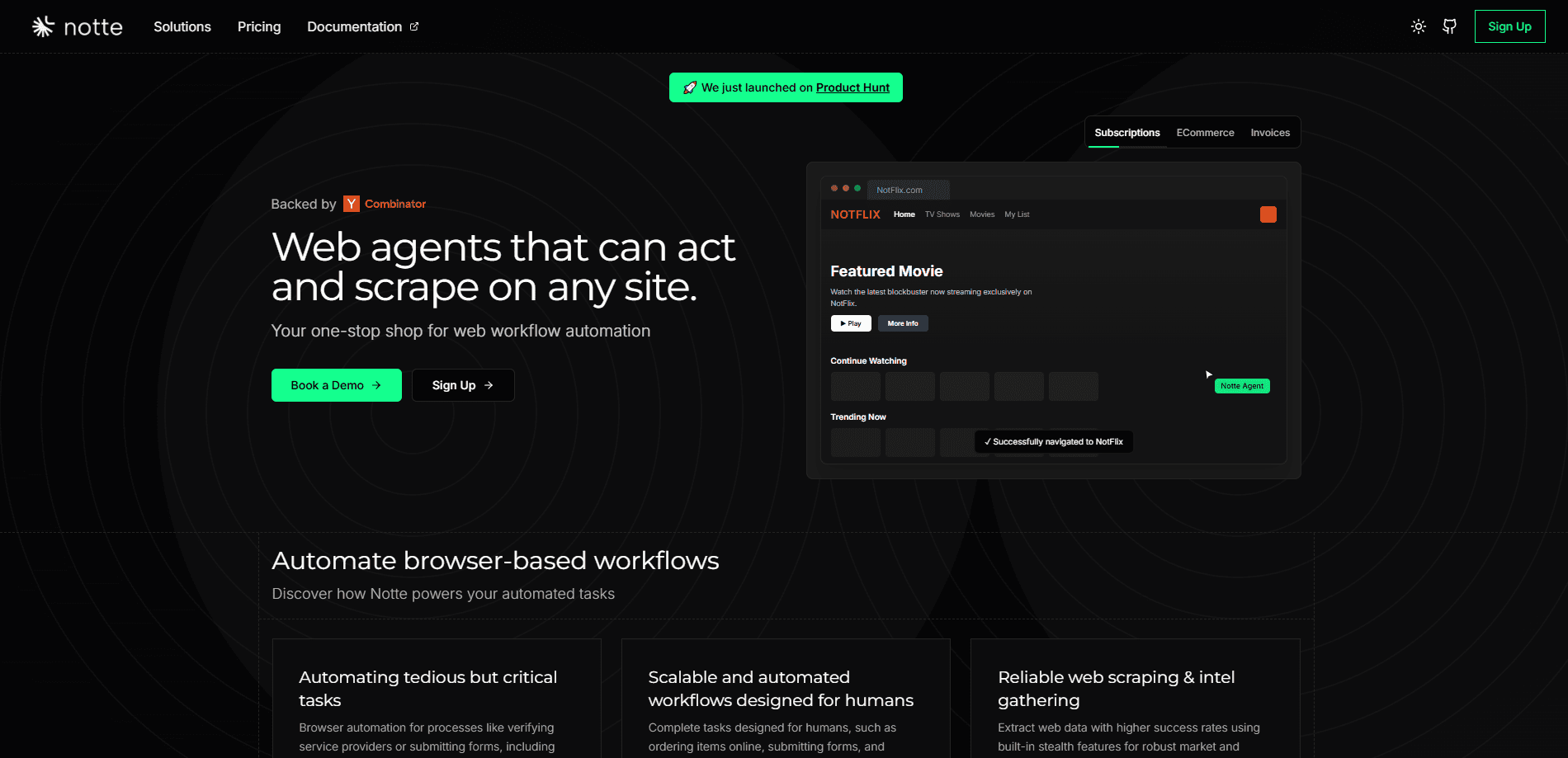
Notte is a full-stack platform for AI browser automation. It pairs cloud browser sessions and AI web agents with serverless functions to run web workflows that have no API.
About Notte
What Is Notte
Notte is a platform for automating work inside a real web browser. It gives developers cloud browser sessions, AI agents that navigate pages from plain-language instructions, and serverless functions that turn any browser routine into a callable API. The pitch is simple: when a site has no API, you still need something that can click, type, log in, and pull data.
The product comes from Notte Labs, a Y Combinator W25 company, and it is SOC 2 Type II certified. The open-source core lives on GitHub under the nottelabs organization, while the managed cloud runs at console.notte.cc.
The catch is that Notte is a developer tool. You write Python or TypeScript, manage API keys, and reason about credits and concurrency limits. If you never touch code, the platform will feel heavier than a no-code automation app.
Getting Started
- Sign up at console.notte.cc and claim the starter credits that come with a free account.
- Install the SDK in Python or TypeScript, or install the CLI with a single package manager command.
- Create a session, then either drive it yourself through code or hand a task to an AI agent in natural language.
- Scrape structured data or wrap the workflow into a serverless function you can call on a schedule.
- Watch runs through the observability tools, replaying any session when something breaks.
Product Information
A quick look at Notte's pricing, supported platforms, and performance.
Best for
The users, tasks, and scenarios where this tool fits best.
Users
- Developers building web automation
- Growth and ops teams monitoring competitors
- AI engineers prototyping browser agents
Tasks
- Data extraction from JavaScript-heavy sites
- Account creation and authenticated flows
- Turning a browser routine into an API
Scenarios
- Daily competitive monitoring
- Running thousands of parallel sessions
- Automating workflows on sites with no public API
Key features
Cloud Browser Sessions
Sessions are isolated browser instances running in the cloud that you control through code. Each one ships with anti-detection, residential proxies, and CAPTCHA solving built in, so you skip the setup that usually eats a week of engineering time. You connect over CDP and can drive the page with Playwright if you already have scripts.
AI Web Agents
You describe a task in plain language and the agent figures out the steps. It reads the page state, decides what to click, and adapts when the layout changes, which means brittle selectors stop breaking your automation. The company reports success rates above 95% on complex, changing sites.
Browser Functions
Any automation you build can be deployed as a serverless API endpoint. You attach a cron schedule, and the workflow runs on its own and returns results without you keeping a server alive. This is how a one-off script becomes production infrastructure.
Personas and Secret Vaults
Personas bundle a full digital identity, including email, phone, and credentials, for tasks that need a believable account. Secret vaults hold sensitive credentials separately, and the platform never forwards them to the language model. For teams in regulated industries, that separation matters more than raw speed.
Scraping into Typed Models
Instead of parsing raw HTML, you point Notte at a page and get back structured data mapped to a Pydantic model. That cuts the cleanup work and makes web scraping output drop straight into your application logic.
Anything API and MCP Server
The Anything API turns a browser workflow into a production API callable with one natural-language request. A companion MCP server plugs Notte into Claude Desktop, Cursor, and other MCP-compatible tools, so you can drive cloud browsers from inside the editor you already use.
Pros and cons
Pros
- Ships with proxies, CAPTCHA solving, and stealth mode, which removes the tedious anti-bot groundwork most teams build from scratch.
- Handles dynamic, JavaScript-heavy sites that break traditional RPA tools and simple scrapers.
- Open-source core plus an official CLI and MCP server make it easy to fit into an existing developer workflow.
- SOC 2 Type II certification and vault-based credential handling suit teams with security review requirements.
- Free tier with starter credits lets you test the full platform before paying.
Cons
- It is code-first, so non-developers will struggle without a technical teammate.
- Pricing runs on a credit model, which makes costs harder to predict than a flat subscription.
- Cloud sessions and LLM calls stack up, and long-running agents can burn through monthly credits quickly.
- Full value depends on adapting to the SDK and API, so a quick tryout will not show the platform at its best.
Frequently asked questions
Notte automates tasks inside a real web browser. Teams use it to scrape data from dynamic sites, fill out forms, create accounts, and turn repeating web routines into scheduled APIs, especially on sites that have no public API to call.
Related content
Explore related tools, skills, and articles for Notte.
Notte Alternatives

Base Code
Base44 (Wix) · Coding · ProductivityBase Code is a shared cloud development environment from Base44. Teammates describe changes to an existing GitHub codebase in chat, preview them live and send them back as pull requests.

Google EmbeddingGemma 2
Google DeepMind · Writing · Image · CodingGoogle EmbeddingGemma 2 is a 740M-parameter open model that turns text, code, images, audio, and video frames into vectors in one 768-dimension space, running on phones and laptops.

GitGlow
GitGlow · Coding · ProductivityGitGlow is a local-first desktop Git client that lets independent developers review their own code and their AI agents' changes in one place before shipping.