

Numerous.ai
Numerous AI, Inc. · Coding · Productivity
Numerous.ai is an AI spreadsheet assistant that brings ChatGPT-style formulas to Google Sheets and Excel through simple functions like =NUM.AI and =NUM.INFER.
About Numerous.ai
What Is Numerous.ai
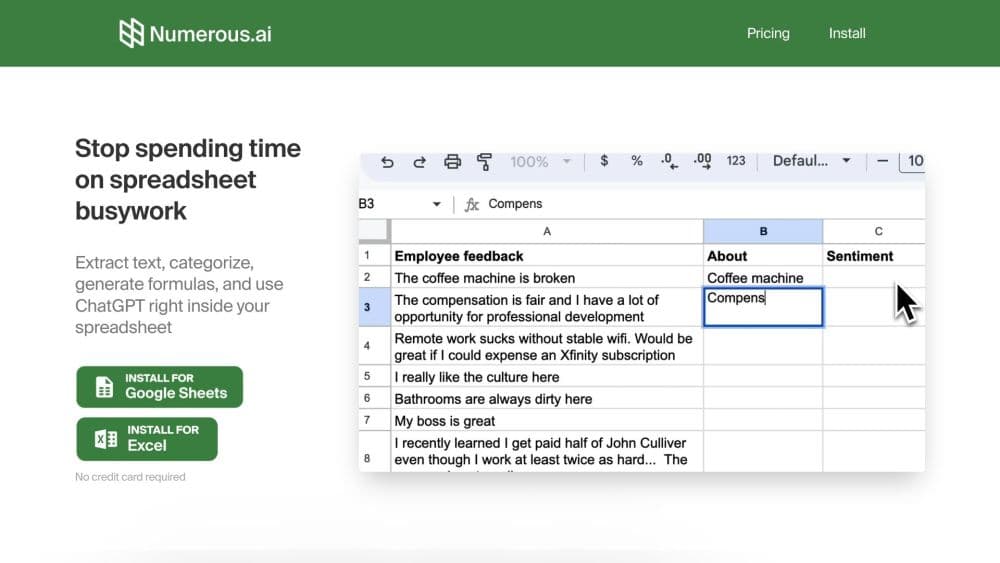
Numerous.ai is an add-on that puts a large language model inside Google Sheets and Excel, so you prompt AI from a cell instead of switching to a chat window and copying answers back by hand. You type a formula like =NUM.AI("summarize this review", A2), then drag it down the column to repeat the same request across hundreds of rows.
The company is based in San Francisco and positions the tool around hands-off setup: no API keys to wrangle, and one plan your whole team can share. The pitch is straightforward. Spreadsheets already organize your data, so using AI in bulk becomes a column-by-column job rather than a separate workflow.
The main limitation is scope. This is a cell formula tool, not a general chatbot, and it only lives inside Sheets and Excel. There's also no consumer app, so the product does nothing outside a spreadsheet. Free usage is capped at a small token allowance, and every plan still meters how much text you push through the model.
Getting Started
- Install the Numerous.ai add-on from the Google Workspace Marketplace for Sheets, or from AppSource for Excel, then sign in and link your account.
- Start with a simple function: type =NUM.AI in a cell, give it a plain-English instruction, and point it at the text you want processed.
- For repeatable tasks like tagging or cleanup, write four or five example outputs first, then use =NUM.INFER to have the AI fill the rest of the column.
- Drag the formula down to cover every row, then check the results and top up your tokens before the free allowance runs out.
Product Information
A quick look at Numerous.ai's pricing, supported platforms, and performance.
Best for
The users, tasks, and scenarios where this tool fits best.
Users
- Digital marketers
- Students and researchers
- Operations and admin staff
Tasks
- Summarizing long text at scale
- Categorizing and tagging items
- Generating spreadsheet formulas
Scenarios
- Cleaning a messy contact list
- Drafting ad and social copy in bulk
- Prototyping an AI idea with a team
Key features
Prompt AI Directly in a Cell
The core function is =NUM.AI, which sends a prompt to an AI model straight from the spreadsheet. You can mix plain text with cell references, so a single instruction reads the value in column A and writes an answer in column B. Dragging it down applies the same request to every row.
Learn From Examples With =NUM.INFER
For repetitive jobs that are hard to spell out, =NUM.INFER lets you show the AI four or five finished examples instead of writing rules. It then classifies, formats, or completes the remaining cells. That approach handles tasks like sentiment tagging where a precise formula would be painful.
AI Text Writing With =NUM.WRITE
=NUM.WRITE generates original text from your instructions, such as a tagline for the brand in A3 that mentions the features in B3. It's built for copy, replies, and short blurbs that need to vary per row, and it pulls the specifics from other cells.
Formula Generation and Explanation
The tool works as an AI formula generator, writing spreadsheet formulas from a plain-English request. It covers common ones like SUM, COUNTIF, and AVERAGE as well as harder VLOOKUP, QUERY, and REGEX cases. It also explains an existing formula in plain English when you inherit a sheet you don't understand.
Built for Teams and Bulk AI Tasks
Numerous.ai is built for spreadsheet automation at scale, running bulk AI tasks through shared plans, so everyone on a team uses the same allowance and can collaborate on prompts. It avoids duplicate queries and caches results, which keeps long columns from burning tokens on the same input twice.
Works in Both Sheets and Excel
The add-on runs in Google Sheets and in Microsoft Excel, so a team split across both tools can apply the same cell functions. Setup needs no API keys, which keeps non-technical users from hitting a configuration wall.
Pros and cons
Pros
- You stay in the spreadsheet, so bulk AI work becomes a column you drag down instead of a copy-paste loop.
- No API keys are required, which removes the usual setup step for non-developers.
- The example-based =NUM.INFER function handles fuzzy tasks that are hard to turn into a formula.
- One shared plan covers a whole team, and results are cached so repeated inputs aren't billed twice.
Cons
- It's limited to Google Sheets and Excel, so there's nothing to use outside a spreadsheet and no standalone app.
- Free usage is a small token allowance, which means real projects move to a paid plan quickly.
- The published pricing is confusing: the site lists Personal, Pro, and Enterprise all at $10 per month, so you have to check the current details before buying.
- Some buyers report trouble canceling and unexpected charges, so it's worth reading recent reviews before committing to a yearly plan.
Frequently asked questions
Numerous.ai adds AI formulas to Google Sheets and Excel so you can summarize, categorize, rewrite, and clean text in bulk. It's built for repetitive spreadsheet work that would otherwise be hand-edited row by row.
Related content
Explore related tools, skills, and articles for Numerous.ai.
Numerous.ai Alternatives

Base Code
Base44 (Wix) · Coding · ProductivityBase Code is a shared cloud development environment from Base44. Teammates describe changes to an existing GitHub codebase in chat, preview them live and send them back as pull requests.

Google EmbeddingGemma 2
Google DeepMind · Writing · Image · CodingGoogle EmbeddingGemma 2 is a 740M-parameter open model that turns text, code, images, audio, and video frames into vectors in one 768-dimension space, running on phones and laptops.

GitGlow
GitGlow · Coding · ProductivityGitGlow is a local-first desktop Git client that lets independent developers review their own code and their AI agents' changes in one place before shipping.