

Nut Studio
Nut Studio · Coding · Other
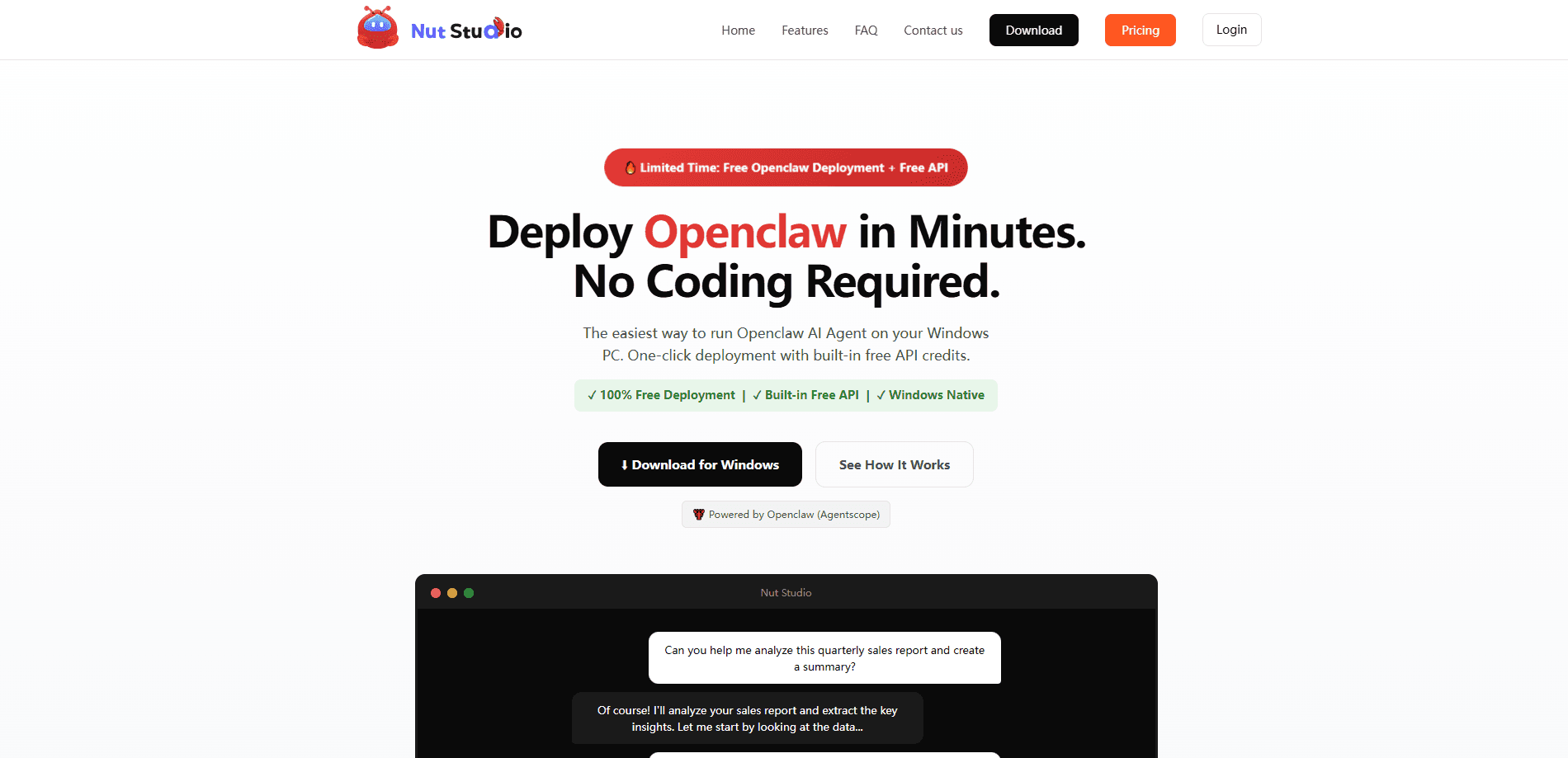
Nut Studio is a free desktop application that installs and runs Openclaw AI agents on your own computer. You download it, click through a short installer, and get a working agent environment without writing code, touching a terminal, or setting up Docker. It runs natively on Windows, keeps your chats and files on your machine, and bundles a starter pool of API credits so you can begin chatting right away. Curious about AI agents but put off by the setup instructions? Nut Studio is built for exactly that gap. Think of it as an AI agent tool for Windows that treats one-click AI deployment as the whole point. It also works with more than 20 large language models, so you're not locked into one provider.
About Nut Studio
What Is Nut Studio
Nut Studio is a desktop app for deploying and running Openclaw AI agents locally. Openclaw is an open agent framework that can call tools, automate tasks, and chain multiple actions through a large language model. The catch is that installing it yourself takes command-line work and a fair bit of configuration. Nut Studio wraps all of that into a normal Windows installer, which is what makes it a practical local AI agent setup for non-developers.
The pitch is straightforward. Most agent setups assume you're comfortable with terminals, dependencies, and config files. Nut Studio assumes you're not, and handles the plumbing for you. You end up with a chat window, a running agent, and no half-finished tutorial to debug. Setup really is the whole product.
The big limit is scope. Nut Studio is a deployment and launcher layer, not a model of its own. The quality of what your agent produces depends entirely on the model behind it. Run out of the free daily credits and you'll need to plug in your own API key from a provider like OpenAI, Anthropic, or Aliyun.
Getting Started
- Download the Nut Studio installer from the official site and run it. There's no terminal step and no Docker.
- Launch the app and register an account. That gets you 30 free credits per day.
- Pick a model from the recommended list, or paste in your own API key if you'd rather use a specific provider.
- Start a chat and give the agent a task, like summarizing a spreadsheet or gathering research on a topic.
- Adjust the agent's tools and settings as you go, then reuse the same setup for the next job.
Product Information
A quick look at Nut Studio's pricing, supported platforms, and performance.
Best for
The users, tasks, and scenarios where this tool fits best.
Users
- Curious beginners
- Privacy-minded users
- Developers testing agent ideas
Tasks
- Document and data crunching
- Research gathering
- Workflow automation
Scenarios
- A quick weekend trial
- Handling sensitive material
- Offline-ish work sessions
Key features
One-Click Deployment
The core of Nut Studio is turning a multi-step Openclaw install into a normal desktop install. The site claims the whole thing takes about 3 minutes, with no terminal commands, no Docker, and no config files to hand-edit. That's the feature most people are here for, and it's what separates Nut Studio from the many manual Openclaw setup guides floating around online.
Built-In Free API Credits
Every registered user gets 30 free credits per day, backed by built-in Aliyun API access. That means you can start using a capable model immediately without a credit card or a separate signup. It's enough for testing and light daily use. Heavier workloads burn through it fast.
Runs 20+ AI Models
Nut Studio works with many different models rather than locking you to one. Recent recommendations on the site include Gemini, GPT, Claude, Qwen, and MiniMax families. Switch models whenever you like. Want cheap and fast? Pick one. Want strong and slow? Pick another. You can also bring your own API key for any provider you already pay for.
Native Desktop App
The agent runs as a Windows application, not a browser tab. There's no tab to lose, no login page to reload, and no cloud round-trip for the interface itself. The site also lists macOS, so the same idea extends beyond Windows.
Local, Private Execution
Conversations and files stay on your machine, according to the site. That's the main reason someone picks a local agent over a hosted chat service. It's worth being precise here: the models themselves are usually remote APIs, so "local" refers to where your data and the agent runtime live, not to the model weights.
Tool and Workflow Support
Openclaw agents can interact with tools, automate tasks, and coordinate multiple actions. Through Nut Studio you get that same capability in a friendlier shell, so the agent can do more than answer questions. You can point it at files, have it chain steps, and build up a small workflow that you reuse.
Pros and cons
Pros
- Removes the hardest part of running Openclaw, which is the install and configuration.
- Free to download, with 30 daily credits so you can test without paying up front.
- Supports a broad spread of models, so you aren't tied to a single vendor.
- Keeps your data and agent runtime on your own machine.
- No coding or terminal experience required, which opens it up to non-developers.
Cons
- The 30 daily credits are modest. Once they're gone, you're relying on your own API key and paying that provider directly.
- It's a launcher, not a model. Output quality rises and falls with whichever model you pick, so poor results often mean the wrong model rather than a broken app.
- "Local" doesn't mean fully offline. The models are still remote APIs, so an internet connection is normally required.
- Documentation and community support are still thin compared with more established agent tools, so you'll figure some things out by trial and error.
Frequently asked questions
Yes. The app is free to download and use, and every registered user gets 30 free credits per day. If you want more capacity or a specific provider, you can connect your own API key and pay that provider directly.
Related content
Explore related tools, skills, and articles for Nut Studio.
Nut Studio Alternatives
Forefront
Forefront · CodingForefront is a web platform for building with open-source AI. It lets you fine-tune leading open-source language models on your own data, evaluate how they perform, and run them through an API or export them to host yourself. Developers who want the convenience of a closed-source platform but insist on owning their models and data are the target audience here.

Startkit
StartKit.AI · CodingStartkit is a boilerplate for building AI SaaS and AI wrapper products. Think of it as an AI startup boilerplate with the boring parts already wired up: authentication, Stripe and Lemon Squeezy payments, usage limits, transactional email, and an AI API starter that talks to OpenAI, Anthropic, Groq, or Llama. You clone the repo, set your price, and start on the part of your product that people actually pay for. It's Next.js under React and Tailwind, so most of the boilerplate code already feels familiar.
Testim
Tricentis · CodingTestim is an AI-powered test automation platform for building and running end-to-end tests across web, mobile, and Salesforce applications. It leans on machine learning to keep tests stable when an interface changes, so teams spend less time fixing broken selectors. Not bad for an automated testing tool you can start using today. You create tests by recording actions in a browser, then optionally add JavaScript when you need more control. It's a solid pick for busy QA teams.