

nuvo
ComDocks GmbH · Coding
nuvo is a no-code data pipeline platform, now sold as Ingestro Data Pipelines, that maps, cleans, and delivers recurring CSV, Excel, XML, and JSON imports on a schedule.
About nuvo
What Is nuvo
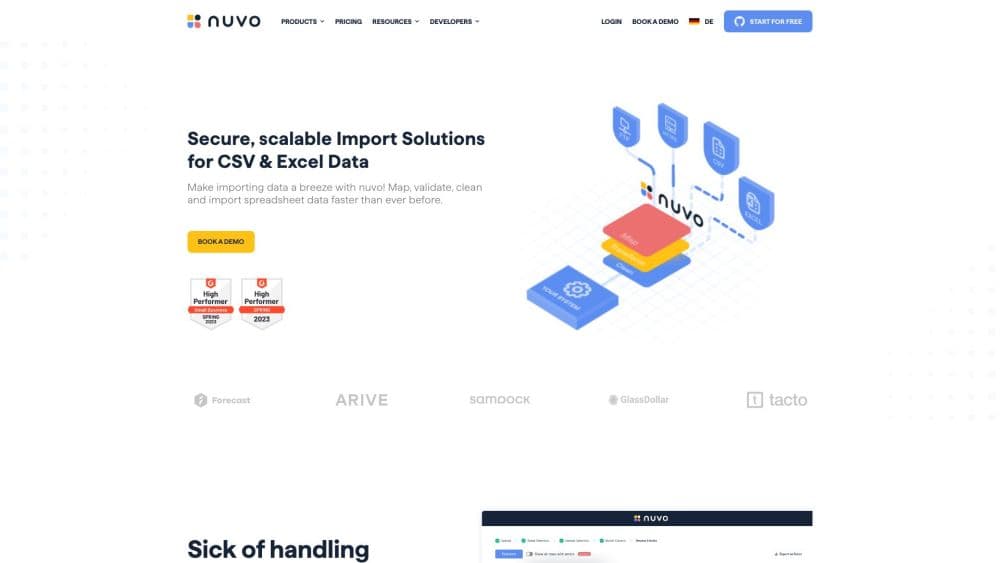
nuvo is a no-code data pipeline platform built by ComDocks GmbH in Germany. You point it at a folder, bucket, mailbox, or HTTP endpoint, describe the table your system expects, and the pipeline turns each arriving file into rows that fit. The company now sells the same product as Ingestro Data Pipelines, so both names lead to one codebase and one support team. The pitch is an ETL pipeline you configure in a browser instead of code you maintain.
The product targets a narrow pain: software vendors that receive the same spreadsheet from fifty customers in fifty layouts. A data ingestion setup like this replaces per-customer scripts with one pipeline, and the AI mapping step absorbs renamed columns without a developer. Cleaning formulas then fix dates, phone prefixes, and currency formats before anything reaches the database.
Two limits matter before you sign up. Pricing is quote based, with a monthly base rate plus a fee per import, and there's no self-serve checkout. Each pipeline also takes one input connector and one output connector, so a workflow that reads from two folders needs two pipelines.
Getting Started
- Book a demo or start the 14-day trial, then sign in to the user platform.
- Build a target data model: name each column, pick a type such as string, date, category, or boolean, and add validation rules.
- Add an input connector and an output connector. Sources include HTTP(S), (S)FTP, AWS S3, Azure Blob Storage, Google Cloud Storage, email, and manual upload.
- Run a test file, confirm the header row, check the AI column matches, add formulas where values need cleaning, then set a schedule or an event trigger.
Product Information
A quick look at nuvo's pricing, supported platforms, and performance.
Best for
The users, tasks, and scenarios where this tool fits best.
Users
- SaaS onboarding teams
- Data operations engineers
- Customer success managers at software vendors
- Enterprise IT teams
Tasks
- Recurring customer file imports
- Mapping inconsistent headers
- Cleaning values before a load
- Embedding an import flow in your product
Scenarios
- A logistics partner sends a weekly CSV to an SFTP folder every Monday. A time-based input connector reads the directory, picks matching files, and starts one execution per file.
- A manufacturer changes its Excel template each quarter and renames half the columns. AI mapping resolves most of them, and the remaining matches take a few minutes in the mapping screen.
- A payroll or HR platform lets clients upload their own headcount files. The file upload embeddable keeps the UI inside the product, and sub-organizations keep each client's pipelines separate.
Key features
AI Column Mapping Across 50+ Languages
The mapper compares imported headers and values against your target model, then proposes a match for each column. Names, labels, and any synonyms you add in alternativeMatches all count toward the score. Mapping runs in DEFAULT mode, where AI fills gaps on every execution, or EXACT mode, where only confirmed columns pass through. The vendor lists support for more than 50 languages, which matters when customer files arrive in German, French, or Japanese.
Target Data Models With Validation Rules
A target data model defines the columns your destination expects: labels, technical keys, types, and validation rules. Types go beyond text and numbers to dates, timestamps, booleans, categories, country codes, and currency codes. Each column can require a mapping or reject values that break a format, and category columns support option mapping with a similarity threshold. Get this layer right and the rest of the pipeline has a fixed shape to aim at.
Connectors for Storage, Email, and HTTP
Input and output connectors cover HTTP(S), (S)FTP, AWS S3, Azure Blob Storage, Google Cloud Storage, email, and manual upload. Files can be CSV, Excel, TSV, XML, or JSON. A CSV import reads the first row as headers, and FTP connectors can rename or delete a file after pickup, and output file names can include timestamps or the original name. HTTP uploads stop at 4.7 MB, and a workbook with several sheets only sends the first one.
Excel-Style Transformations With AI Formula Prompts
Transformations use spreadsheet syntax, so IF, REPLACE, CONCATENATE, TEXT, and date functions look familiar to anyone who has built a sheet formula. A prompt field drafts the formula from a plain description, which shortens the trial and error. Option mapping handles category values separately, matching "DE" and "Germany" to one stored option. Each transformation is stored per column, so future runs repeat it without manual work.
Time-Based and Event-Based Scheduling
Schedules run hourly, daily, weekly, or monthly with an interval, plus a start date and an optional end date. A weekly run at 10 a.m. CET is a normal setup. Event-based triggers work the other way: a file sent to an HTTP endpoint or an email address starts the pipeline as it lands. Both modes can feed the same target model, which helps when some customers batch files and others send them one at a time.
Execution Monitoring With Error Thresholds
Every run appears in one list with status, timing, and the number of rejected cells. The error threshold is a percentage, so a run with 8% bad cells can pass when the limit sits at 10%. Failed executions can be fixed once and rerun, or the pipeline config can be updated so the change applies to future runs. Permissions can be split by component, so support staff fix executions while engineers own connectors.
Embeddable Components and a Headless API
The embeddable importer ships as React, Angular, Vue, and VanillaJS components covering pipeline creation, connector setup, target model editing, file upload, and execution repair. A REST API covers pipelines, executions, connectors, target models, users, and sub-organizations, so you can build your own interface and keep the engine headless. Sub-organizations give each customer a separate space, with public or private components deciding what gets shared.
Pros and cons
Pros
- AI mapping keeps working when a customer renames a column, and alternativeMatches lets you teach it the synonyms your market uses.
- One setup reads CSV, Excel, TSV, XML, and JSON from SFTP, S3, Azure Blob, Google Cloud Storage, HTTP, or email.
- Event triggers start a run when a file arrives, so nobody has to press a button on Monday morning.
- Embeds cover React, Angular, Vue, and VanillaJS, which keeps the import flow inside your own product rather than a vendor portal.
- ISO 27001:2022, SOC 2 Type I, GDPR compliance, and a Frankfurt hosting region answer most enterprise security reviews.
Cons
- No public price list. The base rate and the per-import fee come from sales, and that slows budget approval.
- One input and one output connector per pipeline, so a workflow that mixes sources turns into several pipelines to maintain.
- HTTP uploads cap at 4.7 MB, and spreadsheets only process the first sheet, which rules out large multi-tab workbooks.
- You can't create a pipeline through the API. It takes the user platform or the CreatePipeline embeddable, which adds front-end work for headless builds.
Frequently asked questions
nuvo automates recurring file imports into a software product or database. You define the target table once, connect a file source, and each new CSV, Excel, TSV, XML, or JSON file gets mapped, cleaned, and delivered on a schedule or when it arrives.
Related content
Explore related tools, skills, and articles for nuvo.
nuvo Alternatives

Base Code
Base44 (Wix) · Coding · ProductivityBase Code is a shared cloud development environment from Base44. Teammates describe changes to an existing GitHub codebase in chat, preview them live and send them back as pull requests.

Google EmbeddingGemma 2
Google DeepMind · Writing · Image · CodingGoogle EmbeddingGemma 2 is a 740M-parameter open model that turns text, code, images, audio, and video frames into vectors in one 768-dimension space, running on phones and laptops.

GitGlow
GitGlow · Coding · ProductivityGitGlow is a local-first desktop Git client that lets independent developers review their own code and their AI agents' changes in one place before shipping.