
Octoparse
Octopus Data Inc. · Coding
Octoparse is a no-code web scraping platform that turns websites into structured data with point-and-click tasks, 600+ preset templates, cloud runs, and exports to Excel, CSV, or a database.
About Octoparse
What Is Octoparse
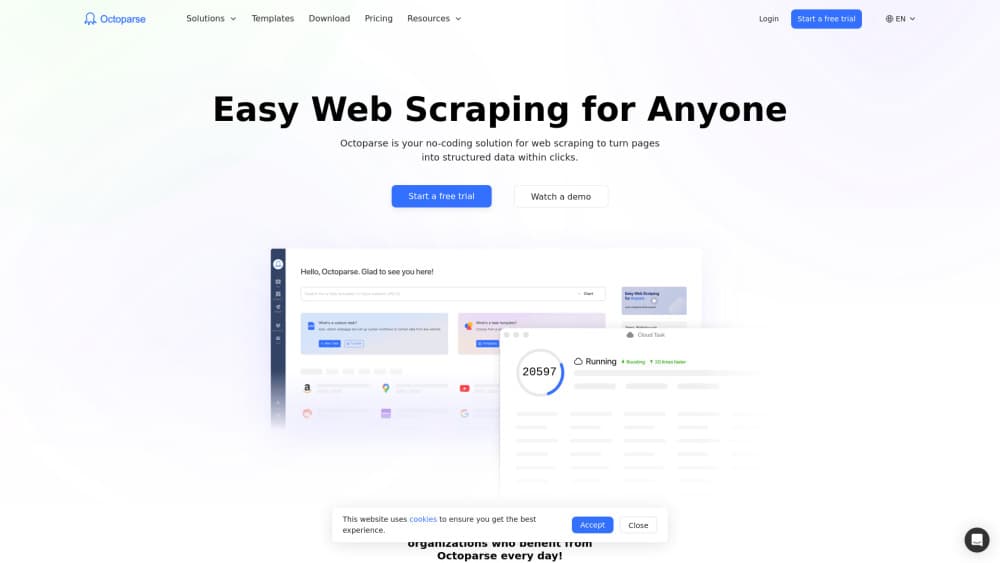
Octoparse is a web scraping tool built by Octopus Data Inc., a Walnut, California company that has shipped the product since March 2016. You open a page inside the app, click the fields you want, and the software works out the repeating pattern behind a list of products, a table of listings, or a set of reviews. Nobody writes selectors by hand. The workflow to scrape website data is the same on every site: load the page, click, confirm, run.
The output is the point. As a data extraction tool, it ends in a file or a table rather than a dashboard. A finished task gives you a file or a database table with prices, titles, ratings, contacts, or job posts sitting in columns you can filter. Cloud extraction moves that job off your machine, so a long crawl keeps running after you close the laptop.
Two limits are worth knowing before you start. The free plan runs local only, with no scheduling and no anti-blocking help, and protected sites will block it. Proxies and automatic CAPTCHA solving are paid add-ons billed by volume, so the subscription is not always the whole bill.
Getting Started
- Download the desktop app for Windows or macOS and create an account. The free plan asks for no card and does not expire.
- Paste a URL. The built-in browser loads the page, and you click each field you want to keep.
- Check the auto-detected list, rename the columns, then add pagination, scrolling, or click steps where the site needs them.
- Run the task locally to inspect the output, then choose an export target or schedule the job on a paid plan.
Product Information
A quick look at Octoparse's pricing, supported platforms, and performance.
Best for
The users, tasks, and scenarios where this tool fits best.
Users
- Online sellers
- Market researchers
- Sales and growth teams
- Analysts and developers
Tasks
- Price and stock monitoring
- Lead list building
- Review collection
- Listing tracking
Scenarios
- A weekly check on 1,600 competitor listings, which fits inside the free plan's monthly row cap.
- A one-off research sprint before a launch, when you need a few thousand rows and nothing recurring.
- Feeding live page data into ChatGPT or Claude during a chat, using the MCP server instead of a saved file.
Key features
Point-and-Click Task Builder
The desktop app opens the target page in an embedded browser and turns your clicks into extraction rules. Click one product title, one price, one image, and the tool highlights the rest of the items it believes belong to the same list. You confirm the guess instead of writing XPath, which is the core reason people pick this web scraping software over a scripting library.
600+ Preset Templates
Ready-made scrapers cover Amazon, eBay, Google Maps, TikTok, Zillow, Indeed, and other large sites, with 200+ of them also exposed through the MCP server in seven languages. Templates skip the setup work on common targets. Pay-per-result templates for hard sites charge $0.001 to $3 per thousand records and only bill for rows that come back.
Cloud Extraction and Scheduling
Paid plans run tasks on Octoparse servers, so your computer can be off. Standard allows 3 concurrent cloud runs, Professional allows 20, and both add task scheduling, monitoring, automatic export, and a longer run history. This is the upgrade most people buy first, because a scraper that only works while your laptop is awake is not really automation.
Anti-Blocking Stack
IP rotation, residential proxies at $3 per GB, and automatic CAPTCHA solving at $1 to $1.5 per thousand attempts keep crawls alive on sites that fight back. The proxies come from a pool with geographic coverage, which helps when a site serves different content by country. None of this is on the free plan.
Export and Integration Options
Data leaves as Excel, CSV, JSON, HTML, or XML, or lands directly in MySQL, SQL Server, PostgreSQL, or Oracle. Google Sheets export runs through a service account, cloud storage and Zapier are supported, and automatic export removes the manual download step. The free plan caps you at 50,000 rows a month and 10,000 rows per export.
API, CLI, and MCP Server
The web scraping API covers data retrieval on Standard and task control on Professional and above, and a CLI handles scripted runs. The MCP server is the newer route: connect it to ChatGPT, Claude, Cursor, or Gemini CLI, ask for prices or listings in plain language, and get a table back in the same chat. Free and Basic accounts get 2,000 records a week through that channel at no extra cost.
Pros and cons
Pros
- No code required. Auto-detection handles lists, tables, and pagination on most sites without selector work.
- The free plan is permanent, not a trial, with 10 tasks, 2 local runs at once, and 50,000 rows of export per month.
- Cloud scheduling is included from Standard, with 3 concurrent runs there and 20 on Professional.
- Exports cover spreadsheets, four databases, Google Sheets, cloud storage, and Zapier, so data rarely gets stuck in the tool.
- The MCP server gives free accounts a 2,000 record weekly export path into AI assistants.
Cons
- The free plan is local only. No cloud runs and no scheduling means your machine stays on for the whole crawl.
- Template results cannot be exported in-app on the free plan. You need a paid plan or the MCP route to get that data out.
- Add-ons are billed separately. Proxies at $3 per GB and CAPTCHA solving at $1 to $1.5 per thousand can push real spend well past the plan price.
- The task builder lives in the desktop app, so browser-only teams have to install software on each machine.
Frequently asked questions
Yes. There is a free-forever plan with 10 tasks, 2 concurrent local runs, and 50,000 rows of export per month. It requires no credit card and does not expire. Paid plans start at $83 per month for Standard, or $69 per month on annual billing.
Related content
Explore related tools, skills, and articles for Octoparse.
Octoparse Alternatives

Base Code
Base44 (Wix) · Coding · ProductivityBase Code is a shared cloud development environment from Base44. Teammates describe changes to an existing GitHub codebase in chat, preview them live and send them back as pull requests.

Google EmbeddingGemma 2
Google DeepMind · Writing · Image · CodingGoogle EmbeddingGemma 2 is a 740M-parameter open model that turns text, code, images, audio, and video frames into vectors in one 768-dimension space, running on phones and laptops.

GitGlow
GitGlow · Coding · ProductivityGitGlow is a local-first desktop Git client that lets independent developers review their own code and their AI agents' changes in one place before shipping.