
Octoparse AI - Workflow Automation Software
Octoparse · Coding
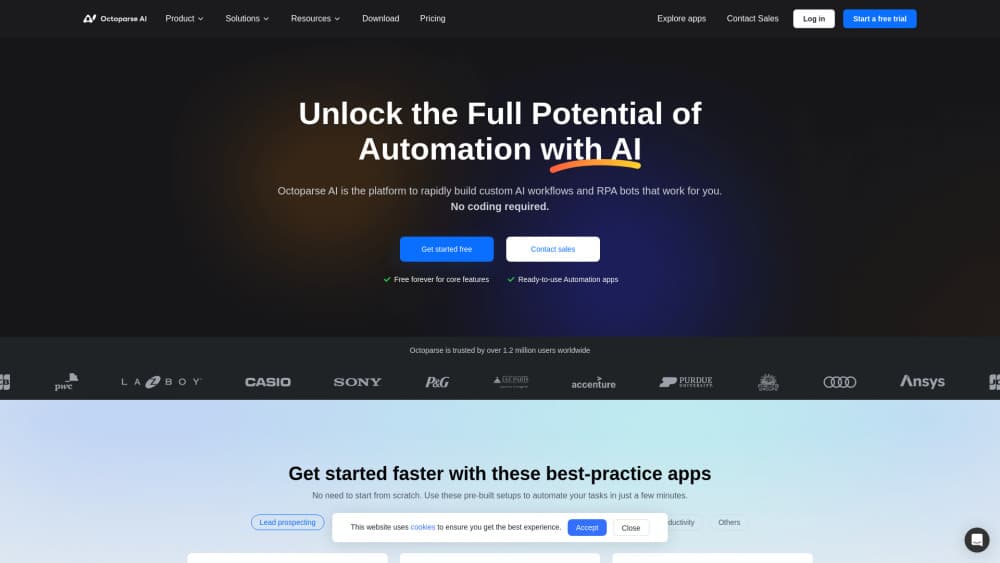
Octoparse AI is a no-code RPA tool where an AI Copilot builds workflow bots that connect web pages, Windows apps, and data files without writing code.
About Octoparse AI - Workflow Automation Software
What Is Octoparse AI
Octoparse AI is a desktop automation tool built on RPA (robotic process automation). It lets you build bots that move data and run tasks across web pages, Windows programs, and local files, without the writer needing to code an integration first. The developer is Octoparse, the company behind the long-running web scraping tool of the same name, and it says more than 1.2 million people use its products worldwide.
The tool aims at the gap between simple macros and full enterprise automation suites. You describe what you want, and the AI Copilot proposes a workflow; if you prefer, you drag elements on a canvas or write your own code inside a step. That mix is the point. A team can hand a routine job to a bot without waiting on IT, and a power user can still take the same workflow apart and extend it.
There are limits worth knowing. It runs on Windows, so Mac users are left out. Advanced pieces like webhooks, extra bot instances, and shared workspaces sit behind paid plans. The AI steps that process text, run OCR, or solve CAPTCHAs draw on platform credits that you top up separately once the first free $5 is used.
Getting Started
- Download Octoparse AI for Windows and create an account. The free tier needs no card.
- Pick a ready-made automation from the App Store, or start a blank workflow and describe the task.
- Let the AI Copilot draft the steps, then adjust them by dragging elements or editing commands.
- Run the bot, check the output, and schedule it with a time trigger if it needs to repeat.
Product Information
A quick look at Octoparse AI - Workflow Automation Software's pricing, supported platforms, and performance.
Best for
The users, tasks, and scenarios where this tool fits best.
Users
- Operations and back-office staff
- Small teams without IT support
- Data and research analysts
Tasks
- Data collection from web pages
- Routine file work
- Cross-app workflows
Scenarios
- A daily price check across several storefronts
- Monthly reporting where numbers live in three systems
- Onboarding a new teammate onto a fixed process
Key features
AI Copilot that drafts the workflow
You describe the job in plain language and the AI Copilot proposes the steps. It turns a sentence like "collect these listings every morning" into a runnable workflow you can inspect. That cuts the time between an idea and a working bot, and it lowers the bar for people who never learned a scripting language.
Three ways to build: natural language, drag-and-drop, or code
Octoparse AI meets different skill levels in one editor. The AI Copilot handles the first draft, a drag-and-drop canvas lets you rearrange and fine-tune steps, and you can drop into code when a task needs something custom. A team can mix the three, so the same workflow stays usable whether the person touching it codes or not.
Connect web pages, Windows apps, and files without APIs
The tool links tools that were never designed to talk to each other. It reads a web page, clicks through a Windows program, and touches a local file in the same run, so data moves end to end instead of stopping at a manual copy step. It matters most where no API exists and a person would otherwise bridge the gap by hand.
AI steps built into a workflow: text, OCR, and CAPTCHA
You can place AI actions inside a workflow rather than outside it. Text processing, OCR for scanned documents, and CAPTCHA solving run as steps a bot can call 24/7. The point is to keep the AI work inside the same automation, so a task does not break into a human review every cycle.
App Store with ready-made automations
The App Store ships a library of prebuilt automations, with over a hundred listed. Some come from Octoparse, others from named community builders, and many are free. You can run one as-is, customize it, or publish your own for others to use, which shortens the path when your task is common.
Scheduling, webhooks, and shared workspaces
Bots can run on a time trigger so a job repeats without anyone pressing start. On paid plans you also get webhooks to kick off a workflow from another system, shared workspaces for a team, and extra bot instances to run more jobs at once. These are the pieces that turn a personal macro into something a group relies on.
Pros and cons
Pros
- The AI Copilot drafts workflows in plain language, so beginners reach a working bot faster.
- One editor covers natural language, drag-and-drop, and code, so it fits both non-coders and developers.
- It links web pages, Windows apps, and files with no API, covering jobs a manual copy step would otherwise slow down.
- The free tier runs core features and the App Store automations without a card.
Cons
- It runs on Windows only, so Mac and Linux users can't use it.
- Webhooks, shared workspaces, and extra bot instances need paid plans, which limits team use on the free tier.
- AI steps such as OCR and CAPTCHA solving draw on platform credits once the first free $5 runs out, and heavy use adds cost.
- The site does not document a public API, so teams that want to wire the tool into their own stack have no clear path.
Frequently asked questions
Octoparse AI builds and runs software bots that move data and complete tasks across web pages, Windows programs, and files. An AI Copilot drafts the workflow from a plain-language description, and you can adjust it by dragging elements or editing code.
Related content
Explore related tools, skills, and articles for Octoparse AI - Workflow Automation Software.
Octoparse AI - Workflow Automation Software Alternatives

Base Code
Base44 (Wix) · Coding · ProductivityBase Code is a shared cloud development environment from Base44. Teammates describe changes to an existing GitHub codebase in chat, preview them live and send them back as pull requests.

Google EmbeddingGemma 2
Google DeepMind · Writing · Image · CodingGoogle EmbeddingGemma 2 is a 740M-parameter open model that turns text, code, images, audio, and video frames into vectors in one 768-dimension space, running on phones and laptops.

GitGlow
GitGlow · Coding · ProductivityGitGlow is a local-first desktop Git client that lets independent developers review their own code and their AI agents' changes in one place before shipping.