

Off-grid LLM over Radio
pham-tuan-binh (open-source project) · Other · Chatbot
Off-grid LLM over Radio links a local LLM to Meshtastic mesh networks, giving hikers and remote teams AI chat and task automation without internet.
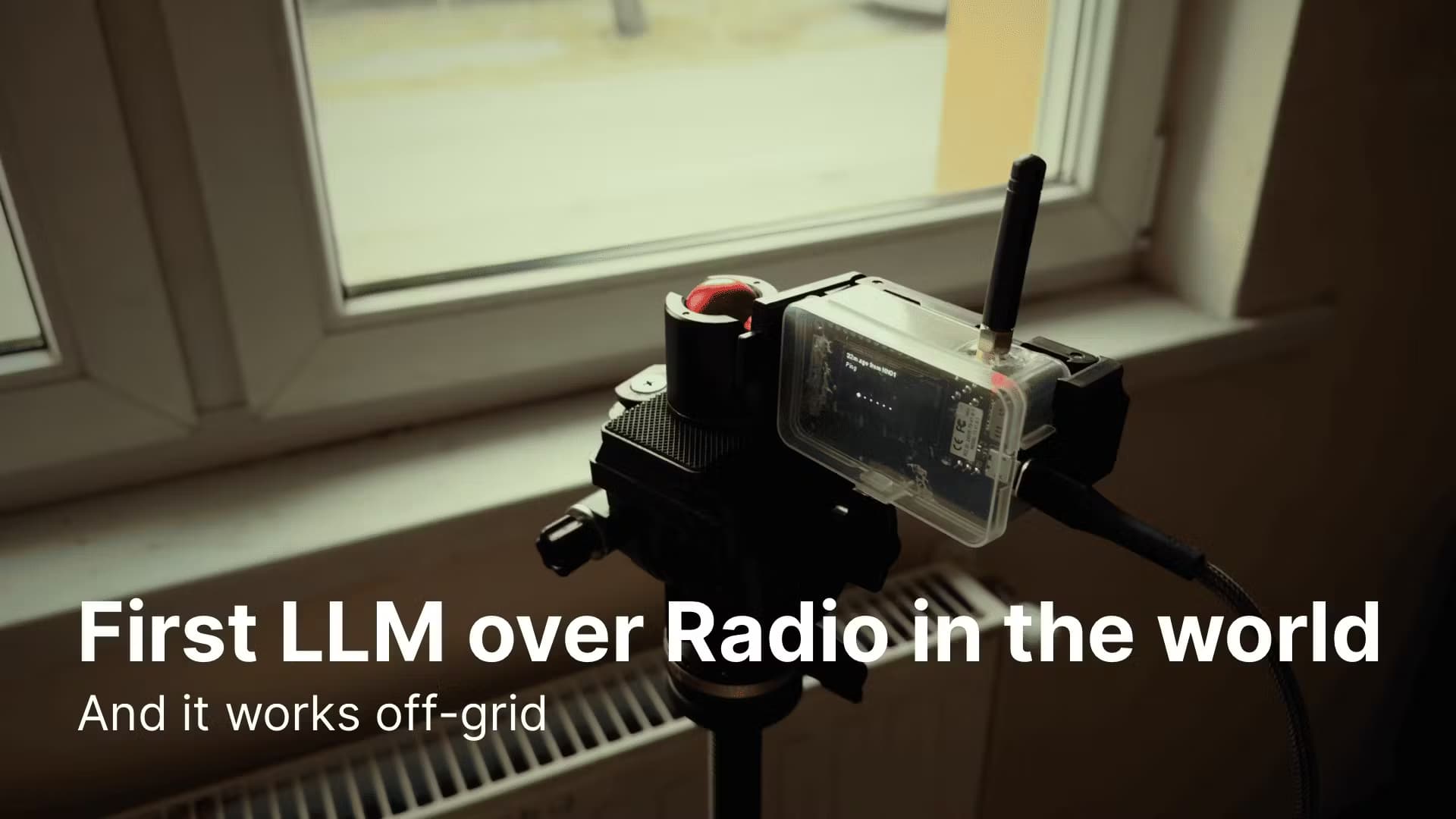
About Off-grid LLM over Radio
What Is Off-grid LLM over Radio
Off-grid LLM over Radio is an open-source platform that connects a Large Language Model to a Meshtastic mesh network, an arrangement of low-power radio devices that pass text messages between nodes without cell towers or Wi-Fi. Anyone on that radio mesh can talk to an LLM and get short replies back, even when no internet connection exists.
The setup solves a narrow problem well. Search-and-rescue crews, hikers, and off-grid communities often have radio contact but no data signal, so a radio link is the only channel they've got. This platform turns that radio link into an AI channel, so a message you type leaves over the mesh, a connected computer runs the model through Ollama, and the answer comes back the same way.
It isn't a plug-and-play app. You need a Meshtastic device, a machine running Python, and a decent grasp of the command line to get anywhere. For offline AI chat that just works out of the box, this isn't that. The project's own README warns that tool use on small models isn't reliable yet, so test heavily before relying on it in the field. Community interest is real, but the tooling is still early.
Getting Started
- Install Python 3.8 or newer along with the Meshtastic Python library, the Ollama SDK, and the PubSub library.
- Clone the repository and install dependencies with
pip install -r requirement.txt. - Connect your Meshtastic device over USB, TCP, or Bluetooth, then point the script at that interface.
- Run
python main.pyto start the bot on your mesh channel. - Send
/enable_llmto turn on chat, or/tool your_messageto trigger a task.
Product Information
A quick look at Off-grid LLM over Radio's pricing, supported platforms, and performance.
Best for
The users, tasks, and scenarios where this tool fits best.
Users
- Hikers and backpackers
- Search-and-rescue and field teams
- Radio hobbyists and Meshtastic fans
Tasks
- Offline question answering
- Automating radio tasks
- Sensor and node lookups
Scenarios
- Remote areas with no data coverage
- Emergency drills and disaster prep
- Field experimentation
Key features
Two-Way Mesh-to-LLM Chat
Messages flow both ways between the Meshtastic network and the model. Anyone on the mesh can send a prompt and get a reply, and the platform keeps message history so follow-up questions stay in context. It works much like a chat bot, just carried over radio instead of the internet. No signal? No problem.
Tool Execution from a Prompt
A /tool prefix lets the model carry out actions rather than just answer questions. The project ships with one working example, a demo for calling emergency services, and the README describes how to add your own tool by editing the handler, registry, and config files. This is where the platform goes beyond a simple chat relay, and you'll do the wiring yourself.
Automatic Message Chunking
Radio messages are short, so long LLM answers get split into chunks automatically. The platform handles the break at roughly 200 characters, which keeps replies readable across the mesh. You don't trim output by hand.
Node-Aware Responses
The bot can pull node-specific details such as battery level and location into its answers. For field teams, that means an AI reply can carry context about the device that asked the question. Handy when you're tracking several radios at once.
Broadcast and Targeted Replies
You can answer the whole channel or direct a response to one node, and that flexibility matters on a shared mesh, where a broadcast reaches everyone in range but a targeted reply keeps the airwaves from getting cluttered.
Flexible Device Connection
The platform supports USB, TCP, and Bluetooth links to your Meshtastic hardware. You set the interface in a few lines of code, so the same setup works whether your node sits next to the computer or hangs somewhere else in your network. Three connection types, one script.
Ollama-Backed Local Models
It runs models through Ollama, so nothing leaves your machine and no cloud account is required. You pick the model by editing the chat function, and the README suggests llama 3.2:3b as a starting point. Pair it with a small model and even modest hardware can keep up. Bigger models mean better answers, if your machine can handle them.
Pros and cons
Pros
- Runs entirely offline through Ollama, so it needs no internet or cloud subscription.
- Free and open source, with clear instructions for adding your own tools.
- Handles long answers with automatic chunking for short radio messages.
- Keeps conversation history, so context-aware follow-up questions work.
Cons
- Setup demands Python skills and a working Meshtastic device, so it's not for casual users.
- Only one tool (an emergency-services demo) ships today, and the README says more are coming.
- Tool use on small models isn't reliable yet, and the project itself tells you to test extensively first.
- Responses are capped by radio message limits, so long outputs arrive in fragments.
Frequently asked questions
It connects a local AI model to a Meshtastic radio network so people on the mesh can chat with an LLM and trigger tasks without any internet connection. No cloud, no cell signal, no problem.
Related content
Explore related tools, skills, and articles for Off-grid LLM over Radio.
Off-grid LLM over Radio Alternatives

Odyssey 3
Odyssey · OtherOdyssey-3 is Odyssey's foundation world model. It simulates physics in real time, turns a prompt into an interactive environment, and adapts to robots, cars and games.

JarvisCore
Prescott Data · Coding · Productivity · OtherJarvisCore is an open source Python runtime where AI agents work as equal peers on an agent mesh, claim tasks from a shared ledger, and reach external services through a zero-trust broker.
Clef
Cloudflare · Business · OtherClef is Cloudflare's open-source decision model for Workers AI. It returns calibrated probabilities for typed questions, not generated text, so agents can classify, route, and act fast.