

Office Translator
Office Translator, Inc. · Writing · Productivity
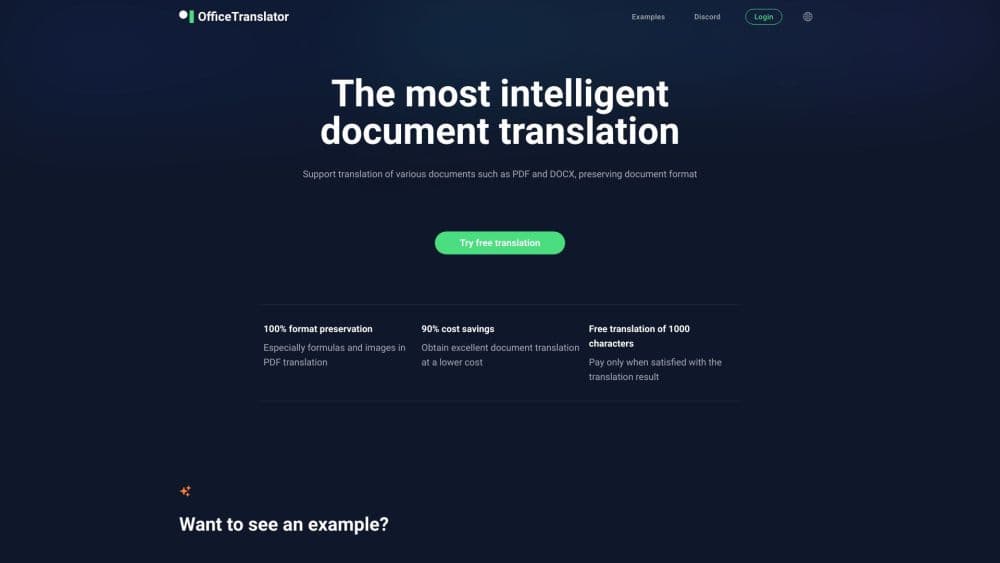
Office Translator is an AI document translation service that keeps the original layout of PDF, Word, Excel, PowerPoint, and EPUB files across 100+ languages.
About Office Translator
What Is Office Translator
Office Translator is a cloud-based document translation service from Office Translator, Inc., a company based in Delaware. It focuses on one job that general chatbots handle poorly: taking a finished document and turning it into another language without wrecking the layout.
The tool keeps headings, tables, footnotes, and images in place for the formats it supports. That matters most for contracts, academic papers, and product manuals, where a reviewer expects the translated file to look like the original. You can also edit the output online and retranslate at no extra credit cost.
The main limitation is scope. It translates documents, not live conversations or code, so teams wanting speech or app localization need a different product. Setup is also credit-based, so you pay per document rather than a flat monthly rate.
Getting Started
- Sign up on the Office Translator site and pick a target language and translation mode.
- Upload your file, from 40+ supported types that include DOCX, XLSX, PPTX, PDF, and EPUB.
- Review the partial preview and the task quote, keeping in mind that complex tables and scanned pages may need a close look.
- Confirm the task, translate the full document, then download the result once it is ready.
Product Information
A quick look at Office Translator's pricing, supported platforms, and performance.
Best for
The users, tasks, and scenarios where this tool fits best.
Users
- Law and compliance teams
- Academic researchers
- Product and marketing managers
Tasks
- Translating a PDF without reformatting it by hand
- Localizing a slide deck
- Updating a spreadsheet
- Post-editing machine output
Scenarios
- Shipping a localized employee handbook
- Turning a scanned agreement into readable copy
- Handling a one-off legal filing with a tight deadline
Key features
Layout preservation
Office Translator keeps headings, tables, images, and page structure intact for supported formats, so the translated file rarely needs cleanup. You can check a partial preview before committing to the full document, which helps you catch a bad table before it spreads across 200 pages.
100+ language coverage
The service translates between more than 100 languages, covering document types from PDF and Word to PowerPoint and EPUB. It also handles niche formats such as RTF, VSDX, HTML, and TXT, plus CBZ and CBR comic files through a dedicated mode.
Track changes and revision markup
If a DOCX file contains tracked changes, the tool preserves those marks during translation. Teams reviewing a contract in two languages can keep the comment and revision history that would otherwise vanish.
Synced table of contents and notes
The translator updates a document's table of contents and index page numbers, and it handles footnotes and endnotes as separate elements tied to the main text. Readers of academic papers can still click a heading and land on the right page.
Custom glossary and online editing
You can load a glossary so brand names and technical terms translate the same way every time. After the first pass, edit entries in the browser and hit retranslate; this reuses your corrections at no additional credit cost.
OCR for scans and images
Scanned PDFs and text embedded in images go through optical character recognition before translation. The quote estimates roughly 1,200 tokens per scanned page and 500 tokens per image, so you see the extra cost up front.
Translation API and credit billing
Developers can wire document translation into their own systems through the translation API and developer center. Billing runs on credits at $0.13 each, with standard mode at 1 credit per 3,000 tokens and a professional mode for papers and legal work.
Pros and cons
Pros
- Keeps formatting for PDF, Word, Excel, PowerPoint, and EPUB, cutting the reformatting that usually follows a translation.
- Covers 100+ languages and a wide range of file types, including scans and comic archives.
- Pay-as-you-go credits with no monthly fee suit occasional or one-off translation jobs.
- Retranslation after online edits costs no extra credits, so polishing output stays cheap.
- Preserves tracked changes, footnotes, and table of contents links, which matters for contracts and papers.
Cons
- There is no free bundled translation; you buy credits before a full paid document runs, with a 15-credit minimum.
- Complex tables, unusual fonts, and text baked into images can still break, so you have to review the preview rather than trust it blindly.
- It handles documents only, so anyone needing real-time speech or app string localization looks elsewhere.
Frequently asked questions
It covers PDF, Word (DOC and DOCX), Excel, PowerPoint, EPUB, RTF, VSDX, HTML, and TXT, along with CBZ and CBR comics. The company lists 50+ file types in total for translation.
Related content
Explore related tools, skills, and articles for Office Translator.
Office Translator Alternatives

Google EmbeddingGemma 2
Google DeepMind · Writing · Image · CodingGoogle EmbeddingGemma 2 is a 740M-parameter open model that turns text, code, images, audio, and video frames into vectors in one 768-dimension space, running on phones and laptops.

MePersona
MePersona, Inc. · Writing · Productivity · MarketingMePersona is an AI unified inbox for creators. It learns your voice, drafts replies to fan messages from 12 platforms, and sends only what you approve.

Fluence
Yay Software (Yannick Huchard) · Writing · Voice & Language · ProductivityFluence is an Android app that reads PDFs, EPUBs, Word files and web articles aloud, follows each sentence as it speaks, and answers questions about the text on the phone itself.