

Officely AI
Officely AI · Writing · Voice & Language · Productivity · Marketing · Leaning · Other · Chatbot
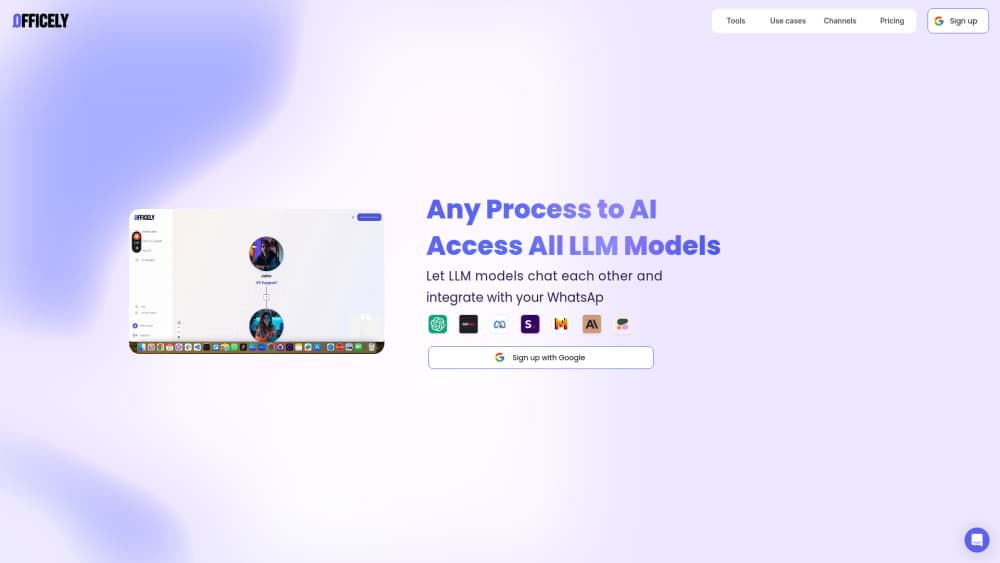
Officely AI, now sold under the Agentim name, is a no-code builder for AI agent teams that answer customers on WhatsApp and your website. Drag steps onto a canvas, add agents, publish in minutes.
About Officely AI
What Is Officely AI
Officely AI is a web platform for building customer-facing chatbots and AI workflow automation without writing code. You work on a visual canvas: messages, buttons, forms, and AI agents sit as blocks that you connect in order. The finished flow runs on WhatsApp, on a website chat widget, or both.
The product started as a way to give support and operations teams a controlled alternative to open-ended chat tools. Instead of one general assistant that answers everything, you assemble a team of AI agents. Each one gets a narrow job, its own model, and its own prompt. A router sends each question to the agent that should handle it, and a fact-checker reviews the answer against your own content before it reaches a customer.
The company rebranded the product, and officely.ai now redirects to agentim.ai. Existing users keep the same accounts and bots. New buyers see the Agentim name and prices, which is why you'll find both names in documentation and marketplace listings.
Two limits are worth knowing up front. The free plan carries Agentim branding and daily conversation caps, and the QR connection for WhatsApp runs through a third-party service rather than Meta's official API.
Getting Started
- Create a free account at officely.ai. The domain forwards to agentim.ai, and signup needs an email only. No card is required for the free plan.
- Choose a starting point. Templates cover common support flows, or you can open a blank canvas and drag in your first message block.
- Build the logic. Add buttons, lists, and forms for the predictable part of the conversation, then drop in an AI flow where customers ask open questions.
- Connect a channel. Link WhatsApp through the official Business API after Meta verifies your business, or scan a QR code to use the number you already have. The website widget takes one line of code.
- Test in preview, then publish. Every change lands in a draft first, so live conversations keep running while you edit.
Product Information
A quick look at Officely AI's pricing, supported platforms, and performance.
Best for
The users, tasks, and scenarios where this tool fits best.
Users
- Small support teams
- Operations staff who own a process
- Agencies and freelance builders
Tasks
- Answering repeat questions on WhatsApp
- Triaging incoming messages
- Turning documents into a support agent
- Wiring chat into your stack
Scenarios
- A store that sells through WhatsApp
- Support volume that spikes on launch days
- A site with no live chat yet
Key features
Visual Chat Builder
The chat builder puts messages, buttons, lists, and forms on a canvas you arrange by hand. Conditions and reusable variables let one flow branch into several paths without duplicating blocks. Webhooks and API calls run mid-conversation, so the bot can check an order or write a CRM record while the customer waits.
AI Flows With a Team of Agents
AI Flows is where Officely AI separates itself from an ordinary no-code chatbot builder. You give each AI agent one job, one model, and one prompt, then connect them with routers and filters. Python steps handle logic the model shouldn't decide. The result is closer to a small support team than to one assistant with a long instruction.
Knowledge Retrieval and Fact Checking
Agents pull answers from your website and uploaded files rather than from general training data. A separate check agent compares the draft answer against those sources before sending it. That extra step is the difference between a bot that sounds confident and one that stays inside what your business actually publishes.
Two Ways to Connect WhatsApp
You can register a number through the official WhatsApp Business API, which requires Meta business verification and usually takes a few days. Or you scan a QR code and keep using the WhatsApp already installed on your phone, which goes live in about 30 seconds. The quick route runs through Green API, and WhatsApp may block numbers that look automated, so it suits testing and small volumes.
Website Chat Widget
One line of code adds a chat widget to any site. Free accounts get up to 100 website conversations a day, and the same flow that runs on WhatsApp can serve the widget. The Pro plan adds logo, colors, font, a floating ask bar, and custom CSS.
Integrations and MCP Access
Make and Zapier cover no-code handoffs, while webhooks and a REST API cover custom work. An early access MCP server lets Claude, ChatGPT, or Cursor edit your bots from a prompt, with scoped keys and draft-first writes. Every change is logged, and a write never overwrites a newer edit.
Pros and cons
Pros
- A working WhatsApp chatbot can be live the same day, using either the official API or a QR connection.
- The multi-agent canvas handles messy support questions better than one bot with a long prompt.
- Fact-checking against your own sources reduces confident wrong answers, which is the failure mode customers notice most.
- Free plan includes AI credits across models, so you can test output quality before paying.
- Pro at $59/mo with unlimited bots suits agencies that build for several clients.
Cons
- The free plan shows Agentim branding and caps you at 10 WhatsApp and 100 website conversations a day, which runs out fast on a busy inbox.
- The QR route is not an official Meta connection, so a number flagged for automated behavior can get blocked.
- Pro includes 3,000 conversations a month and then charges $10 per 1,000, so high-volume support gets expensive compared with flat-rate helpdesk tools.
- Two brand names in one product create confusion: docs, marketplace listings, and invoices don't always match, and older Zendesk and Intercom guides describe screens that have moved.
Frequently asked questions
Officely AI is a no-code platform for building chatbots and AI agent teams that run on WhatsApp and websites. It's aimed at support and operations teams that want control over what the bot says, not a general purpose assistant.
Related content
Explore related tools, skills, and articles for Officely AI.
Officely AI Alternatives

Google EmbeddingGemma 2
Google DeepMind · Writing · Image · CodingGoogle EmbeddingGemma 2 is a 740M-parameter open model that turns text, code, images, audio, and video frames into vectors in one 768-dimension space, running on phones and laptops.

MePersona
MePersona, Inc. · Writing · Productivity · MarketingMePersona is an AI unified inbox for creators. It learns your voice, drafts replies to fan messages from 12 platforms, and sends only what you approve.

Fluence
Yay Software (Yannick Huchard) · Writing · Voice & Language · ProductivityFluence is an Android app that reads PDFs, EPUBs, Word files and web articles aloud, follows each sentence as it speaks, and answers questions about the text on the phone itself.