

Ogment MCP-Builder
Ogment · Coding
Ogment MCP-Builder is a no-code platform for turning APIs, data sources, and documentation into production-ready MCP servers that plug into ChatGPT and Claude. If your team wants its internal tools reachable from an AI assistant without writing protocol code, this is the layer that handles the conversion, from raw endpoint to callable tool definitions a model can actually understand. It ships with authentication, evaluations, and usage analytics, so an MCP server goes from an idea to something your assistant can actually call in about the time it takes to run a meeting.
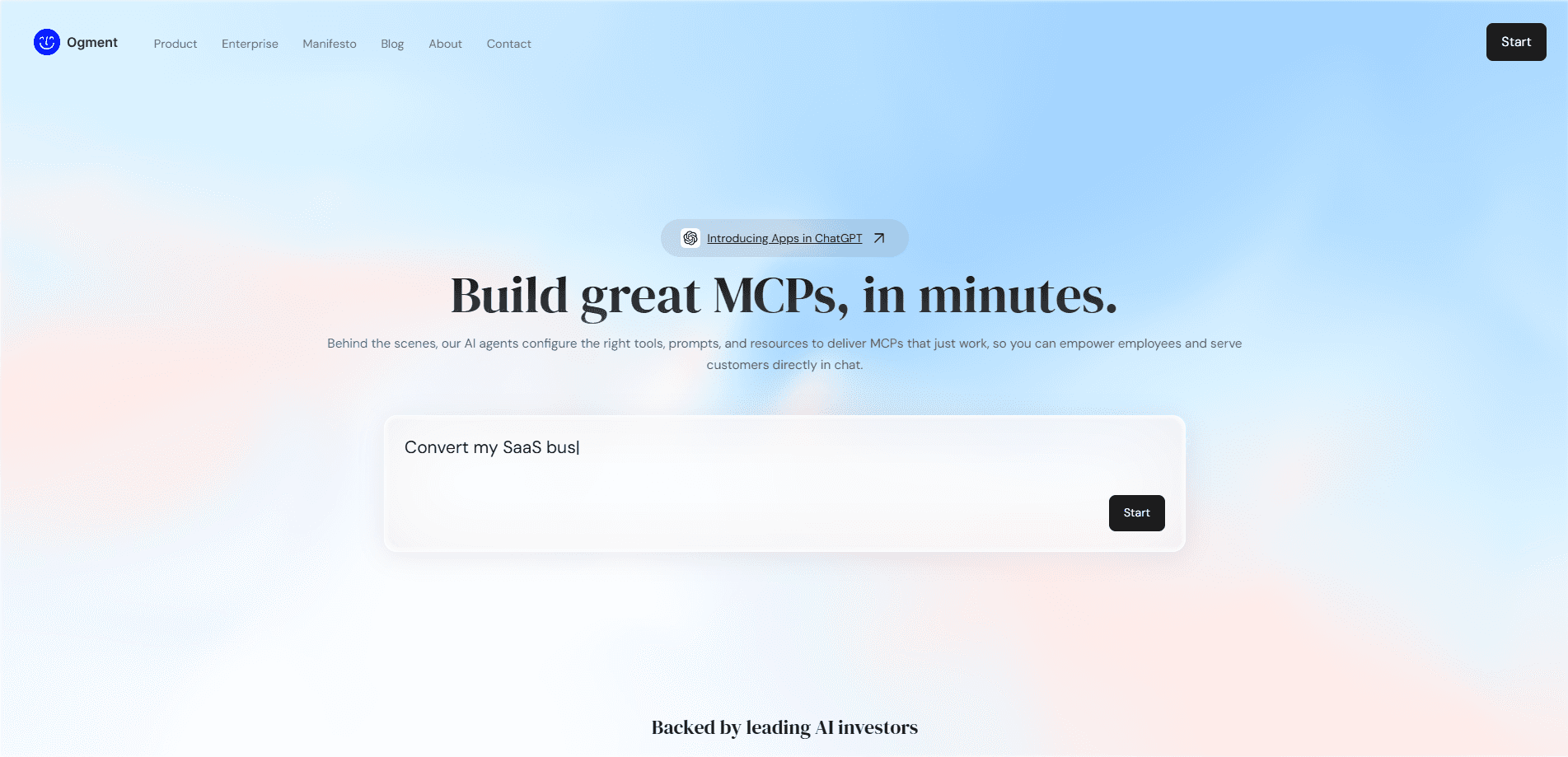
About Ogment MCP-Builder
What Is Ogment MCP-Builder
MCP stands for Model Context Protocol, the open standard that lets AI assistants call outside tools and read outside data. Writing a server for it used to mean real engineering work: hand-coding tools, wiring up auth, and testing each change against a model. Ogment MCP-Builder removes most of that.
You point it at something you already have, an API, a database, a set of docs, and it generates the MCP server that exposes that resource to ChatGPT or Claude. Authentication, evaluations, and analytics come attached, so you aren't bolting them on later.
The main limitation is scope. This is an MCP server builder for connecting tools you control, not a place to design a whole application. If you want to hand-tune protocol behavior down to the byte, you'll eventually want the MCP SDKs. Most business and product teams won't need that.
Getting Started
- Create an Ogment account and open MCP-Builder from the dashboard.
- Connect a source: paste an API endpoint, upload documentation, or link a data store.
- Configure authentication, then define which actions the MCP server should expose.
- Run the built-in evaluation to check the server responds correctly to a model.
- Add the generated MCP server to ChatGPT or Claude and test it in a live conversation.
Product Information
A quick look at Ogment MCP-Builder's pricing, supported platforms, and performance.
Best for
The users, tasks, and scenarios where this tool fits best.
Users
- Product and business teams
- Developers shipping AI features
- Support and ops teams
Tasks
- Turning an existing REST API into a callable MCP server
- Wrapping internal documentation
- Testing MCP behavior before rollout
Scenarios
- Onboarding an AI assistant to a company's internal systems for the first time.
- Giving a support bot live access to order data instead of a stale export.
- Standing up a proof of concept for a client without committing engineering weeks.
Key features
No-Code API to MCP Conversion
Got a working API? You can expose it as an MCP server without writing protocol logic. You describe what the endpoints do, and MCP-Builder generates the tool definitions a model needs to call them. For teams without a dedicated platform engineer, this is the difference between shipping and shelving the idea.
Built-In Authentication
MCP servers aren't useful if anyone can call them. The platform handles authentication as part of the setup, so the connection between your assistant and its tools isn't left open, and that matters most when the server touches customer records or anything a stranger shouldn't be able to read.
Evaluations for MCP Servers
Getting a tool to respond is easy. Getting it to respond correctly to a model? That's the real test. Built-in evaluations let you check that the server behaves the way a conversation expects, and catch the broken tool calls that would otherwise surface in front of users. Teams that skip this step usually find out the hard way.
Usage Analytics
Analytics show how the MCP server is actually being used, which tools get called, and where things stall. Which is plainly useful once more than one person depends on it. Without this, you're guessing about what to fix.
ChatGPT and Claude Integration
The finished MCP server is built for the assistants people already use. It meets ChatGPT and Claude where they're already working. No new interface to learn. That's why adoption doesn't stall.
Documentation-Driven Setup
If the source is docs rather than an API, you can feed the documentation in and let the platform work from it. Handy for knowledge-heavy teams whose processes live in writing instead of code.
Pros and cons
Pros
- Cuts the setup time for an MCP server from engineering weeks to a short session.
- Authentication and analytics are included, not sold as separate add-ons.
- Evaluations catch broken tool calls before your users run into them.
- Speaks to ChatGPT and Claude, the two assistants most teams already have open.
- Reasonable starting price for a team that just wants to try MCP.
Cons
- It's a hosted platform, so everything runs on Ogment's infrastructure rather than your own. Teams with strict data rules should check the details before committing.
- Deep protocol customization has a ceiling. If you need to control every part of the server's behavior, the official MCP SDKs give you more room.
- The published material is thin on concrete pricing tiers and exact limits, so you may need to talk to sales to get a firm number.
Frequently asked questions
It converts APIs, data, and documentation into MCP servers that ChatGPT and Claude can call, so an AI assistant can reach your tools without custom protocol code.
Related content
Explore related tools, skills, and articles for Ogment MCP-Builder.
Ogment MCP-Builder Alternatives
Forefront
Forefront · CodingForefront is a web platform for building with open-source AI. It lets you fine-tune leading open-source language models on your own data, evaluate how they perform, and run them through an API or export them to host yourself. Developers who want the convenience of a closed-source platform but insist on owning their models and data are the target audience here.

Startkit
StartKit.AI · CodingStartkit is a boilerplate for building AI SaaS and AI wrapper products. Think of it as an AI startup boilerplate with the boring parts already wired up: authentication, Stripe and Lemon Squeezy payments, usage limits, transactional email, and an AI API starter that talks to OpenAI, Anthropic, Groq, or Llama. You clone the repo, set your price, and start on the part of your product that people actually pay for. It's Next.js under React and Tailwind, so most of the boilerplate code already feels familiar.
Testim
Tricentis · CodingTestim is an AI-powered test automation platform for building and running end-to-end tests across web, mobile, and Salesforce applications. It leans on machine learning to keep tests stable when an interface changes, so teams spend less time fixing broken selectors. Not bad for an automated testing tool you can start using today. You create tests by recording actions in a browser, then optionally add JavaScript when you need more control. It's a solid pick for busy QA teams.