

Oi - AI Assistant
CYBER ONE LTD · Other
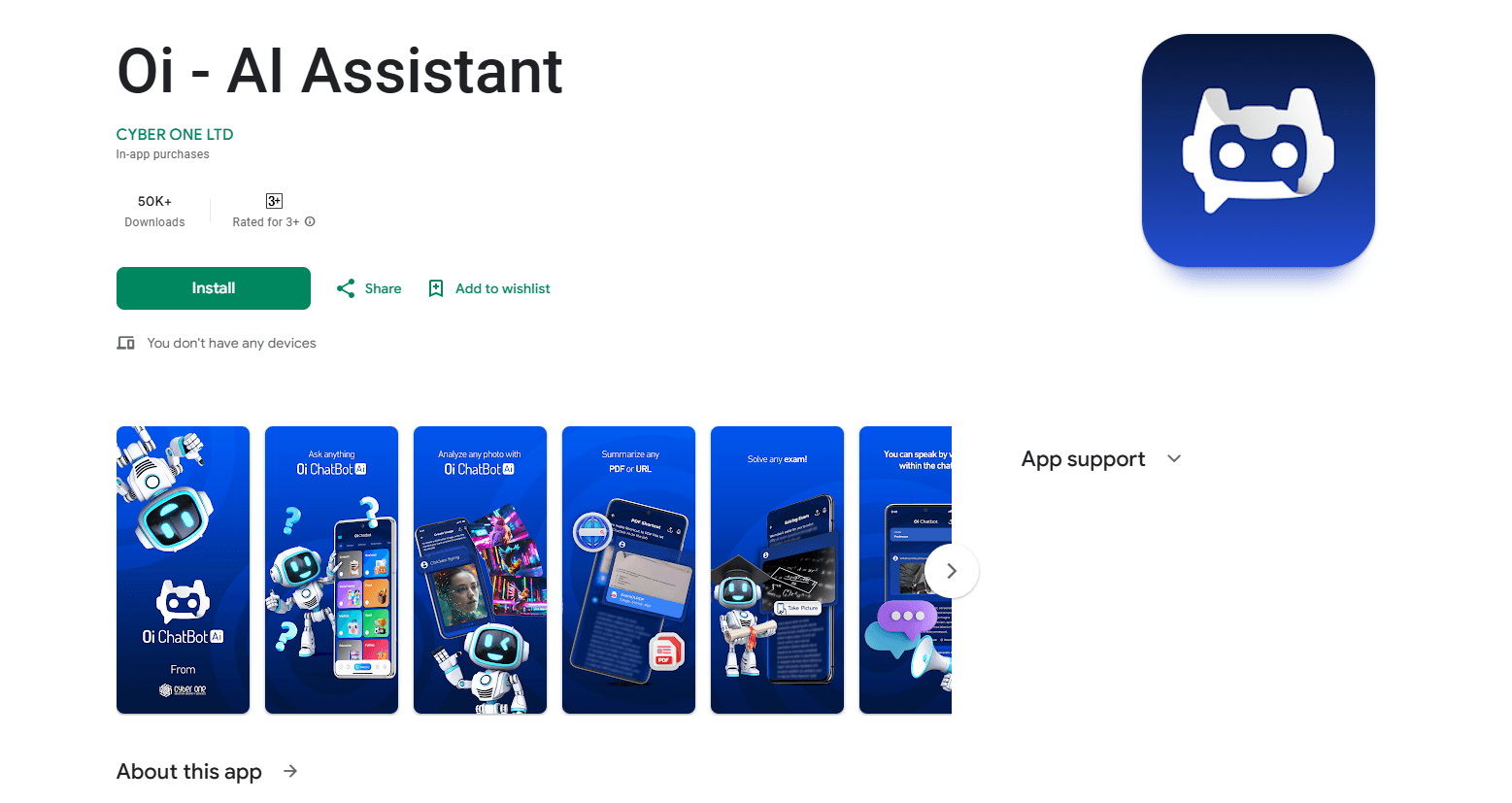
Oi - AI Assistant is a mobile AI app for asking questions, generating and reading images, summarizing PDFs, and translating text, priced from $7.99 a week.
About Oi - AI Assistant
What Is Oi - AI Assistant
Oi - AI Assistant, also listed as Oi Ai ChatBot, is a mobile AI app from CYBER ONE LTD that packs several everyday AI tasks into one place. You can type a question, snap a photo of a problem, or paste a link and get an answer back in seconds. It also turns short text prompts into images and reads images you upload to pull out details from them.
The pitch is convenience for people who don't want five separate apps. Chat, image generation, document summaries, and translation all sit behind one interface, so a student checking homework and a traveler translating a menu use the same download. As an AI chat app, it competes on breadth over depth. The catch is that most of it leans on a server connection, and the best tools sit behind a subscription rather than the free tier.
Getting Started
- Download Oi - AI Assistant from the App Store or Google Play and open it. No account is required to browse the built-in categories.
- Pick a category or start a fresh chat, then type a question, take a photo, or upload a file.
- For images, describe what you want in a text prompt and let the app render it.
- For documents, upload a PDF or paste a web link and ask for a summary.
- Save anything useful to Favorites so you can find it again later. Subscriptions are handled through your app store account if you decide to upgrade.
Product Information
A quick look at Oi - AI Assistant's pricing, supported platforms, and performance.
Best for
The users, tasks, and scenarios where this tool fits best.
Users
- Students
- Travelers
- General phone users
Tasks
- Summarizing a long PDF or web page
- Generating a simple image from a text prompt
- Translating text between languages
- Building a slide outline or presentation content
Scenarios
- Last-minute homework help
- Reading a foreign document
- Planning a client presentation
Key features
Instant Question and Answer
Type a question or point your camera at a problem and the app returns an answer in seconds. It handles straightforward questions well and reads text from photos, which helps when you can't retype a page. This is the core of the app and the feature you'll use most.
Image Generation From Text
Describe what you want in a sentence and Oi renders an image from that prompt. Results come back quickly and work for casual visuals. Fine control over style and detail trails dedicated image tools. It's a convenient add-on if you'd otherwise switch apps just to make a picture.
PDF and Link Summaries
Upload a PDF or paste a web link and ask for the key points. As a lightweight PDF summarizer app, it condenses long documents into a short overview, which is useful for research or study when you only need the gist. Accuracy depends on how cleanly the source file reads.
Image Analysis
Beyond making images, the app reads pictures you provide and pulls out information from them. It can describe a photo or extract text, covering cases like receipts, screenshots, and whiteboards. This pairs with the camera question feature for hands-busy situations.
High-Quality Translation
The app translates text and aims for natural-sounding results rather than word-for-word output. As an AI translation app, it's built for cross-language messages and documents, and it slots into chats where you're already working. For short, everyday translation it holds up well.
Presentation Drafting
You can ask Oi to generate presentation content and structure, then carry the draft into your own slides app. It's aimed at people who need a starting outline fast rather than a finished deck. The output saves planning time on routine presentations.
Categories and Favorites
Work is grouped into categories, and anything useful can be saved to Favorites for quick recall. That keeps a growing pile of chats, images, and summaries from turning into a mess. It's a small feature that matters once you rely on the app daily.
Pros and cons
Pros
- Combines chat, image generation, image reading, summaries, and translation in one mobile app.
- Free to download with a usable free tier, so you can test the core tools before paying.
- Photo-based questions and image analysis cover hands-busy moments other chat apps miss.
- Categories and Favorites keep saved answers and images organized.
- Available on both iOS and Android with a consistent interface.
Cons
- The weekly plan costs $7.99, and a year runs $99.99, which adds up if you subscribe long term.
- Most features need an internet connection, so you can't lean on it offline.
- Heavy use and the stronger tools sit behind the subscription rather than the free tier.
- No public API, so you can't wire the app into your own workflows or products.
Frequently asked questions
It answers questions from text or photos, generates images from prompts, analyzes images you upload, summarizes PDFs and web links, and translates between languages, all inside one mobile app.
Related content
Explore related tools, skills, and articles for Oi - AI Assistant.
Oi - AI Assistant Alternatives

Odyssey 3
Odyssey · OtherOdyssey-3 is Odyssey's foundation world model. It simulates physics in real time, turns a prompt into an interactive environment, and adapts to robots, cars and games.

JarvisCore
Prescott Data · Coding · Productivity · OtherJarvisCore is an open source Python runtime where AI agents work as equal peers on an agent mesh, claim tasks from a shared ledger, and reach external services through a zero-trust broker.
Clef
Cloudflare · Business · OtherClef is Cloudflare's open-source decision model for Workers AI. It returns calibrated probabilities for typed questions, not generated text, so agents can classify, route, and act fast.