

OLO Robotics
OLO Robotics · Coding
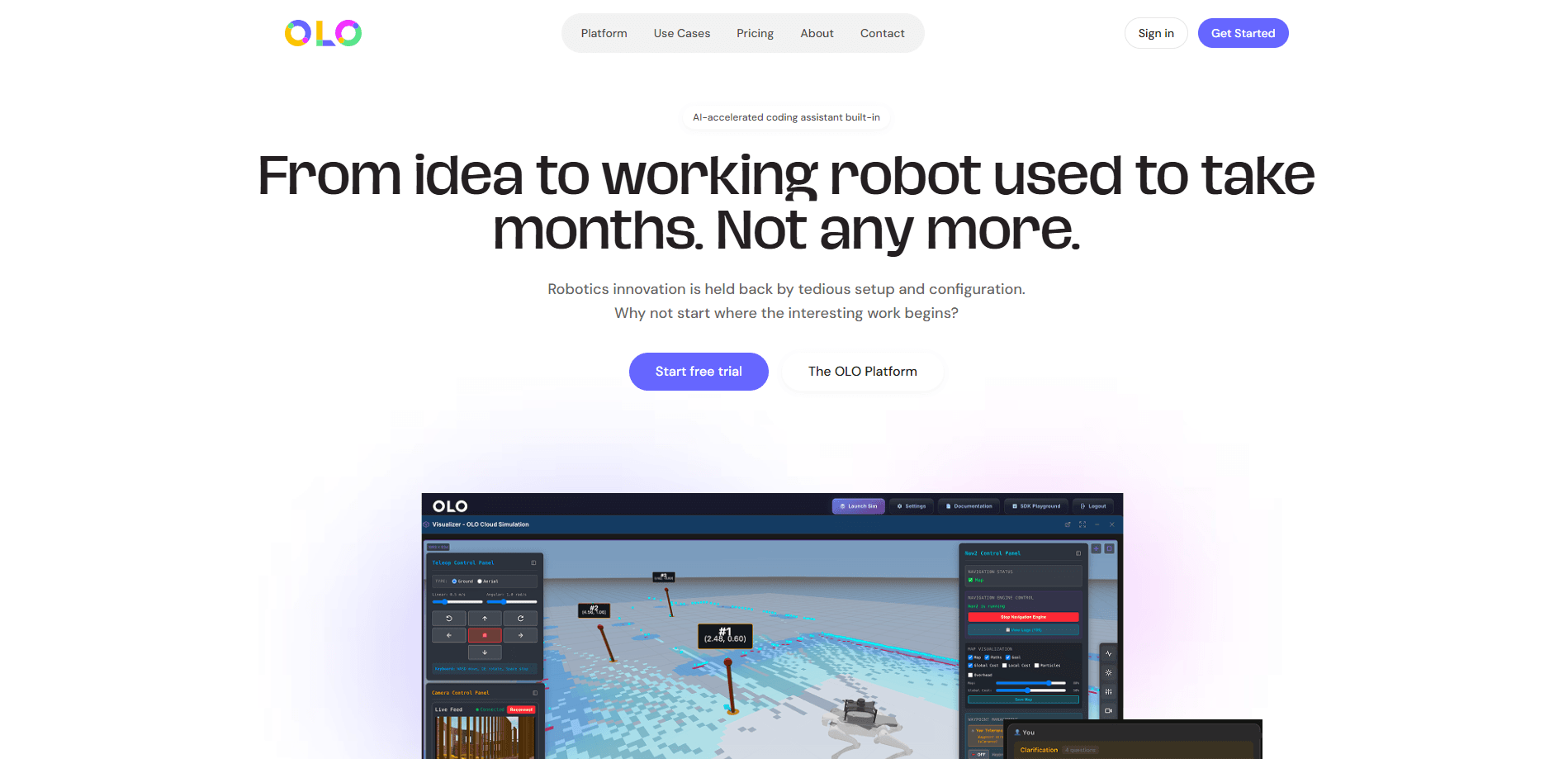
OLO Robotics is a browser-based ROS 2 platform that pulls robot simulation, teleoperation, autonomous navigation, and AI-assisted coding into a single cloud workspace. It's built for teams that want to skip the setup burden of local ROS tooling and get robots doing useful work sooner. Think of it as robot inspection software and a development workspace fused into one tab. You open it, import a 3D model or connect hardware, and start building. That's the whole idea.
About OLO Robotics
What Is OLO Robotics
OLO Robotics is a cloud robotics platform from a UK company based in Sheffield. It runs ROS 2 in the browser, so you don't install a local toolchain or keep a workstation patched with drivers. The visualiser, the simulator, the map builder, and the control panels all live in the same tab. No install. No driver wars.
The core problem it targets is deployment friction. Getting a robot from a working demo to a repeatable task usually means weeks of specialist ROS engineering, and industrial inspection is the clearest example of where that cost lands hardest. Manually inspecting confined spaces, high-temperature zones, or elevated structures puts people at risk and produces readings that drift between visits. OLO lets you plan a route in simulation, map the real site, then schedule the robot to run the same waypoints every time.
The biggest limitation is hardware dependency. OLO is the software layer, not the robot, and that distinction matters more than any feature list because the platform can only do useful work when it's talking to compatible hardware on a network. You still need compatible hardware, a reliable network connection at the site, and for cloud features, an account on their paid tiers once the trial windows close. It's also clearly aimed at developers, engineers, and industrial teams. A casual hobbyist will find plenty of capability but less hand-holding than a beginner robotics kit.
Getting Started
- Create a free account at app.olo-robotics.com and log in to the web workspace.
- Import a 3D model of your environment and run a trial inspection in the cloud simulator.
- Map the real site using the OLO visualiser, then place navigation waypoints and define an action at each stop.
- Configure the inspection dashboard panels, then schedule the run so the robot navigates autonomously and records as it goes.
- Review the live data feeds and download the full ROSBag recording after the run.
Product Information
A quick look at OLO Robotics's pricing, supported platforms, and performance.
Best for
The users, tasks, and scenarios where this tool fits best.
Users
- Robotics developers
- Industrial inspection teams
- Hardware resellers and OEMs
Tasks
- Simulate a full trial inspection
- Build an autonomous navigation routine
- Teleoperate and stream video
- Write robot code with AI assistance
Scenarios
- Confined space and high-temperature inspections
- Bringing a stalled robot back into production
- Onboarding engineering teams
Key features
Cloud Simulator
You import a 3D model of your environment and run a complete trial inspection in simulation before touching hardware. The Free plan includes one hour of total simulator time, while Premium gives you 10 hours a month and add-on hours at £2 per hour. It's the cheapest way to catch a bad route before a robot ever moves.
Browser-Based Visualiser and SLAM Mapping
The OLO visualiser generates a live map of the real inspection environment. Under the hood it uses SLAM and AMCL for navigation, the same stack robotics engineers already trust, but you drive it from a browser tab instead of a terminal. Maps become part of your project data and can be reused across runs.
Teleoperation and Live Video
You can drive a robot remotely and watch a live video feed from the workspace. This is what makes remote inspection practical when a site is dangerous or hard to reach. Video streaming, navigation, manipulation, and control are ready from day one rather than assembled piece by piece.
Waypoint-Based Autonomous Navigation
You place navigational waypoints, define an action at each stop, and schedule the inspection in the platform. The robot then navigates autonomously along the route and records data as it goes, which removes the variability that creeps into human-led inspections. Same path every time. Repeat runs follow the same defined path.
ROSBag Data Capture and ROS 2 Integration
Every run produces a complete ROSBag recording you can download and analyse, alongside live data feeds shown in configurable dashboard panels. Because the platform is built on ROS 2, MoveIt and YOLO integration are available for teams that need manipulation or vision in the loop. Your existing engineering knowledge still applies.
AI-Assisted Coding and SDK Playground
The SDK Playground comes with a monthly £20 credit plus an AI coding assistant, and a standalone SDK is available on trial. You write and test robot logic in the browser instead of wiring up a local development environment. The AI assistant is billed by token on paid tiers, so occasional use stays cheap.
Guided Onboarding Programme
For industrial deployments, OLO runs a hands-on onboarding programme covering scoping, an on-site assessment, and specification, followed by training, ongoing support, and platform updates. It exists so your own engineers end up able to run and maintain the robot independently. Not a rented dependency forever.
Pros and cons
Pros
- Runs ROS 2 in the browser, so you skip local toolchain setup and driver maintenance.
- Simulation-to-deployment workflow in one place cuts the gap between a tested route and a real inspection.
- Free plan includes visualisation, teleoperation, SLAM/AMCL navigation, and MoveIt integration, which is a generous starting point.
- ROSBag recordings and live dashboards make the data from each run easy to review and compare.
- AI-assisted coding and the SDK Playground lower the coding barrier for teams without deep ROS specialists.
Cons
- You still need compatible robot hardware, so the platform can't revive a robot with unsupported electronics.
- Cloud features depend on a site network connection, which isn't guaranteed in every industrial environment.
- Advanced features like automation, standalone SDK, and AI coding are limited to 14-day trials or paid tiers, so the free plan is really an evaluation.
- The simulator caps out at one hour on Free and 10 hours a month on Premium, which can run short for heavy testing.
Frequently asked questions
OLO Robotics is a cloud platform that runs ROS 2 in a browser, combining robot simulation, mapping, autonomous navigation, teleoperation, and data capture. It's aimed at teams that want to deploy robots for tasks like industrial inspection without building and maintaining a local ROS environment.
Related content
Explore related tools, skills, and articles for OLO Robotics.
OLO Robotics Alternatives
Forefront
Forefront · CodingForefront is a web platform for building with open-source AI. It lets you fine-tune leading open-source language models on your own data, evaluate how they perform, and run them through an API or export them to host yourself. Developers who want the convenience of a closed-source platform but insist on owning their models and data are the target audience here.

Startkit
StartKit.AI · CodingStartkit is a boilerplate for building AI SaaS and AI wrapper products. Think of it as an AI startup boilerplate with the boring parts already wired up: authentication, Stripe and Lemon Squeezy payments, usage limits, transactional email, and an AI API starter that talks to OpenAI, Anthropic, Groq, or Llama. You clone the repo, set your price, and start on the part of your product that people actually pay for. It's Next.js under React and Tailwind, so most of the boilerplate code already feels familiar.
Testim
Tricentis · CodingTestim is an AI-powered test automation platform for building and running end-to-end tests across web, mobile, and Salesforce applications. It leans on machine learning to keep tests stable when an interface changes, so teams spend less time fixing broken selectors. Not bad for an automated testing tool you can start using today. You create tests by recording actions in a browser, then optionally add JavaScript when you need more control. It's a solid pick for busy QA teams.