

oMoo
Tempo-Pulse · Voice & Language
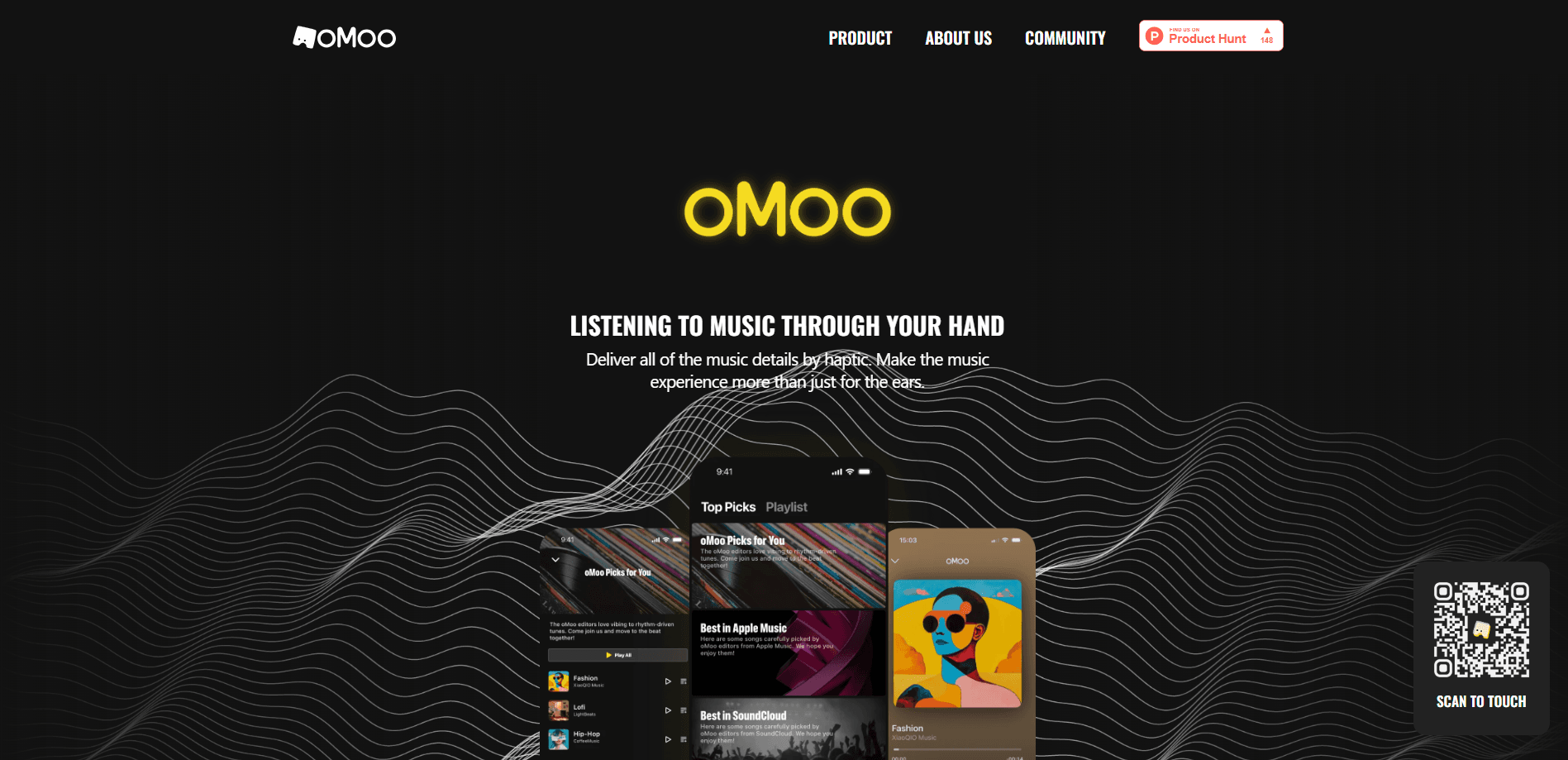
oMoo is an AI haptic music player that turns songs into vibration you can feel on your phone, powered by AI haptic technology that reads the beat, texture, and rhythm of a track.
About oMoo
What Is oMoo
oMoo is a haptic music player built on AI. It reads the beat, flow, and texture of a track in real time and turns those qualities into phone vibration, so music reaches the hand as well as the ear. The team behind it frames the goal plainly: bring music to everyone, including people who are deaf or hard of hearing.
That focus shapes who the app is for. Listeners who want a second sensory channel get one, and listeners who can't hear the music at all get a way in. The website leans on a vivid example, telling of a child who started dancing the moment she felt the vibrations.
The main limit is fine detail. Haptics can carry rhythm, energy, and texture, but they don't reproduce melody, lyrics, or instrument timbre. Treat oMoo as another way to experience a song, not as a replacement for hearing it.
Getting Started
- Download oMoo from the App Store. The listing points to an iPhone build, with an App Clip for a quick trial.
- Open the app and pick songs from the built-in playlist of recommendations, or add your own tracks.
- Choose one of the five haptic styles and set the intensity you want.
- Play a track and let the AI haptic engine map the music to vibration as it runs.
- Keep the phone in your hand or against your body so the feedback registers.
Product Information
A quick look at oMoo's pricing, supported platforms, and performance.
Best for
The users, tasks, and scenarios where this tool fits best.
Users
- Deaf and hard of hearing listeners
- Music fans who want a fuller experience
- Parents and teachers
Tasks
- Feeling the rhythm of a song
- Following a playlist
- Tuning the feel of a track
Scenarios
- Listening with the phone in hand
- Sharing music with a deaf child
- Using music to wind down or focus
Key features
AI Haptic Engine
The core of oMoo is an AI haptic algorithm that translates the beat, flow, and texture of a song into vibration in real time. It works on the track as it plays, so the feedback tracks the music instead of running on a fixed pattern. That's what lets you touch the details of a song rather than just feel a steady buzz.
Five Haptic Styles
oMoo ships with five distinct haptic styles, and each one changes how a track feels in the hand. The choice is a matter of taste and song, since a dense electronic track and a slow acoustic one don't call for the same feedback. Switching styles is how you match the vibration to the mood of the music.
Adjustable Intensity
Beyond style, intensity is fully adjustable. You can dial the vibration up for a strong, obvious pulse or down for something subtle, which matters in quiet places or for listeners who are sensitive to strong feedback. Combined with the style options, this covers a wide range of preferences from one track to the next.
Curated Playlists
A built-in list of recommended songs gives new users a place to start, and oMoo's editors keep adding to it to inspire the haptic experience. You can also build your own playlist and add tracks at any time, so the app is not limited to what ships with it.
Built for Accessibility
Making music accessible is central to the haptic music experience oMoo offers, not an afterthought. The design targets listeners who are deaf or hard of hearing directly, and the visual interface keeps the interaction clear and simple. App Store reviewers back this up, with users describing children who are deaf dancing to the vibrations.
Home Screen Widget
oMoo includes a Home Screen widget, so you can jump back into the haptic player without digging through the app first. It's a small convenience, but it helps when you want to start or resume a session quickly.
Pros and cons
Pros
- Turns music into vibration through AI, giving deaf and hard of hearing users a real way to experience songs.
- Five haptic styles plus adjustable intensity make it easy to match the feedback to a track.
- Curated playlists and support for your own tracks keep the library from feeling limited.
- A Home Screen widget makes it quick to start or resume a listening session.
- Free to use, with a Premium tier for anyone who wants more.
Cons
- The App Store listing points to iPhone and iOS only, so Android users are left out.
- Vibration can't carry melody, lyrics, or instrument timbre, so it works alongside hearing rather than replacing it.
- The App Store page and the official site give thin detail on exactly what the Premium tier adds, which makes that upgrade hard to judge before buying.
Frequently asked questions
oMoo is an AI haptic music player. It uses AI algorithms to translate the beat, flow, and texture of a song into vibration on your phone, so you can feel the music as well as hear it.
Related content
Explore related tools, skills, and articles for oMoo.
oMoo Alternatives

Off the Record
Weird Machines · Voice & Language · ProductivityOff the Record is a macOS app from Weird Machines that reshapes your voice in real time to block AI transcription, so people hear you normally and notetakers get nothing usable.
Cekura Bench
Cekura · Voice & Language · BusinessCekura Bench is a public benchmark that runs speech-to-speech models and deployed voice agents through 82 simulated phone calls, three times each, then publishes pass rates, latency and cost.
Griffin by Tavus
Tavus · Voice & Language · Video · ChatbotGriffin by Tavus is the first Human Interaction Model: a full-duplex, video-to-video system that watches, listens, and answers during a live video call in real time.