

Onlook
Onlook · Coding
Onlook is an open-source visual editor where designers edit live React and Next.js code on a canvas, with AI handling the heavy edits, so the working code stays the source of truth.
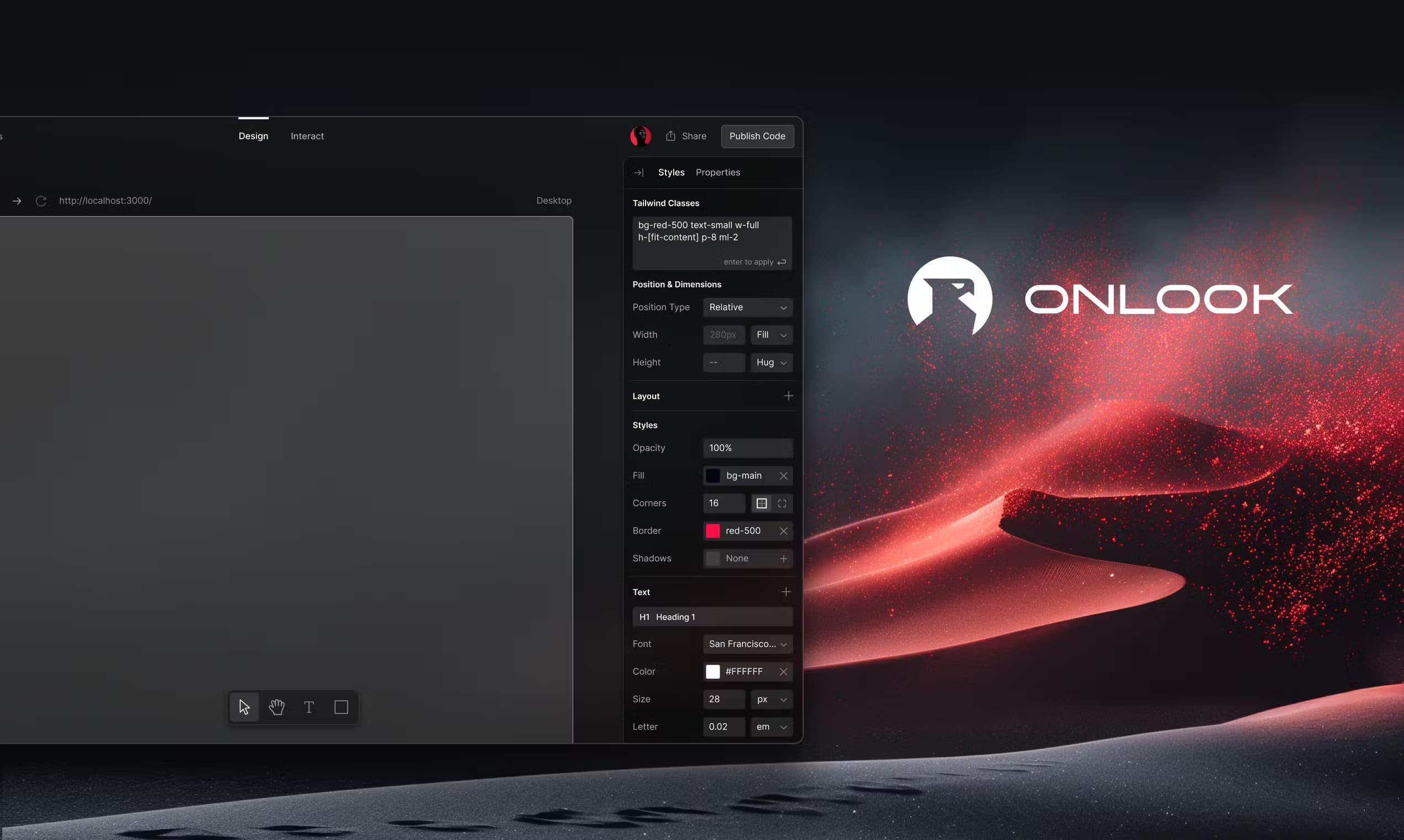
About Onlook
What Is Onlook
Onlook is a browser-based visual editor for code. Instead of exporting a mockup into a separate design file, it loads your real React and Next.js project, shows the components on an infinite canvas, and writes every change straight back into the codebase. The code is treated as the source of truth, so what you see on the canvas is the actual product rather than a picture of it.
The tool is aimed at the split that usually slows web teams down. As a design to code tool, it removes the handoff gap: designers work in a visual interface, and engineers later pull those edits into the codebase through the same git workflow they already use. Onlook reads your design tokens, typography, and Storybook components, then applies them so AI-generated changes match what the team already ships.
Being an open source design tool matters here too, because teams can inspect how the editor works and shape it to their own setup instead of trusting a closed black box.
The biggest constraint is the stack. Onlook runs on React and Next.js projects styled with Tailwind CSS. Teams on Vue, Svelte, or plain HTML cannot use it today. Heavy use of the hosted AI also runs against message limits on the free tier, so teams that lean on the assistant most days end up needing a paid plan or their own server.
Getting Started
- Sign up for the hosted app at onlook.com, or clone the open-source repository and run it yourself.
- Connect a GitHub account and import an existing Next.js and Tailwind CSS project, or start a new one inside the editor.
- On the infinite canvas, select any element and edit it by hand, or describe the change in chat and let the AI write it.
- Check the live preview and the underlying code side by side, then commit or push the changes through git.
- Use the built-in version history to revert a step, or publish to a custom domain when the work is ready.
Product Information
A quick look at Onlook's pricing, supported platforms, and performance.
Best for
The users, tasks, and scenarios where this tool fits best.
Users
- Designers working with a frontend team
- Frontend developers
- Small product teams at startups
- Founders prototyping a landing page
Tasks
- Editing live React components on a canvas
- Turning a visual tweak into a code change
- Keeping a brand consistent across pages
- Importing an existing codebase
- Prototyping and ideating a page
Scenarios
- Polishing a marketing site before a launch
- Testing layout ideas on a real product
- Onboarding a designer onto a React project
Key features
Visual Editing on Real Code
The core of Onlook is a Tailwind CSS design tool and React visual editor rolled into one infinite canvas that renders your actual components, not a static image. Select any element and drag, resize, reorder, or restyle it directly. Because the edits write back to the source files, what you move on screen is what ships. Designers get the freedom of a design tool without losing the connection to the codebase.
AI That Edits Your Components
Onlook's assistant reads your existing components, design tokens, and Storybook setup, then suggests changes that match your team's patterns. You can edit an element yourself or hand the task to the chat and let it write the code. Unlike pure chat-based builders, you keep full visual control while the AI handles the repetitive parts.
Import Your Codebase
You can point Onlook at an existing Next.js and Tailwind CSS project on GitHub and start editing right away. There is no separate Onlook file format and no second copy of the design system to maintain, so the project you bring in stays the project you ship.
Design System Compliance
The editor tracks your brand's fonts, colors, spacing, and component patterns, then applies them as it generates. Every new element inherits the same tokens, which keeps pages on-brand without a manual pass to catch drift. For teams with a strict design system, that consistency matters more than raw generation speed.
Live Collaboration and Version History
Teams can share a project and work on the same canvas in real time, mirroring how designers already collaborate in Figma. A revision history records each change so anyone can step back to an earlier version. That safety net makes it easier to try a bold layout without fear of losing good work.
Draw-in Layers and Hotkeys
Onlook lets you trace divs and text directly on the design to create matching code in real time. Standard hotkeys carry over from other design tools, so the muscle memory transfers. Layers let you select nested elements with precision when a section has a dense component tree.
Publish and Self-Host
Finished work can go out to GitHub, a link, or a custom domain. Because Onlook is open-source under the Apache 2.0 license, teams can also self-host it for free and keep every design and code change on their own infrastructure. The hosted cloud version adds team features like branching, theming, and SSO on custom pricing.
Pros and cons
Pros
- The code stays the source of truth, so there is no separate design file to keep updated.
- Open-source under Apache 2.0, with a free self-hosted option that runs on your own servers.
- AI edits follow your existing components and design tokens, so output looks like the team's own work.
- Real-time collaboration and version history fit how design and dev teams already work together.
Cons
- It only supports React and Next.js projects styled with Tailwind CSS, so other frameworks are out of reach today.
- The free tier caps AI messages, which limits how much the assistant can do without a paid plan.
- The hosted Teams plan has no public price, so you have to contact sales before you can compare costs.
- Setting up a self-hosted instance assumes some technical comfort with deploying a web app.
Frequently asked questions
Onlook is a visual editor for editing real React and Next.js code. You build, style, and prototype web interfaces on a canvas, and the changes land in the codebase rather than in a standalone design file.
Related content
Explore related tools, skills, and articles for Onlook.
Onlook Alternatives

Base Code
Base44 (Wix) · Coding · ProductivityBase Code is a shared cloud development environment from Base44. Teammates describe changes to an existing GitHub codebase in chat, preview them live and send them back as pull requests.

Google EmbeddingGemma 2
Google DeepMind · Writing · Image · CodingGoogle EmbeddingGemma 2 is a 740M-parameter open model that turns text, code, images, audio, and video frames into vectors in one 768-dimension space, running on phones and laptops.

GitGlow
GitGlow · Coding · ProductivityGitGlow is a local-first desktop Git client that lets independent developers review their own code and their AI agents' changes in one place before shipping.