

Onyx
Onyx · Coding · Leaning
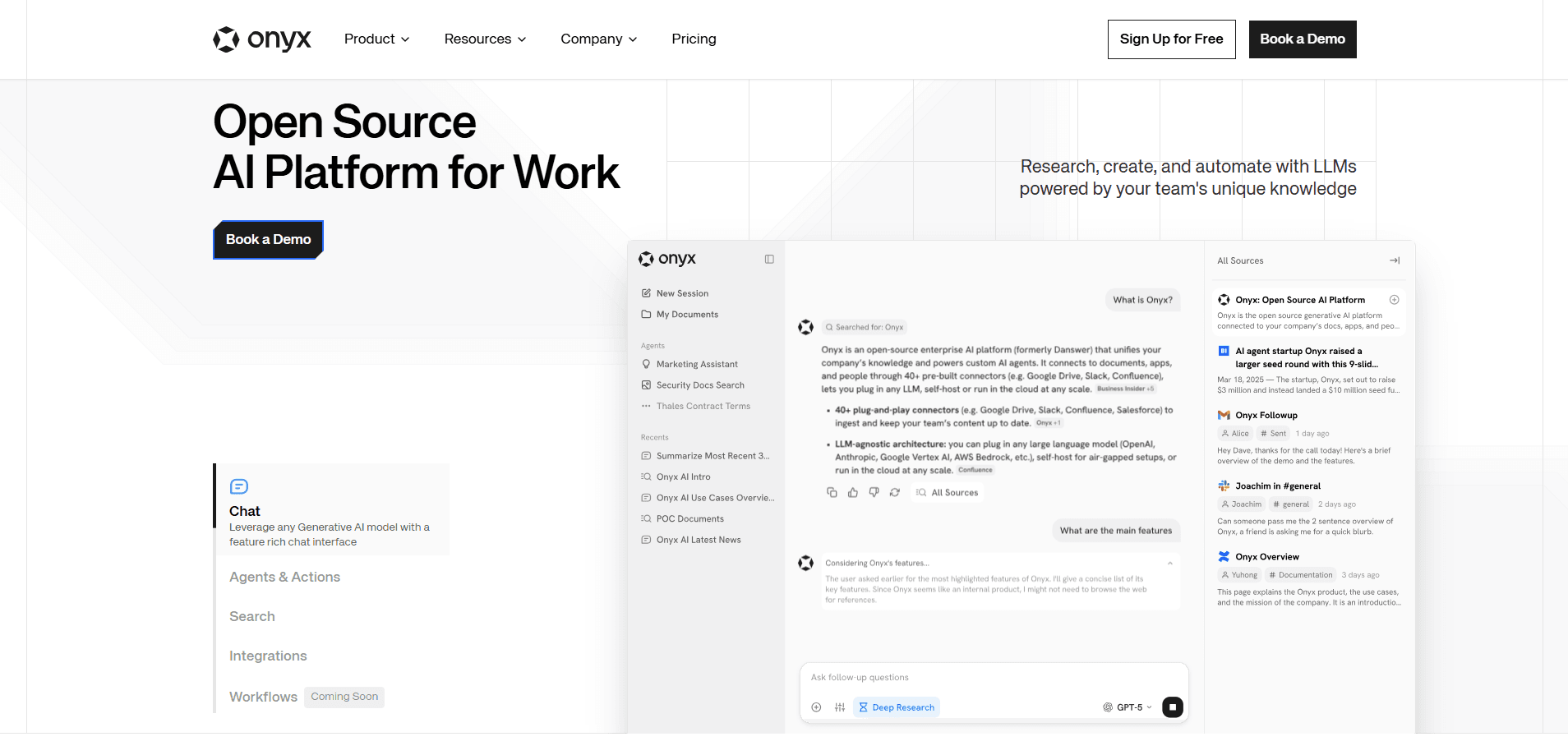
Onyx is an open-source AI platform that gives your team a single chat interface to any LLM, grounded in your own documents, apps and people. Instead of sending employees to a generic chatbot that knows nothing about your business, Onyx indexes your internal knowledge and answers questions from it. You can run it in the cloud as a managed service or self-host the whole thing, and it keeps permissions intact so people only see what they're allowed to see.
About Onyx
What Is Onyx
Onyx is an open-source AI platform for work, built for teams that want a ChatGPT-style assistant without handing their private data to a black box. It connects to the tools you already use, builds a searchable index of everything inside them, and lets any LLM answer questions using that knowledge. The core problem it solves is trust: a generic model will happily invent an answer, but a model grounded in your own files has something real to work from.
The product came out of a project called Danswer and later took the Onyx name. It leans hard on security. There's SOC 2 Type II and GDPR compliance, role-based access control, SSO through OIDC or SAML on higher tiers, and the option to deploy on your own servers or in a specific region. If your legal team has opinions about where company data lives, that flexibility is the whole point.
The catch is that self-hosting isn't a click. You need someone comfortable with Docker and a server to run it on, and the free open-source version doesn't include the managed features or enterprise support you'd get from the paid plans. Small teams without any technical staff will get further, faster, on the hosted version.
That trade-off sums up the product. Control costs effort.
Getting Started
- Pick your path: sign up for a free trial on Onyx Cloud if you want it handled for you, or follow the self-hosting quickstart and deploy locally with Docker.
- Connect your sources. Link Google Drive, Slack, Notion, GitHub and the rest of the 40+ available connectors, then let Onyx index them.
- Set up access controls. Attach your permissions so document and channel restrictions carry over into the AI answers.
- Choose your models. Point Onyx at the LLM providers you trust, or keep it self-hosted and run open models on your own hardware.
- Start a chat, or build a custom agent with instructions, knowledge and actions for a repeatable task.
Product Information
A quick look at Onyx's pricing, supported platforms, and performance.
Best for
The users, tasks, and scenarios where this tool fits best.
Users
- Teams that need AI answers from internal knowledge
- Security-conscious organizations
- Open-source minded developers
Tasks
- Answering questions across scattered company documents
- Building custom AI agents
- Internal search and research
Scenarios
- A new hire trying to understand how the company works
- A support team looking up a past issue
- A company that can't send data to third-party AI
Key features
Chat With Any LLM
Onyx isn't locked to one model. You can route requests to the major LLM providers or run open models on your own infrastructure, and switch between them as your needs change. That freedom matters if a vendor raises prices or you simply prefer how a different model handles your domain. The chat interface also supports sharing and feedback, so useful answers spread across the team.
Enterprise Search and RAG
The platform indexes your connected apps and documents, then uses hybrid search, advanced retrieval and AI-generated knowledge graphs to find the most relevant passages. The point is fewer hallucinations. Onyx says it tested this on 99 real workplace questions across 220,000 internal documents and scored blind by two independent LLM judges, which gives you a rough sense of how it holds up against general chatbots.
Custom Agents and Actions
You can build agents with their own instructions, knowledge and actions, then hand them to the team. Actions connect through MCP or OpenAPI, so an agent can do real work like updating a record or posting to a tool rather than just talking about it. This is where Onyx moves past a plain Q&A bot toward something you can automate with. That shift matters for support and ops teams.
Connectors for Your Stack
Onyx ships with 40+ app connectors, covering the usual suspects: Google Drive, Slack, Notion, GitHub and many more. Each one feeds your knowledge index, so the assistant's answers reflect what's actually in your tools. The connector list is the difference between a toy and something that knows your business.
Admin Controls and Security
Role-based access control, permission inheritance, encrypted secrets, Google OAuth, and OIDC or SAML SSO on higher tiers keep the platform governed. Permission inheritance means a restricted document stays restricted even when the AI summarizes it. SOC 2 Type II and GDPR compliance round out the security story for teams that need it.
Extras Beyond Chat
Deep research, a sandboxed Python code interpreter, image generation and voice mode all live inside the same interface. There's also a Craft workspace that turns a goal into finished work with scheduled tasks and reusable skills, plus desktop and Chrome app access. These extras are why some teams treat Onyx as a single AI hub rather than one tool among many.
Pros and cons
Pros
- Open source and self-hostable, so you can inspect, extend and control where your data lives
- Answers are grounded in your connected apps and documents instead of the open web alone
- Works with any major LLM rather than locking you to one provider
- 40+ connectors mean the knowledge index reflects the tools your team already uses
- Permission inheritance and SSO keep access rules intact, which is rare in a chat tool
Cons
- Self-hosting needs Docker experience and ongoing maintenance, so it's not a fit for teams without technical staff
- The public pricing stops at "Business" and "Enterprise", so you have to contact sales for real numbers
- Native mobile apps weren't available at the time of writing, which limits on-the-go use
- The biggest gains depend on connecting and indexing your sources first, so setup takes real effort
Frequently asked questions
Onyx gives teams a chat interface that answers questions using their own internal documents and apps. People use it for company knowledge search, building custom AI agents, and running AI workflows in one governed place. Think of it as AI chat for teams that need their own data behind it, not a generic public bot.
Related content
Explore related tools, skills, and articles for Onyx.
Onyx Alternatives
Forefront
Forefront · CodingForefront is a web platform for building with open-source AI. It lets you fine-tune leading open-source language models on your own data, evaluate how they perform, and run them through an API or export them to host yourself. Developers who want the convenience of a closed-source platform but insist on owning their models and data are the target audience here.

Startkit
StartKit.AI · CodingStartkit is a boilerplate for building AI SaaS and AI wrapper products. Think of it as an AI startup boilerplate with the boring parts already wired up: authentication, Stripe and Lemon Squeezy payments, usage limits, transactional email, and an AI API starter that talks to OpenAI, Anthropic, Groq, or Llama. You clone the repo, set your price, and start on the part of your product that people actually pay for. It's Next.js under React and Tailwind, so most of the boilerplate code already feels familiar.
Testim
Tricentis · CodingTestim is an AI-powered test automation platform for building and running end-to-end tests across web, mobile, and Salesforce applications. It leans on machine learning to keep tests stable when an interface changes, so teams spend less time fixing broken selectors. Not bad for an automated testing tool you can start using today. You create tests by recording actions in a browser, then optionally add JavaScript when you need more control. It's a solid pick for busy QA teams.