

OpenAI Codex CLI
OpenAI · Coding
OpenAI Codex CLI is a local coding agent from OpenAI that runs in your terminal, reading your repo, editing files, and running commands while you stay in control.
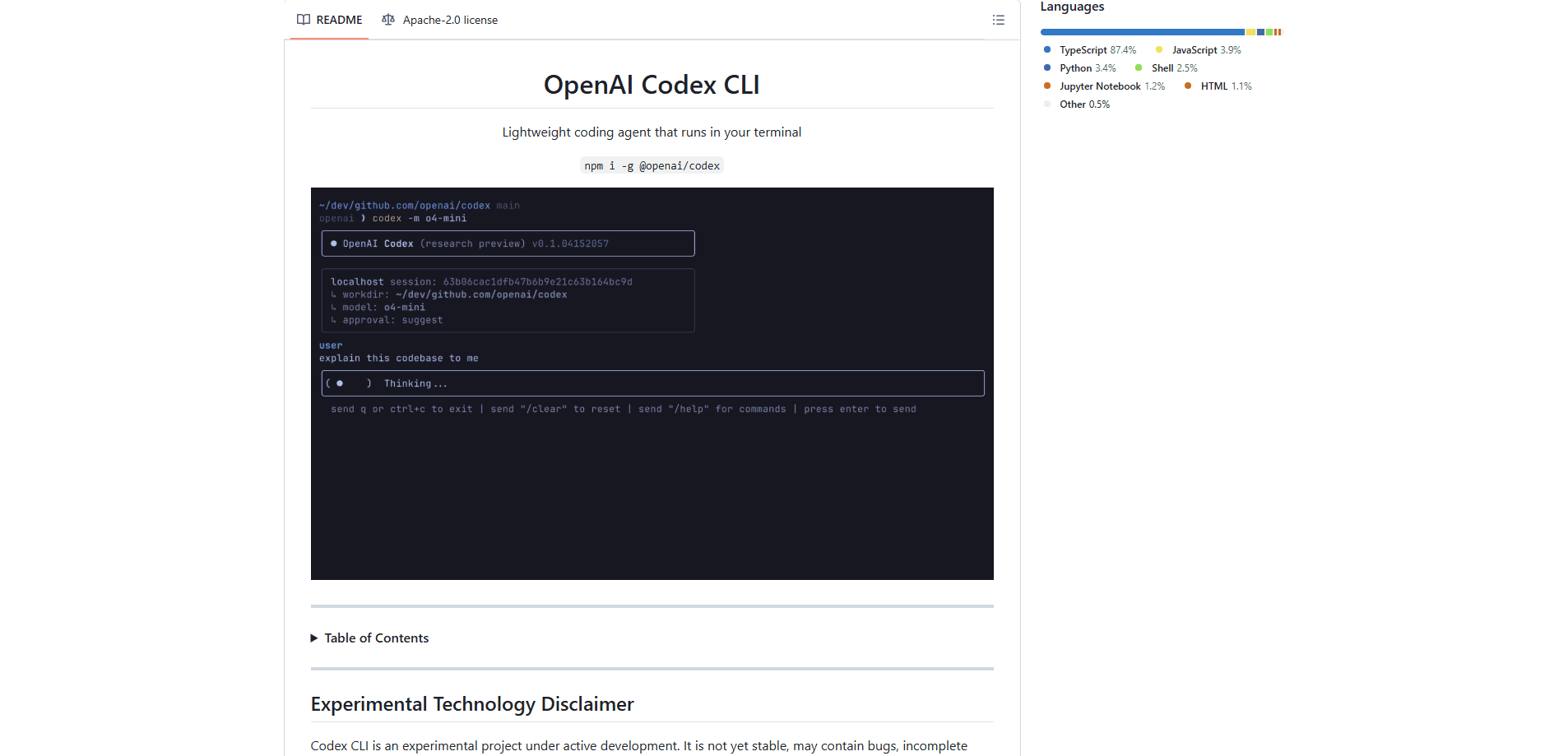
About OpenAI Codex CLI
What Is OpenAI Codex CLI
OpenAI Codex CLI is a coding agent you install on your own machine. It works inside your repository: it reads files, makes edits, and runs the tools already set up on your computer. You drive it from a terminal window, so nothing has to move to a web app before you start working.
The pitch is simple. You keep your normal development loop and let an agent handle the parts that eat time, like tracing how a feature is wired, planning a refactor, or hunting down why a test fails. Codex CLI fits developers who live in a shell and want the agent next to their code, not in a separate tab.
Two limits are worth knowing up front. The CLI itself is free and open source under the Apache-2.0 license, but using the models behind it needs a paid ChatGPT plan or an API key with usage billed at API rates. The standalone command-line tool also skips the cloud features that show up elsewhere in Codex, such as GitHub code review and Slack integration.
Getting Started
- Install Codex CLI on macOS or Linux with the one-line shell script, or on Windows with the PowerShell equivalent. You can also run
npm install -g @openai/codexorbrew install --cask codex. - Open a project directory and run
codex. On the first launch, pick Sign in with ChatGPT and connect the account tied to your Plus, Pro, Business, Edu, or Enterprise plan. - Describe the task in plain language. Ask Codex to explain the project, make a focused change, or debug a failure. It inspects files and proposes edits as it goes.
- Create a Git checkpoint before and after each task. If a change goes sideways, you revert to the checkpoint instead of untangling it by hand.
- Approve or reject the commands Codex wants to run. Use
/permissionsand/modelto set the boundaries and the reasoning effort for the session.
Product Information
A quick look at OpenAI Codex CLI's pricing, supported platforms, and performance.
Best for
The users, tasks, and scenarios where this tool fits best.
Users
- Terminal-first developers
- Backend and systems engineers
- CI and automation builders
Tasks
- Exploring an unfamiliar codebase
- Focused refactors
- Local code review
Scenarios
- The daily edit-run loop
- Pre-commit sanity checks
- Automating repeatable work
Key features
Local repository agent
Codex CLI works on the files in your current project, not a copy uploaded somewhere else. It inspects your code, makes edits, and runs the tools you already have installed, so its actions match your real setup. That keeps secrets, dependencies, and local configuration in place.
Flexible model and reasoning control
You choose the model and the reasoning effort for each session with /model, and switch mid-conversation when a task gets harder or easier. On ChatGPT plans the default is GPT-6.1 Sol for coding work, with GPT-6 Luna available for lighter jobs. A dedicated /model command keeps this visible instead of buried in config files.
Permission and sandbox controls
The /permissions command decides when Codex can edit files or run commands without asking. You can inspect the active sandbox and the writable roots before you continue. That matters when you are pointing an agent at a repo you cannot afford to have it trash.
Local code review
/review runs a focused pass over uncommitted changes, a commit, or a base branch, then reports prioritized findings. It does not modify your working tree, so you can look at risks before you commit or open a pull request. It is a check, not an auto-fix.
Scripting and CI with codex exec
A non-interactive mode lets you call Codex from scripts and pipelines. You can trigger the same agent logic from a build step or a repeatable workflow, which is the main reason teams reach for the API key path instead of a subscription.
Visual and web context
codex --image passes a screenshot, diagram, or design reference into the first prompt, so the agent sees the same visual context you do. codex --search switches a run to live web search when a task depends on current releases or documentation, with search activity shown in the transcript.
Sessions, resume, and subagents
codex resume reopens a recent chat from the current repository, or searches across local chats for older work. For bigger investigations, you can ask Codex to delegate focused work to subagents and pull their findings back into the main session.
MCP connections
Codex connects to local or remote MCP servers, authenticates when needed, and lists the tools available to the current session before using them. That is how the agent reaches your team's data and external services without leaving the terminal.
Pros and cons
Pros
- Runs in the terminal you already use, with no editor or web app to adopt first.
- The CLI is open source under Apache-2.0, so you can read exactly what it does.
- Permission and sandbox controls let you decide what the agent may change or run.
- `codex exec` makes it usable in scripts and CI, not just interactive sessions.
- Review mode surfaces issues without touching your working tree.
Cons
- Model access is not free. You need a ChatGPT plan or an API key billed at API rates, and heavy use adds up fast.
- The standalone CLI skips cloud features like GitHub code review, Slack integration, and larger cloud VMs.
- There is no graphical interface, so people who avoid the command line will find it rough.
- Setup on the API key path takes extra configuration, and model availability follows whatever your key can reach.
Frequently asked questions
The CLI itself is free and open source under the Apache-2.0 license. Using it is not, because the models behind it need a paid ChatGPT plan (Plus at $20/mo, Pro from $100/mo, Business at $20 per user per month) or an API key with usage billed at API pricing.
Related content
Explore related tools, skills, and articles for OpenAI Codex CLI.
OpenAI Codex CLI Alternatives

Base Code
Base44 (Wix) · Coding · ProductivityBase Code is a shared cloud development environment from Base44. Teammates describe changes to an existing GitHub codebase in chat, preview them live and send them back as pull requests.

Google EmbeddingGemma 2
Google DeepMind · Writing · Image · CodingGoogle EmbeddingGemma 2 is a 740M-parameter open model that turns text, code, images, audio, and video frames into vectors in one 768-dimension space, running on phones and laptops.

GitGlow
GitGlow · Coding · ProductivityGitGlow is a local-first desktop Git client that lets independent developers review their own code and their AI agents' changes in one place before shipping.