

OpenL - Amazing Translator, powered by AI
OpenL · Writing · AI Detection
OpenL Translate is an AI translator that converts text, images, documents, and speech across 100+ languages. It runs in the browser, a Chrome extension, and an iOS app.
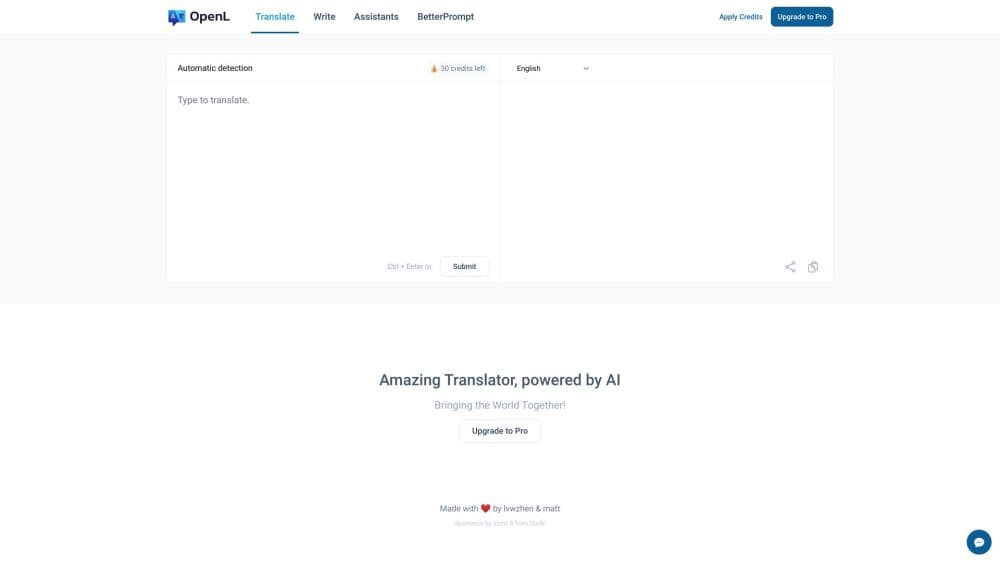
About OpenL - Amazing Translator, powered by AI
What Is OpenL Translate
OpenL Translate is an AI translation tool that handles text, images, whole documents, and spoken audio in more than 100 languages. It leans on context-aware machine translation, so it reads idioms and tone rather than swapping words one by one. Under the same roof you also get a grammar checker, a paraphrase tool, and a summarizer, which turns it into a light writing companion rather than a single-purpose translator.
The product works two ways. You can use the web app with a free daily allowance and no account, or install the Chrome extension to select text and translate it in place on any page. Paid plans add advanced credits, bigger file limits, and features like Translate Agent and Pro OCR for harder material. The iOS app carries a separate subscription, so a web plan won't unlock the phone.
The catch is that the free tier is genuinely small. You get 1,500 characters per request and a fixed set of daily credits, so anyone translating long reports will hit the wall fast. The bigger plans also bill through Lemon Squeezy, and there is no single enterprise console for managing a whole company's seats.
Getting Started
- Open openl.io and paste text into the box, or pick Images, Documents, or Speech from the top menu.
- Choose the source and target languages, then hit translate to get an instant result.
- Install the Chrome or Edge extension to select text on any page and translate it without leaving the tab.
- Upload a PDF, Word file, or image when you need a full document or a screenshot translated in place.
- Sign up for a paid plan when you need more credits, longer inputs, or the advanced translation modes.
Product Information
A quick look at OpenL - Amazing Translator, powered by AI's pricing, supported platforms, and performance.
Best for
The users, tasks, and scenarios where this tool fits best.
Users
- Students and language learners
- Travelers and casual users
- Knowledge workers and researchers
Tasks
- Translating documents
- Reading foreign material
- Polishing your own writing
- Browsing without a language barrier
Scenarios
- A contract or lease in another language
- A research paper or manual with dense jargon
- A quick phrase while traveling
Key features
AI Translation With Context Awareness
The core engine reads the whole sentence or paragraph before it translates, so idioms and tone come across instead of literal word swaps. OpenL markets this as the reason its output sounds natural, and it's the feature most reviewers point to when comparing it to basic translators. Advanced Mode adds Translate Agent, Smart Context, and DeepThink to push accuracy on complex or technical content, but those modes are locked to the Pro and Ultimate plans.
More Than 100 Languages
OpenL covers the usual majors plus a long tail, from Arabic and Japanese to Ancient Greek and even Emoji. You can translate between any supported pair, and the language list keeps growing. Because it also handles text, images, documents, and speech, the same coverage follows you across every input type.
Multi-Format Translation
Beyond plain text, OpenL takes images, screenshots, PDFs, Word files, and audio. Document translation keeps the original formatting, which is the part most free tools get wrong. Scanned PDFs need Pro OCR for clean results, and image-to-image translation runs on a daily limit even on paid tiers.
Chrome and Edge Extension
This Chrome translation extension lets you highlight text on any page and translate it in place, or open a side panel for longer passages. It's included on every plan, including free, which makes it a low-effort way to test the engine against real pages. Browsing a foreign site stops being a copy-paste chore.
Built-In Writing Tools
The same account bundles a grammar checker, a paraphrase tool, and a summarizer. They work in one language rather than translating, so you use them to tighten a draft, fix mistakes, or cut a long article down. It's a small perk next to translation, but it saves a separate subscription for casual writers.
Free Daily Allowance
You can start without an account and get a set of free credits every day across text, image, document, and speech translation. The cap is real: 1,500 characters per request and limited image and scanned-PDF runs. It's enough to test the tool, not to run a translation workflow.
Pros and cons
Pros
- Translations sound natural in major language pairs, which is the main reason people compare it to Google Translate.
- Document and scanned PDF translation keep the original layout, so you avoid redoing tables and formatting.
- The Chrome and Edge extension is free on every plan, letting you translate pages without switching tools.
- The writing tools, grammar checker, and summarizer come bundled, so casual users skip a second subscription.
Cons
- The free plan caps you at 1,500 characters per request and a small daily credit pool, so long documents need a paid tier fast.
- The iOS app has its own subscription that won't carry over from a web plan, which is annoying if you use both.
- There's no public API, so developers can't wire OpenL into their own software the way they can with some competitors.
- Advanced features like Translate Agent and Pro OCR sit behind the pricier Pro and Ultimate plans.
Frequently asked questions
OpenL Translate converts text, images, documents, and speech between more than 100 languages. It targets everyday translation as well as professional work like contracts and research papers, and it adds writing tools for grammar and rewriting.
Related content
Explore related tools, skills, and articles for OpenL - Amazing Translator, powered by AI.
OpenL - Amazing Translator, powered by AI Alternatives

Google EmbeddingGemma 2
Google DeepMind · Writing · Image · CodingGoogle EmbeddingGemma 2 is a 740M-parameter open model that turns text, code, images, audio, and video frames into vectors in one 768-dimension space, running on phones and laptops.

MePersona
MePersona, Inc. · Writing · Productivity · MarketingMePersona is an AI unified inbox for creators. It learns your voice, drafts replies to fan messages from 12 platforms, and sends only what you approve.

Fluence
Yay Software (Yannick Huchard) · Writing · Voice & Language · ProductivityFluence is an Android app that reads PDFs, EPUBs, Word files and web articles aloud, follows each sentence as it speaks, and answers questions about the text on the phone itself.