

OpenMusic
OpenMusic AI · Writing · Voice & Language
OpenMusic is an AI music generator that turns a short text prompt into a finished song. You describe a genre, mood, or vibe. It produces vocals, instrumentation, and mixing in one pass. Alongside the main generator, it ships a set of music tools like an AI lyrics generator, a song cover maker, a vocal remover, and AI mastering, so you can take a rough idea all the way to a release-ready track without jumping between five different apps. Every song carries a commercial license.
About OpenMusic
What Is OpenMusic
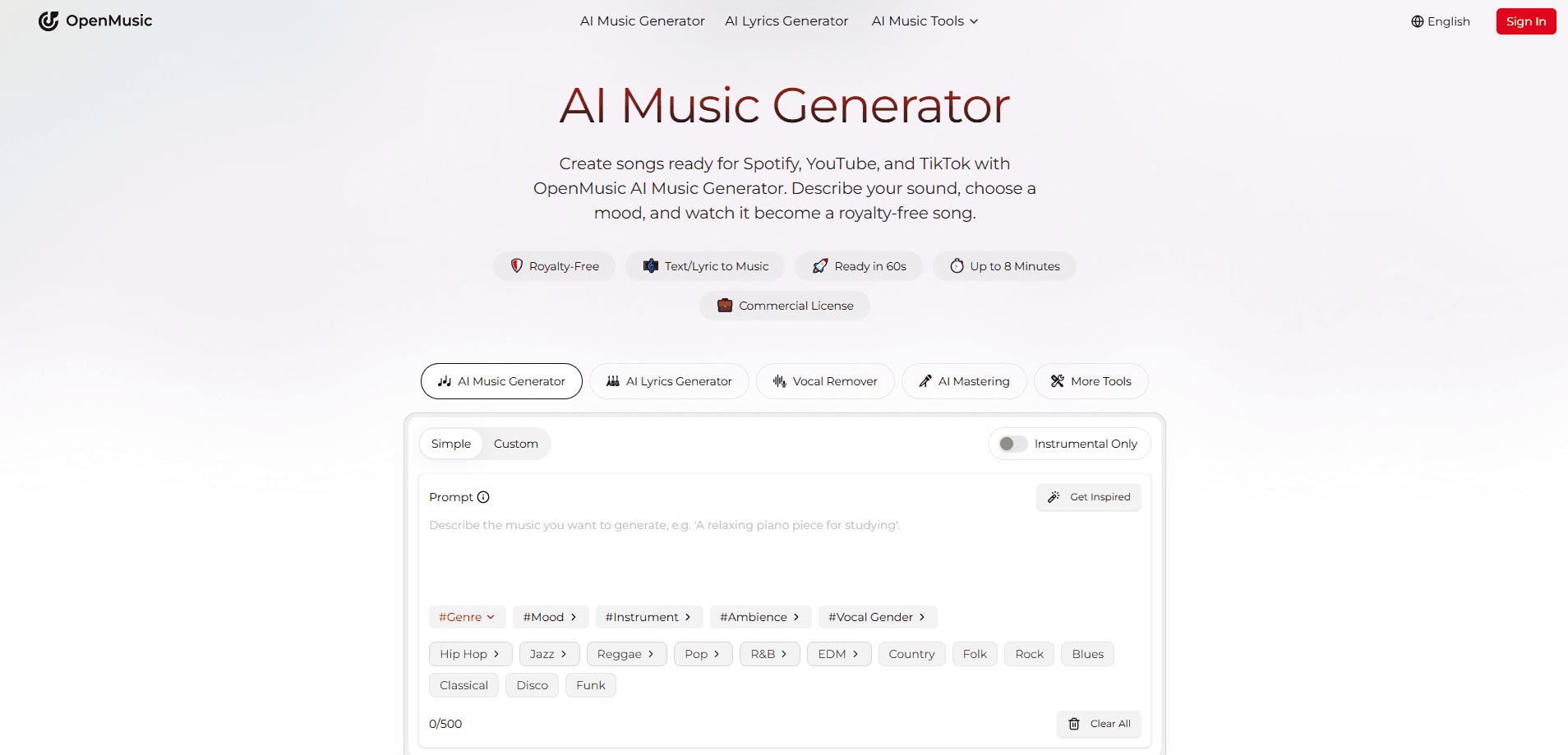
OpenMusic is a browser-based studio for people who want to make music without playing an instrument or booking a recording session. You type what you're after, pick a style, and the AI Music Generator builds a full track. It handles composition, arrangement, and production. Then it hands you a file you can publish straight to Spotify, YouTube, or TikTok.
The pitch is speed and freedom from licensing headaches. Paid plans include a commercial license. That makes the royalty-free claim concrete, not vague. Rivals often charge per download or hide rights in fine print, and that's exactly the kind of surprise you want to avoid once a video starts earning money. OpenMusic bundles the license into the subscription instead.
The catch: you don't get fine control over every note. You steer the AI with prompts. You don't edit a piano roll from scratch. For some creators that's fine. For others who want total command of a melody, it's a real limit. I'm not sure the free tier's 15 songs a year will satisfy anyone beyond casual experimenting.
Getting Started
- Sign up for a free account on the OpenMusic website. The free plan gives you 30 credits and 15 song generations a year to test the generator.
- Open the AI Music Generator and describe your track. Type a prompt, pick a genre and mood, and toggle instrumental-only if you don't want vocals.
- Generate a song. The AI returns a full track with vocals, instruments, and mixing already done.
- Refine it with the other tools if you want. Split stems, remove vocals, or run AI mastering to polish the final mix.
- Download and publish. Paid plans allow unlimited downloads, and the included commercial license covers Spotify, YouTube, and TikTok.
Product Information
A quick look at OpenMusic's pricing, supported platforms, and performance.
Best for
The users, tasks, and scenarios where this tool fits best.
Users
- Content creators
- Hobbyist musicians
- Producers seeking quick drafts
Tasks
- Generating royalty-free background music
- Writing lyrics and full songs
- Creating song covers
- Mastering a finished mix
Scenarios
- Building a channel soundtrack
- Sketching an album demo
- Adding music to a client project
Key features
Text-to-Song AI Music Generator
The core tool takes a written prompt and returns a complete song. You specify genre, mood, and whether you want vocals, then the AI handles composition, arrangement, and mixing. It's the fastest part of the whole workflow. That matters when you need a track in minutes rather than days.
AI Lyrics Generator
This writes verses, choruses, and hooks from a theme or a few keywords. It pairs directly with the song generator, so you can go from a lyric idea to a sung track without leaving the platform. The output is a draft, not a finished poem. Still, it beats staring at a blank page.
AI Song Cover Generator
This takes an existing song and rebuilds it in a new style, genre, or vocal character. It's aimed at remixes and social content where a fresh spin on a familiar track draws attention. The result depends heavily on your prompt, so expect to iterate.
Studio-Quality Audio Output
OpenMusic claims its tracks are mixed and mastered to a standard that rivals human-made music. According to the company, everything is production-ready and built to be monetized right away. The real test is whether a listener can pick out the AI, and for many genres the output passes as polished stock music.
AI Music Editing Tools
The editing side gives you a vocal remover, a stem splitter, and an AI MIDI editor. You can pull a song apart into its parts, mute or reuse the vocal, and convert audio to MIDI for further work. These tools turn a one-shot generation into something you can actually reshape.
AI Music Mastering
Send a rough mix through AI mastering and it comes back louder and more balanced. It's the last step before release. Having it built into the same platform saves a trip to a separate mastering service. For quick uploads, it's a reasonable substitute for a professional pass.
Commercial License on Every Plan
Paid subscribers get a commercial license, which the site states is included across tiers. That means generated music can be used in monetized videos, streams, and releases without a separate rights purchase. Free users get a commercial license too per the pricing page. Their download and generation limits are tight.
Pros and cons
Pros
- Every plan advertises a commercial license, so generated music is cleared for monetized uploads on YouTube, Spotify, and TikTok.
- The all-in-one toolset covers lyrics, covers, stem splitting, vocal removal, and mastering, reducing the number of services you need.
- A free plan with 30 credits and 15 yearly song generations lets you test output quality before paying.
- Prompt-driven workflow makes music creation accessible to people with no production background.
- Paid plans offer unlimited downloads, which suits creators publishing frequently.
Cons
- The free plan's 15 songs a year is too small for regular use, so serious creators have to pay quickly.
- Credits are annual and tied to a yearly cycle, meaning light users may waste allocation while heavy users burn through it.
- Fine-grained control is limited since you steer with text prompts rather than editing every melody and note directly.
- API availability isn't documented, which blocks developers who want to embed the generator in their own apps.
- Prices are listed only on a yearly billing basis, so there's no obvious cheap monthly option for short-term projects.
Frequently asked questions
OpenMusic generates full songs from text prompts, then offers tools to edit and master them. So what does that look like in practice? People use it to create royalty-free background music, write lyrics, make song covers, and produce release-ready tracks without a studio.
Related content
Explore related tools, skills, and articles for OpenMusic.
OpenMusic Alternatives

Google EmbeddingGemma 2
Google DeepMind · Writing · Image · CodingGoogle EmbeddingGemma 2 is a 740M-parameter open model that turns text, code, images, audio, and video frames into vectors in one 768-dimension space, running on phones and laptops.

MePersona
MePersona, Inc. · Writing · Productivity · MarketingMePersona is an AI unified inbox for creators. It learns your voice, drafts replies to fan messages from 12 platforms, and sends only what you approve.

Fluence
Yay Software (Yannick Huchard) · Writing · Voice & Language · ProductivityFluence is an Android app that reads PDFs, EPUBs, Word files and web articles aloud, follows each sentence as it speaks, and answers questions about the text on the phone itself.