

OpenSwarm
Open Swarm Inc. · Coding · Productivity
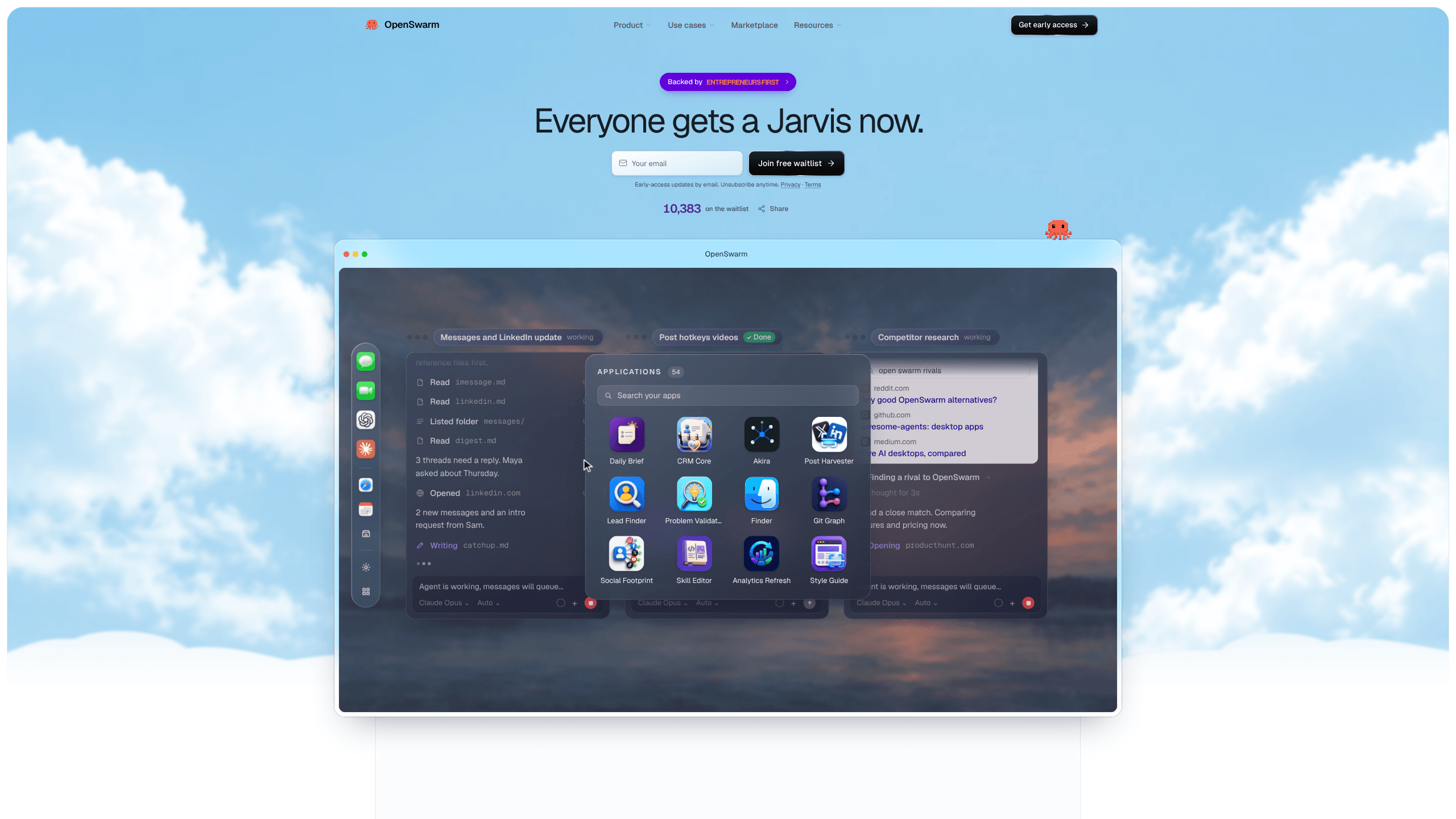
OpenSwarm is a free AI desktop for Mac where an AI agent swarm works side by side. Each agent gets its own browser, apps and tools, and you follow the whole team on one canvas.
About OpenSwarm
What Is OpenSwarm
OpenSwarm is an AI desktop for Mac built on a plain observation: one chat window is the wrong shape for most real work. Open the app and you get a canvas of AI agents, each running its own browser session with its own apps and tools. Three requests become three jobs running at the same time instead of a queue.
The difference shows at the end of a task. A chat assistant hands you instructions and leaves the clicking to you. An OpenSwarm agent opens the pages, reads them, fills the form, then hands back the result. You can watch each step, take over, or wait for the finished work.
This is early access software. The build goes out through a waitlist, it runs on Mac only, and Open Swarm Inc. hasn't published a help center, an API or a paid tier yet. Treat it as a clear look at where desktop AI is heading, not a tool your team should depend on next week.
Getting Started
- Join the waitlist at openswarm.com with your email. The site promises early-access updates by email, and inviting three friends who join moves you up the list.
- Install the Mac app when the invite lands, then set up the apps you want the swarm to work in.
- Describe the job the way you'd brief a colleague: "find 50 Series A fintech startups in New York and draft a first email to each founder." Speaking it works too.
- Watch the canvas, answer anything an agent asks, then approve the output before anything is sent.
Product Information
A quick look at OpenSwarm's pricing, supported platforms, and performance.
Best for
The users, tasks, and scenarios where this tool fits best.
Users
- Solo founders and small sales teams
- Operations leads
- Recruiters
Tasks
- Finding people who share a problem
- Reading a month of papers
- Building a small internal tool
Scenarios
- A Monday outreach push
- Friday finance checks
- Choosing between options
Key features
Parallel Browser Agents
One request opens six browser windows, and each browser agent reads its own set of pages. Ask for the best food in Berkeley and the swarm searches, reads reviews and returns a Top 5 instead of a single link. Because the reading happens in parallel, a research job that usually eats an afternoon comes back in one pass.
The Agent Canvas
Every agent appears on one canvas with its own browser, apps and tools. You see which one is working, which one is stuck and which one finished. Step into any of them mid-run, answer a question, or leave them alone and collect the work at the end. That shared view is what separates a multi-agent desktop app from a chat window with extra tabs.
App Builder and Launcher
Describe a tool and an agent builds it. The result joins your launcher as an app, next to built-ins such as Daily Brief, Lead Finder, Problem Validator, Post Harvester, Finder, CRM Core and Git Graph. This is the part that turns a one-off prompt into something you open every morning.
Voice and Phone Control
Say what you want and the agents start moving. The same jobs can be sent from your phone by text, with results coming back the same way, which helps when the idea arrives on a train rather than at your desk.
Approval Before Anything Sends
Agents draft, you decide. A batch of 50 emails waits in Gmail as drafts with nothing sent, and outreach, invoices and interview invitations all stop at the same gate. One approval step is what makes a swarm tolerable in a live inbox.
Apps for Sales, Ops, Recruiting and Research
The marketplace groups apps around four kinds of work: finding leads and writing first touches, weekly operational checks, screening and scheduling candidates, and reading the web for a cited brief. Each app bundles the agents and the steps, so you aren't writing prompts from a blank page.
Pros and cons
Pros
- Six browsers at once beats one chat window. Research and outreach jobs that normally wait in line run side by side.
- Agents work inside your real browser and apps, so output lands where the work already lives: drafts in Gmail, leads in HubSpot, briefs in Notion.
- The approval gate keeps a swarm from doing damage. Nothing leaves your account until you say so.
- The app builder turns repeated prompts into permanent tools on the launcher, which is the difference between a demo and a daily habit.
- It's free, so testing the idea costs an email address and a wait, not a subscription.
Cons
- Mac only. Windows and Linux users can't run it, and there's no web or mobile build to fall back on.
- Access is gated by a waitlist, so you can't download it today and judge it this afternoon.
- Documentation is thin. There's no help center, no published model list and no API reference, so you learn the product from the site and the Discord community.
- Agents act inside live apps, so a wrong click is a real click. You still have to read the drafts before approving them.
Frequently asked questions
Yes. The site calls it a 100% free AI desktop for Mac, and joining the waitlist costs nothing. No paid tier has been announced.
Related content
Explore related tools, skills, and articles for OpenSwarm.
OpenSwarm Alternatives

Base Code
Base44 (Wix) · Coding · ProductivityBase Code is a shared cloud development environment from Base44. Teammates describe changes to an existing GitHub codebase in chat, preview them live and send them back as pull requests.

Google EmbeddingGemma 2
Google DeepMind · Writing · Image · CodingGoogle EmbeddingGemma 2 is a 740M-parameter open model that turns text, code, images, audio, and video frames into vectors in one 768-dimension space, running on phones and laptops.

GitGlow
GitGlow · Coding · ProductivityGitGlow is a local-first desktop Git client that lets independent developers review their own code and their AI agents' changes in one place before shipping.