

OpenWork
OpenWork Labs · Coding · Productivity
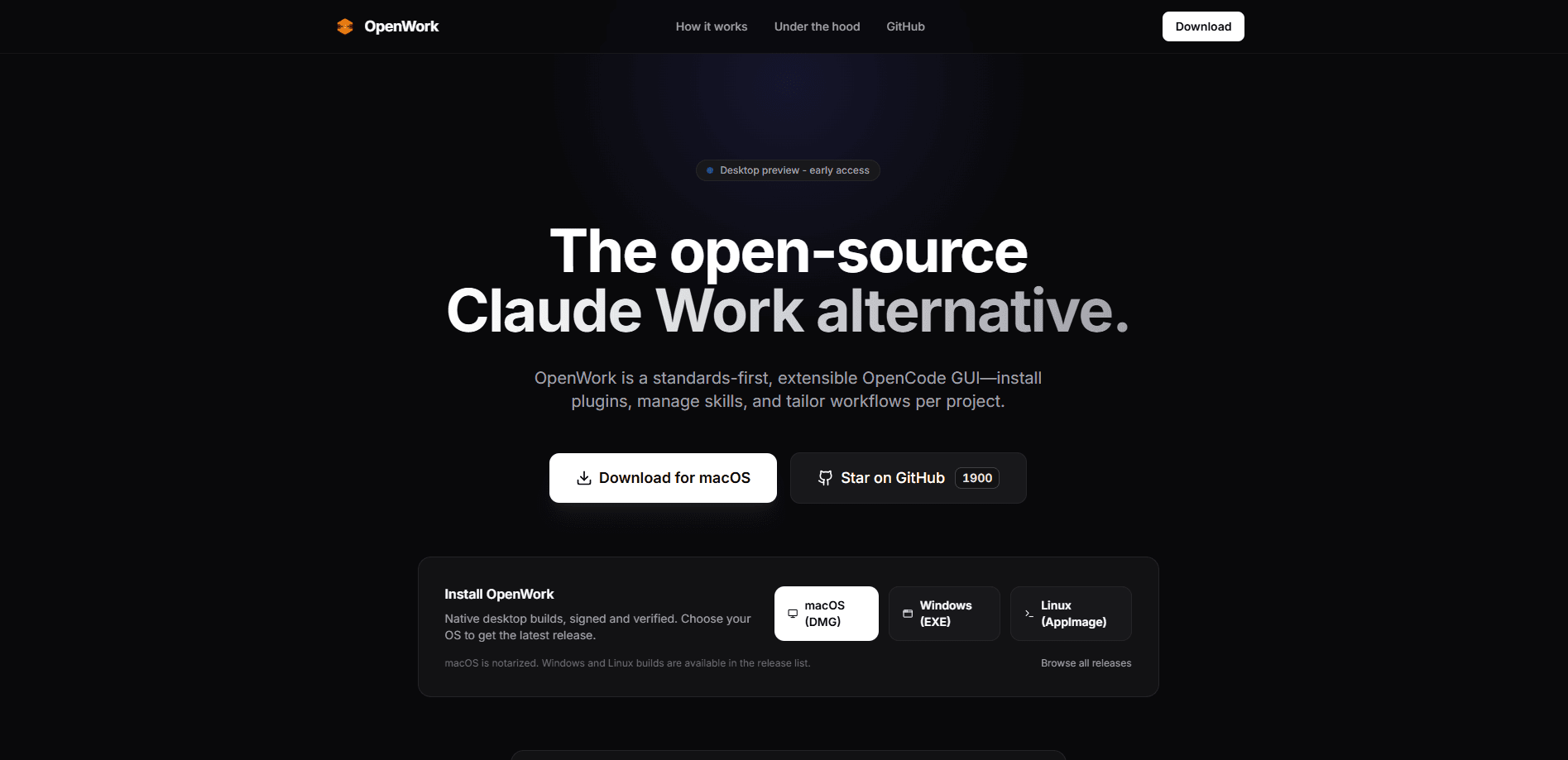
OpenWork is a free, open-source AI desktop agent for macOS, Windows, and Linux. It's built for AI file automation on your own machine instead of uploading everything to someone else's cloud. It chats on files, runs browser tasks, schedules jobs, and connects to 50+ model providers, so you can bring your own Claude, GPT, Gemini, or local model keys. For teams, OpenWork Connect adds a single MCP gateway URL that shares skills, servers, roles, and policies across an organization.
About OpenWork
What Is OpenWork
OpenWork is a desktop app that puts an AI agent to work on the files already sitting on your machine. You point it at a folder, tell it what you want, and it reads, writes, and organizes documents, spreadsheets, and notes directly on your disk. The pitch is control. Your files stay local, prompts go straight to the model provider you picked, and nothing routes through OpenWork's servers unless you opt into the cloud features.
It's built as an open-source alternative to Claude Cowork and Codex, and it's backed by Y Combinator. The big difference is vendor freedom. OpenWork isn't tied to one AI company. You can sign in with ChatGPT, paste an API key from Anthropic or Google, or run a local model, then switch whenever a cheaper or better option shows up. The app rides on OpenCode under the hood and supports Anthropic-compatible plugins, which means a lot of existing tooling carries over.
The main limitation is that "agentic" work on local files is still young. Expect rough edges. You'll get the most out of it if you're comfortable connecting a provider and tinkering with settings. Teams that need centralized control have to sign in to OpenWork Cloud, and some of the flashiest features, like phone-based task dispatch and auto-refreshing dashboards, are still marked coming soon.
Getting Started
- Download the desktop app from the official site for macOS, Windows, or Linux, or open the hosted OpenWork Web version in a browser.
- Connect a model provider: sign in with ChatGPT, or paste an API key for Claude, GPT, Gemini, Mistral, a local model, or one of the 50+ supported providers.
- Point the agent at a folder on your machine and describe the task in plain language, such as summarizing a set of PDFs or renaming files in bulk.
- Add skills, MCP servers, or browser automation if the task needs to reach outside your files, and review what the agent plans to do before it runs.
- For team use, join or create an OpenWork Cloud organization to share providers, skills, and policies through the MCP gateway.
Product Information
A quick look at OpenWork's pricing, supported platforms, and performance.
Best for
The users, tasks, and scenarios where this tool fits best.
Users
- Privacy-conscious knowledge workers
- Developers and tinkerers
- Small teams standardizing AI tooling
Tasks
- File organization and cleanup
- Document drafting and summarization
- Browser automation
Scenarios
- Running AI on confidential contracts or research without uploading them to a third party.
- Handing off a recurring weekly report that pulls from local spreadsheets.
- Piloting AI agents across a small team before committing to an enterprise rollout.
Key features
Local-first file agent
OpenWork works directly on files in folders you choose, so the agent can read, edit, and reorganize documents without a round trip to the cloud. In desktop mode your files stay on your machine and prompts go straight to your chosen provider. That's the core reason to pick it over a browser-based assistant.
Bring your own model
The app isn't locked to one AI provider. You can use Claude, GPT, Gemini, Mistral, local models, and 50+ providers, signing in with ChatGPT or dropping in an API key. A newer model lands? Swap it in. You don't have to rebuild your whole setup.
Skills and Anthropic-compatible plugins
Skills package repeatable workflows, and the app runs Anthropic-compatible plugins, so much of the tooling built for Claude carries over. You get a growing library of capabilities instead of starting from scratch for every task.
Browser automation
OpenWork can drive Chrome to run tasks and take screenshots for you, including site tools, tab handling, and selected logins. It's handy for form filling, data lookup, and anything that lives behind a web page rather than a file.
Scheduled tasks and automations
You can schedule the agent to run jobs on a timer, which turns one-off prompts into recurring work like daily cleanup or weekly summaries. The agent runs in the background while you do something else. Set it once.
OpenWork Connect MCP gateway
Teams get a single MCP gateway URL that distributes skills, servers, roles, and policies across the whole organization. Admins can gate which providers, models, extensions, and app versions employees use, and the desktop app enforces it automatically.
Self-hostable deployment
Enterprise customers can run OpenWork in their own environment or opt for a hosted deployment, and can bring private or self-hosted inference. That keeps sensitive workloads off public infrastructure while still using the agent features.
Pros and cons
Pros
- Free and open source, with no lock-in to a single model vendor.
- Files stay local in desktop mode, which matters for sensitive or regulated work.
- Supports 50+ model providers, including local models.
- The MCP gateway gives teams one place to manage skills and policies.
- Self-hosting and SSO/SAML options exist for organizations that need them.
Cons
- The agentic local-file workflow is still early, so expect rough edges and some setup.
- Phone task dispatch and live artifacts aren't available yet, only announced as coming soon.
- Team features require signing in to OpenWork Cloud, which undercuts the pure-local pitch for shared use.
- Most tasks need your own model keys or subscription, so the "free" app still carries model costs.
Frequently asked questions
Yes. The desktop app is free, open source, and free forever when you use it locally with your own keys. Team Starter gives the first five seats free, then charges $10 per seat per month, and Enterprise pricing is custom.
Related content
Explore related tools, skills, and articles for OpenWork.
OpenWork Alternatives
Forefront
Forefront · CodingForefront is a web platform for building with open-source AI. It lets you fine-tune leading open-source language models on your own data, evaluate how they perform, and run them through an API or export them to host yourself. Developers who want the convenience of a closed-source platform but insist on owning their models and data are the target audience here.

Startkit
StartKit.AI · CodingStartkit is a boilerplate for building AI SaaS and AI wrapper products. Think of it as an AI startup boilerplate with the boring parts already wired up: authentication, Stripe and Lemon Squeezy payments, usage limits, transactional email, and an AI API starter that talks to OpenAI, Anthropic, Groq, or Llama. You clone the repo, set your price, and start on the part of your product that people actually pay for. It's Next.js under React and Tailwind, so most of the boilerplate code already feels familiar.
Testim
Tricentis · CodingTestim is an AI-powered test automation platform for building and running end-to-end tests across web, mobile, and Salesforce applications. It leans on machine learning to keep tests stable when an interface changes, so teams spend less time fixing broken selectors. Not bad for an automated testing tool you can start using today. You create tests by recording actions in a browser, then optionally add JavaScript when you need more control. It's a solid pick for busy QA teams.