

Opper AI
Opper Technology AB · Coding
Opper AI is an EU-hosted AI gateway and control plane that gives developers access to 700+ AI models from 40+ providers through a single OpenAI-compatible API. You change the base URL and one model string in your existing code, then gain automatic fallbacks, an LLM router, spend tracking, and optional guardrails on top. It's built for teams shipping AI features who want model flexibility without rewriting their stack every time a better model shows up, and without losing control of where their data lives.
About Opper AI
What Is Opper AI
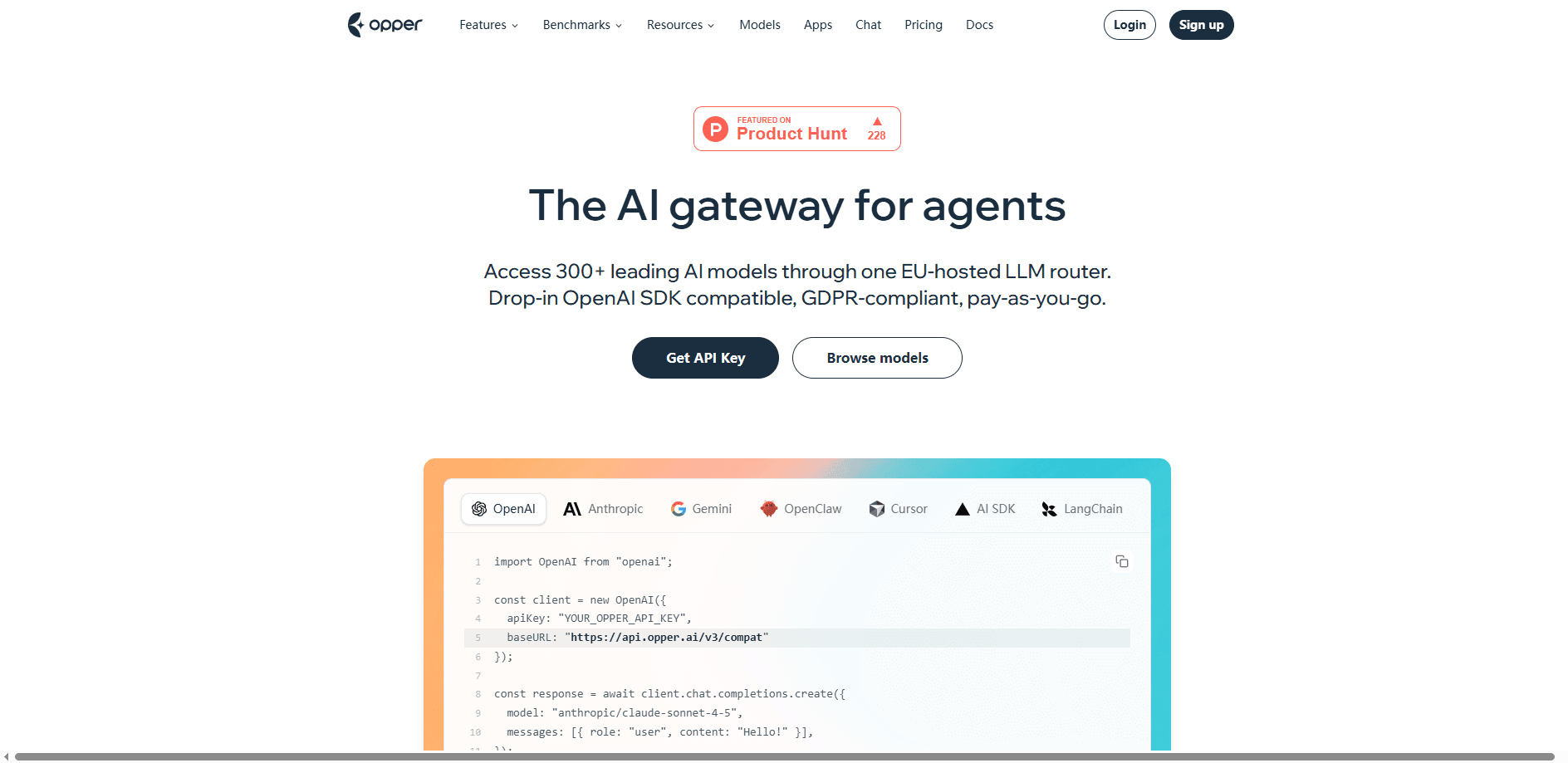
Opper AI is an LLM gateway that sits between your application and the model providers you call. Instead of hard-coding one provider's SDK, you point your existing OpenAI client at Opper's endpoint. You pass models as provider/model strings, for example anthropic/claude-sonnet-4-5 or openai/gpt-4o. Behind that single key, Opper handles authentication, retries, fallbacks, and audit logging.
What it isn't: a finished app. There's no chat interface for end users. You write code.
Opper Technology AB is the company behind it, registered in Sweden. The shared platform runs in AWS Stockholm. That setup matters for teams with European data-residency rules, since requests stay in the EU by default rather than routing through US infrastructure.
The catch is that Opper gives you a gateway, not a finished product. There's no chat app and no drag-and-drop prompt editor for end users either. The value shows up in flexibility and governance. So if you're looking for a no-code AI tool, this isn't it.
Getting Started
- Sign up at opper.ai without a credit card. You get an API key right away and free models work in the playground and the API.
- Install the client you already use, such as the OpenAI SDK, and keep your code mostly as-is.
- Set the base URL to
https://api.opper.ai/v3/compatand pass your Opper API key. - Choose a model with a
provider/modelstring, then add a fallback list if you want a backup model when the primary fails. - Add a card when you're ready for premium models; billing is pay-as-you-go with no minimum.
Product Information
A quick look at Opper AI's pricing, supported platforms, and performance.
Best for
The users, tasks, and scenarios where this tool fits best.
Users
- Backend developers who want to swap models without rewriting their app
- Engineering teams bound by EU data-residency rules
- Product teams running several AI features on a budget
Tasks
- Adding automatic fallbacks
- Routing requests by cost or complexity
- Auditing AI usage
- Masking sensitive data
Scenarios
- Launching an AI feature in a regulated market
- Migrating between providers
- Scaling a prototype into production
Key features
One OpenAI-Compatible API
Opper exposes 700+ models from 40+ providers behind a single endpoint that speaks the OpenAI SDK format. Your existing OpenAI, Anthropic, Google Gemini, Vercel AI, LangChain, or CrewAI setup keeps working once you change the base URL. Less glue code. Fewer provider-specific surprises. The gateway handles the rest.
Automatic Fallbacks
You can wire backup models that activate when your primary fails or hits a rate limit. Opper handles the retry logic for you, and the same model can be set up across multiple upstreams, such as Claude Sonnet on Anthropic Direct plus AWS Bedrock. The company reports auto-retry typically completes in around 180ms. That's fast enough that most users never notice the swap happened.
LLM Router and Route Rules
The router decides which model serves each request, and you can steer it with readable rules per org, project, or function. An Auto option picks a model from preference hints like fast, cheap, quality, or balanced, and switching models is a rule edit with zero downtime. So what does that buy you? Explicit, testable routing instead of a black-box classifier.
Observability and Tracing
Gateway users get metadata-only tracing, while Control Plane adds full traces with spans, prompts, responses, and custom metrics. Observe runs an LLM-as-judge model that auto-scores every generation, billed per use on top of the platform fee. This is how you catch quality drift before users do. It's not glamorous work, but it saves arguments.
Guardrails and Comply
Guard masks PII, filters content, and validates inputs and outputs against custom policy rules. Comply adds model allowlists by provider, region, or country, monthly budget caps, retention controls, and a ZDR-only mode. For teams in finance or healthcare, these turn a convenience layer into something you can put in front of auditors without hand-waving about where prompts and responses actually go.
Bring Your Own Key
You can use your own provider keys, and on the Gateway tier BYOK carries no extra fee. This lets you keep existing provider contracts and discounts while still routing through Opper for fallbacks and tracking. The Control Plane tier applies a fee to BYOK. Worth checking before you commit.
Pay-As-You-Go Billing
Provider token rates pass through at cost with no markup. Opper charges a 3% fee when you buy credits on the Gateway tier, which rises to 5.5% with Control Plane features. There are no per-seat fees. No hidden charges. Pricing scales with usage rather than headcount, so API pricing stays tied to what you actually run.
Agent CLI
The @opperai/cli tool launches coding agents like Claude Code, Codex, OpenCode, and OpenClaw on Opper's gateway, and lets you pick the model behind each one. It's a quick way to try new models inside the tools you already run, and you can switch the model behind an agent whenever a stronger or cheaper option shows up.
Pros and cons
Pros
- Switching models takes one line of code, so you're not locked into a single provider.
- EU-hosted infrastructure in AWS Stockholm helps with data-residency requirements.
- No markup on token rates and no per-seat fees keeps costs predictable.
- Automatic fallbacks and retries reduce the blast radius of a provider outage.
- Guardrails and compliance controls are opt-in, so you don't pay for governance you don't need.
Cons
- It's a developer tool, so non-technical users have nothing to click.
- The 5.5% Control Plane fee and per-use Observe billing add up once you enable governance features.
- Full tracing and audit logging sit behind the Control Plane tier, not the base Gateway.
Frequently asked questions
Yes. Opper AI is a gateway for developers, so you integrate it into your application with an SDK or the CLI. There's no chat app or visual builder for non-technical users to click through.
Related content
Explore related tools, skills, and articles for Opper AI.
Opper AI Alternatives
Forefront
Forefront · CodingForefront is a web platform for building with open-source AI. It lets you fine-tune leading open-source language models on your own data, evaluate how they perform, and run them through an API or export them to host yourself. Developers who want the convenience of a closed-source platform but insist on owning their models and data are the target audience here.

Startkit
StartKit.AI · CodingStartkit is a boilerplate for building AI SaaS and AI wrapper products. Think of it as an AI startup boilerplate with the boring parts already wired up: authentication, Stripe and Lemon Squeezy payments, usage limits, transactional email, and an AI API starter that talks to OpenAI, Anthropic, Groq, or Llama. You clone the repo, set your price, and start on the part of your product that people actually pay for. It's Next.js under React and Tailwind, so most of the boilerplate code already feels familiar.
Testim
Tricentis · CodingTestim is an AI-powered test automation platform for building and running end-to-end tests across web, mobile, and Salesforce applications. It leans on machine learning to keep tests stable when an interface changes, so teams spend less time fixing broken selectors. Not bad for an automated testing tool you can start using today. You create tests by recording actions in a browser, then optionally add JavaScript when you need more control. It's a solid pick for busy QA teams.