

Opposable
Reval Labs · Coding · Productivity
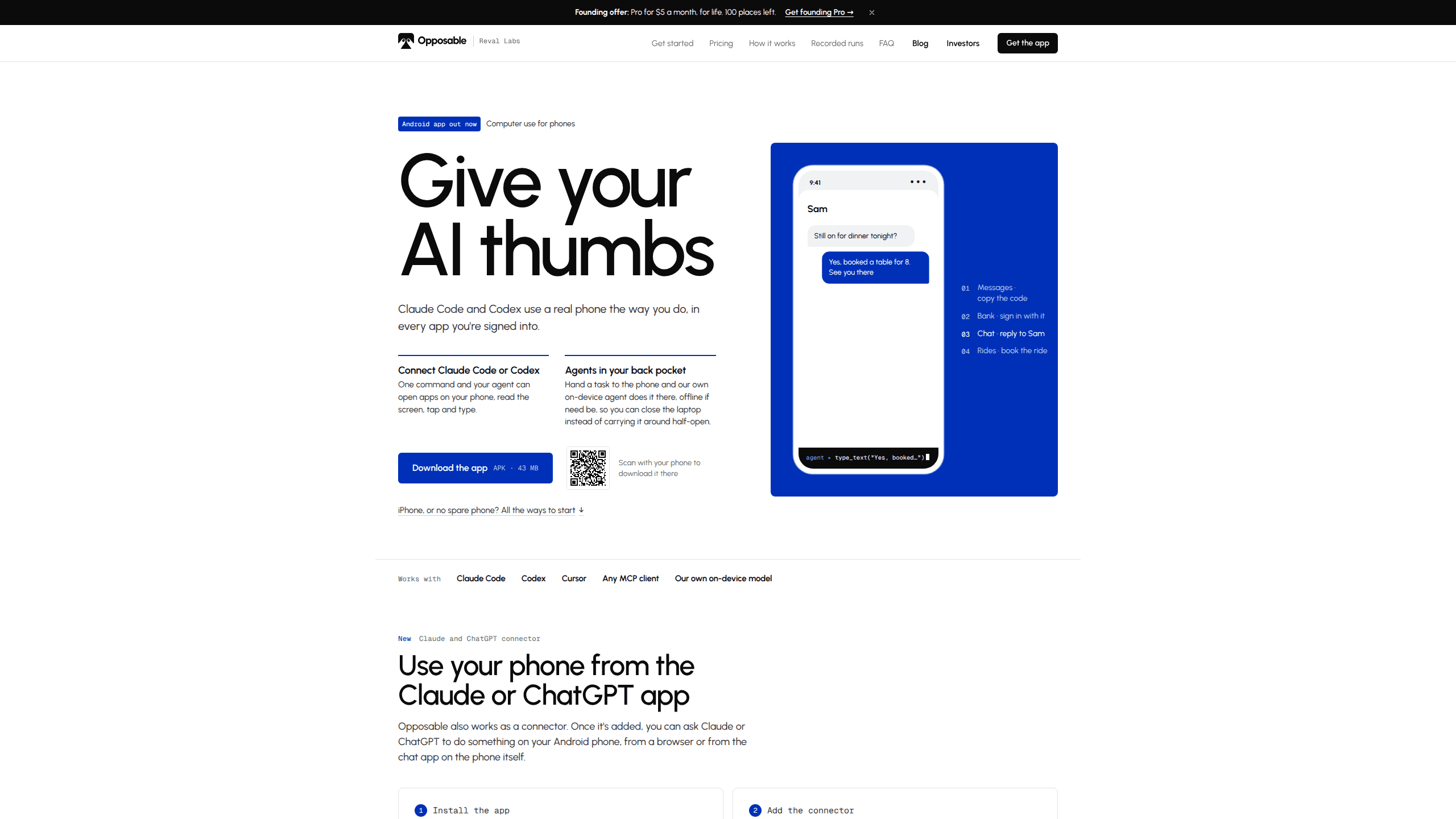
Opposable connects Claude, ChatGPT or Codex to an Android phone, so an AI agent can open apps, read the screen and tap through a task while signed in as you.
About Opposable
What Is Opposable
Opposable is a phone app from Reval Labs that turns an Android handset into a tool your AI assistant can operate. After a one-time setup, the phone offers a set of actions to any MCP client: read the screen as a labeled list of elements, tap one of them, swipe, type in any language, open an app, press a system key. Claude Code, Codex, Cursor or a chat connector can then finish a request inside apps that never shipped a public API.
Computer use for phones is a younger field than the desktop version, and the constraints are different. Banking, rides, delivery and messaging all live behind phone apps, and nearly all of those apps have no interface a program can call. An assistant that can browse the web still can't book your ride or lift a one-time code out of a text message. Opposable gives it the same route a person uses: the screen and the touch layer.
Android phone automation has been tried before through screen scraping and image matching, and those tools broke whenever a layout changed. Reading the accessibility tree avoids most of that fragility, even if it still depends on apps labeling their controls. Two limits matter before you install anything. The phone has to run Android 11 or later, and iPhone support is a beta that goes through a Mac rather than an app on the phone. Payments and purchases always stop for your approval tap, and whoever holds the access token can operate the phone, so the token deserves the care you give a password.
Getting Started
- Download the 43 MB APK from getopposable.com on the phone and open it. Android asks once to allow installs from your browser. If Play Protect warns you, tap More details, then Install anyway.
- Open Opposable and switch it on under Settings > Accessibility. When the switch is greyed out, open App info, tap the three-dot menu, choose Allow restricted settings and try again.
- Tap Pair in the app and enter the code at getopposable.com/connect. The page gives you the command for Claude Code, Codex or Cursor.
- For the chat apps, open Settings > Connectors in Claude or turn on Developer mode in ChatGPT, add a custom connector with the URL https://getopposable.com/mcp, then sign in and pick the phone.
- Ask for the task in plain words. Keep the phone charging and unlocked if you want the agent to work while you're away.
Product Information
A quick look at Opposable's pricing, supported platforms, and performance.
Best for
The users, tasks, and scenarios where this tool fits best.
Users
- Android owners who already pay for Claude or Codex
- People with a long list of small app chores
- Developers testing phone agents
Tasks
- Reading a two-factor code from Messages and typing it into the bank app that requested it, without you switching screens.
- Paying a bill end to end
- Rebuilding last week's grocery order in a shopping app that has no basket API.
Scenarios
- Phone on the desk beside a laptop
- Phone at home while Claude Code runs at the office
- No spare handset to give an agent
Key features
A screen description made for tapping
Opposable reads Android's accessibility tree and hands the model a numbered list of elements with their labels, types and positions. The agent replies "tap 18" instead of guessing at coordinates, which cuts misses and keeps each step cheap. A screenshot is still available when the task needs to see a photo or a map.
Actions that report what actually happened
The tool set covers tap_element, swipe in four directions, type_text with submit, launch_app and press_key for back, home and enter. Every call returns the result of the action, so the model can tell a completed tap from a blocked one and adjust. Typing works with accented characters and non-Latin scripts.
Any MCP client, one command to connect
The app shows its address and a token, and Claude Code joins it with a single claude mcp add --transport http line. Codex takes a short block in its config file, and Cursor or any other MCP client uses the same URL. A plain REST endpoint at /api/do plus webhooks covers cron jobs, n8n and Zapier.
An agent that runs on the phone itself
Most phone automation tools ship every screenshot to a data center. Opposable includes an on-device agent instead: about 40 common tasks run with no model at all in 0 to 15 seconds, a 1.4 GB screen model handles everything else, and a 0.7 GB answer model covers questions. On recent Snapdragon chips the vision step runs on the NPU, which Reval Labs measured at about a quarter of a second on a Galaxy S25.
Payment approval and code handling
Every payment and purchase pauses until you tap Approve on the phone, on all plans. The agent can also read a one-time code the moment it lands, dismiss permission dialogs and clear pop-ups that would otherwise stall a run. Your agent does the twenty taps; you make the one that decides whether money leaves.
Recipes and scheduled runs
A task that worked once can be saved as a recipe and replayed in seconds with no model involved, which suits routines that never change. Schedules wake the phone daily or every few minutes and message you the outcome. Pro syncs recipes across up to three phones, and Power raises that to ten with an audit log.
Pros and cons
Pros
- Reuses the Claude or Codex subscription you already pay for, so there's no separate model bill for most work.
- The accessibility tree approach sends a few dozen lines of text per step instead of a full screenshot, which keeps runs quick and cheap.
- The free tier is usable on its own: USB or same-network control, unlimited tasks and scheduled runs cost nothing.
- Payments stop for an approval tap on every plan, which makes handing over a bank app less alarming.
- On-device inference keeps screens on the phone and works with no signal, a real difference from cloud-only agents.
Cons
- Android only for the app itself. iPhone owners need a Mac in beta, or an Opposable Stick on Windows and Linux, which adds hardware and setup.
- Free remote access ends after 14 days per phone. Using the phone away from your network means $8/mo Pro, or $5/mo for founding members.
- Some banking apps refuse to run on virtual phones, so the $19/mo cloud option won't cover every institution.
- The screen model is small by design. Unusual layouts and custom-drawn interfaces can still need a retry or a manual nudge.
Frequently asked questions
It lets an AI assistant operate a real Android phone. The assistant opens apps, reads what's on screen, taps and types until the task is finished. It works in the same apps, on the same logged-in account you use.
Related content
Explore related tools, skills, and articles for Opposable.
Opposable Alternatives

Base Code
Base44 (Wix) · Coding · ProductivityBase Code is a shared cloud development environment from Base44. Teammates describe changes to an existing GitHub codebase in chat, preview them live and send them back as pull requests.

Google EmbeddingGemma 2
Google DeepMind · Writing · Image · CodingGoogle EmbeddingGemma 2 is a 740M-parameter open model that turns text, code, images, audio, and video frames into vectors in one 768-dimension space, running on phones and laptops.

GitGlow
GitGlow · Coding · ProductivityGitGlow is a local-first desktop Git client that lets independent developers review their own code and their AI agents' changes in one place before shipping.