

OptimizerAI
OptimizerAI, Inc. · Other
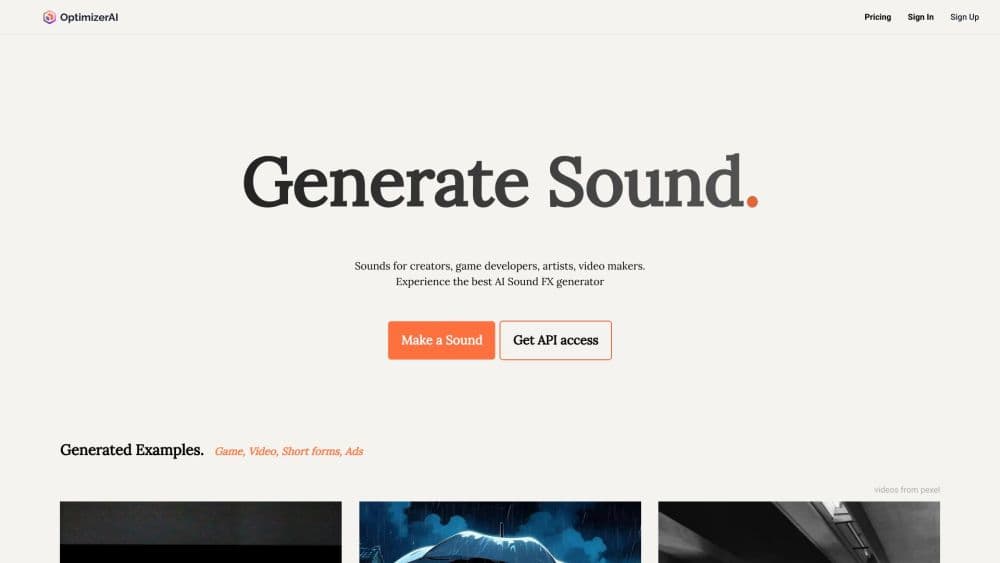
OptimizerAI is an AI sound effect generator that turns text prompts into stereo audio up to 60 seconds long. It suits creators who want custom sounds without a library hunt.
About OptimizerAI
What Is OptimizerAI
OptimizerAI is a browser based tool that makes AI sound effects from written descriptions. You type something like "metal door creaking open in a cold hallway" or "8 bit jump with a short pop," and it returns an audio file you can preview and download. The company behind it, OptimizerAI, Inc., lists a Delaware address and says on its site that it's backed by a16z speedrun.
The product sits between two common options. Stock libraries give you finished sounds that thousands of other projects already use. A full sound design tool gives you control but asks for hours of learning. OptimizerAI aims at the gap: describe the sound, pick a style, get a file in minutes. According to the company, its users generate around 130,000 sounds a month, mostly for games, short form video, animation, and ads.
The limits matter as much as the pitch. There's no timeline, no layering view, and no plugin for Unity, Unreal, or Premiere. You get a clip, not a session. Prompts also carry most of the weight, so a vague request returns a vague result. Commercial use is allowed on paid plans, but you can't resell or redistribute the sounds as standalone products.
Getting Started
- Create an account at optimizerai.xyz with an email address or a Google login.
- Describe the sound you need. If you only know the situation, switch on Magic Prompt and write the scene instead of the audio details.
- Choose a style preset and a length, then generate. Short clips finish faster and cost fewer credits.
- Preview the result, generate again if it misses, then download the file in the format your plan allows.
Product Information
A quick look at OptimizerAI's pricing, supported platforms, and performance.
Best for
The users, tasks, and scenarios where this tool fits best.
Users
- Game developers on small teams
- Video editors and short form creators
- Podcasters and audio hobbyists
Tasks
- Filling gaps in a sound library
- Making variations of an existing clip
- Prototyping scenes before final audio
Scenarios
- Game jam weekends
- Rough cuts and animatics
- Social ads with tight turnaround
Key features
Text to Sound With Scene Level Prompts
The core feature is plain: you describe a sound in words and get audio back. Prompts can name the object, the material, the distance, and the mood, which gives you more control than a single keyword. A prompt like "distant thunder rolling over wet pavement" returns something quite different from "thunder close up." That difference is where the tool earns its keep.
Magic Prompt for Half Formed Ideas
Magic Prompt lets you describe the situation instead of the audio. Write "a ghost whispering come here in an empty room" and the model fills in the acoustic details. It's the fastest way to start when you know the scene but not the vocabulary. Results are less predictable, so keep the first few generations as sketches.
Variations From Your Own Uploads
You can upload a clip and ask for modified versions of it. Starter and Pro accept files up to 10 seconds, while Unlimited goes to 60 seconds. This is handy for building a family of related sounds from one good recording, such as several impact hits at different weights. It is not a stem splitter, so don't expect clean isolation of one element.
Style Presets and Length Control
Style presets steer the character of the output, from realistic foley to cartoon and 8 bit game audio. Length control lets you keep clips short for UI work or stretch them for ambience. Short generations are also cheaper in credits, which makes experimentation practical when you're iterating on a single effect.
Stereo Output at 44.1 kHz
Clips come out in stereo at 44.1 kHz, which is the same sample rate as CD audio and fine for web, games, and video. Starter downloads are MP3 only, while Pro and Unlimited add WAV and FLAC for editing and mastering. If you need lossless files for a mix, the plan choice decides it before you generate anything.
Credit Based Plans With Top Ups
Every paid plan starts with a credit balance: 1,800 on Starter, 7,200 on Pro, and unlimited on the Unlimited plan. Extra credit packs are available once you're on a paid plan. Credits are the real budget constraint, so track them during a heavy week of generation.
Pros and cons
Pros
- Fast path from idea to file. A usable sound effect can come back in under a minute, which changes how early you can test audio in a build.
- Prompt driven workflow needs no audio training. Editors and developers who have never touched a synth can still produce custom effects.
- Clear plan ladder. Output formats, upload length, and parallel generations all scale in a way you can read off the pricing page.
- Commercial use is included on paid plans, with a straightforward rule against reselling sounds as standalone products.
Cons
- No editor, timeline, or plugin. You can't layer, trim, or sync sounds inside OptimizerAI, so every clip goes through another tool before it ships.
- Results depend on prompt skill. Vague descriptions return generic audio, and getting a specific texture can take several attempts and several credits.
- Credit costs per generation aren't published up front. You see a balance, not a price per sound, which makes budgeting for a large batch guesswork.
- API access sits behind the Enterprise tier. Small teams that want automated generation in a pipeline can't get it on a self serve plan.
Frequently asked questions
It generates sound effects from text descriptions. Typical uses are game audio, video editing, animation, ads, and podcast transitions. You write what you need, preview the result, and download the file.
Related content
Explore related tools, skills, and articles for OptimizerAI.
OptimizerAI Alternatives

Odyssey 3
Odyssey · OtherOdyssey-3 is Odyssey's foundation world model. It simulates physics in real time, turns a prompt into an interactive environment, and adapts to robots, cars and games.

JarvisCore
Prescott Data · Coding · Productivity · OtherJarvisCore is an open source Python runtime where AI agents work as equal peers on an agent mesh, claim tasks from a shared ledger, and reach external services through a zero-trust broker.
Clef
Cloudflare · Business · OtherClef is Cloudflare's open-source decision model for Workers AI. It returns calibrated probabilities for typed questions, not generated text, so agents can classify, route, and act fast.