

Optivault
Optivault · Other
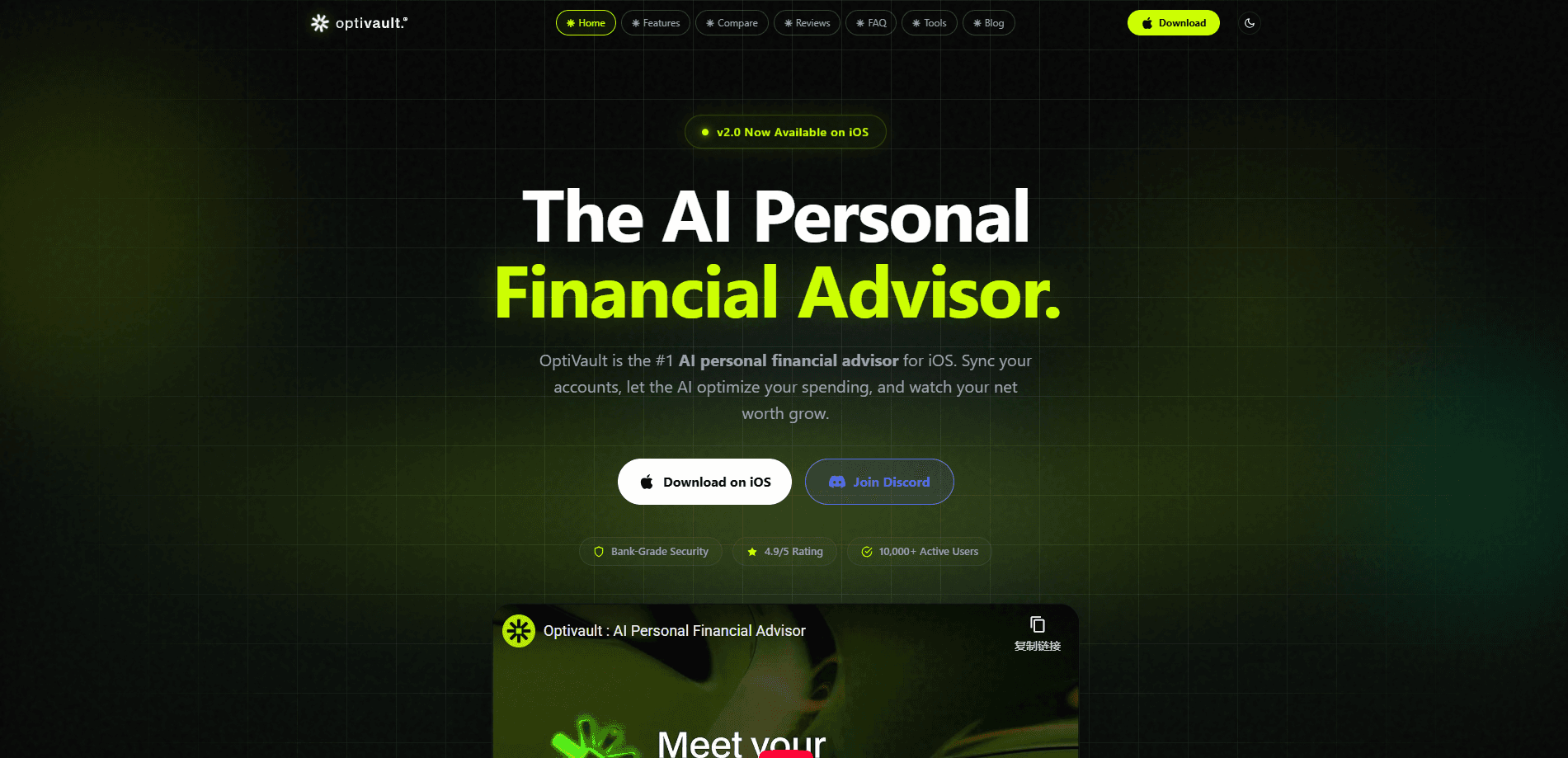
Optivault is an AI financial advisor app for iPhone that connects your bank accounts, budgets, and goals, then turns the whole picture into plain next steps. Instead of a dashboard that only explains what already happened, it answers questions like "can I go out tonight?" with a real number tied to your bills and savings targets. It works as an AI money manager, leaning on read-only bank connections through Plaid, so it reads your finances without holding your credentials. The result is a personal finance app built around decisions, not spreadsheets.
About Optivault
What Is Optivault
Optivault is a financial intelligence app for iOS that behaves more like an advisor than a tracker. You link your accounts and set a few goals, and it keeps every answer anchored to that context. Ask it a money question in plain language and it shows the reasoning behind the recommendation, including the trade-offs. You can see why a number came out the way it did. No guesswork.
The idea is continuity. Most budgeting apps hand you records and leave the decision to you. A generic finance chatbot gives an answer without knowing your bills or balances. So where does Optivault fit? It sits between the two: one connected financial context that remembers your income, cash flow, and goals between conversations, so the advice doesn't reset every time you open the app.
The main limit is the platform. Optivault is an iPhone app, so there's no Android or desktop version right now. It also depends on linking a bank through Plaid. If your institution isn't covered, the app has little to work with. And because every answer is grounded in your own data, the quality of the advice tracks how much of your financial life you actually connect, which means a partial setup gives you partial answers.
Getting Started
- Download Optivault from the App Store and create your account.
- Link your bank and card accounts through the secure Plaid connection, which is read-only and never stores your credentials with Optivault.
- Set up a budget and at least one savings goal so the app has targets to measure against.
- Ask your first question by typing or speaking, like "how much can I safely spend this week?"
- Check the weekly next-move plan to see the short list of actions it recommends.
Product Information
A quick look at Optivault's pricing, supported platforms, and performance.
Best for
The users, tasks, and scenarios where this tool fits best.
Users
- People who already track money but still freeze at the spending decision
- First-time budgeters on iPhone
- Anyone juggling bills and savings goals at once
Tasks
- Answering "can I afford this right now?"
- Building a budget that fits your habits
- Planning the week ahead
- Personal financial planning app use
Scenarios
- Deciding on a night out before payday
- Catching spending drift
- Keeping a goal on track
Key features
Conversational AI Advisor
Optivault lets you ask money questions the way you'd ask a person, by typing or speaking. The answers come back grounded in your income, bills, spending, and goals instead of generic tips. Each one shows the signals it checked. That transparency matters. You can see which numbers drove the recommendation before you act on it. Few finance tools do that.
Secure Bank Connections Through Plaid
The app links to more than 12,000 banks and card issuers through Plaid, covering major names like Chase, Bank of America, Wells Fargo, and Citi, plus smaller credit unions and regional banks that you might assume a newer finance app would leave out. Connections are read-only, and Optivault says it never stores your banking credentials. Great for peace of mind. That means the app can see transactions and balances without holding the keys to your accounts.
Personalized Budgeting
Optivault builds a budget from your real transaction history rather than a fixed template, which means the categories you see reflect the places you actually spend money instead of a generic lineup someone else chose. Categories stay flexible, and progress updates as spending comes in. The budget reflects how you actually spend. Simple as that. It's aimed at people who've bounced off rigid budgeting tools before.
Expense Tracking and Categorization
Transactions sync automatically and get sorted into categories without manual entry. Bank account sync also means balances stay current, so the numbers you see aren't stale. Spending charts surface patterns and recurring subscriptions, while alerts flag large purchases and upcoming bills. The point is to catch where money goes before it's gone. Not after. Manual entry is a chore people quit within weeks, and this skips it.
Weekly Next-Move Plan
Each week Optivault produces a short agenda of money moves, delivered as a morning wrap. Want a standing answer to "can I spend this?" It might tell you to keep a set amount available for upcoming bills, move part of your buffer toward a goal, or adjust a category that's running hot. The format is blunt. It reads like a to-do list rather than a report. That's the whole point.
Goal and Cash Flow Tracking
You set savings goals and the app tracks progress against your cash flow. It weighs what's safe to spend after reserving money for bills and goals. That's where the "safe to spend" figure in answers comes from. That reserve-based math is the core of how the advice stays on track. Skip the goals, and the numbers get vaguer.
Pros and cons
Pros
- Answers arrive with the reasoning shown, so you can see which signals drove the recommendation.
- Read-only Plaid connections cover 12,000+ banks and keep credentials out of Optivault's hands.
- The weekly plan turns raw tracking data into a short list of concrete moves.
- Budgets build from your own transactions, which lowers the setup effort for new users.
Cons
- iPhone only, so Android and desktop users are left out for now.
- No public API, which rules out automating your own workflows or pulling data into other tools.
- Answer quality depends on how many accounts you connect, so partial linking weakens the advice.
- Some features like permissioned execution are still labeled as future, so the roadmap promises more than the app ships today.
Frequently asked questions
It connects your bank accounts, budgets, and goals, then answers money questions with specific next steps. Think of it as an AI financial advisor app rather than a plain expense tracker.
Related content
Explore related tools, skills, and articles for Optivault.
Optivault Alternatives
BinkBink
BinkBink · OtherBinkBink is a free online game platform and AI game maker that lets anyone turn a short text description into a playable browser game. You can jump into hundreds of community-made games. Or describe your own idea and play it in seconds, then share it with friends. Want to create your own game? You don't need to code. No engine setup, no download, no hassle.

Audiogen
Audiogen Inc. · OtherAudiogen is an AI music generator built by Audiogen Inc., a small research team that spent about 2.5 years training its own generative music model and designing a web interface around it. Instead of a plain text box, this AI music tool turns the timeline into a beginner-friendly Generative Audio Workstation, or GAW, where inpainting, extending, remixing and stem editing work more like painting on a canvas. The product is still in beta, so access runs through a waitlist or an invite. Paid plans aren't published yet.

Aiml API
AIMLAPI OÜ · OtherAiml API is a unified AI model API that puts more than 1000 models from OpenAI, Google, Anthropic, and others behind one endpoint and one bill. You write code against a single OpenAI-compatible schema, then switch between chat, image, video, and audio models by changing a model string. It suits developers and small teams who want multi-model access without juggling a dozen separate provider accounts, and it removes the usual billing headache that comes with testing several vendors. One key covers it all.