

Orai Com
Orai · Voice & Language · Leaning
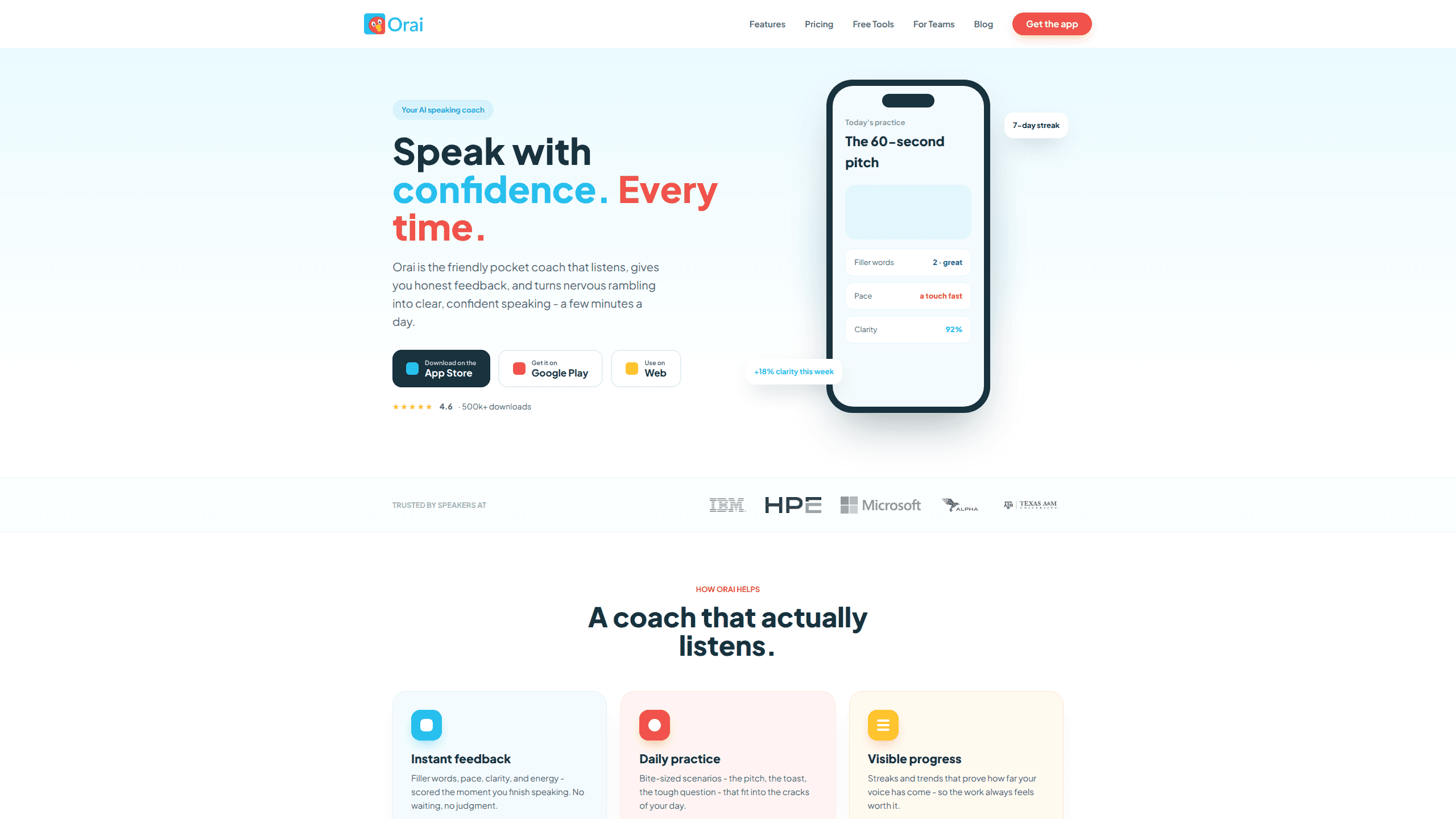
Orai Com is an AI-powered public speaking coach that helps you practice presentations, pitches, interviews, and everyday workplace talking. Think of it as an AI speech coach in your pocket. You speak into your phone or browser, and it scores your delivery the moment you stop. Filler words, pace, clarity, energy. All of it, instantly. It sits on iOS, Android, and the web, so a practice session fits into a commute or a coffee break.
About Orai Com
What Is Orai Com
Orai Com is a practice tool, not a live meeting assistant. It's built for the deliberate work of rehearsing before the real moment, whether that's a standup update, a wedding toast, or an investor pitch. The company behind it also publishes free browser tools that time a speech, measure words per minute, and run a teleprompter without an account.
The core loop is simple. You pick a scenario, speak for a minute or so, and get a scorecard plus one concrete thing to try next time. Over days and weeks, streaks and trend lines show whether your clarity is actually improving. That feedback loop is the whole point. It's what separates Orai Com from a plain recording app.
The main catch is that Orai Com won't listen in during a live call and whisper corrections. If that's what you're after, it won't do it. It also leans on a subscription for full access, so casual users should weigh the trial carefully before paying. For a presentation practice app, that trade-off is worth understanding up front. Is it worth it? If you rehearse often, yes. If you speak once a quarter, the free tools may be enough.
Getting Started
- Download Orai Com from the App Store or Google Play, or open the web app at app.orai.com and create an account.
- Pick a scenario from the library, such as an investor pitch rehearsal, a toast, or a tough interview question.
- Speak for a minute or two while the app listens and analyzes your delivery live.
- Review your scorecard: filler words, pace in words per minute, clarity percentage, and energy.
- Act on the single coaching tip Orai suggests, then practice again to track the change over time.
Product Information
A quick look at Orai Com's pricing, supported platforms, and performance.
Best for
The users, tasks, and scenarios where this tool fits best.
Users
- **Job seekers
- **Students
- **Sales and support teams
- **Non-native English speakers
Tasks
- **Rehearsing a pitch or presentation
- **Timing a speech
- **Practicing impromptu speaking
- **Building a wedding toast
Scenarios
- **A few minutes before a standup or interview
- **Weekend prep for a conference talk
- **Reading a script on camera
- **Checking whether a draft runs long
Key features
Instant Delivery Feedback
Orai Com scores your speaking the moment you finish, covering filler words, pace, clarity, and energy. You get a numeric scorecard instead of a vague impression, so you can point to what changed between two attempts. The filler word counter is blunt. It catches every "um" and "you know" you didn't hear yourself. The feedback is the product's center of gravity, and it's the reason people stick with daily practice.
Scenario Library
Sessions come as bite-sized scenarios like the pitch, the toast, or the tough question. Each one frames a realistic situation, which nudges you into the same nerves you'd feel in the real room. The library keeps practice from turning into aimless talking at your phone. It's the part that makes this feel like a public speaking app rather than a voice recorder.
Progress Tracking
Streaks and trend lines show whether your clarity is climbing week over week. A visible trend is a stronger motivator than a single score, and it helps you decide if the paid plan is earning its keep. Orai reports things like a percentage gain in clarity across a seven-day stretch.
AI Coaching Tips
Every session ends with one concrete suggestion, such as pausing after a problem statement so the audience can catch up. One usable tip beats a wall of statistics you'll forget by the next run. It's a small thing. It keeps each attempt from feeling like a repeat.
Free Browser Tools
Without signing up, you can time a speech, estimate speaking length, measure words per minute, use a teleprompter, record locally, and generate impromptu prompts. These tools cover focused, one-off jobs where a full account would be overkill. It's a low-commitment way to try the product before subscribing.
Enterprise and Team Coaching
Orai Enterprise adds a team admin and analytics dashboard, custom scenarios, SSO, bulk provisioning, and invoice billing. Learning and development teams get organization-wide reporting, and sales orgs can standardize how reps rehearse demos. Pricing is custom and quoted per team size, which means larger rollouts take longer to set up than a single subscription. It's communication coaching for a whole org, not just one nervous speaker.
Pros and cons
Pros
- Feedback lands instantly after each session, so you can adjust and retry without waiting on a human coach.
- Works across iOS, Android, and web, and the free browser tools need no account at all.
- Concrete metrics like filler word count and words per minute make progress measurable rather than subjective.
- Scenario-based practice mirrors real situations such as pitches, toasts, and interview questions.
- Enterprise tier covers dashboards, SSO, and custom scenarios for teams that need consistency at scale.
Cons
- The app is built for deliberate practice, so it won't coach you during a live meeting or call.
- Full access to unlimited practice, all scenarios, and deep tracking sits behind a subscription after the seven-day trial.
- Delivery scoring focuses on pace, clarity, and filler words, so it won't fix weak arguments or sloppy grammar.
Frequently asked questions
It listens to you speak and scores your delivery, then suggests one thing to improve. It's a practice coach for presentations, speeches, interviews, and workplace talking, not a live assistant for meetings.
Related content
Explore related tools, skills, and articles for Orai Com.
Orai Com Alternatives

Prosp
Prosp · Writing · Voice & Language · MarketingProsp is an AI LinkedIn outreach tool built for agencies and sales teams, and it writes the message and the voice note in your own voice for each prospect so they actually reply. You connect your accounts, find leads, and let the AI draft and send personalized messages at scale, all from one inbox. It's built for people running outbound at volume. That's the whole pitch. Every touchpoint still has to feel human.

Wordly AI Translation
Wordly · Voice & Language · ProductivityWordly AI Translation is a real-time AI translation and captioning platform built for meetings, conferences, and events. It delivers live translation, captions, transcripts, and summaries in more than 60 languages, and attendees join by scanning a QR code or opening a link instead of using dedicated headsets. The platform works with Zoom, Microsoft Teams, Google Meet, and Webex, and it's designed for organizations that want multilingual access without hiring human interpreters for every session. Simple as that.
Musicful
Musicful AI · Voice & Language · VideoMusicful is an AI music generator and AI music video maker that turns text to music in minutes. Give it a text prompt, a set of lyrics, or a hummed melody and it returns a finished track with vocals and instruments. It also doubles as an AI song generator, produces music videos from the songs you create, and offers an AI cover tool plus a developer API. The platform runs in a web browser and through an Android app, so you can start a song on desktop and pick it up on your phone.