

Orbie.
Vi-Labs (Nicolas Maton) · Writing · Productivity
Orbie is an iPhone, iPad and Mac app from Vi-Labs that records audio and turns it into editable transcripts, short summaries and translations, with optional speaker labels on its premium plan.
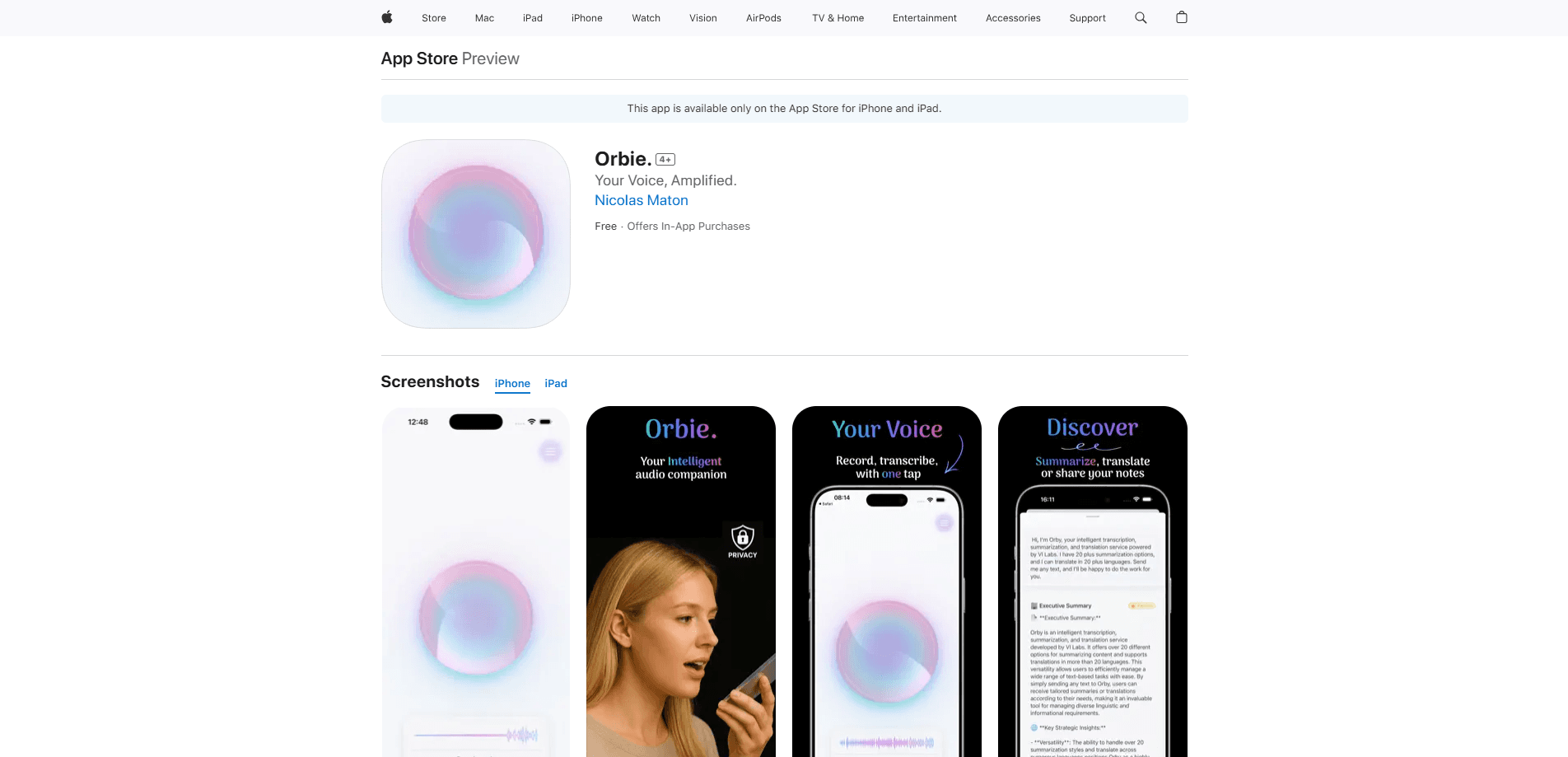
About Orbie.
What Is Orbie
Orbie is a voice and language app from Vi-Labs, an independent software studio based in Bruges, Belgium. You tap an orb to start recording, and the app converts speech into text you can edit, summarize or translate. It's aimed at people who capture a lot of spoken words and need them written down fast: meeting notes, interviews, lectures and voice memos.
The pitch is narrow and honest. Orbie doesn't try to be a general chatbot or a note-taking workspace. It records audio, writes it down, condenses it and moves it into another language, then lets you share the result. That focus shows in the feature list: accurate transcription, summaries, translation, speaker labels and sharing sit at the center, and most other things stay out.
Two limits matter before you start. The app is built for Apple hardware only, so there's no Android or web version. And the heavier jobs carry a cost: free users get monthly limits on transcription and summarization, while unlimited use and speaker diarization require the premium subscription. Vi-Labs states that recordings are processed only for transcription or diarization and that it doesn't permanently store your data. Read the privacy policy yourself before feeding it sensitive audio.
Getting Started
- Install Orbie from the App Store and open it on your iPhone, iPad or Mac
- Tap the orb to begin recording, or send an existing audio file to Orbie for transcription
- Stop recording and let the app convert your audio into text, then review and edit as needed
- Generate a summary or translation in one tap, then share the text or file from the app
Product Information
A quick look at Orbie.'s pricing, supported platforms, and performance.
Best for
The users, tasks, and scenarios where this tool fits best.
Users
- Professionals who take meeting notes
- Journalists and researchers
- Students
- Anyone working across languages
- Freelancers and consultants
Tasks
- Meeting transcription
- Interview capture
- Summarization
- Translation
- Sharing
Scenarios
- Back-to-back meetings
- A long interview with several voices
- A lecture you can't pause
- A call with someone abroad
- An idea captured on the move
Key features
Accurate Transcription
Orbie records audio and turns it into text you can review, edit and share. It handles speech recognition in real time while you record, and the latest versions let you send an existing audio file in for transcription too. The point is a clean transcript you can correct, not a raw dump you have to rebuild from scratch.
Summarization and Translation
One tap turns a long recording into a short summary, or moves a transcript into another language. Vi-Labs has added dozens of translation languages and summary options, including professional templates for doctor visits, legal matters, sales and client meetings. It's the feature that saves the most time when a recording runs long.
Speaker Diarization
On the premium plan, Orbie separates who said what during a conversation and labels each voice in the transcript. For interviews, panels and multi-person meetings, that labeling is what keeps a transcript readable once more than two people are talking.
Flexible Summaries and Auto-Processing
The app offers many summary styles rather than one fixed format, and it can auto-run a summary or translation on new transcriptions so the output is ready when you finish recording. You can also re-summarize existing text in a different style without recording again.
Sharing and File Management
Transcripts, summaries and translations share straight from the app by email, message or file export. You can save recordings and organize them into folders, so a growing backlog of meetings and interviews stays findable instead of piling up in one list.
Privacy-First Processing
Vi-Labs says recordings are processed only for transcription or diarization and that your audio and text aren't kept beyond what the task needs. That matters if you deal with confidential calls. The guarantee is the developer's own claim, not an independent audit.
Pros and cons
Pros
- Handles transcription, summarization and translation in one app, so you don't stitch three tools together
- Runs on iPhone, iPad and Mac, and recordings sync with your Apple account
- Speaker diarization makes multi-person interviews and meetings readable
- Professional summary templates cover doctor, legal, sales and client meetings
- Sends existing audio files in for transcription, not just live recordings
Cons
- Apple-only, so there's no Android or browser version for teams on mixed devices
- Free tier caps transcription and summarization each month, and diarization sits behind the premium plan
- No public API, which rules out automated pipelines and integrations
- Real-time transcription only supports English, while translation reaches further
Frequently asked questions
Orbie records audio and turns it into editable text, then summarizes or translates that text. It works as a voice to text and audio summarizer for meeting notes, interviews, lectures and voice memos when you need a written record without typing it yourself.
Related content
Explore related tools, skills, and articles for Orbie..
Orbie. Alternatives

Emailwritr
Emailwritr · Writing · MarketingEmailwritr is an AI email copywriting tool built for affiliates, course creators, and online businesses that want more revenue from the list they already own. Instead of blank pages or generic chatbot prompts, this AI email writer generates welcome sequences, launch campaigns, cart recovery emails, and promo series from frameworks modeled on well-known direct-response copywriters. You connect your autoresponder, answer a few questions about your offer, and it writes the copy for you.

Swms
Swms AI · Writing · Productivity · BusinessSwms is an AI safety compliance tool that turns a plain description of a job into ready-to-use safety documents. Describe your project, trade, and known hazards, and it writes a safe work method statement, job hazard analysis, safe work procedure, RAMS, or safety data sheet in seconds. It also ships with Oscar, a chat assistant that answers workplace safety questions in any language. Teams in construction, mining, transport, and warehousing use it to cut the paperwork that usually eats into a workday.

Prosp
Prosp · Writing · Voice & Language · MarketingProsp is an AI LinkedIn outreach tool built for agencies and sales teams, and it writes the message and the voice note in your own voice for each prospect so they actually reply. You connect your accounts, find leads, and let the AI draft and send personalized messages at scale, all from one inbox. It's built for people running outbound at volume. That's the whole pitch. Every touchpoint still has to feel human.