

Orca
Orca · Coding
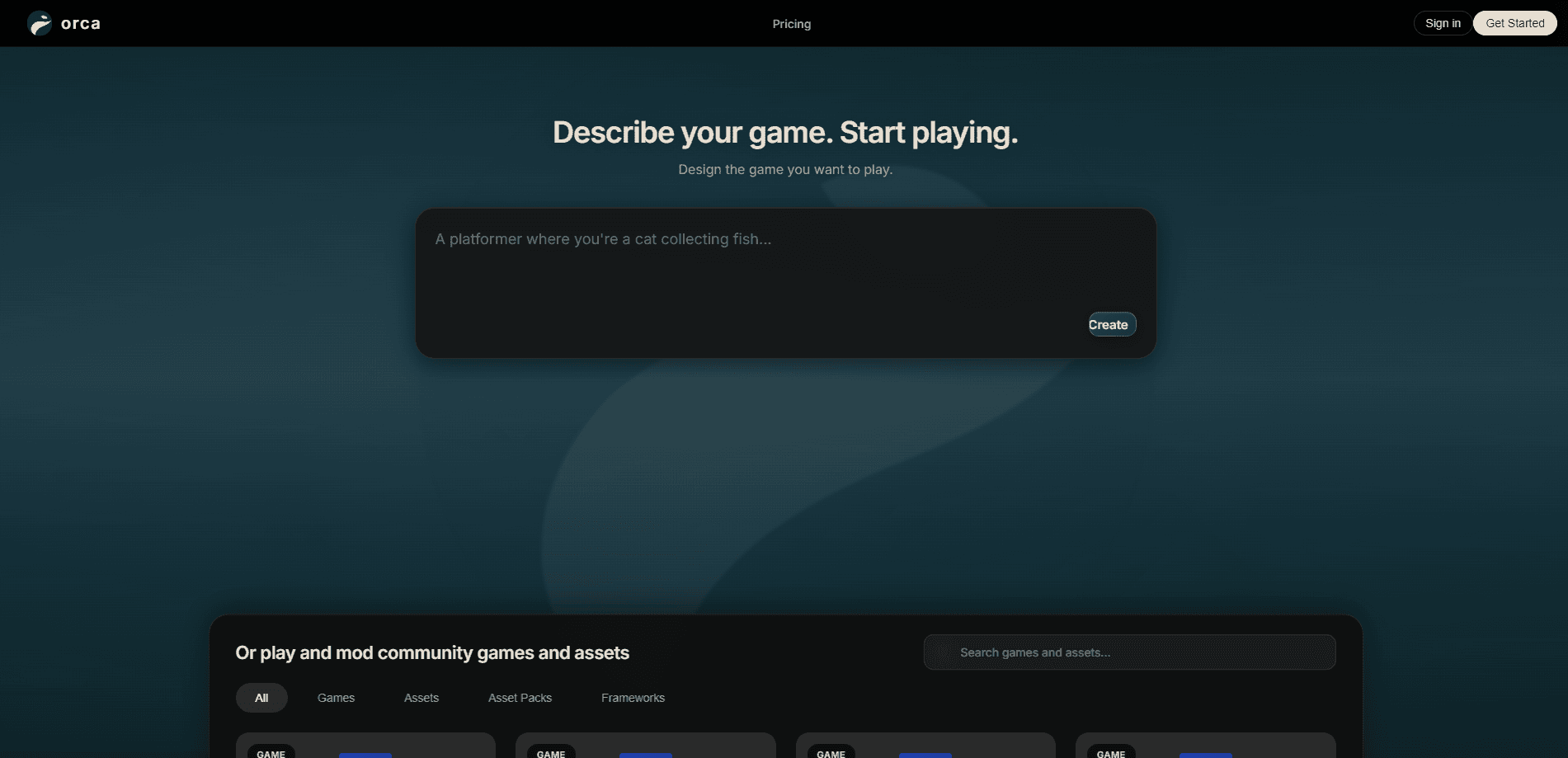
Orca is an AI Minecraft mod maker that turns plain-English descriptions into working mods, addons, and plugins. You type what you want a feature to do, and Orca writes, compiles, and installs the code for you, no Java or config files required. Every account also includes free Minecraft server hosting with 8 GB of RAM, so you can test your creation with friends the same day. It's built for players who have ideas but no coding background.
About Orca
What Is Orca
Orca is a platform for building Minecraft content through conversation. Instead of setting up a Java environment, wrestling with build tools, or copying configs from old forum threads, you describe the feature you want in normal English. Orca's AI writes the code, builds it, and installs it. The site calls itself an AI-first mod and addon creation platform, and that's the honest description of what it does.
The appeal is speed and access. A mod that might take a beginner days of tutorials to even set up can come together in minutes, and the result runs on your own server. Orca handles mods for Fabric, Forge, and NeoForge, plugins for Paper and Spigot, and Bedrock addons as .mcaddon files for phones, consoles, and Windows.
The biggest limitation is scope: this is a Minecraft tool, not a general game development agent. If you want to build non-Minecraft games, Orca won't help. It also runs on a credit system, so heavy use of the AI has a cost beyond the free daily allowance.
Getting Started
- Sign in at the Orca app with no credit card needed, which starts you with 200 credits.
- Describe the mod, addon, or plugin you want in plain English in the chat.
- Let Orca write and compile the code, then review what it built.
- Launch your included 8 GB server and install the mod on it.
- Invite friends and play, or export the file to share elsewhere.
Product Information
A quick look at Orca's pricing, supported platforms, and performance.
Best for
The users, tasks, and scenarios where this tool fits best.
Users
- Minecraft players with feature ideas
- Parents setting up servers for kids
- Beginner modders learning the ropes
Tasks
- Building a custom mod from a description
- Making Bedrock addons
- Writing server plugins
- Hosting a multiplayer world
Scenarios
- A weekend project with friends
- Fixing a broken mod
- Recovering from a crash
- Trying an idea before committing
Key features
Prompt-to-Mod Generation
Orca's core trick is turning a plain-English prompt into a finished mod. Think of it as a Minecraft mod generator with a chat box on top. You describe the behavior you want, and the AI writes, compiles, and installs it. The site's own examples show prompts like making a wolf obey voice commands, or adding sticky C4 with a remote detonator. You never open Java. You never touch a config file.
Broad Loader and Version Support
Orca builds mods for Fabric, Forge, and NeoForge, plus plugins for Paper and Spigot servers. Hosting runs Vanilla, Paper, Fabric, Forge, NeoForge, and over 6,000 modpacks. That range matters. Most players already have a favorite loader, and you don't want to rebuild your whole setup just to get AI help.
Bedrock Addon Creation
For Minecraft Bedrock players, Orca works as a Bedrock addon creator, outputting addons as .mcaddon files. Those run on phones, consoles, and Windows Bedrock edition. Your creation isn't locked to Java. It's a rare option in a space that mostly caters to Java users.
A Free 8 GB Server on Every Account
Every account includes a real 8 GB Minecraft server for up to 40 players, with no credit card and 1 free hour of server time a day. Most free hosts give you 1 to 4 GB. That gap matters. The server pauses when nobody's online and boots back in about 30 seconds, keeping your world intact.
Self-Repair and Crash Log Reading
Orca can edit or fix existing mods. Ask it to change a mod, and it reads the code, finds the problem, and rebuilds it. It also reads crash logs and patches whatever broke. That saves you from hunting through error messages yourself.
Daily Stacking Credits
The free tier starts with 200 credits, then gives you 200 more on the first app visit of each later UTC day. Unused credits stack rather than expiring. Light users build up a buffer fast. Paid plans add larger monthly allowances, and every download stays free.
Pros and cons
Pros
- No coding required, since you describe what you want and Orca writes and compiles the code.
- The free 8 GB server with 40-player capacity is unusually generous for a free tier.
- Supports Java mods, Bedrock addons, and server plugins, so it covers most Minecraft setups.
- It can read crash logs and repair broken mods, which is genuinely useful when something fails at launch.
- Daily credits stack, so casual users rarely run out.
Cons
- It's built only for Minecraft, so it won't help you make other kinds of games, even if it's grouped with general AI game development agents.
- Heavy AI use burns credits, and driving the paid tiers can run from $6.99 to $99.99 a month.
- The developer is a small team building in public, so features and pricing may shift between weekly releases.
- API availability isn't documented, so developers hoping to integrate Orca into their own tools can't count on it yet.
Frequently asked questions
Yes. The free tier includes Orca Fast, 200 starter credits, then 200 more on each later UTC sign-in day, every download free, and your own 8 GB Minecraft server with 1 free hour of server time a day. No credit card is needed to begin.
Related content
Explore related tools, skills, and articles for Orca.
Orca Alternatives
Forefront
Forefront · CodingForefront is a web platform for building with open-source AI. It lets you fine-tune leading open-source language models on your own data, evaluate how they perform, and run them through an API or export them to host yourself. Developers who want the convenience of a closed-source platform but insist on owning their models and data are the target audience here.

Startkit
StartKit.AI · CodingStartkit is a boilerplate for building AI SaaS and AI wrapper products. Think of it as an AI startup boilerplate with the boring parts already wired up: authentication, Stripe and Lemon Squeezy payments, usage limits, transactional email, and an AI API starter that talks to OpenAI, Anthropic, Groq, or Llama. You clone the repo, set your price, and start on the part of your product that people actually pay for. It's Next.js under React and Tailwind, so most of the boilerplate code already feels familiar.
Testim
Tricentis · CodingTestim is an AI-powered test automation platform for building and running end-to-end tests across web, mobile, and Salesforce applications. It leans on machine learning to keep tests stable when an interface changes, so teams spend less time fixing broken selectors. Not bad for an automated testing tool you can start using today. You create tests by recording actions in a browser, then optionally add JavaScript when you need more control. It's a solid pick for busy QA teams.