
Ordo: Save & Find Content
Ordo · Marketing · AI Detection
Ordo is a content saving app that keeps the Reels, TikToks, YouTube Shorts, and links you want to revisit in a single searchable library. Instead of losing clips in screenshots, notes, and half-broken bookmarks, you save them once and describe them later in plain language to pull them back up. It runs on iOS and Android, and it's free to download. No account needed.
About Ordo: Save & Find Content
What Is Ordo
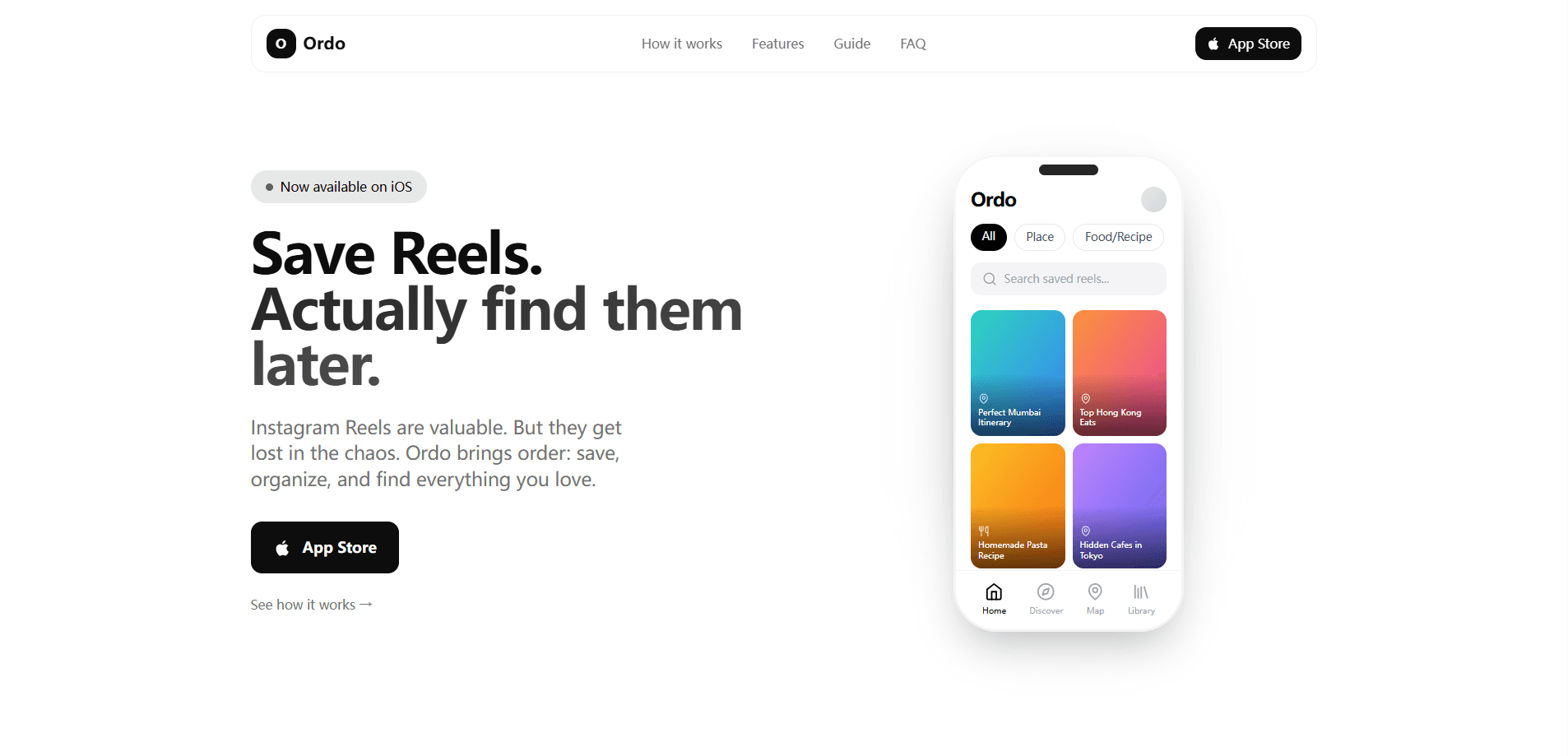
Ordo is a save-and-find app built around a simple problem: you spot something worth keeping, save it somewhere, and then never find it again. The app pulls your saved Instagram Reels, TikTok videos, YouTube Shorts, and web pages into one place and indexes what's inside them, so a vague memory is enough to retrieve the thing. According to the developer, it focuses on recall rather than collection for its own sake. That's the whole pitch.
The main draw is that you don't have to build a filing system yourself. Ordo reads the caption, transcript, and metadata behind each save, which means you can search by what you remember. Type "that pasta recipe with anchovies" or "quiet cafés in Mumbai" and it surfaces the clip, even when you've forgotten the creator's name. It's an AI content organizer first and a bookmark bin second.
The limits are worth knowing before you commit. Ordo doesn't download or store the original videos and photos, so you're saving a pointer and its context, not a copy of the file. It's also not a social app. There's no shared feed to browse. And while the core app is free, some organization tools live behind the app's own settings rather than a web dashboard, which takes a little getting used to.
Getting Started
- Download Ordo from the App Store or Google Play, or open the official site to grab the link. It takes a minute.
- Open Instagram, TikTok, YouTube, or your browser, tap Share on the post, and pick Ordo to save it.
- Let the app read the caption, transcript, and metadata, then drop the item into a collection or mark it as a favorite.
- Search your library in plain language when you need the content again, and let Ordo match your description to the right save. That's the payoff.
- Optionally connect Ordo to ChatGPT or another MCP-compatible app so you can query your saved library through a chat.
Product Information
A quick look at Ordo: Save & Find Content's pricing, supported platforms, and performance.
Best for
The users, tasks, and scenarios where this tool fits best.
Users
- Everyday scrollers who save a lot to social apps
- Recipe and travel hoarders
- Content creators and researchers
Tasks
- Rescuing a saved recipe
- Rebuilding a trip plan
- Tidying a bloated save folder
Scenarios
- Rediscovering a how-to clip you saved weeks ago and can only half-remember.
- Pulling together every restaurant or café you bookmarked before a weekend trip.
- Summarizing your most-saved topics to see what your library is actually full of.
Key features
Save From Any App With the Share Sheet
The core move is tapping Share inside Instagram, TikTok, or YouTube and sending the post to Ordo instead of screenshotting it. The app grabs the caption, transcript, and metadata at that moment, so the context travels with the save. It's quick. That's what makes later recall possible and saves you from copying links by hand.
Search by What You Remember
You don't need the exact title or link to find something. Ordo searches your own library from a rough description, so "the photographer with the red jacket" or "that crispy kimchi fried rice" can surface the right post. That's the point. This is the feature that separates a video bookmark app from a plain notes list.
Collections, Favorites, and Smart Grouping
Saved items can be sorted into collections, flagged as favorites, and gathered into smart collections that track themes over time. It gives structure to a library that would otherwise be one long scroll. You still have to spend a few minutes labeling things early on for the best results.
Read-Only MCP Link to ChatGPT
Ordo offers an MCP connection so you can talk to your saved library through ChatGPT or another compatible client, using OAuth to sign in and grant read access. The catch is that it's deliberately read-only: it can search and summarize but can't save, edit, move, or delete anything. Set-up needs a compatible app and, during the beta, developer mode. Plan for a few minutes.
Privacy-First Design
The developer states that Ordo doesn't download or store the original videos and photos, and that it doesn't track your activity or use your location. It extracts the text and metadata needed for search instead, which keeps the library light and the footprint smaller. No feed. No tracking. You can delete your data, and the app works without an account.
Pros and cons
Pros
- Free to download and usable without creating an account.
- Plain-language search works from vague memories, which is where most bookmark apps fail.
- The share-sheet save flow is fast enough to use while you're scrolling. No stopping to think.
- Read-only MCP link adds chat access without handing over edit rights.
- Clear stance on not storing original media or tracking your activity.
Cons
- Doesn't keep a copy of the video or image, so the save breaks if the original post disappears.
- Organization still depends on you adding collections and labels; the app won't name them for you.
- MCP set-up is aimed at technical users and needs developer mode during the beta. Not for everyone.
- No web dashboard for bulk editing, so heavy library management means working on the phone.
Frequently asked questions
Yes. Ordo is free to download and has no account requirement for basic use. The official site lists it with a price of $0. You can save and search your library without paying, but check the app store listing for any limits added after launch.
Related content
Explore related tools, skills, and articles for Ordo: Save & Find Content.
Ordo: Save & Find Content Alternatives

ngram 2.0
ngram · Video · Marketingngram 2.0 is an AI video generator for teams. It turns a prompt, a screen recording, or a product URL into a narrated explainer, product demo, or AI avatar video, and every scene stays editable.

shippedit.me
Krawlup · Marketing · Businessshippedit.me now redirects to Krawlup, a web platform that audits SEO, AEO and page speed every week, then hands the fixes to AI coding agents over MCP.

MePersona
MePersona, Inc. · Writing · Productivity · MarketingMePersona is an AI unified inbox for creators. It learns your voice, drafts replies to fan messages from 12 platforms, and sends only what you approve.