

Ortto
Ortto (Canva) · Marketing
Ortto is a customer data platform with marketing automation and analytics built in, so a marketing team can segment contacts and run email, SMS, and push journeys without waiting on engineers.
About Ortto
What Is Ortto
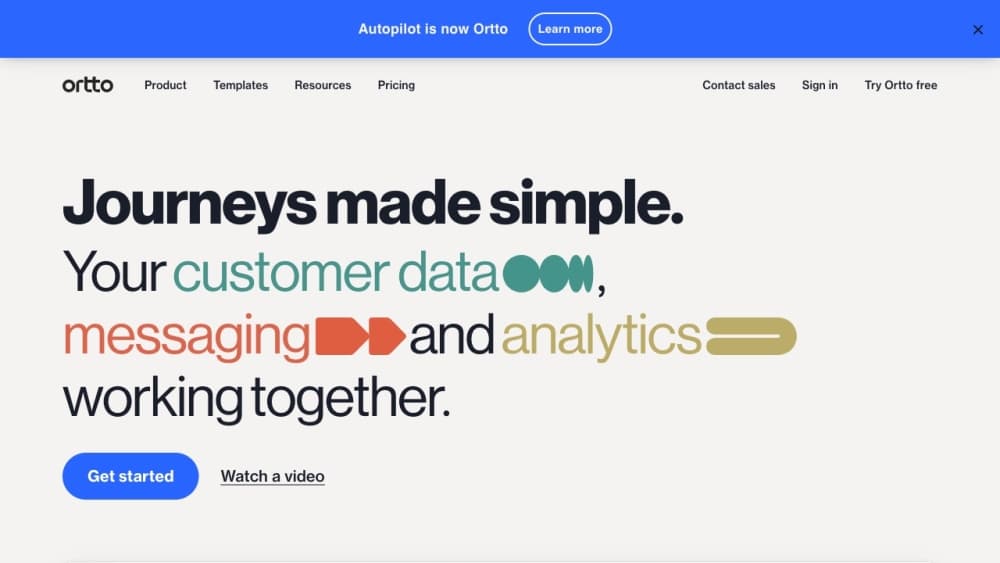
Ortto is a cloud platform that stores customer profiles and event history, then uses that data to trigger campaigns. It started life in 2015 as Autopilot Journeys, was rebuilt from the ground up, and took the Ortto name in March 2022. The company is based in Sydney, with an office in San Francisco, and Canva acquired it in April 2026. Ortto still runs as a standalone product with the same team.
The problem it targets is data spread. Product events sit in one system, billing in another, support tickets in a third, and the marketing team ends up requesting segments from an analyst. Ortto pulls those sources into one profile, keeps the activity timeline, and lets marketers build audiences with filters instead of SQL. Campaigns, reports, and revenue attribution then run against the same data, which is the main reason teams pick it over a standalone email tool.
The limits show up early. There's no free plan, and the entry price is $199/mo, so it only makes sense once you have a list worth segmenting. Setup depends on installing a tracking code and mapping your data model, and custom events usually need a developer. It's also not a CRM: deals and pipeline stay in Salesforce, HubSpot, or Pipedrive, which Ortto syncs with rather than replaces.
Getting Started
- Start a 14-day trial from ortto.com and connect a data source, either the JavaScript tracking code on your site or an integration such as Shopify, Stripe, or Segment.
- Map the people and account fields you care about, then create activities for the events that matter, like trial started or order placed.
- Build an audience with filters on those events, then open the journey builder and add email, SMS, push, or delay shapes to the canvas.
- Send a test, publish the journey, and check the campaign report for opens, clicks, and revenue.
- Add Talk, capture widgets, or dashboards once the first journey is live. Invite teammates and set permissions before you hand over sending rights.
Product Information
A quick look at Ortto's pricing, supported platforms, and performance.
Best for
The users, tasks, and scenarios where this tool fits best.
Users
- SaaS marketing teams of two to ten people
- Subscription and ecommerce brands
- Nonprofits and fundraising teams
- Lifecycle marketers leaving a legacy email tool
Tasks
- Recovering abandoned carts and stalled trials
- Onboarding new accounts
- Building behavioral segments
- Attributing revenue to campaigns
Scenarios
- Replacing three tools with one
- Running a launch week with a small team
- Answering "did this campaign make money"
Key features
Event-Based Customer Data Platform
The Ortto CDP builds a profile from events, not just static fields, so you can filter on what someone did and when. It accepts data from the tracking code, SDKs, CSV imports, custom data sources, and native integrations. The platform supports up to 12 million contacts, and activity history is kept for 90 days by default, with longer retention available per activity or source.
Visual Customer Journey Builder
The journey canvas connects email, SMS, push, and ad actions with delays, conditions, filters, and percentage splits. You can wait for a specific date or a dynamic date, send transactional messages that reach people even after they unsubscribe from marketing, and roll back to an earlier version of a journey. That version history matters when several people edit the same canvas.
Email, SMS, and Push Campaigns
Email marketing automation runs on a drag-and-drop editor with dynamic content blocks and hundreds of templates. SMS covers plain text and MMS with images or PDFs, and push works across web and mobile through the iOS, Android, and web push SDKs. Pop-ups, forms, surveys, in-app messages, landing pages, and multilingual campaigns sit in the same account.
Analytics and Revenue Attribution
Dashboards and dynamic reports cover funnels, cohorts, columns, and pies, with goals attached to any metric. Engagement reports show opens, clicks, and regional trends in real time. Connect a payment source and revenue attribution ties orders back to the journey or email that produced them.
Ortto AI and MCP Access
Ortto AI writes subject lines, predicts open rates, suggests SMS and push copy, and drafts live chat replies from your help content. AI filters turn a plain sentence such as "people in Europe who started a trial" into a working segment. AI decision shapes score contacts inside a journey, and an MCP server lets assistants such as ChatGPT or Claude read audiences and campaign data through a controlled connection.
Talk: Live Chat, Inbox, and Knowledge Base
Talk adds live chat on your site, a shared inbox for replies, and a searchable knowledge base for self-service answers. Conversations attach to the same contact profile, so support context is visible when the next campaign goes out. This is the piece that lets a small team drop a separate helpdesk for simple support flows.
Integrations and Task Automation
Native Ortto integrations cover Salesforce, HubSpot, Pipedrive, Shopify, Stripe, Segment, Zendesk, Intercom, Slack, Microsoft Teams, and others, with two-way sync for the CRM links. Dynamic webhooks push data and trigger actions in external apps from inside a journey. Zapier opens another 4,000+ apps, and lead scoring plus Checkmate tracking add attribution and identity resolution.
Pros and cons
Pros
- One bill for data, automation, and reporting: segments, journeys, and revenue reports run on the same contact record, so nothing needs syncing between vendors.
- Event-level segmentation without SQL: filters and AI-generated segments replace the analyst request queue for most campaign work.
- Revenue attribution is built in: connect Stripe or Shopify and see which journey produced the order, not just which email got opened.
- Predictable entry price: Starter costs $199/mo, the trial runs 14 days, and annual billing knocks up to 15% off.
- AI features sit inside the workflow: subject line suggestions, open-rate predictions, and AI filters work in the campaign builder, and the MCP server extends access to external assistants.
Cons
- No free plan and a $199/mo floor: a small list under a few thousand contacts will pay more here than on a lighter email tool.
- Costs rise twice as the list grows: pricing follows contact count, and included send volume is tied to contacts, so both the plan and the email allowance move together.
- Setup needs a developer: the tracking code, custom activities, and data model take real work, and a messy source system will show up as a messy CDP.
- Not a CRM and no mobile app: pipeline, quotes, and tasks stay in another system, and the day-to-day work happens in a browser.
Frequently asked questions
Ortto is used to unify customer data and run marketing campaigns from it. Marketing teams collect events and profile fields, build audiences, then send email, SMS, and push through automated journeys, with reports and revenue attribution on the same data.
Related content
Explore related tools, skills, and articles for Ortto.
Ortto Alternatives

Emailwritr
Emailwritr · Writing · MarketingEmailwritr is an AI email copywriting tool built for affiliates, course creators, and online businesses that want more revenue from the list they already own. Instead of blank pages or generic chatbot prompts, this AI email writer generates welcome sequences, launch campaigns, cart recovery emails, and promo series from frameworks modeled on well-known direct-response copywriters. You connect your autoresponder, answer a few questions about your offer, and it writes the copy for you.

Prosp
Prosp · Writing · Voice & Language · MarketingProsp is an AI LinkedIn outreach tool built for agencies and sales teams, and it writes the message and the voice note in your own voice for each prospect so they actually reply. You connect your accounts, find leads, and let the AI draft and send personalized messages at scale, all from one inbox. It's built for people running outbound at volume. That's the whole pitch. Every touchpoint still has to feel human.

On Model
On Model · Image · MarketingOn Model is an AI fashion model tool that places your clothing on virtual models so online stores can get on-model product photos without booking a photoshoot. It runs as a Shopify app, letting you swap the model in an existing image, change backgrounds, and generate faces for cropped or headless shots. The goal is simple: match your product photos to your customers and stand out from competitors using the same supplier images.