

otomatic.ai
Otomatic · Marketing · AI Detection
Otomatic is an AI agent team in a desktop app. You build specialist agents that research, create, automate and deliver projects, from websites and apps to videos.
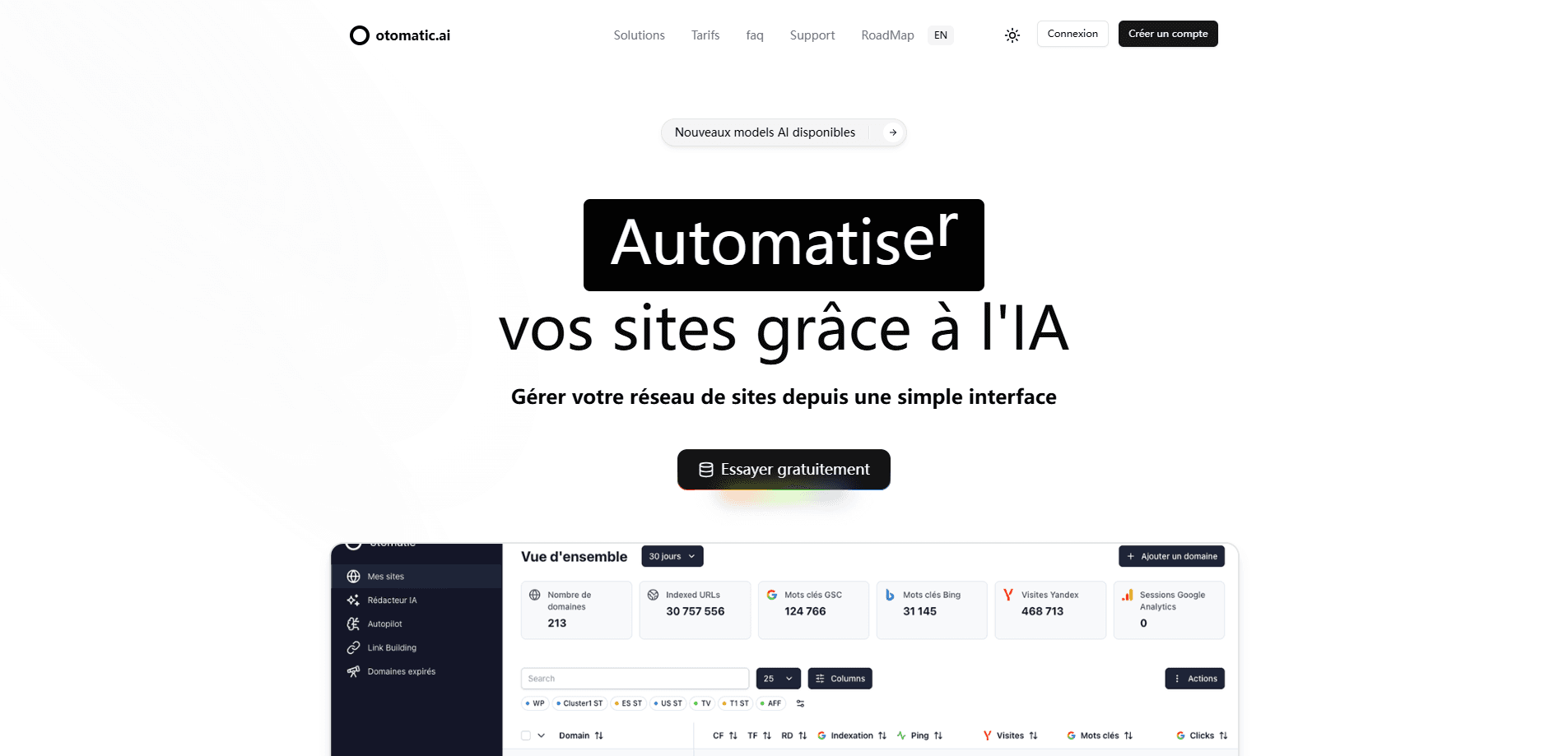
About otomatic.ai
What Is Otomatic
Otomatic is a multi-agent desktop app for Mac and Windows that turns a single chat into a working team. Instead of one assistant answering one question at a time, you create named agents, give each a role, and hand them a mission. One agent can research a market, another can design a page, and a coordinator pulls the results into one place for you to review.
The product is built for people who already pay for AI models and want more out of them. You connect your own accounts, such as Codex, Claude Code, OpenRouter or a local Ollama setup, so your keys and subscriptions stay yours. Otomatic handles the orchestration: routing tasks, sharing context between agents and keeping every project in one workspace.
The main limit is scope. Otomatic is a desktop tool, not a browser service, so it won't run on a phone or a shared work laptop that blocks installs. Its agents are also only as good as the models you connect, and advanced projects can still need technical adjustments.
Getting Started
- Download the app from otomatic.ai and install it on Windows or an Apple Silicon Mac.
- Open Settings and connections, then connect your AI accounts, such as Codex, Claude or OpenRouter.
- Create your first agent, give it a role, a model and a mission with a clear outcome to produce.
- Describe the goal in the chat and follow the agent's work as it builds or automates the result.
- Review the deliverable, then export it, publish it to a connected host or send the code to GitHub.
Product Information
A quick look at otomatic.ai's pricing, supported platforms, and performance.
Best for
The users, tasks, and scenarios where this tool fits best.
Users
- Solo creators
- Freelancers and small agencies
- WordPress site owners
Tasks
- Building a website
- Producing videos
- Automating recurring work
- Research and monitoring
Scenarios
- Running a content site
- Shipping app and website projects
- Checking on competitors and pages
Key features
A Team of Specialist Agents
Otomatic replaces the single-chatbot model with a team. Nova coordinates the group, and you add agents with a clear role, a model and a mission. When a task needs another skill, one agent hands context to the right specialist, so a research brief can flow into a design job without you rewriting anything.
Connect Your Own AI Models
You link your existing subscriptions rather than buying models inside the app. Codex and Claude Code can run alone or together, OpenRouter covers supported workflows, and Ollama is there for local setups. The choice of model stays with you, and so do your keys.
Website and App Building
Agents act as an AI website builder, designing screens, building pages and developing apps from a described goal. You can preview a website, test a mobile build by scanning a QR code on iOS or Android, or compile a project into a desktop executable for Mac and Windows. Each result sits in a project you can open, test and adjust in the conversation.
Video Studio
The video studio goes from script to finished cut. Agents generate scenes, then you tune the format, voice, captions and every track directly on the timeline. It works for launch videos, social clips and motion design without a separate editing tool.
WordPress Autopilot
Autopilot turns a content plan into published posts. It accepts topics, source pages, RSS feeds, sitemaps and even YouTube videos as starting points, prepares SEO-oriented drafts with titles and meta descriptions, then sends them to WordPress on a schedule you set. You stay as the reviewer before anything goes live.
Tools, MCP Connections and Automation
Agents use the services you connect, such as GitHub, Cloudflare, Supabase, Gmail, Stripe or Search Console, through MCP-compatible connectors. Scheduled tasks and multi-agent workflows turn repeated work into a process, and the app asks for your approval before any change, payment or publish action in a third-party service.
Pros and cons
Pros
- Multi-agent orchestration turns one brief into research, design and delivery without juggling separate chats.
- You keep your own AI accounts and keys, and per-agent model choice means you can match cost to task.
- Built-in website, app, video and WordPress studios cover most of a small team's output from one app.
- Local project files and an approval step on external actions keep your work and accounts under your control.
- Scheduled tasks and workflows cut repetitive daily work instead of adding another tool to check.
Cons
- It's a desktop-only app, so it won't run on a phone or on locked-down machines where software installs are blocked.
- Your own model usage is billed separately, so the real monthly cost depends on how much you spend with Codex, Claude or OpenRouter.
- The Mac version is early access and needs an Apple Silicon chip, which leaves Intel Mac users on Windows for now.
- Advanced projects can still need technical adjustments, so it isn't a fully hands-off builder for every scenario.
Frequently asked questions
Otomatic runs a team of AI agents that research, create, automate and deliver work. You describe a goal, such as a website, an app, a video or a content schedule, and the agents produce a result you review before it goes out.
Related content
Explore related tools, skills, and articles for otomatic.ai.
otomatic.ai Alternatives

ngram 2.0
ngram · Video · Marketingngram 2.0 is an AI video generator for teams. It turns a prompt, a screen recording, or a product URL into a narrated explainer, product demo, or AI avatar video, and every scene stays editable.

shippedit.me
Krawlup · Marketing · Businessshippedit.me now redirects to Krawlup, a web platform that audits SEO, AEO and page speed every week, then hands the fixes to AI coding agents over MCP.

MePersona
MePersona, Inc. · Writing · Productivity · MarketingMePersona is an AI unified inbox for creators. It learns your voice, drafts replies to fan messages from 12 platforms, and sends only what you approve.