

Outerspan
Outerspan · Writing · Marketing
Outerspan is an agent deployment platform that gives AI agents their own email inboxes. Deploy one with a managed identity in seconds via API or dashboard, then send, receive, and track its email.
About Outerspan
What Is Outerspan
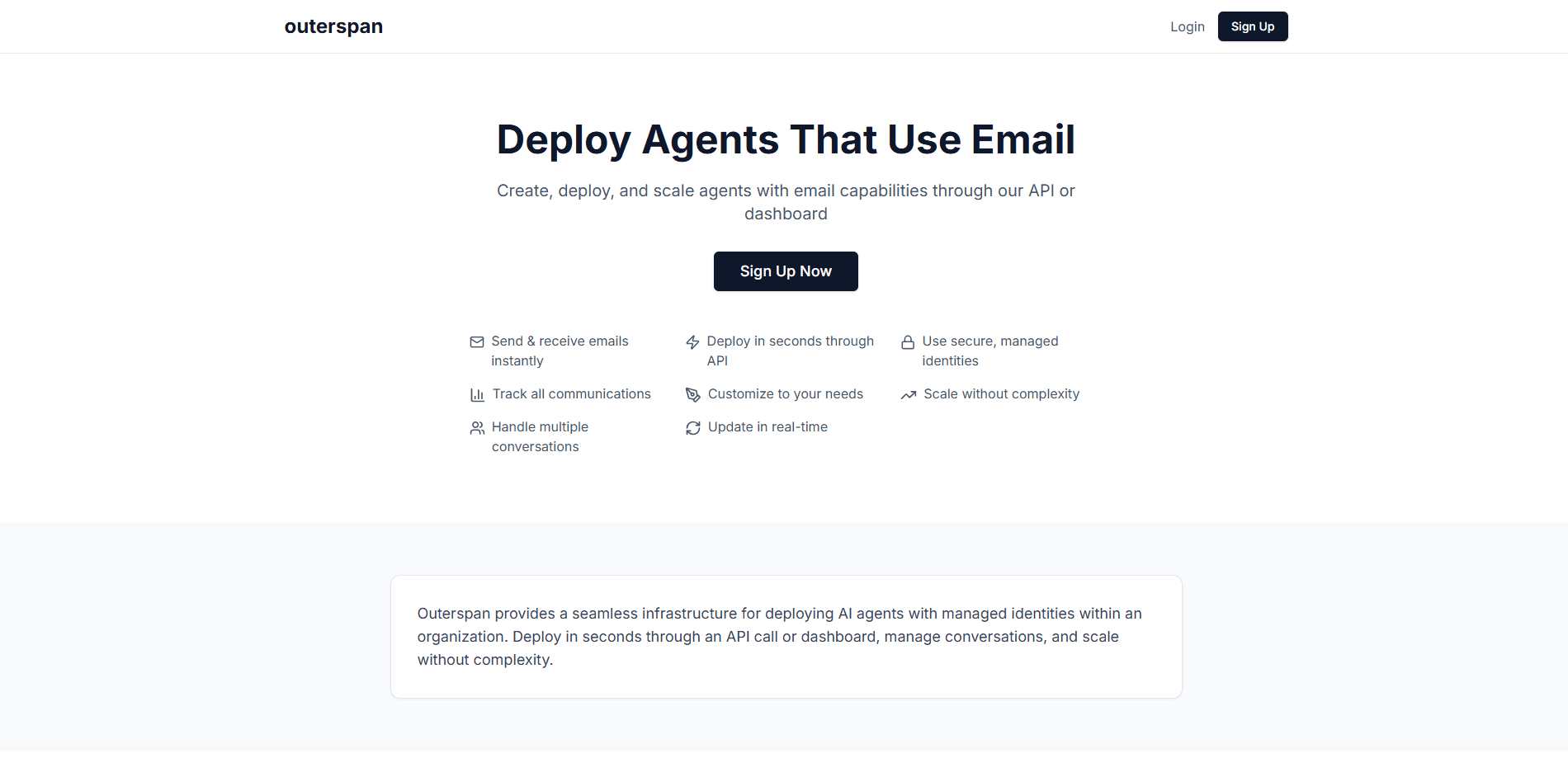
Outerspan is a platform for deploying AI agents that use email. Each agent gets its own inbox and a managed identity, so it can send and receive messages like a real contact rather than sitting behind a chat window. You spin one up with an API call or from a dashboard, and the whole setup is handled for you.
The problem it targets is plumbing. Giving an agent an email address usually means domain records, an inbox to watch, spam filtering, and a way to route replies back into your app. Outerspan handles that layer so you spend time on what the agent does with the mail, not on making email work.
The tradeoff is scope. This is developer infrastructure, so there is no drag-and-drop builder and no ready-made agent brain. You bring the logic and the model, and Outerspan provides the identity, inbox, and tracking around it. Pricing is not published on the site, so you have to sign in or contact the team before you know what it costs.
Getting Started
- Sign in to the Outerspan dashboard or grab an API key for programmatic use.
- Create an agent and give it a name and an email identity, either a managed address or one on your own domain.
- Configure what the agent does with incoming mail, such as replying, asking qualifying questions, or logging the thread.
- Connect external services like a Google Sheet, a CRM, or your knowledge base so replies land where you need them.
- Deploy and monitor conversations from the dashboard as messages flow in and out.
Product Information
A quick look at Outerspan's pricing, supported platforms, and performance.
Best for
The users, tasks, and scenarios where this tool fits best.
Users
- Developers and engineers
- Startups shipping agent products
- Operations and support teams
Tasks
- Running a support inbox
- Qualifying leads by email
- Sending scheduled check-ins
Scenarios
- Adding email to an existing agent
- Handling high volumes of repetitive mail
- Prototyping an email-first product
Key features
Deploy Agents With Email Identities in Seconds
You deploy an agent through a single API call or from the dashboard, and the email identity comes with it. There is no server setup, no DNS work to hand off, and no waiting on an inbox to warm up. The claim is deploy in seconds, and the flow matches that: name the agent, give it an email, and it is live.
Managed Email Inboxes for Agents
Each agent gets a secure inbox ready to use right away. That means the agent can both send and receive, so a conversation keeps going after the first message rather than dead-ending in a one-way notification. Managed identities also keep addresses organized, which helps when you run more than one agent.
Send and Receive Email Through an API
The core of the platform is an email API for AI agents. You can trigger sends, read incoming messages, and route replies back into your own system. Command-line tools and documentation come with it, so a developer can go from reading the docs to a working agent without hunting around.
Conversation Tracking and Analytics
Built-in tracking shows what each agent is sending and receiving over time. You can follow multiple conversations at once and update the agent's behavior in real time. For teams running several agents, that view is how you spot an agent that has gone quiet or one that is generating too much mail.
Connect to Your Own Tools
Outerspan agents hook into services you already use. The site's own examples wire an agent to a Google Sheet, log responses in a CRM, or pull answers from an uploaded knowledge base. That is what turns a basic auto-reply into a workflow that actually moves data.
Security and Compliance Controls
Communication runs over encrypted channels with what the company calls enterprise-grade security. Managed identities mean you are not handing each agent a personal inbox with its own credentials, which keeps access easier to govern as the number of agents grows.
Pros and cons
Pros
- Deploys agents with email identities in seconds through an API or dashboard, so there is no infrastructure to stand up first.
- Gives each agent a managed inbox that sends and receives, which keeps a conversation going instead of stopping after one message.
- Ships with an API, command-line tools, and documentation, so developers can drive it from code rather than a UI.
- Connects to tools like Google Sheets, CRM systems, and uploaded knowledge bases, which puts the agent's work where your team already looks.
- Handles the dull parts of email, from identity management to tracking, so you focus on what the agent actually does.
Cons
- It is developer infrastructure with no no-code builder, so non-technical users cannot set up an agent on their own.
- There is no agent brain included, which means you supply the model and the logic that decides how to reply.
- Pricing is not published on the site, so you cannot compare cost before signing in or contacting the team.
- As a young platform, it has a smaller track record and community than established email API providers, so you carry more early-adopter risk.
Frequently asked questions
Outerspan deploys AI agents that use email. Each agent gets a managed identity and an inbox, and you can send, receive, and track its messages through an API or a dashboard.
Related content
Explore related tools, skills, and articles for Outerspan.
Outerspan Alternatives

Google EmbeddingGemma 2
Google DeepMind · Writing · Image · CodingGoogle EmbeddingGemma 2 is a 740M-parameter open model that turns text, code, images, audio, and video frames into vectors in one 768-dimension space, running on phones and laptops.

MePersona
MePersona, Inc. · Writing · Productivity · MarketingMePersona is an AI unified inbox for creators. It learns your voice, drafts replies to fan messages from 12 platforms, and sends only what you approve.

Fluence
Yay Software (Yannick Huchard) · Writing · Voice & Language · ProductivityFluence is an Android app that reads PDFs, EPUBs, Word files and web articles aloud, follows each sentence as it speaks, and answers questions about the text on the phone itself.