

Outline
Outline · Writing · Productivity
Outline is a team knowledge base that pairs a fast markdown wiki with AI answers, so internal documentation stays searchable and people stop asking the same questions twice.
About Outline
What Is Outline
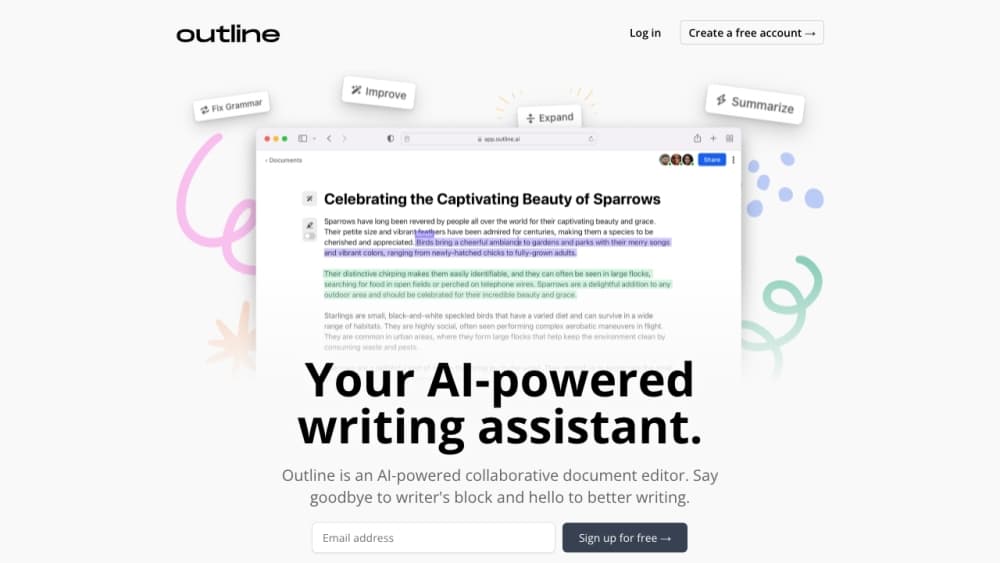
Outline is a knowledge base for teams: a wiki where documents live in collections, with permissions, instant search, and an editor built for writing. The project started in the open, and the company behind it has run the hosted service since early 2020. The Outline wiki works in a browser and in desktop apps for macOS and Windows.
Most teams arrive with the same problem. Answers exist somewhere, in a Slack thread or a folder nobody opens, and new hires ask the same five questions every month. Outline puts those answers in one tree and lets you decide who sees what, down to a single document. That makes it a practical tool for internal documentation rather than a public blog.
The limit is scope. Outline handles documents, not databases, whiteboards, or project boards. If you want a workspace where one page holds a task tracker and another holds a product roadmap, this isn't that product. AI is also opt in: an admin has to enable it in workspace settings before anything gets indexed or sent to a model.
Getting Started
- Create a workspace at app.getoutline.com with an email address or a single sign-on provider. The cloud version starts with a 30-day trial.
- Invite teammates, set up groups, and connect Slack if you want search and notifications inside chat.
- Build your first collections, then import existing material from Confluence, Notion, Google Docs, or markdown files.
- Open Settings, then Workspace, then AI, and turn on AI answers and the MCP server once your team is ready for them.
Product Information
A quick look at Outline's pricing, supported platforms, and performance.
Best for
The users, tasks, and scenarios where this tool fits best.
Users
- Engineering and product teams of 5 to 100
- Remote and hybrid companies
- Startups leaving a heavier wiki
Tasks
- Writing onboarding material
- Answering repeated internal questions
- Letting AI assistants touch your docs
Scenarios
- A new hire's first week
- Incident response at 2am
- A support team repeating itself
Key features
Markdown Editor With Real-Time Collaboration
The editor takes markdown, slash commands, and pasted links that turn into live embeds. Two people can type in the same document at once, comments stay in threads, and version history shows who changed what. Documents load fast, which sounds minor until you spend a day in a slow wiki.
AI Answers With Citations
Search accepts a plain question, not just a keyword. The AI knowledge base reads across your workspace and returns a short answer with links to the documents it used, so you can check the source before you act on it. Everything is opt in, and nothing gets indexed until an admin enables the feature.
Built-In MCP Server
Every workspace exposes an MCP server at its own domain. You point Claude, ChatGPT, Cursor, Codex, or another client at it, sign in with OAuth or an API key, and the assistant can search, read, draft, and patch documents. Recent updates added attachments, comments, and document moves to the tool set.
Collections, Groups, and Permissions
Collections group documents the way your team thinks about them: engineering, support, people ops. You can grant read or write access to a group, invite guests to a single collection, or share one document with a client. Members can request access to a page they can't open, which removes the usual guessing about who owns it.
Search, Slack, and 20+ Integrations
Search covers titles, body text, and attachments, and it returns results while you type. The Slack integration lets people search, share, and ask questions without leaving a channel, and it posts a note when a document changes. Figma, Loom, GitHub, Linear, GitLab, and diagram tools are also in the list.
Public Sharing, Custom Domains, and Open API
Any document or collection can be published to the web with its own logo, colors, and domain, which turns part of the wiki into a lightweight help center. The REST API covers documents, collections, users, and comments, so you can wire Outline into internal tools. Self-hosting is supported too, with the Community Edition running free on your own server.
Pros and cons
Pros
- Fast where it counts: documents open in milliseconds and search keeps up with typing, which is the difference between a wiki people use and one they avoid.
- Answers come with receipts: AI answers link to the source document, so a wrong answer is easy to spot and correct.
- Permissions go deep: group access, guest accounts, per-document sharing, and access requests cover most real org charts without a second tool.
- Open source and self-hostable: the code is public, and the free Community Edition runs on your own infrastructure if data residency matters.
- Strong AI plumbing: the MCP server and REST API let assistants read and write documents, which is rare in this category.
Cons
- No databases or boards: if you need a task tracker, a CRM view, or a kanban board inside the same page, you'll keep a second tool.
- Free means self-hosting: the cloud version is a 30-day trial, and the no-cost path is the Community Edition, which you have to deploy and maintain.
- Price jumps with headcount: cloud plans run $10/mo for up to 10 members, $79/mo for 11 to 100, and $249/mo for 101 to 200, so cost tracks team size rather than usage.
- AI needs a decision first: an admin must enable AI and MCP before they work, and some teams will find that setup step slows the rollout.
Frequently asked questions
Outline is a wiki for internal documentation. Teams use it for onboarding guides, product specs, runbooks, meeting notes, and support policies, then find those pages through search or an AI answer instead of asking a colleague.
Related content
Explore related tools, skills, and articles for Outline.
Outline Alternatives

Emailwritr
Emailwritr · Writing · MarketingEmailwritr is an AI email copywriting tool built for affiliates, course creators, and online businesses that want more revenue from the list they already own. Instead of blank pages or generic chatbot prompts, this AI email writer generates welcome sequences, launch campaigns, cart recovery emails, and promo series from frameworks modeled on well-known direct-response copywriters. You connect your autoresponder, answer a few questions about your offer, and it writes the copy for you.

Swms
Swms AI · Writing · Productivity · BusinessSwms is an AI safety compliance tool that turns a plain description of a job into ready-to-use safety documents. Describe your project, trade, and known hazards, and it writes a safe work method statement, job hazard analysis, safe work procedure, RAMS, or safety data sheet in seconds. It also ships with Oscar, a chat assistant that answers workplace safety questions in any language. Teams in construction, mining, transport, and warehousing use it to cut the paperwork that usually eats into a workday.

Prosp
Prosp · Writing · Voice & Language · MarketingProsp is an AI LinkedIn outreach tool built for agencies and sales teams, and it writes the message and the voice note in your own voice for each prospect so they actually reply. You connect your accounts, find leads, and let the AI draft and send personalized messages at scale, all from one inbox. It's built for people running outbound at volume. That's the whole pitch. Every touchpoint still has to feel human.