
Output
Output · Voice & Language
Output makes music software for producers, led by the Arcade sampler and the Co-Producer AI plugin. The Output One bundle covers both plus FX for $14.99/mo.
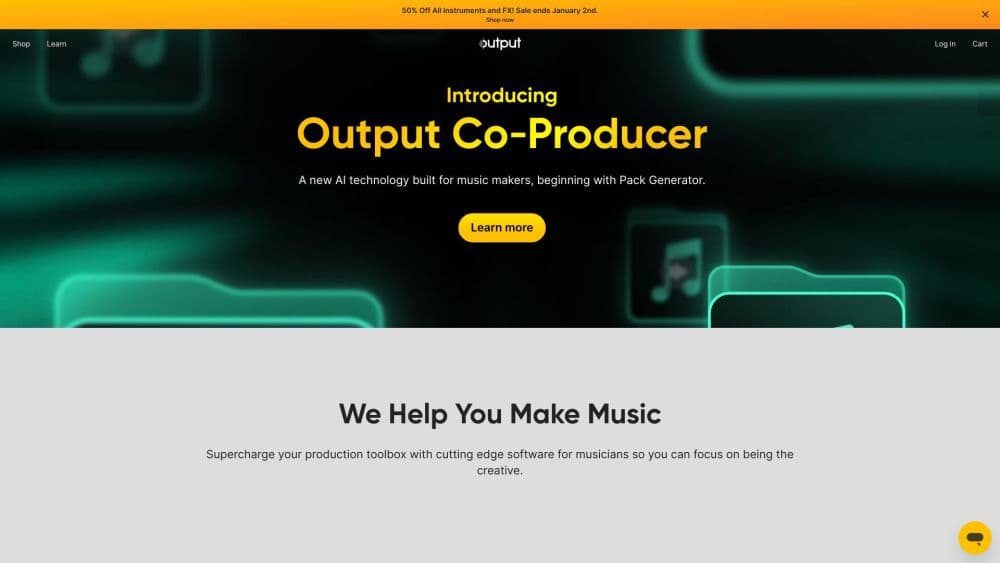
About Output
What Is Output
Output is a music technology company that builds software instruments, effects plugins, and a few hardware tools for producers, composers, and sound designers. The catalog spans the Arcade loop sampler, the Co-Producer AI sample finder, the Creator vocal engine, and the Portal, Thermal, and Movement effects. Everything runs inside a DAW as a plugin or as a standalone app.
The company is built around one idea. A blank session is the hardest part of making music, so the instruments should hand you a spark instead of an empty grid. Arcade does that by turning loops into playable instruments you can reshape, and Co-Producer does it by listening to your track and suggesting samples that fit. Both are royalty-free, so whatever you make, you own and can release.
Two things decide whether Output fits you. It's a subscription, not a one-time purchase, so access depends on keeping the plan active. And most of it needs a 64-bit DAW on a reasonably current Mac or PC. Producers who want an all-in-one way to find sounds and finish tracks faster get the most out of it.
Getting Started
- Create an account at output.com and pick a plan. Arcade starts at $12.99/mo, and Output One bundles Arcade, Co-Producer, Creator, and the three FX plugins for $14.99/mo.
- Download and install the plugin. The installer drops the VST, VST3, AU, and AAX files plus a standalone app onto your system drive.
- Open it inside your DAW. Output plugins work with all major DAWs, and Co-Producer sits on your master bus to listen to the project.
- Browse and play. In Arcade, load a Line, Kit, or Instrument and play it chromatically across your keyboard. In Co-Producer, let the AI suggest samples and drag the ones you like into your session.
- Export and release. Everything stays royalty-free, so you can distribute and monetize tracks without extra licensing.
Product Information
A quick look at Output's pricing, supported platforms, and performance.
Best for
The users, tasks, and scenarios where this tool fits best.
Users
- Music producers and beatmakers
- Composers and sound designers
- Songwriters who get stuck at a blank session
Tasks
- Finding samples that match a track's key and tempo
- Building beats from loops
- Shaping vocals into a modern sound
- Adding movement and texture to a mix
Scenarios
- Starting a track from a rough idea
- Working under a deadline
- Producing on a laptop in a home studio
Key features
Arcade Sampler and Instruments
Arcade is a playable sampler with more than 60 product lines, 4,400 samplers, 1,300 chromatic instruments, and 80,000 samples, with new content added daily. You play loops chromatically across the keyboard, which means a single loop can shift key and root note instead of sitting as a fixed clip. Kits inside a Line share a set of macro controls, modulation, and effects, so you can reshape a sound fast without deep editing.
Co-Producer AI Sample Finder
Co-Producer is an AI plugin that sits on your master bus, listens to your project, and analyzes its harmony and rhythm before suggesting royalty-free samples that fit. You audition each suggestion in context, synced to the session's key and tempo, refine results with a text prompt, and drag what you like straight into the arrangement. It handles one of the most time-consuming parts of production, and a Re-imagine feature generates variations when you want to go further.
Creator Vocal Engine
Creator is a vocal engine aimed at modern pop and electronic production. It gives you control over pitch, formant, and tone so you can push a vocal into a specific style without heavy processing. It's built for the kind of bright, processed vocal that's common in contemporary tracks, and it runs as a plugin next to your other tools.
FX Plugins: Portal, Thermal, Movement
Output's effects cover reverb, distortion, and modulation. Portal is a granular reverb that mangles and reverses audio in creative ways. Thermal is an interactive distortion engine with a single macro knob that reworks a sound across its range. Movement is a modulation effect with step sequencers and LFOs for rhythmic movement. All three run inside your DAW and work on any source.
Output One Bundle
Output One is the subscription that ties the catalog together. For $14.99/mo or $119.99/yr, it includes Arcade, Co-Producer, Creator, Portal, Thermal, and Movement in one plan. It costs a couple of dollars more per month than a single plugin, so it makes sense once you want more than one tool. The Kontakt Instruments bundle stays separate.
Royalty-Free Content and DAW Support
Every sample and loop in the library is royalty-free, so you can release, distribute, and monetize tracks without extra fees or copyright worries. Output plugins run as a VST plugin, plus VST3, AU, and AAX formats, on macOS 12 and Windows 10 or higher, along with a standalone app. That covers all major DAWs, including Pro Tools, Ableton Live, Logic Pro, and FL Studio.
Pros and cons
Pros
- Arcade makes loops playable, which speeds up the start of a track in a way fixed sample packs can't.
- Co-Producer finds harmonically and rhythmically matching samples in seconds, cutting hours of auditioning.
- Everything is royalty-free, so there's no licensing worry when you release music.
- The Output One bundle covers six products for a few dollars more per month than one.
- Broad DAW support with VST, VST3, AU, and AAX covers most setups.
Cons
- It's subscription-only. Stop paying and you lose access to the plugins and the library.
- There's no free tier, only paid plans and free trials, so there's no permanent free option.
- Most tools need a 64-bit DAW and a current Mac or PC. There's no lightweight mobile version.
- Co-Producer suggests samples rather than writing full parts, so it speeds up discovery, not composition.
Frequently asked questions
Output makes music production software for producers, composers, and sound designers. The catalog includes the Arcade sampler and instruments plugin, the Co-Producer AI sample finder, the Creator vocal engine, and the Portal, Thermal, and Movement effects plugins, all usable inside a DAW.
Related content
Explore related tools, skills, and articles for Output.
Output Alternatives

Foley
Hanamori Labs, LLC · Voice & Language · Productivity · AI AssistantFoley is a voice to-do list that turns a spoken sentence into a filed task, complete with project, date and time, then helps you plan the day around what is already there.

HireKey
HireKey · Voice & Language · Productivity · LeaningHireKey is an AI job search copilot built by a former tech recruiter. It checks role fit, tailors resumes, runs interview practice and tracks every application.

Fluence
Yay Software (Yannick Huchard) · Writing · Voice & Language · ProductivityFluence is an Android app that reads PDFs, EPUBs, Word files and web articles aloud, follows each sentence as it speaks, and answers questions about the text on the phone itself.