

Outtloud
Emilios Charalambides · Voice & Language
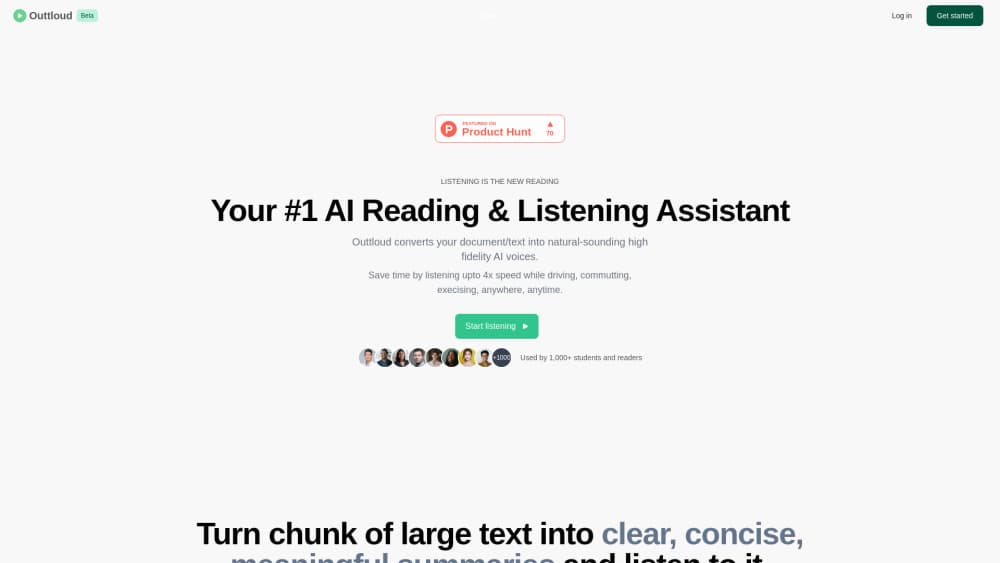
Outtloud is an AI reading and listening app that turns PDFs, eBooks, articles and web pages into narrated audio with 200+ HD voices, alongside a built in audiobook library.
About Outtloud
What Is Outtloud
Outtloud is a reading app for people who have more text than time. You add a document or an article link, choose a narrator, and the app reads it back to you. The same player also holds a catalog of ready made audiobooks, so your own files and published titles sit in one queue instead of four different apps.
The product is listed in the App Store under two names, Outtloud and Reeda. Both point to the same account and the same library.
Most of the value comes from breadth of input. A work PDF, a course EPUB, a newsletter link, a YouTube talk and a scanned paperback can all be turned into audio without converting anything by hand. On iPhone, the camera does the scanning work.
The limits are worth knowing before you pay. Output quality tracks input quality: clean digital text narrates well, while table heavy reports and two column scans come out rougher. There's no public API, so you can't plug the reader into your own workflow.
Getting Started
- Create an account on the Outtloud website or install the iPhone app.
- Add something to read: upload a PDF, EPUB, DOC or TXT file, paste an article link, drop in a YouTube URL, or scan pages with the camera.
- Pick a voice from the library and set the speed anywhere from 0.5x to 4x.
- Press play and follow the highlighted words, or switch to reading mode and save your place with a bookmark.
Product Information
A quick look at Outtloud's pricing, supported platforms, and performance.
Best for
The users, tasks, and scenarios where this tool fits best.
Users
- Students
- Commuters with a reading backlog
- People with eye strain or reading fatigue
Tasks
- Working through a research PDF
- Turning a long web article into audio
- Scanning a few chapters of a physical book
- Building a short podcast style summary
Scenarios
- A weekly stack of industry reports
- Study sessions before an exam
- Household multitasking
Key features
Document to Audio Conversion
Outtloud accepts PDF, EPUB, eBook, DOC and TXT files, plus article links and YouTube videos. The app converts the file server side and returns a playable track, so you don't need a separate converter. For a document to speech workflow, this removes the usual export and re-upload dance. It makes Outtloud a text to speech reader first, not a file converter with a player bolted on.
200+ HD Voice Library
Voices come in different accents and styles, from calm narration to a more energetic read. You pick per document, not per account, so a dense report can sound different from a novel. Voice quality is the part most users notice first, and the catalog is wide enough to match a genre.
Speed Control and Word Highlighting
Playback runs from 0.5x to 4x, and the text highlights word by word as it's read. Skipping to a section means tapping the highlighted line instead of scrubbing a progress bar. You can also jump between reading mode and listening mode without losing your place.
Built In Audiobook Library
The app includes tens of thousands of audiobooks across self help, romance, science fiction and other genres. You browse titles, listen in any available voice, and keep the same player controls you use for your own files, which cuts down on app switching.
AI Podcast Generation
Instead of a plain narration, this feature turns written material into a podcast style audio segment with a conversational flow. It suits people who want the gist of a long document during a short drive, and it works on your uploaded content rather than a fixed feed.
Camera Scanning on iPhone
The native iPhone app reads printed pages through the camera, which is the fastest route for a book you can't download. The interface follows iOS conventions, including dark mode, so scanning and playback feel like one app rather than a web page in a wrapper.
Pros and cons
Pros
- Wide input support, including PDF, EPUB, DOC, TXT, article links, YouTube videos and camera scans.
- More than 200 voices with distinct accents and styles, chosen per document.
- Speed range from 0.5x to 4x with word level highlighting for quick section jumps.
- Audiobooks and personal documents share one player and one progress system.
- Free to download, so you can test conversion quality on your own files before subscribing.
Cons
- Text quality decides audio quality: multi column PDFs and scanned tables produce awkward pauses and misread numbers.
- No Android app is listed, so Android users depend on the mobile web experience.
- No public API, which rules out automated batch conversion for teams.
- The audiobook catalog leans toward popular fiction and self help, with thinner coverage of academic and niche titles.
Frequently asked questions
Outtloud turns written material into audio you can listen to. It covers your own files, web articles, YouTube links and a built in audiobook catalog, all inside one player.
Related content
Explore related tools, skills, and articles for Outtloud.
Outtloud Alternatives

Foley
Hanamori Labs, LLC · Voice & Language · Productivity · AI AssistantFoley is a voice to-do list that turns a spoken sentence into a filed task, complete with project, date and time, then helps you plan the day around what is already there.

HireKey
HireKey · Voice & Language · Productivity · LeaningHireKey is an AI job search copilot built by a former tech recruiter. It checks role fit, tailors resumes, runs interview practice and tracks every application.

Fluence
Yay Software (Yannick Huchard) · Writing · Voice & Language · ProductivityFluence is an Android app that reads PDFs, EPUBs, Word files and web articles aloud, follows each sentence as it speaks, and answers questions about the text on the phone itself.