

Outwrite
Outwrite · Writing · Marketing · AI Detection
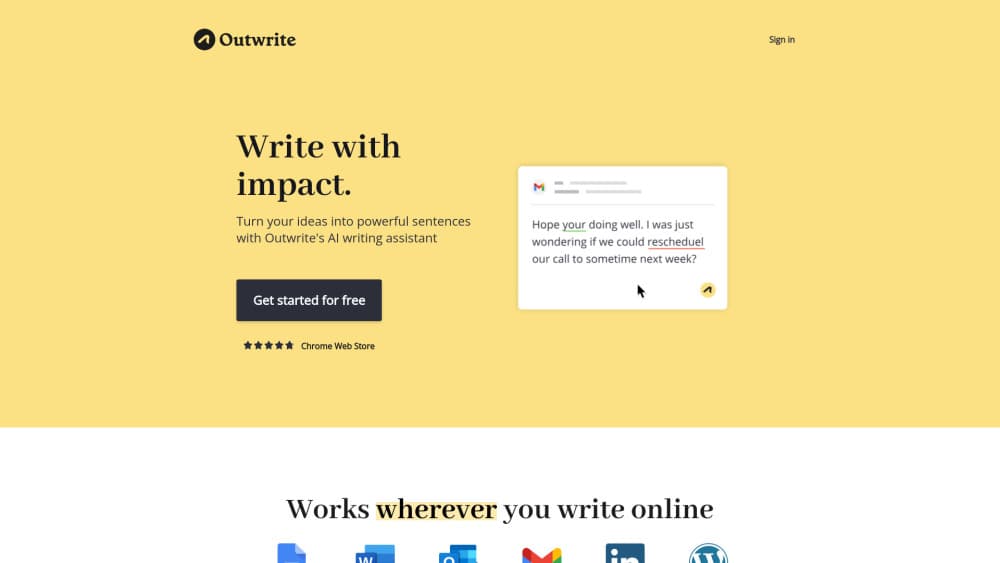
Outwrite is an AI writing assistant that fixes grammar, rewrites sentences, and flags passive voice inside Google Docs, Word, and the browser.
About Outwrite
What Is Outwrite
Outwrite is a proofreading and rewriting tool that sits on top of the apps people already write in. It runs as a Google Docs add-on, a Microsoft Word add-in, a browser extension for Chrome and Edge, and a web editor of its own, so the same suggestions follow you from a class essay to a work email.
The gap it fills is the one left by a plain grammar checker. Spelling and punctuation errors are the easy part. Outwrite also scores how a sentence is built, flags passive voice, suggests a tighter word count, and offers a full rewrite of any line you highlight. You keep the final call on every change, which matters when the tool misreads your intent.
The limits are worth stating up front. It corrects and reshapes text, it doesn't draft an article from a prompt. Plagiarism scans are capped at 50 per month on every paid plan. Writing support covers English, French, and Spanish only.
Getting Started
- Create a free account at outwrite.com, then install the Google Docs add-on, the Word add-in, or the Chrome or Edge extension.
- Open a document you've already written. Outwrite underlines issues as you type, and the sidebar groups them into spelling, grammar, style, and structure.
- Accept suggestions one at a time, or highlight a sentence and ask for a rewrite when the phrasing feels flat.
- Run a plagiarism check before you submit or publish, then export the clean file from the app you started in.
Product Information
A quick look at Outwrite's pricing, supported platforms, and performance.
Best for
The users, tasks, and scenarios where this tool fits best.
Users
- Students writing essays in a second language
- Professionals who write for a living but not as writers
- Communications teams on the Teams plan
Tasks
- Tightening a flabby paragraph
- Rewording a single line
- Checking originality before publishing
Scenarios
- Editing a client proposal the night before a deadline
- Cleaning up a cover letter
- Drafting in French or Spanish for a local market
Key features
Spelling and Grammar Checking
The base layer catches misspellings, punctuation slips, and grammar errors as you type, Each suggestion comes with a short explanation. It handles the everyday stuff well: comma splices, missing articles, subject and verb agreement. Nothing here is unusual for a grammar checker, and that's fine, because this part needs to be reliable rather than clever.
Sentence Rewriting and Paraphrasing
Highlight a sentence and Outwrite offers several rewrites, from a light touch to a full restructure. It's labeled experimental on the pricing page, and that's honest. Short, plain sentences come back clean. Long sentences with three clauses in them can lose a nuance, so read each option before you accept it.
Style and Structure Suggestions
Style suggestions go after the shape of a sentence, not just its correctness. The tool flags wordy phrasing, repeated openers, and constructions that bury the point. Structure suggestions then handle punctuation and voice, The passive voice checker marks every passive construction in the document. For anyone who writes the way they speak, this is the section that changes the draft most.
Word Count Trimming
Writers with a hard limit get a direct tool here: Outwrite shows where the count is coming from and suggests cuts. A 900 word essay that needs to fit 750 gets a realistic path instead of a manual hunt for filler. The suggestions lean on removing qualifiers and splitting long clauses, so the trimmed version still sounds like you.
Plagiarism Checks
A plagiarism checker compares your document against publicly available text on the web and reports matched passages. Every plan, including Pro, includes 50 checks a month. That's enough for a student turning in a few papers, tight for an agency running client work every week, and there's no unlimited option to buy.
Works Inside Google Docs, Word, and the Browser
The AI proofreading tool is an add-on first and a website second. You install it once and it follows you into Docs, Word, Gmail drafts in Chrome, and any text box the extension can reach. That placement is the real selling point. A writing assistant for Google Docs earns its keep by never asking you to leave the page.
Pros and cons
Pros
- No new editor to learn: suggestions appear inside Google Docs, Word, and the browser, so the document stays where you already work.
- Style and structure go past grammar: passive voice detection, word count trimming, and sentence rewrites address problems a basic checker ignores.
- Free plan is usable: spelling, grammar, and thesaurus tools work without a card, which covers light proofreading for casual writers.
- Pro is cheap: $9.95/mo, or $7.95 per seat for Teams, sits well under the $20 that general AI subscriptions usually cost.
- Three languages supported: English, French, and Spanish cover a lot of academic and business writing.
Cons
- It edits, it doesn't generate: there's no prompt box for drafting a section, so the first draft is still entirely yours.
- Plagiarism checks are capped: 50 scans a month on every tier, with no higher tier to buy.
- Rewrite quality varies by sentence: short lines come back clean, long multi-clause lines can drift from your meaning, and the feature is still marked experimental.
- No public API: teams that want to plug the checks into their own publishing system can't.
Frequently asked questions
Outwrite is an AI writing assistant for proofreading and rewriting. It corrects spelling, grammar, and punctuation, suggests style and structure changes, rewrites sentences you highlight, and runs plagiarism checks, all inside Google Docs, Microsoft Word, and the browser.
Related content
Explore related tools, skills, and articles for Outwrite.
Outwrite Alternatives

Google EmbeddingGemma 2
Google DeepMind · Writing · Image · CodingGoogle EmbeddingGemma 2 is a 740M-parameter open model that turns text, code, images, audio, and video frames into vectors in one 768-dimension space, running on phones and laptops.

MePersona
MePersona, Inc. · Writing · Productivity · MarketingMePersona is an AI unified inbox for creators. It learns your voice, drafts replies to fan messages from 12 platforms, and sends only what you approve.

Fluence
Yay Software (Yannick Huchard) · Writing · Voice & Language · ProductivityFluence is an Android app that reads PDFs, EPUBs, Word files and web articles aloud, follows each sentence as it speaks, and answers questions about the text on the phone itself.