

Ovale - Group Voice Party
Sukaman Tamang · Marketing · Chatbot
Ovale - Group Voice Party is an Android entertainment app for joining group voice chat rooms. It uses AI-driven recommendations to suggest rooms, and adds reporting tools to keep conversations in check.
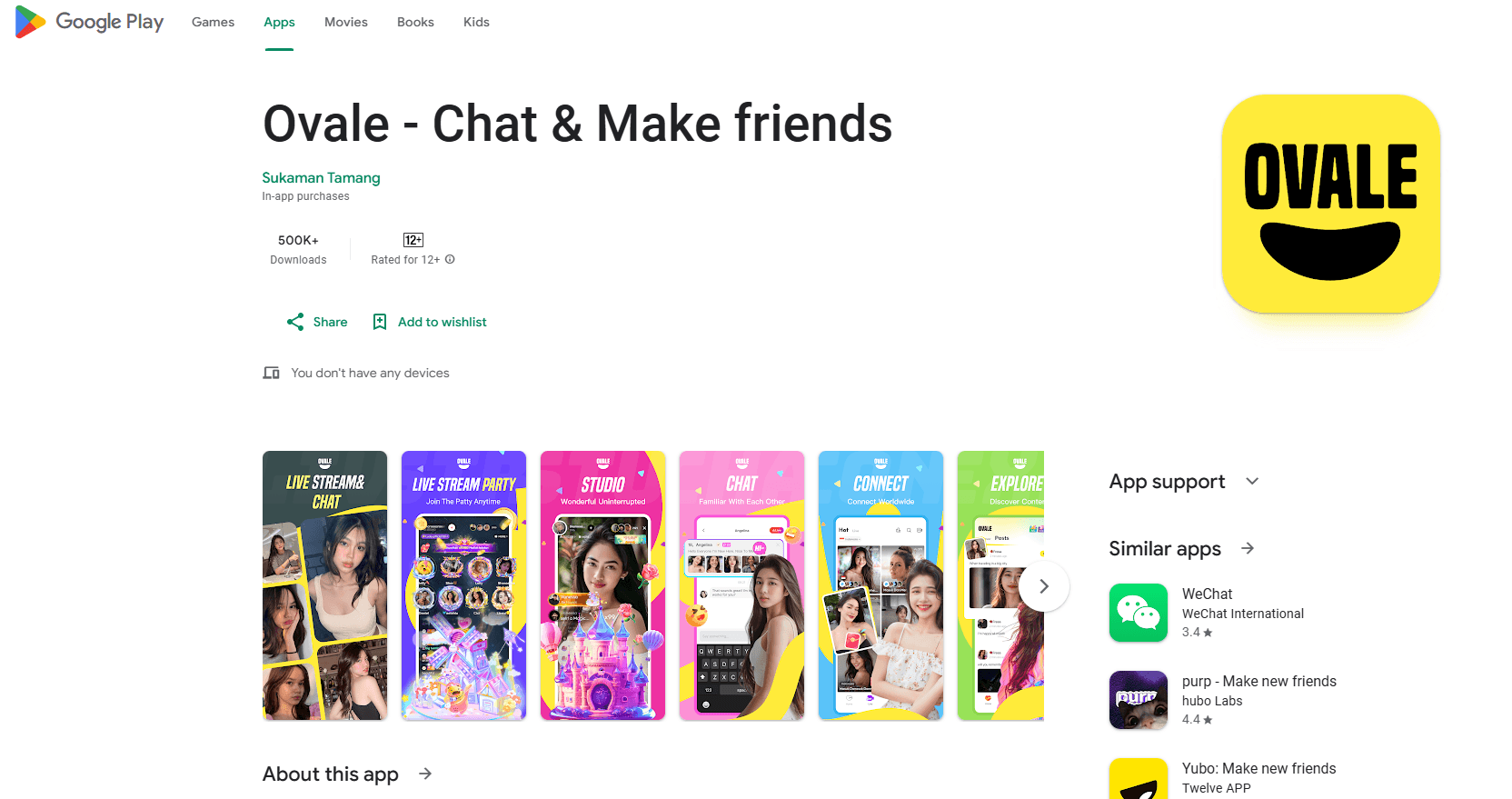
About Ovale - Group Voice Party
What Is Ovale - Group Voice Party
Ovale - Group Voice Party is a voice chat app built around live audio rooms rather than one-to-one calls. You open it, browse a list of rooms, and drop into a group conversation where several people talk at the same time. The app is listed by developer Sukaman Tamang and runs on Android.
The pitch is discovery. Instead of searching for people you already know, Ovale uses AI algorithms to recommend rooms that match what you seem to enjoy. The Google Play listing describes it as an innovative voice party app that leans on those algorithms, with smart recommendation as one of its two named features. The other is the voice party room itself.
Its audience is people who want casual, open group talk rather than a private messenger. The Play listing rates the app 18+ and flags mature content, so it is aimed at adults. That also points to the main thing to know before installing: this is an open social space, which is why the developer lists stronger reporting and review tools as a priority.
The limits sit in the same place. Ovale is Android only, there is no web client, and the app is a social venue rather than a productivity tool. Pricing runs on in-app purchases, so the download is free but features or virtual items cost money inside.
Getting Started
- Install Ovale - Group Voice Party from an app store on an Android phone. The app needs a recent Android version.
- Open the app and set up a profile, then grant microphone access so you can join live audio.
- Browse the recommended rooms on the main screen, or pick a category that fits what you want to talk about.
- Join a room and take a listener seat first. You can raise your hand or wait for a host to invite you to speak.
- Use the report and review options if a room breaks the rules, and manage your in-app purchases from the store settings.
Product Information
A quick look at Ovale - Group Voice Party's pricing, supported platforms, and performance.
Best for
The users, tasks, and scenarios where this tool fits best.
Users
- Adults who want open group talk
- Users looking for a social app
- Casual night owls
Tasks
- Meeting new people in a group setting
- Filling empty time with live talk
- Finding a room that matches your taste
Scenarios
- Joining a themed room at night
- Listening before participating
- Reporting an abusive room
Key features
Group voice party rooms
At the center of Ovale is the voice party room. Several people join one audio session and talk in real time, with listeners able to request a speaking spot. It works more like a live group call than a voice message thread. That format is what makes the app good for open socializing, since a newcomer can listen first and join in when ready.
AI-driven room recommendations
Ovale recommends rooms using AI algorithms rather than making you search. The app watches what you join and surfaces rooms that match that pattern, so the front screen keeps offering something to drop into. The Google Play listing names smart recommendation as a core feature. It shortens the time between opening the app and being in a conversation.
Reporting and review tools
Open voice rooms can go wrong, and Ovale leans on reporting to handle that. The developer says it strengthened the reporting and review functions to improve authenticity and protect each user's experience. You can flag a room or a user when something breaks the rules. For an app rated 18+, active moderation tools matter more than the fun features.
Room categories and discovery
Beyond the recommendation feed, rooms sort into categories so you can steer by topic instead of luck. Picking a category is the fastest way to land in a room that fits your mood. It gives users a manual path when the recommendations miss. That combination of an algorithm feed and a category list covers both passive and active discovery.
Free access with in-app purchases
The app is free to download and run, with in-app purchases funding it. You can join rooms and talk without paying to start. Paid items typically cover virtual goods or extra features inside the app, so cost scales with how much you use it. There is no separate subscription shown on the store listing.
Pros and cons
Pros
- Free to start, since the app downloads at no cost and rooms are open to join.
- Built around live group audio, which fits users who prefer talking over typing.
- AI-driven recommendation feed means less searching for a room that fits.
- Android install keeps the setup simple, with no separate account required to browse.
- Reporting tools are a stated priority, which matters for an 18+ social space.
Cons
- Android only, so iPhone users and anyone wanting a desktop client are left out.
- No free pass on content: the 18+ rating and mature-content flags mean it is not for younger users.
- In-app purchases can add up, and the store listing does not show a clear price cap.
- Moderation depends on user reports, so room quality still varies by who is hosting.
Frequently asked questions
It is an Android app for joining live group voice chat rooms. You browse or get recommended rooms, then talk with several people at once in an audio session.
Related content
Explore related tools, skills, and articles for Ovale - Group Voice Party.
Ovale - Group Voice Party Alternatives

ngram 2.0
ngram · Video · Marketingngram 2.0 is an AI video generator for teams. It turns a prompt, a screen recording, or a product URL into a narrated explainer, product demo, or AI avatar video, and every scene stays editable.

shippedit.me
Krawlup · Marketing · Businessshippedit.me now redirects to Krawlup, a web platform that audits SEO, AEO and page speed every week, then hands the fixes to AI coding agents over MCP.

MePersona
MePersona, Inc. · Writing · Productivity · MarketingMePersona is an AI unified inbox for creators. It learns your voice, drafts replies to fan messages from 12 platforms, and sends only what you approve.