

Overline
Overline · Writing
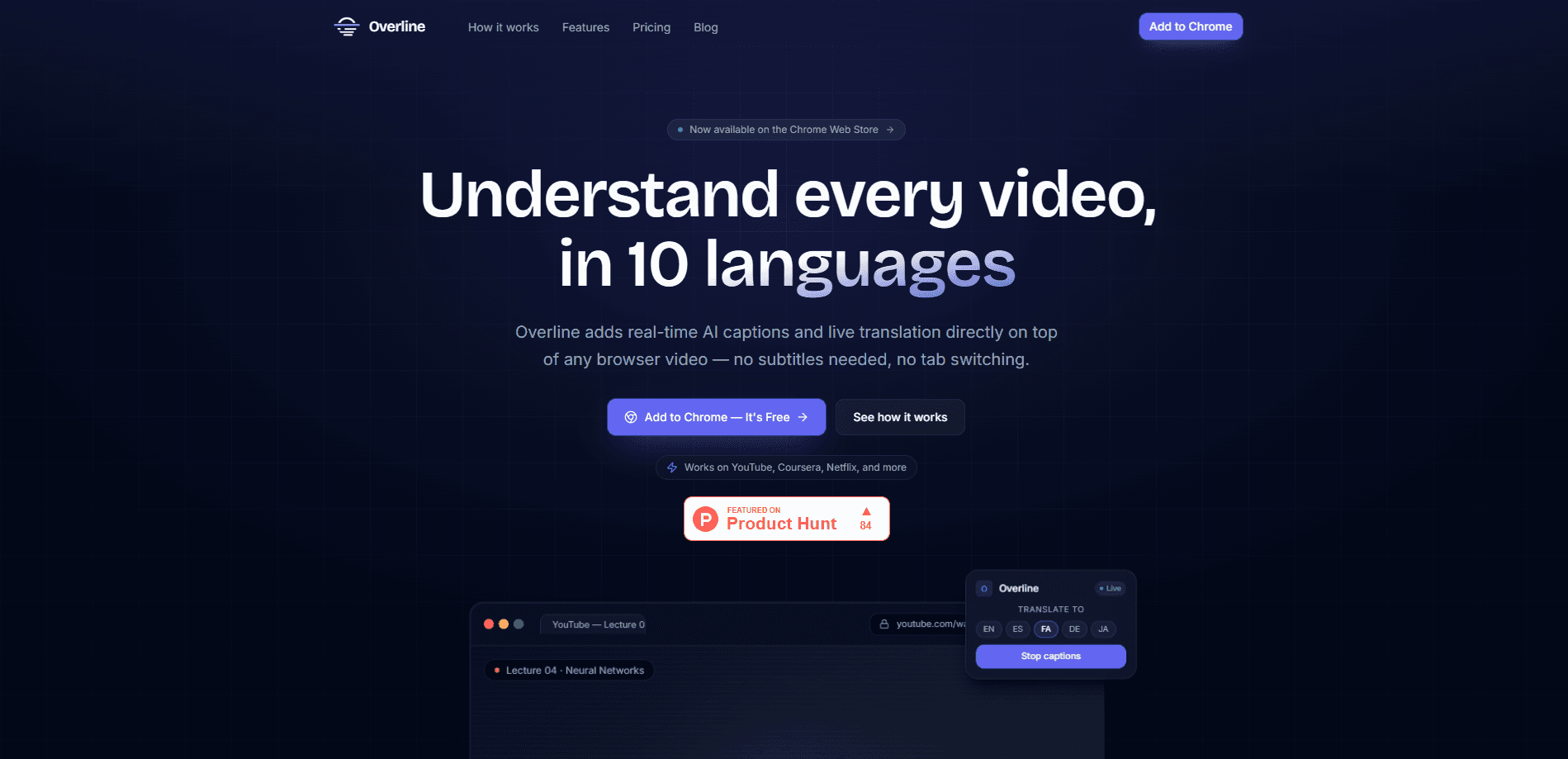
Overline is a live caption Chrome extension that puts real-time AI captions on any video playing in your browser tab, and it translates that speech on the fly. YouTube, Netflix, Coursera, Udemy, Zoom recordings, Loom clips, even a local video file opened in a tab all work the same way. Unlike YouTube's built-in subtitles, Overline captions whatever audio the tab plays, not just one platform, and it saves each session as a transcript you can export.
About Overline
What Is Overline
Overline is a browser extension focused on one job: making spoken audio readable while it plays. It listens to the audio in your active tab, converts speech to text with AI, and overlays captions on the video. If the speaker talks in a language you don't know, it can translate the words into your own language in near real time.
The reason people reach for it comes down to coverage. Native subtitles exist on some sites, but they're patchy, machine-made, or missing for a lecture, a webinar replay, or a screen recording a colleague sent you. Overline treats the browser itself as the source, so a tab with sound is a tab it can caption. That makes it a video caption tool that follows your watching habits instead of one platform's rules. The site puts the audience as learners and professionals watching content in more than 10 languages.
The main catch is that it's a Chrome extension. No standalone desktop app, no mobile build, so you're limited to Chromium browsers. Translation quality also depends on the AI model behind it. Casual speech with heavy slang or fast crosstalk can trip up any caption tool. Treat it as a strong reading aid, not a certified transcription service.
Getting Started
- Open the Chrome Web Store and install the Overline extension, then pin it to your toolbar.
- Sign in to your Overline account from the extension popup.
- Open the video you want captioned in a browser tab and press play so audio is running.
- Click the Overline icon and turn captions on, then pick your caption language or the language you want the speech translated into.
- When you're done, open the saved transcript for that session and export it if you need a record.
Product Information
A quick look at Overline's pricing, supported platforms, and performance.
Best for
The users, tasks, and scenarios where this tool fits best.
Users
- Language learners
- Students working through online courses
- Remote workers reviewing meeting recordings
Tasks
- Watching foreign-language videos with live translation
- Captioning videos that have no subtitles
- Saving a transcript for later
Scenarios
- Following a conference talk in a language you're still learning.
- Catching up on a recorded team call without scrubbing through the whole thing.
- Studying a course module on a site that never bothered to add captions.
Key features
Real-Time Captions on Any Browser Video
The core feature is simple to state. Whatever tab is making sound, Overline can caption it. No per-site setup. No hunting for a subtitles file. No dependency on the host platform offering captions. Think of it as browser subtitles that work everywhere, not just where a site chooses to provide them. If a site can play audio in Chrome, it falls inside Overline's reach.
Live Translation as You Watch
Overline doesn't just transcribe. It translates the speech into your language while the video runs. That's the difference between reading a language you already know and actually following one you don't. It matters most for lectures, interviews, and streaming content that was never made for your audience.
Wide Language Coverage
The site frames its users as people watching content in 10+ languages, and that range is the point. Coverage is the reason to pick it over a single-platform solution. Your watching habits decide what you can follow, not a content platform's caption policy.
Transcript Capture and Export
Every captioned session can be saved as a transcript. That turns a tool you watch through into something you keep. Students can pull quotes from a lecture. Anyone reviewing a recorded call can skim the text instead of replaying the video. Export options are the practical payoff of the captions.
One-Click Browser Integration
Setup is short. Install, sign in, toggle it on. There's no separate app to launch, no video to upload, no queue to wait in, and because everything happens inside the tab you're already watching, the extension never pulls you into a separate window or asks you to re-upload a file before it starts working. The extension sits in your toolbar and turns on when you need it, which keeps the barrier low for casual use.
Pros and cons
Pros
- Captions work on any video in a browser tab, not one platform
- Live translation makes foreign-language video followable
- Transcripts can be saved and exported for later use
- Lightweight extension with a quick install-and-toggle setup
- Covers 10+ languages for both captions and translation
Cons
- Chrome only, so Firefox, Safari, and mobile users are left out
- Accuracy depends on audio quality, and fast crosstalk or heavy slang can get mangled
- No public API means you can't wire captions into your own app or workflow
- Pricing isn't stated on the site, so you have to sign up to see what a plan costs
Frequently asked questions
Overline adds real-time AI captions and live translation to videos in your browser. It's for anyone who wants to read what's being said, whether the video has no subtitles or is in a language they don't speak.
Related content
Explore related tools, skills, and articles for Overline.
Overline Alternatives

Google EmbeddingGemma 2
Google DeepMind · Writing · Image · CodingGoogle EmbeddingGemma 2 is a 740M-parameter open model that turns text, code, images, audio, and video frames into vectors in one 768-dimension space, running on phones and laptops.

MePersona
MePersona, Inc. · Writing · Productivity · MarketingMePersona is an AI unified inbox for creators. It learns your voice, drafts replies to fan messages from 12 platforms, and sends only what you approve.

Fluence
Yay Software (Yannick Huchard) · Writing · Voice & Language · ProductivityFluence is an Android app that reads PDFs, EPUBs, Word files and web articles aloud, follows each sentence as it speaks, and answers questions about the text on the phone itself.