

Packmind Open Source
Packmind · Coding · Productivity
Packmind Open Source is a free, open-source framework that captures an engineering team's coding rules, patterns, and technical decisions in one versioned playbook, then pushes that context to AI coding assistants such as GitHub Copilot, Cursor, and Claude Code. Instead of letting each agent guess at your conventions, it gives them structured standards to follow across unlimited repositories, with paid editions adding governance and enterprise controls.
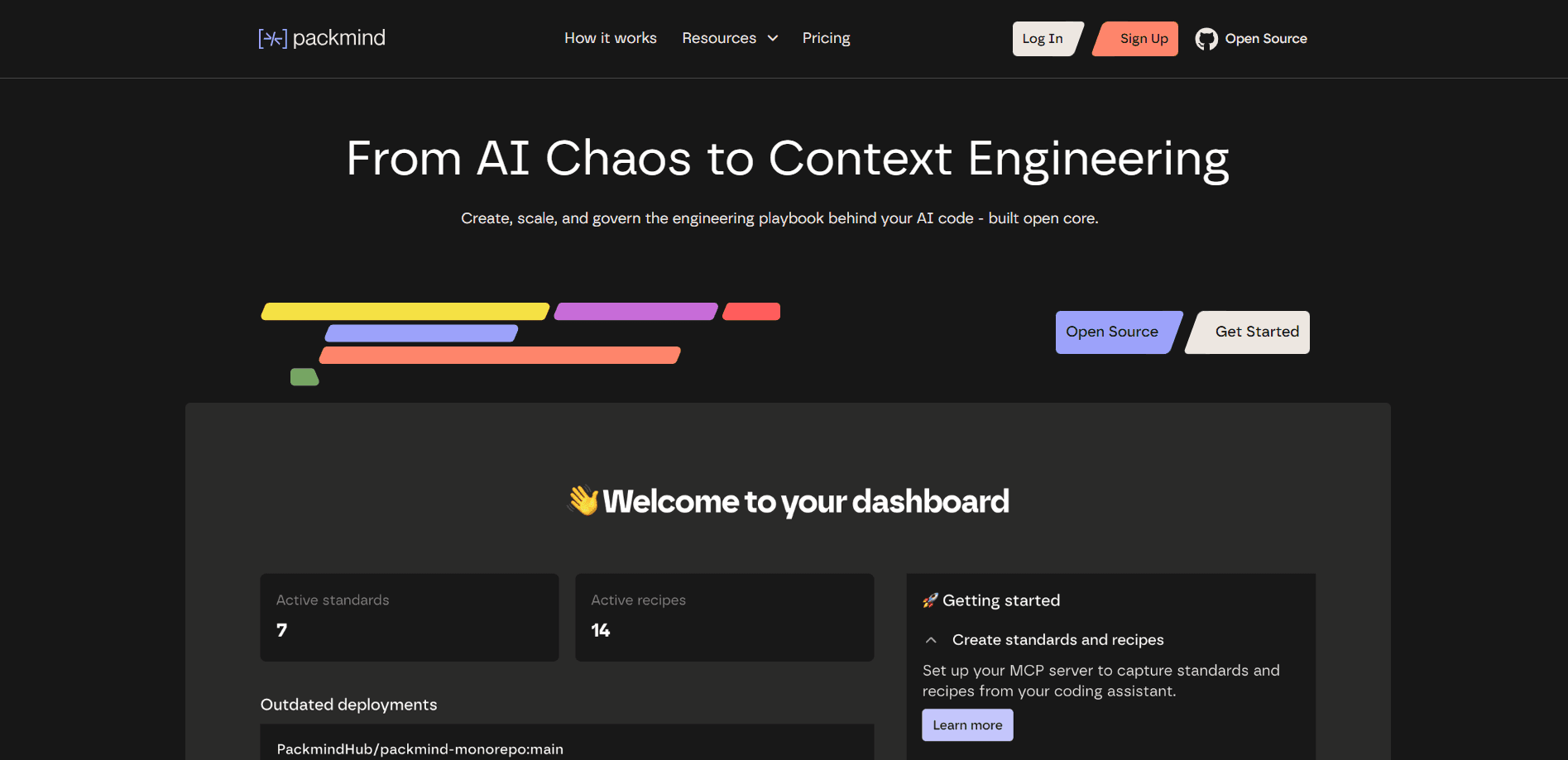
About Packmind Open Source
What Is Packmind Open Source
Packmind Open Source is the free core of Packmind's platform. It solves a specific problem: AI coding assistants write code from broad training data, but they don't know how your team actually builds software. Your standards usually live in senior engineers' heads or scatter across docs, so the assistant produces code that looks right but isn't your way.
Packmind turns those scattered decisions into a living, human-readable playbook. You author standards, rules, and prompts once, and the tool distributes them as artifacts to whichever AI agent you use. It works with any programming language, including Python, JavaScript, Java, TypeScript, C#, C++, PHP, Ruby, Scala, YAML, and Terraform.
The main limit is scope. The free open-source edition covers authoring, distribution, and syncing, but enforcement, visibility, and role-based controls sit behind the paid Enterprise tier. Want drift detection, auditability, or SSO? Those need the Enterprise plan. The free tier won't catch violations on its own.
Getting Started
- Sign up on the Packmind website and create a workspace for your team.
- Connect your Git provider. Packmind links to GitHub and GitLab, and you can sync across as many repositories as you need.
- Author your first standards, rules, and prompts in the playbook editor, keeping them readable so teammates can review and refine them.
- Install the Packmind CLI or connect the MCP server so your AI coding agent can pull the playbook context.
- Distribute the playbook artifacts to Copilot, Cursor, Claude Code, or whichever assistant your team uses, then let agents generate code that follows your rules.
Product Information
A quick look at Packmind Open Source's pricing, supported platforms, and performance.
Best for
The users, tasks, and scenarios where this tool fits best.
Users
- Engineering teams
- Tech leads and staff engineers
- Platform and DevEx teams
Tasks
- Centralizing coding standards
- Distributing rules to AI agents
- Keeping conventions consistent across repos
- Onboarding new developers
Scenarios
- A team where AI-generated pull requests keep failing review because they miss internal conventions.
- A multi-repo or microservice setup where standards currently drift between codebases.
- A company that needs to run the playbook inside its own network with self-hosted, Kubernetes-ready deployment.
Key features
Engineering Playbook as a Source of Truth
Packmind captures rules, patterns, and technical decisions in a human-readable, versioned playbook. Standards live in one place you can review and evolve. Not in experts' heads. Not scattered across docs. Anyone on the team can read it and see how the team builds software.
Distribution to Any AI Agent
The tool pushes playbook artifacts to Copilot, Cursor, Claude Code, and other assistants, so a single rule reaches every agent your team uses. You author once and the same context lands in each repo, which is what stops different agents from interpreting your conventions differently.
GitHub and GitLab Integration
Packmind connects directly to GitHub and GitLab and syncs across unlimited repositories and developers on the free tier. Monorepos and microservice layouts are both supported, so a large codebase doesn't need separate playbooks per repo.
MCP Server and CLI
An included MCP server and command-line interface let agents and scripts pull the playbook context programmatically. This is how the framework feeds your rules into modern agent workflows without manual copy-paste, and it's the hook most teams wire into first.
Language-Agnostic Standards
Standards work across essentially any language, from Python, JavaScript, Java, and TypeScript to C#, C++, PHP, Ruby, Scala, YAML, and Terraform. A team working in mixed stacks can keep one playbook rather than one per language.
Flexible Deployment
Packmind runs as a public cloud service or self-hosted, and it's Kubernetes-ready. For teams with strict security or infrastructure requirements, self-hosting keeps the playbook and any data inside their own network.
SOC 2 Type II Compliance
Packmind has held SOC 2 Type II certification since 2024. For organizations that need to justify the tool to security review, that certification covers the platform's controls around how playbook data is handled.
Pros and cons
Pros
- Free open-source core covers authoring, distribution, and syncing with unlimited developers and repos.
- Works with the major AI coding assistants rather than locking you into one.
- Language-agnostic, so mixed-stack teams keep a single playbook.
- GitHub, GitLab, MCP server, and CLI support make it fit existing workflows.
- Self-hosted and Kubernetes-ready options suit strict security setups.
Cons
- Enforcement, visibility, and governance features sit in the paid Enterprise tier, so the free edition won't catch drift on its own.
- Enterprise pricing is custom, so you can't budget from a public price list.
- It solves AI context and consistency, not error checking, so teams still need linters alongside it.
Frequently asked questions
It structures your team's engineering playbook and distributes it to AI coding assistants like Copilot, Cursor, and Claude Code, so the code they generate follows your standards. The free core handles authoring, distribution, and syncing.
Related content
Explore related tools, skills, and articles for Packmind Open Source.
Packmind Open Source Alternatives
Forefront
Forefront · CodingForefront is a web platform for building with open-source AI. It lets you fine-tune leading open-source language models on your own data, evaluate how they perform, and run them through an API or export them to host yourself. Developers who want the convenience of a closed-source platform but insist on owning their models and data are the target audience here.

Startkit
StartKit.AI · CodingStartkit is a boilerplate for building AI SaaS and AI wrapper products. Think of it as an AI startup boilerplate with the boring parts already wired up: authentication, Stripe and Lemon Squeezy payments, usage limits, transactional email, and an AI API starter that talks to OpenAI, Anthropic, Groq, or Llama. You clone the repo, set your price, and start on the part of your product that people actually pay for. It's Next.js under React and Tailwind, so most of the boilerplate code already feels familiar.
Testim
Tricentis · CodingTestim is an AI-powered test automation platform for building and running end-to-end tests across web, mobile, and Salesforce applications. It leans on machine learning to keep tests stable when an interface changes, so teams spend less time fixing broken selectors. Not bad for an automated testing tool you can start using today. You create tests by recording actions in a browser, then optionally add JavaScript when you need more control. It's a solid pick for busy QA teams.