

Pagen
Pagen (idoubi / all-in-aigc) · Coding
Pagen is a free AI landing page generator that turns a short description or YouTube transcript into a clean, responsive page you can publish in minutes.
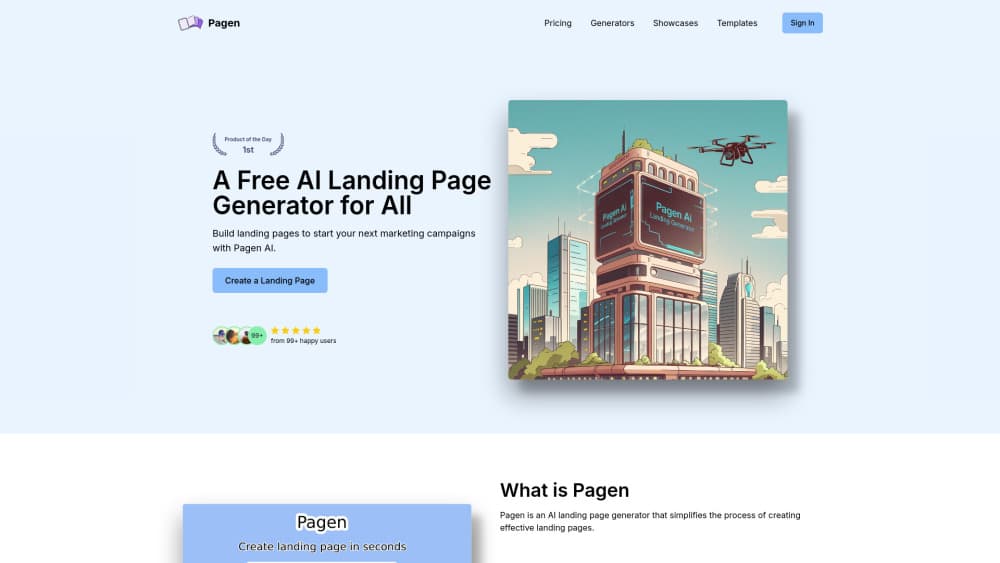
About Pagen
What Is Pagen
Pagen is a web tool that builds landing pages from words. You describe your product, audience, and tone, and the generator drafts the headline, features, and call to action, then renders them into a real page. No drag-and-drop grid. No template shopping. The pitch is speed: get something decent live before you lose the afternoon to design decisions.
Think of it as an AI website builder for people who don't want to build websites. It's also a landing page builder that skips the manual layout work most tools still demand.
It targets the same person over and over. Founders validating an idea, indie makers launching a side project, marketers who need a campaign page by Friday. They share a problem, which is that a landing page is boring work between them and the actual launch. Pagen exists to shrink that gap, and it doesn't ask for code skills to do it.
Why bother? Because most people stall at the blank page, not at the code.
The pages come out as clean, responsive layouts rather than a fugly form dump. Pagen also ships an open-source template built on Next.js and Shadcn UI, so anyone who wants to self-host or customize has a real starting point, not a locked black box. That's the part that separates it from most chat-to-website toys.
If you've ever wanted a no-code landing page without touching a grid system, this is aimed at you.
There are limits worth saying out loud. Free AI landing page generators cap how much you can generate, and the output still needs your judgment on copy that actually converts. It also won't run your ad campaigns or host a heavy store. So what can it actually replace? Treat it as a fast first draft, not the finished funnel. Not ideal if you need deep e-commerce. Fine if you need a page today.
Getting Started
- Create a free account on the Pagen site, or open the tool from the browser if you just want to test a single page.
- Describe your product and goal in the prompt box, or paste a YouTube transcript if you want the page built from a video you already made.
- Let the AI draft the layout, then adjust the headline, feature blocks, and call to action to match your voice.
- Preview the responsive result on desktop and mobile, and tweak spacing or wording where it reads flat.
- Publish the page or export the code, then share the live link.
Product Information
A quick look at Pagen's pricing, supported platforms, and performance.
Best for
The users, tasks, and scenarios where this tool fits best.
Users
- Indie makers and solo founders
- Marketers running a quick campaign
- YouTubers and creators
Tasks
- Turning a description into a page
- Repurposing a video
- Prototyping a message
Scenarios
- Validating a new product idea
- Launch day crunch
- Content creators promoting a course or tool
Key features
Prompt-to-Page Generation
You write a short description of your product and audience, and Pagen drafts the headline, feature sections, and call to action, then lays them out as a page. The point is skipping the blank-canvas problem. Instead of staring at an empty editor, you react to something already on screen. Faster. Less second-guessing.
YouTube Transcript to Landing Page
One of the more unusual features is turning a video transcript into web copy. Paste the transcript, and the tool mines it for hooks, quotes, and the story sequence, then restructures that spoken material into landing page sections. Creators who already have a strong video get a second use out of the words they recorded, without retyping anything.
Responsive, Clean Layouts
Generated pages come out responsive, so they hold up on desktop and mobile without manual breakpoint wrestling. The layouts lean clean and modern rather than cluttered, which matters because a landing page that looks thrown together kills trust before the copy gets a chance.
Open-Source Next.js Template
Pagen ships a landing page template built with Next.js and Shadcn UI, and you can clone it, edit the content file, and self-host. That gives developers a real escape hatch. If you outgrow the generator, you keep a codebase you can extend instead of starting over. Credit to Pagen AI is requested if you use it.
Browser-Based Workflow
Everything runs in the browser, so there's no install and no platform lock-in. You open the tool, describe what you want, and generate. That low setup cost is why it fits quick experiments and throwaway campaign pages as well as keepers.
Pros and cons
Pros
- Generates a full landing page from a plain description, so the first draft takes minutes instead of an afternoon.
- The YouTube transcript feature turns existing videos into page copy with no retyping.
- Output is responsive and clean, which saves the usual breakpoint fiddling.
- Ships an open-source Next.js and Shadcn UI template, so you can self-host and customize.
- Free to use, which makes it cheap to test an idea before spending on design.
Cons
- Free AI landing page generators limit how much you can generate, so heavy use runs into caps.
- The AI copy still needs a human pass, since generic phrasing won't convince a skeptical visitor on its own.
- It's a page generator, not a full site or storefront, so anyone needing e-commerce or complex logic has to look elsewhere.
- The so site isn't currently serving its product pages, so pricing tiers and update history are hard to confirm from the source.
Frequently asked questions
It's an AI landing page generator: you describe your product or paste a transcript, and it drafts the headline, features, and call to action, then lays them out as a responsive page you can publish or export.
Related content
Explore related tools, skills, and articles for Pagen.
Pagen Alternatives

Base Code
Base44 (Wix) · Coding · ProductivityBase Code is a shared cloud development environment from Base44. Teammates describe changes to an existing GitHub codebase in chat, preview them live and send them back as pull requests.

Google EmbeddingGemma 2
Google DeepMind · Writing · Image · CodingGoogle EmbeddingGemma 2 is a 740M-parameter open model that turns text, code, images, audio, and video frames into vectors in one 768-dimension space, running on phones and laptops.

GitGlow
GitGlow · Coding · ProductivityGitGlow is a local-first desktop Git client that lets independent developers review their own code and their AI agents' changes in one place before shipping.