

Paper Pilot
Paper Pilot · Writing · Productivity · Business · Other
Paper Pilot was an AI research assistant that searched 220 million papers, summarized PDFs, and let researchers compare up to 50 studies on shared boards. The service shut down in 2026.
About Paper Pilot
What Is Paper Pilot
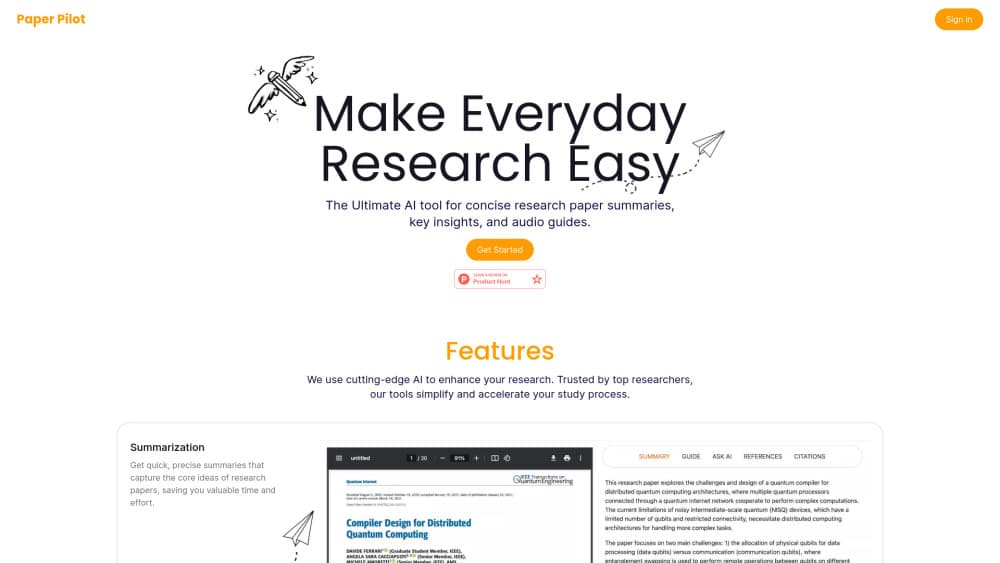
Paper Pilot was a web app built for one narrow job: getting a researcher from a vague topic to a short list of papers worth reading, without opening forty PDFs in a row. It bundled three things people usually stitch together by hand. An AI paper summarizer handled the reading. A research paper search tool covered 220 million records. And a workspace called a Research Board kept shortlisted papers, notes and citations in one place.
The pitch was time. The company claimed its assistant cut research time by 74%, mostly by letting you compare dozens of papers inside a single conversation instead of tab-switching between them. Summaries came in two forms. A quick recap gave you the gist in a paragraph. A longer Full Explanation walked through the paper step by step at whichever difficulty level you picked, which helped readers working outside the paper's own field.
The limits matter more than the feature list now. There is no signup form, no billing page and no working support channel. Visitors to paperpilot.xyz get a farewell note plus a curated list of tools that still run, including Elicit, Consensus, Semantic Scholar and ResearchRabbit. The company says it built for about 15 months and served roughly 1,500 researchers before closing.
Getting Started
- Sign up at paperpilot.xyz with an email address or a Google account.
- Stay on the free tier or pick the Student or Pro plan for unlimited summaries.
- Search a topic, then pin the papers you want to keep to a Research Board.
- Open Pilot AI on that board and ask it to compare, summarize or explain any paper in the set.
Registration is closed now, so read those steps as a record of how the workflow ran rather than something you can follow today.
Product Information
A quick look at Paper Pilot's pricing, supported platforms, and performance.
Best for
The users, tasks, and scenarios where this tool fits best.
Users
- Graduate students writing a first literature review
- Postdocs moving into an adjacent field
- Non-native English speakers
Tasks
- Scoping a topic before a proposal
- Screening batches of papers for relevance
- Drafting a related-work section
- Checking whether a claim holds up
Scenarios
- The first week of a new project, when the reading list is still forming.
- Reading group prep, where you need summaries of four papers by Thursday.
- Thesis defense prep, when a committee member asks about work outside your main area.
Key features
AI Search Across 220 Million Papers
The search box covered roughly 220 million papers and returned linked references and citation details next to each result. You could read an abstract and its reference list in the same panel instead of hopping to another database. For a topic you barely know, that layout made it easier to spot the three or four papers everyone cites. Results pinned straight to a board, so search and reading list stayed in one place.
Quick Summaries and Full Explanations
Every paper got a short recap that fit in a paragraph, plus a longer breakdown that ran step by step. You chose the depth, from a simple overview to a detailed walkthrough of method and results. The two speeds mattered for screening: recap for a fast yes or no, Full Explanation when a paper was clearly relevant but hard to parse. That split is still the most useful idea Paper Pilot shipped, and most academic research AI tools now copy some version of it.
Research Boards for Up to 50 Papers
A board was a shared page holding papers, notes and citations together. On paid plans you could chat with PDFs across the whole board, so a follow-up question reached all 50 papers at once rather than one file. Boards also supported sharing, which made them handy for a two-person project. Paper Pilot's free tier limited boards to five papers and a single board, so the comparison feature was mostly a paid thing.
Pilot AI Chat on Your Own Paper Set
Pilot AI answered questions grounded in the papers you had collected. Ask it what two studies disagree about and it pulled passages from both. Ask it for a gap in the literature and it pointed at sections that mentioned future work. Because the answers stayed inside your board, it behaved more like a research assistant than a general chatbot. The trade-off was scope: nothing outside the pinned set came into the answer.
Smart Citations and Easy Referencing
Citations were generated as you wrote, in the format you set, and references could be inserted without retyping author names and years. Paper Pilot also kept a list of references per board, which helped when a draft needed a quick bibliography. The feature worked best inside the board's own editor. Exporting to a reference manager was still a manual step.
AI Writing Assistant
The writing assistant drafted sentences and paragraphs on top of your collected sources and suggested citations as you typed. On the Pro plan it was unrestricted, and it indexed both online and uploaded papers. Think of it as a literature review tool with a text editor attached: useful for a related-work paragraph, less so for original argument. Drafts still needed a human to check that each citation said what the sentence claimed.
Pros and cons
Pros
- One workspace for search, summaries and notes, which removed a lot of copying between tabs.
- Comparing 50 papers in a single thread surfaced disagreements that a one-paper-at-a-time reading habit hides.
- Full Explanation mode made dense methods sections readable for people outside the field.
- The free tier was genuinely usable for a small project: 20 summaries and 10 explanations a month.
- Student pricing at $84 a year undercut most research assistants that charge monthly.
Cons
- The service is closed, so none of this is available to try. Existing boards and notes went with it, and the site offers no export path.
- Free boards held only five papers and one board, which meant the headline 50-paper comparison sat behind a paywall.
- Answers stayed inside the pinned set. Ask about a paper you had not added and the assistant had nothing to say.
- Citation export required manual work. There was no direct handoff to Zotero or Mendeley, so bibliographies needed reformatting by hand.
Frequently asked questions
It handled the reading side of research: finding papers on a topic, summarizing them, and comparing a set of studies in one conversation. People used it mostly for literature reviews, reading group prep and checking whether a claim had support in the published record.
Related content
Explore related tools, skills, and articles for Paper Pilot.
Paper Pilot Alternatives

Google EmbeddingGemma 2
Google DeepMind · Writing · Image · CodingGoogle EmbeddingGemma 2 is a 740M-parameter open model that turns text, code, images, audio, and video frames into vectors in one 768-dimension space, running on phones and laptops.

MePersona
MePersona, Inc. · Writing · Productivity · MarketingMePersona is an AI unified inbox for creators. It learns your voice, drafts replies to fan messages from 12 platforms, and sends only what you approve.

Fluence
Yay Software (Yannick Huchard) · Writing · Voice & Language · ProductivityFluence is an Android app that reads PDFs, EPUBs, Word files and web articles aloud, follows each sentence as it speaks, and answers questions about the text on the phone itself.