

Papercuts
Papercuts · Coding
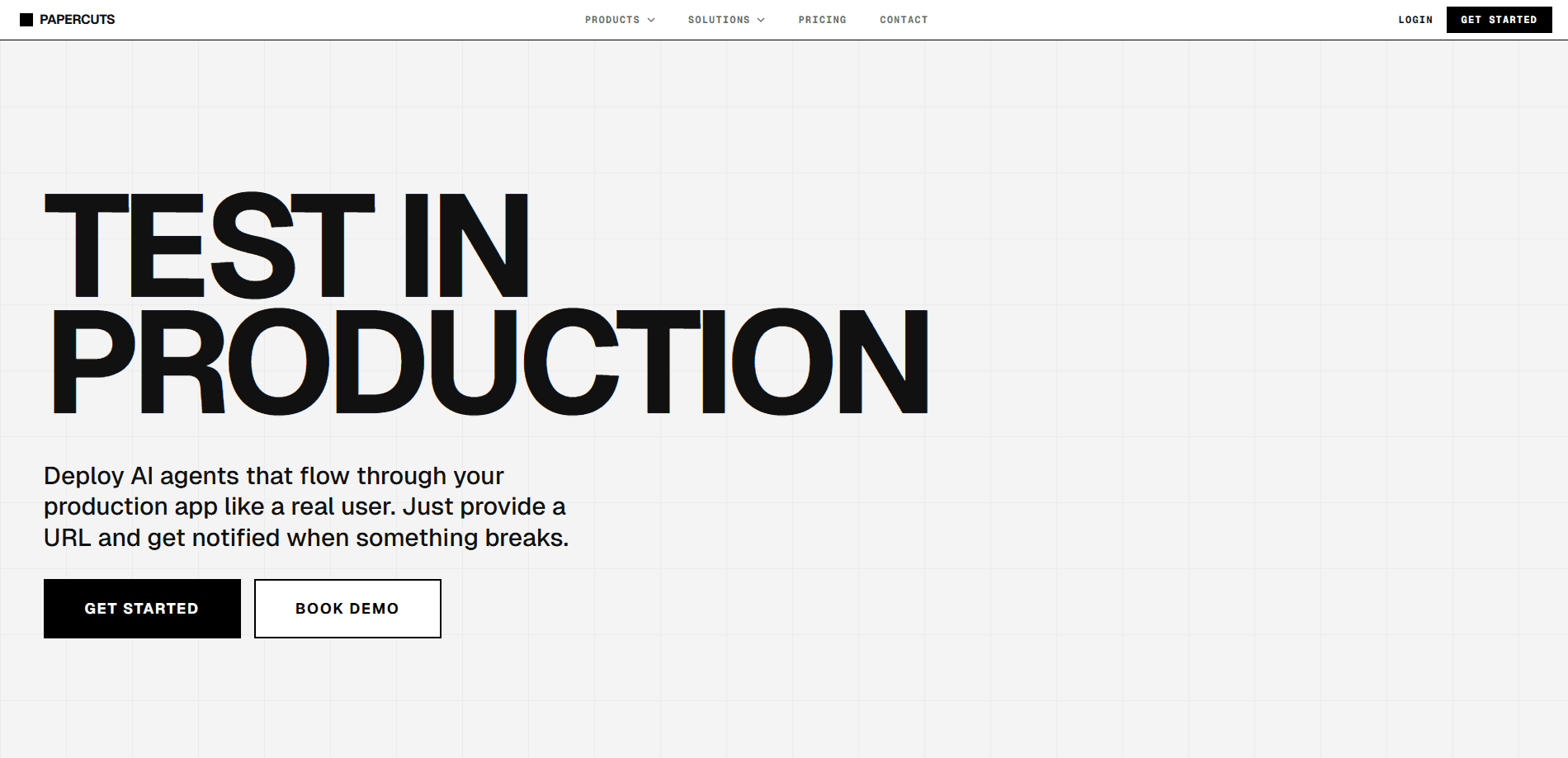
Papercuts is an autonomous QA platform that drops AI agents into your live production app and lets them behave like real visitors. You hand over a URL, and the agents click, scroll, and type their way through the interface to find what's broken. It's built around a blunt premise: production is the only environment that matters, because that's where your users actually are. Two agent types do the work. Deterministic agents follow a goal you describe in plain English, while exploratory agents roam on their own to uncover edge cases nobody thought to test. When something breaks, you get an email with screenshots, network logs, and the steps that led to the failure. No dashboard to babysit. Just a report in your inbox.
About Papercuts
What Is Papercuts
Papercuts is an AI QA testing platform for web applications that runs its checks directly in production. Instead of spinning up a staging clone or shipping a test suite, it launches a fleet of headless browsers that enter your app the same way a customer would. No SDK, no code changes.
The problem it goes after is specific. Modern apps render stacks of components on the fly, so backend, frontend, and third-party scripts collide in ways that only surface for a live user clicking through at 2am. That's where the name comes from. Small cuts that never show up in a clean test environment still hurt real traffic, and Papercuts is betting that you catch them faster by watching real usage than by simulating it. It's a different approach to AI test automation, and a more aggressive one.
The trade-off is that you're letting automated agents loose on the environment your customers use. Papercuts leans on that directly, calling production "the only environment that matters," and expects you to supply login credentials so agents can reach protected routes. So where's the line? If you're not comfortable with third-party automation touching live accounts, that's the main thing to weigh before signing up.
Getting Started
- Sign up at app.papercuts.dev and pick a plan. The free tier covers 20 monthly actions if you want to test the waters.
- Add your site by entering the production URL. There's nothing to install and no SDK to drop into your codebase.
- For pages behind a login, add a username or email and password in the platform; the agents use those credentials to sign in like a regular user.
- Choose an agent type. Write a goal for a deterministic agent, like "Add a $20 bag to cart and checkout," or leave an exploratory agent to wander on its own.
- Let it run and wait for the email report, which arrives when an error is caught with a step-by-step breakdown of what happened.
Product Information
A quick look at Papercuts's pricing, supported platforms, and performance.
Best for
The users, tasks, and scenarios where this tool fits best.
Users
- Solo developers and indie teams
- QA engineers at small startups
- Product teams shipping fast
Tasks
- Smoke-testing a checkout or signup flow
- Uncovering edge cases
- Monitoring protected routes
Scenarios
- Right after a release, when a new component collision might break something only real users would hit.
- On apps with heavy client-side rendering, where backend and browser logic meet in unpredictable ways.
- When you'd rather get pinged by email than babysit a dashboard during a launch window.
Key features
Agents That Test in Production
The core idea is that Papercuts runs against your live app, not a sandbox. It instantiates a fleet of headless browsers and enters your environment exactly as a user does, with no SDK and no code changes required. That means you're testing the same rendering path, the same third-party scripts, and the same data your customers hit. Regular web app testing can't always replicate that. Papercuts treats it as a direct answer to the staging-versus-production gap that trips up so many teams.
Two Agent Types for Different Jobs
Papercuts splits its agents into two modes. Deterministic agents are precision-guided and built for critical paths; you describe a goal in simple English and the agent carries out the steps. Exploratory agents are the opposite. Give them a URL and they roam the app like a curious user, clicking and scrolling to surface hidden edge cases. Think of it as synthetic user testing driven by a model instead of a script. Most teams will want both, one to guard the flows that must never break and one to probe the ones they forgot about.
Semantic UI Understanding
Rather than matching hard-coded selectors, the agents read the interface the way a person does. Papercuts says its agents "see the UI, not just code," understanding it semantically so they keep working when a layout shifts. That's the part that usually kills traditional test suites, since a moved button can break a selector even when the feature still works. Adaptive perception means fewer false alarms after a redesign. Big difference on a fast-moving codebase. It also means less time spent patching tests.
Detailed Break Reports by Email
When an agent hits an error, Papercuts emails you a diagnostic report instead of a vague failure flag. The report includes a step-by-step breakdown of the execution flow, high-resolution screenshots, network request logs, and the agent's own reasoning trail. You get enough context to reproduce the bug yourself, which cuts down on the back-and-forth of figuring out what the agent saw. For a small team without a dedicated QA person, that's the difference between a useful alert and noise.
Credentials for Protected Routes
Apps spend a lot of their surface area behind a login, and a testing tool that can't get past the sign-in screen misses most of it. Papercuts lets you store a username or email and password in the platform, and its agents use those credentials to log in and test protected routes like a real user. That extends coverage to dashboards, account settings, and anything else gated behind auth.
Integrations and REST API
Papercuts connects to tools like GitHub Actions, Linear, Slack, and Datadog, so failures can show up where your team already works. There's also a REST API for triggering runs programmatically and pulling results, which matters if you want QA orchestrated from a CI pipeline rather than a browser tab. It's how the product fits into an existing workflow instead of becoming another place to check.
Pros and cons
Pros
- Tests the live app, so it catches production-only issues that staging misses.
- No SDK or code changes, which removes most of the setup friction.
- Descriptive goals in plain English mean you don't write or maintain selectors.
- Semantic perception adapts to layout changes, cutting down on false failures.
- Free tier includes 20 monthly actions, enough to trial a single critical flow.
- Detailed reports with screenshots and network logs make bugs easier to reproduce.
Cons
- Runs agents against live production, which won't sit well with teams that keep QA strictly off customer environments.
- You have to hand over login credentials for protected routes, adding a security decision to the setup.
- Pricing scales per action, so heavy testing on the Pro plan at $5 a month can rack up extra charges at $0.02 per action.
Frequently asked questions
Papercuts is an AI QA platform that sends autonomous agents into your live web app to find bugs before your users do. You provide a URL, and the agents interact with the interface by clicking, scrolling, and typing. When something breaks, you get an emailed report pinpointing where and why.
Related content
Explore related tools, skills, and articles for Papercuts.
Papercuts Alternatives
Forefront
Forefront · CodingForefront is a web platform for building with open-source AI. It lets you fine-tune leading open-source language models on your own data, evaluate how they perform, and run them through an API or export them to host yourself. Developers who want the convenience of a closed-source platform but insist on owning their models and data are the target audience here.

Startkit
StartKit.AI · CodingStartkit is a boilerplate for building AI SaaS and AI wrapper products. Think of it as an AI startup boilerplate with the boring parts already wired up: authentication, Stripe and Lemon Squeezy payments, usage limits, transactional email, and an AI API starter that talks to OpenAI, Anthropic, Groq, or Llama. You clone the repo, set your price, and start on the part of your product that people actually pay for. It's Next.js under React and Tailwind, so most of the boilerplate code already feels familiar.
Testim
Tricentis · CodingTestim is an AI-powered test automation platform for building and running end-to-end tests across web, mobile, and Salesforce applications. It leans on machine learning to keep tests stable when an interface changes, so teams spend less time fixing broken selectors. Not bad for an automated testing tool you can start using today. You create tests by recording actions in a browser, then optionally add JavaScript when you need more control. It's a solid pick for busy QA teams.