

PapertLab
Papert · Coding
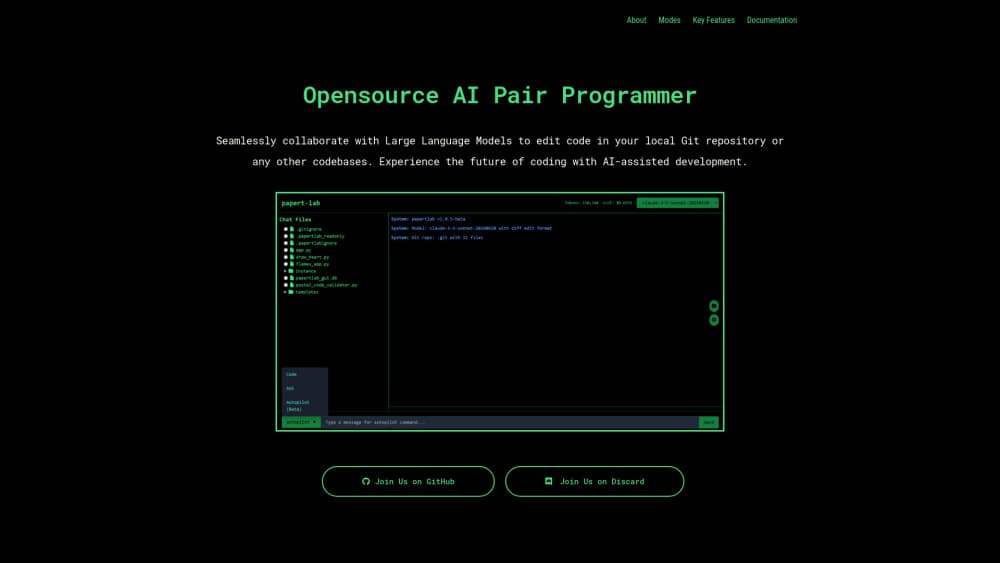
PapertLab is a terminal-based AI pair programmer that helps developers edit code in local Git repositories through chat, code, and Auto-Pilot modes.
About PapertLab
What Is PapertLab
PapertLab is an AI pair programmer you run from the command line, aimed at developers who want AI help without leaving their existing workspace. It connects a large language model to the codebase you already have on disk, so suggestions and edits happen inside your local Git repository rather than in a separate cloud editor. You install it with pip, point it at a project, and it reads the files you actually work with.
The appeal is straightforward. Many AI coding tools want you to adopt a new editor or upload your project somewhere, which is a real problem if that code is proprietary or simply not yours to move. PapertLab skips both. It sits in the terminal next to git, reads your files, and proposes changes you review before they land. That makes it a decent fit for people who care about keeping source code on their own machine.
The catch is that this is an early, developer-facing tool. Auto-Pilot mode, the most autonomous part, is labeled beta and has been tested mainly with Python. Setup expects some comfort with the command line and a ctags dependency. So who is it really for? Developers who already treat the terminal as home, mostly. If you want a polished GUI, this isn't it.
Getting Started
- Install Universal Ctags. On macOS or Linux run
brew install --HEAD universal-ctags/universal-ctags/universal-ctags; on Windows usechoco install ctags. - Install the tool with
pip install papert-lab. - Launch it by running
papertlabinside or near your project directory. - Pick a mode. Use chat to ask about code, Code Mode to pair on edits, or Auto-Pilot to let it handle routine work.
- Review the proposed changes and commit them through your normal Git workflow.
Product Information
A quick look at PapertLab's pricing, supported platforms, and performance.
Best for
The users, tasks, and scenarios where this tool fits best.
Users
- Developers who keep code in local Git repositories and don't want files uploaded to a cloud editor
- Terminal-first programmers who prefer a CLI over a new GUI application
- Python coders curious about letting an AI agent handle routine tasks, since Auto-Pilot is tested there first
Tasks
- Understanding unfamiliar code
- Refactoring and cleanup
- Writing tests
- Debugging
Scenarios
- Onboarding onto an inherited codebase where you need fast answers about how things fit together
- Working offline or on a private machine where sending source to a hosted editor isn't an option
- Quick edits late in a sprint when you want suggestions without switching tools
Key features
Ask Mode for Code Explanation
Ask mode answers questions about your code. You can point it at a specific function, a file, or a general programming concept and get a written explanation in plain language. It's the lightest way to use the tool, since you don't have to change anything to get value.
Code Mode for Real-Time Pairing
Code Mode is the collaborative core. You write, refactor, or debug alongside the model, which offers real-time suggestions and can help generate test cases. Think of it as a second set of eyes that reads the same repository you do, not a separate chat window.
Auto-Pilot Mode (Beta)
Auto-Pilot hands routine tasks to the agent. It's marked beta and has been tested with Python so far, which tells you the team is treating autonomy carefully. When it works, you step back and focus on higher-level problems while it handles AI code completion, automated generation, and potential bug detection without waiting for a prompt from you each time.
Local Git Repository Integration
The tool works against code in your local Git repositories or other codebases on disk. Edits stay in your working directory, so your usual commit, diff, and review habits still apply. Nothing forces you into a vendor-hosted editor.
Debugging and Best-Practices Help
Beyond writing code, PapertLab offers debugging assistance and advice on best practices. It's less about producing a finished feature and more about helping you reason through why something breaks or how to structure it better.
Cross-Platform Command-Line Setup
PapertLab runs on macOS, Linux, and Windows through a pip install plus a Universal Ctags dependency. The install path is short, and it fits into existing terminal-based workflows rather than demanding a new environment.
Pros and cons
Pros
- Keeps source code in your local Git repository instead of a hosted editor
- Runs in the terminal, so it fits developers who already live in a CLI and want AI code completion close to git
- Multiple modes let you start with simple Q&A and scale up to autonomous edits
- Install is a short pip command plus one ctags dependency
- Works across macOS, Linux, and Windows
Cons
- Auto-Pilot mode is still beta and mainly tested with Python, so other languages may behave unevenly
- No polished graphical interface, which rules out users who avoid the command line
- Setup expects familiarity with pip, ctags, and Git
Frequently asked questions
PapertLab is an AI pair programmer for editing code in local Git repositories. It explains code, suggests refactors, generates tests, helps debug, and in beta can autonomously handle routine coding tasks.
Related content
Explore related tools, skills, and articles for PapertLab.
PapertLab Alternatives

Base Code
Base44 (Wix) · Coding · ProductivityBase Code is a shared cloud development environment from Base44. Teammates describe changes to an existing GitHub codebase in chat, preview them live and send them back as pull requests.

Google EmbeddingGemma 2
Google DeepMind · Writing · Image · CodingGoogle EmbeddingGemma 2 is a 740M-parameter open model that turns text, code, images, audio, and video frames into vectors in one 768-dimension space, running on phones and laptops.

GitGlow
GitGlow · Coding · ProductivityGitGlow is a local-first desktop Git client that lets independent developers review their own code and their AI agents' changes in one place before shipping.