
Parakeetai
Parakeet AI · Voice & Language · Productivity · Business
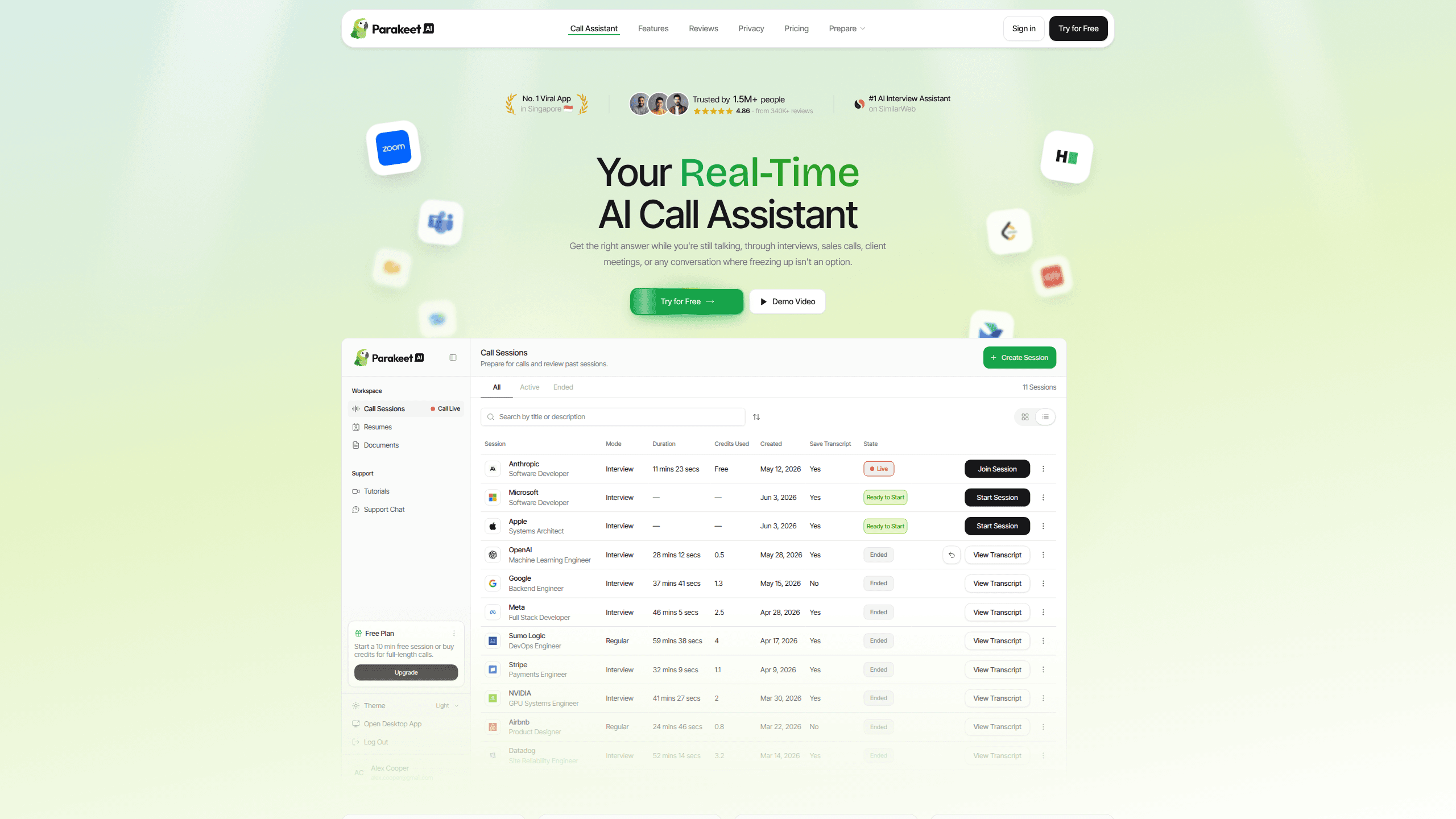
Parakeetai is a real-time AI call assistant that listens to your conversation and suggests answers while you're still talking. It was built for interviews, sales calls, and client meetings where freezing up costs you the moment. The tool runs in the background on desktop, browser, or mobile, pulls context from your résumé and uploaded documents, and turns each call into a transcript with notes afterward. It stays out of your way.
About Parakeetai
What Is Parakeetai
Parakeetai is an AI interview assistant that sits on top of whatever call platform you already use. It listens to the conversation as it happens, transcribes it, and pushes suggested answers to a private overlay you control. The premise is simple: instead of scrambling for words mid-sentence, you get the gist of an answer the second a question lands. Silence stops being a problem.
The product leans hard on being invisible. It works with Zoom, Google Meet, Microsoft Teams, and coding platforms like HackerRank and LeetCode, and the company says it's undetectable on screen shares. Does that claim hold up in every setup? We can't verify it, so treat it as a vendor promise.
The biggest limits are platform and setup shaped. Live sessions need desktop Chrome, or the dedicated Windows and macOS app. A native mobile app is still in the works, so phone users get the browser version. And it listens for one language at a time, which means a mid-call language switch forces you to update the session setting. Annoying, but not fatal.
Getting Started
- Create an account at parakeet-ai.com and sign in.
- Upload your résumé or CV plus any documents you want it to reference, and paste job descriptions or briefs into the Instructions field.
- Start a session, pick the AI model and the language you'll be speaking, then let it run in the background during your call.
- Review the live answers as they appear, or message the assistant directly if you want a follow-up.
- Read the AI Notes after the call for key points, action items, and decisions.
Product Information
A quick look at Parakeetai's pricing, supported platforms, and performance.
Best for
The users, tasks, and scenarios where this tool fits best.
Users
- Job seekers
- Sales reps
- Recruiters and hiring managers
Tasks
- Answering interview questions under pressure
- Coding interviews
- Turning calls into notes
Scenarios
- A first-round phone screen
- Practicing before the real thing
- Multilingual interviews
Key features
Real-Time Answer Suggestions
The core of Parakeetai is live answer generation. It detects questions as they're spoken and offers response suggestions on a private overlay, so you get the shape of an answer while the conversation is still moving. In plain terms, it hands you AI answers during calls. That matters most in interviews, where a five-second silence can feel like a minute. No blank stares.
Live Transcription and Coding Support
Think of it as a live transcription app with a brain bolted on. Speech recognition runs during the call, and the company says it uses a fast, accurate model. For technical rounds, the assistant handles coding questions too, including code suggestions and explanations. It can also capture your screen when a LeetCode-style problem is shared with you. Handy if a whiteboard round turns into a screen-share.
Document and Résumé Context
You feed the assistant your own material: a résumé, uploaded briefs, notes, playbooks, or pasted job descriptions. It then draws on that context when answering, which is what keeps the suggestions relevant to your background rather than generic. The more you load in before the call, the sharper the answers tend to be, because the assistant is matching its response to your actual experience instead of guessing from the question alone. You can also message it mid-call to steer the answers.
AI Notes After the Call
Once a session ends, Parakeetai writes up the key points, action items, and decisions from the conversation. That's the quiet win. For sales calls and client meetings, that alone can replace a chunk of note-taking. You get a written record without doing it by hand, which is easy to underestimate until you've done it for a week.
Meeting Detection and Model Choice
The tool spots meetings as they start and asks whether you want to join, so there's no setup scramble once the call begins. You also pick the AI model per session from a dropdown that includes several Gemini, GPT, and Claude models, with a fast default selected for you. Lighter models reply faster, while the larger ones tend to give more detailed answers, so it's worth testing a couple before a high-stakes call. Big difference.
Pros and cons
Pros
- Suggests answers in real time, which directly targets the freeze-up problem in interviews and calls.
- Works across Zoom, Google Meet, Teams, HackerRank, and LeetCode, so you don't change your call setup.
- Backs suggestions with your own documents and résumé for more relevant, personalized answers.
- Supports 50+ languages and full coding support, covering technical and multilingual interviews.
- Generates AI Notes after each call, turning conversations into action items without manual write-ups.
Cons
- Live sessions require desktop Chrome or the Windows/macOS app. Other browsers aren't supported, so a Linux setup forces you back to Chrome.
- No native mobile app yet. Phone users are limited to the mobile browser version, which is lighter on features.
- It listens to one language at a time, so switching languages mid-call means updating the session setting yourself. Mildly annoying.
- The undetectable claim comes from the vendor, and since screen-sharing detection and proctoring tools vary widely across platforms, we can't verify that it holds in every interview or recording setup you might face.
Frequently asked questions
Parakeetai is a real-time AI call assistant aimed at interviews, sales calls, and client meetings. It listens to the conversation, transcribes it, and suggests answers as you go, then summarizes the call afterward. Think of it as a quiet copilot for any high-pressure conversation.
Related content
Explore related tools, skills, and articles for Parakeetai.
Parakeetai Alternatives

Foley
Hanamori Labs, LLC · Voice & Language · Productivity · AI AssistantFoley is a voice to-do list that turns a spoken sentence into a filed task, complete with project, date and time, then helps you plan the day around what is already there.

HireKey
HireKey · Voice & Language · Productivity · LeaningHireKey is an AI job search copilot built by a former tech recruiter. It checks role fit, tailors resumes, runs interview practice and tracks every application.

Fluence
Yay Software (Yannick Huchard) · Writing · Voice & Language · ProductivityFluence is an Android app that reads PDFs, EPUBs, Word files and web articles aloud, follows each sentence as it speaks, and answers questions about the text on the phone itself.