

Paraphrasing.io
Paraphrasing.io · Writing · AI Detection
Paraphrasing.io is a web based AI paraphrasing tool that rewrites sentences in seven modes, from Simple to Academic, and shows every change next to the original text.
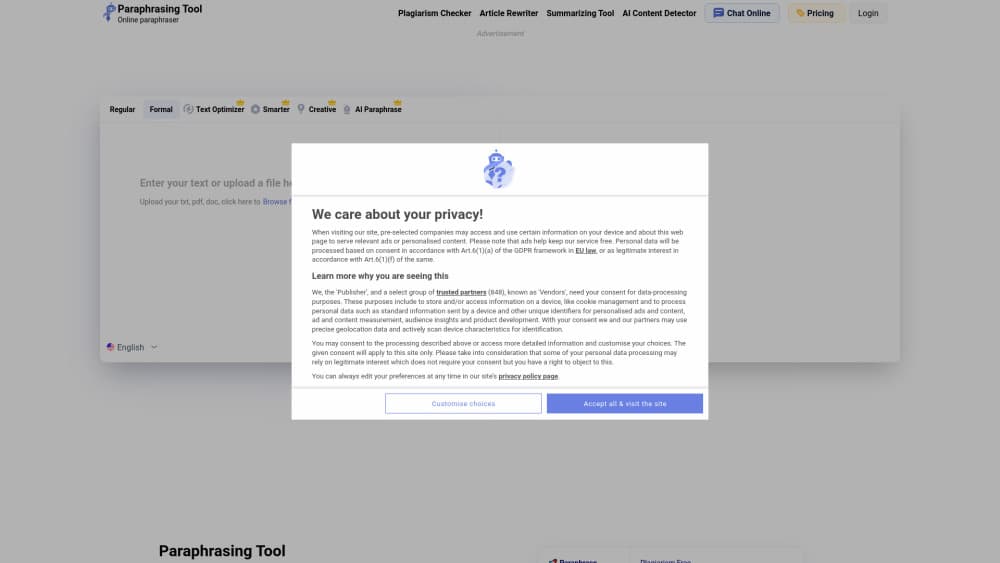
About Paraphrasing.io
What Is Paraphrasing.io
Paraphrasing.io is a browser tool that lets you rephrase text you paste into it. You choose a paraphrasing mode, hit one button, and get a new version of the passage that keeps the meaning but changes the wording and the sentence order. It handles single sentences, whole paragraphs and longer documents.
The problem it solves is the boring part of writing. Rewriting a report so it reads differently from the source, or trimming an assignment down to its point, takes time and invites sloppy edits. This tool does that pass in seconds and then shows you what changed.
The limits are worth knowing before you rely on it. Output quality depends on the mode you pick, and the creative setting sometimes drifts from the source meaning, so the text still needs a read before you send it anywhere. The free tier also caps input length, which rules out long manuscripts unless you upgrade.
Getting Started
- Open the Paraphrasing.io site in any browser. Nothing to install.
- Paste or type your source text into the input box.
- Pick one of the seven modes, such as Simple for plain wording or Academic for formal writing.
- Press the paraphrase button and wait a few seconds for the output.
- Compare the highlighted changes against the original, copy the version you want, or register an account to lift the word cap.
Product Information
A quick look at Paraphrasing.io's pricing, supported platforms, and performance.
Best for
The users, tasks, and scenarios where this tool fits best.
Users
- Students
- Content writers
- Non native English speakers
Tasks
- Rephrasing a paragraph you cannot reuse word for word
- Shortening an abstract or a summary
- Making a rough draft sound formal
- Checking your own writing for repetition
Scenarios
- Last minute editing before a deadline
- Adapting one article into several posts
- Practising paraphrasing for an exam
Key features
Seven Rewriting Modes
Each mode applies a different rewriting strategy. Simple swaps words for plainer ones, Reworder rebuilds sentence order, Creative takes bigger liberties, Shorten cuts length, and Formal, Professional and Academic push the tone toward business or scholarly writing. Picking the right mode matters more than any other setting, because it decides how far the output moves from the source.
Sentence Level Restructuring
The tool will rewrite sentences instead of only swapping synonyms. It splits long phrases, merges short ones and moves clauses around, which is what makes the output read like a fresh draft rather than a thesaurus pass. On dense paragraphs this changes the rhythm enough that plagiarism checks rarely flag the result, and on thin paragraphs it is often enough on its own.
Change Tracking
Every edit is highlighted so you can compare the new text with your original side by side. You can accept the whole passage or lift the few sentences that actually improved. This is the feature that keeps the tool usable for serious writing, since blind trust in automated rewrites is a bad idea.
Word Limits That Scale With Your Account
Guests can paraphrase up to 500 words per run, registered users get 1,500, and premium accounts reach 3,000. That ladder covers a paragraph, a page and a short chapter, which is a fair range for a free word paraphraser. Anything longer has to go in pieces, so plan around the cap if you work with long documents.
Companion Checking Tools
The same site hosts a plagiarism checker, a readability checker and an AI content detector that share your account and your text. The workflow most users follow is paraphrase first, then check originality and readability, then run the detector if the content is going to a client. Having them in one place saves tab hopping.
Multilingual Interface
The site runs in English, Spanish, German, French, Indonesian and several other languages, with separate localized pages. The underlying rewriting works on English text, so the localized versions change the interface language rather than the processing language. For non English speakers that still helps, because the controls and help text are readable.
Pros and cons
Pros
- Seven modes cover the usual rewriting jobs, from trimming length to raising the tone.
- The side by side change view makes it easy to catch edits that break the meaning.
- No install and no signup needed for short passages, which suits quick one off jobs.
- Related checkers for plagiarism, readability and AI detection sit on the same site.
- The 1,500 word registered limit is generous compared with many free paraphrase tools.
Cons
- The 500 word guest cap forces an account for anything longer than a couple of paragraphs.
- Creative mode sometimes changes the argument, so the output needs a full read before use.
- Premium pricing is not published as a fixed table, which makes budgeting awkward.
- There is no public API, so the tool cannot be wired into an editorial pipeline.
Frequently asked questions
Yes. Guests can paraphrase up to 500 words per run without paying, and creating an account raises that to 1,500 words. A premium tier is needed for the 3,000 word ceiling.
Related content
Explore related tools, skills, and articles for Paraphrasing.io.
Paraphrasing.io Alternatives

Google EmbeddingGemma 2
Google DeepMind · Writing · Image · CodingGoogle EmbeddingGemma 2 is a 740M-parameter open model that turns text, code, images, audio, and video frames into vectors in one 768-dimension space, running on phones and laptops.

MePersona
MePersona, Inc. · Writing · Productivity · MarketingMePersona is an AI unified inbox for creators. It learns your voice, drafts replies to fan messages from 12 platforms, and sends only what you approve.

Fluence
Yay Software (Yannick Huchard) · Writing · Voice & Language · ProductivityFluence is an Android app that reads PDFs, EPUBs, Word files and web articles aloud, follows each sentence as it speaks, and answers questions about the text on the phone itself.