

Parseur
Parseur · Coding
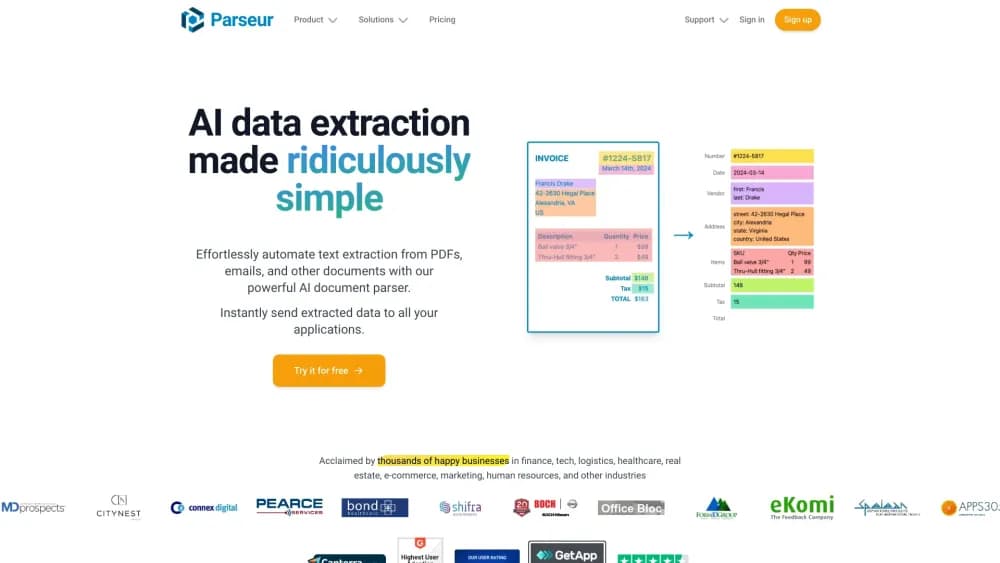
Parseur is an AI data extraction tool that turns emails, PDFs, and scanned documents into structured data and sends it to your spreadsheet, app, or database.
About Parseur
What Is Parseur
Parseur is document parsing software for teams that spend hours copying numbers out of invoices, purchase orders, and emails. It handles PDF data extraction, scanned paper, and message bodies through one workflow. You give it a document source, describe the fields you want, and it returns clean rows of data instead of a PDF you have to read.
The product has been in production since 2016 and, according to Parseur, has processed more than 100 million documents. Its selling point is the mix of two parsing styles: an AI engine where you name a field and describe it in plain words, and a classic template editor for documents that always look the same. Most teams end up using both, because a supplier who changes invoice layouts every quarter breaks a template but not a description.
The limits matter before you commit. Every plan runs on credits where one page equals one credit, unused credits expire at the end of the billing period, and a document that arrives after you hit the cap is marked Quota exceeded until you upgrade or top up. The free tier also holds a single user, so a team of three needs a paid plan from day one.
Getting Started
- Create an account and set up a mailbox. Parseur gives you a dedicated email address, or you can forward from an existing inbox and upload files by hand.
- Build the first parser by naming each field you need, such as invoice number, due date, or total amount, and adding a short description of where it sits on the page.
- Drop in five or ten sample documents and check the extracted values against the originals. Fix the field descriptions where the AI guesses wrong, or switch that field to a fixed template rule.
- Connect a destination. Pick Google Sheets, a webhook, Zapier, Make, or the document parser API, then let new documents flow in on their own.
Product Information
A quick look at Parseur's pricing, supported platforms, and performance.
Best for
The users, tasks, and scenarios where this tool fits best.
Users
- Accounts payable clerks
- Operations managers
- Small finance teams without developers
- Logistics and property offices
Tasks
- Pulling line items from supplier invoices
- Sorting a shared inbox
- Reading scanned paperwork
- Cleaning data before it lands
Scenarios
- Monthly invoice batches
- A support queue fed by email
- High-volume back office work
Key features
AI Fields Described in Plain Words
You name a field and write a sentence about it, for example "the total amount including tax, near the bottom right". The AI then finds that value on every new document, even when the supplier changes the layout. This is the part that separates Parseur from older template-only tools, and it saves the most time on messy real-world files.
Template Editor for Repeatable Documents
When a document never changes shape, a fixed template with anchored regions is faster and cheaper to run than AI guessing. You draw or select the area, map it to a column, and the parser reads the same spot every time. Most accounts end up with a hybrid parser, with templates for the stable fields and AI for the rest.
OCR for Scans and Photos
Parseur runs OCR on PDFs that contain images, scanned contracts, and phone photos of receipts. Text comes out searchable and usable as field input. Accuracy depends on the scan quality, so a 200 dpi scan of a printed invoice works far better than a phone shot under office lighting.
Post-Processing Rules
Raw text rarely arrives in the format your database wants. Post-processing lets you convert date formats, strip currency symbols, multiply quantity by unit price, look up a value in a table, and validate that a total matches its line items. Rules run after extraction, so a document that fails validation can be flagged instead of silently stored.
Mailboxes, Tables, and Document Logs
Each mailbox is its own email address with its own parsers and rules, and you can run unlimited mailboxes even on the free tier. Every processed document is logged with its status, extracted values, and source file, which makes it possible to answer "where did this number come from" months later.
Integrations, Webhooks, and a Document Parser API
Data leaves Parseur through Google Sheets, Zapier, Make, Slack, Salesforce, HubSpot, Airtable, QuickBooks, Xero, or a plain webhook. Developers who want to skip the UI can use the REST document parser API to send files and receive JSON. That makes automated data entry possible inside an existing back office system rather than beside it.
Pros and cons
Pros
- Two parsing methods in one product, so a stable invoice template and a changing purchase order can live in the same mailbox.
- Free tier includes 20 pages a month and unlimited mailboxes, which is enough to test a real workflow rather than a demo.
- Post-processing and validation run before export, so bad numbers get flagged instead of landing in your sheet.
- EU-hosted infrastructure, GDPR and SOC 2 Type II compliance, and AES-256 encryption at rest answer most vendor security reviews.
- Full REST API alongside the no-code app, which keeps developers and operations on the same parser.
Cons
- One page equals one credit and unused credits expire each billing period, so a quiet month still costs the same.
- The jump from 20 free pages to the $49 Micro plan is steep for a solo user who only handles a few documents a week.
- The free and Base tiers include a single user, so any second reviewer forces an upgrade.
- AI extraction still needs a sample check on unusual layouts, and a badly described field produces confident wrong values rather than an error.
Frequently asked questions
Parseur extracts data from documents and emails. You forward an invoice, a purchase order, or a scanned form, and it returns the fields you defined as structured data in a sheet, an app, or a webhook. The main job is automated data entry for teams that receive the same paperwork every week.
Related content
Explore related tools, skills, and articles for Parseur.
Parseur Alternatives

Base Code
Base44 (Wix) · Coding · ProductivityBase Code is a shared cloud development environment from Base44. Teammates describe changes to an existing GitHub codebase in chat, preview them live and send them back as pull requests.

Google EmbeddingGemma 2
Google DeepMind · Writing · Image · CodingGoogle EmbeddingGemma 2 is a 740M-parameter open model that turns text, code, images, audio, and video frames into vectors in one 768-dimension space, running on phones and laptops.

GitGlow
GitGlow · Coding · ProductivityGitGlow is a local-first desktop Git client that lets independent developers review their own code and their AI agents' changes in one place before shipping.