

PASTORS.AI
Pastors.ai · Marketing · Chatbot
PASTORS.AI turns one YouTube sermon link into clips, devotionals, study guides, and a church chatbot, built for pastors who have no media team.
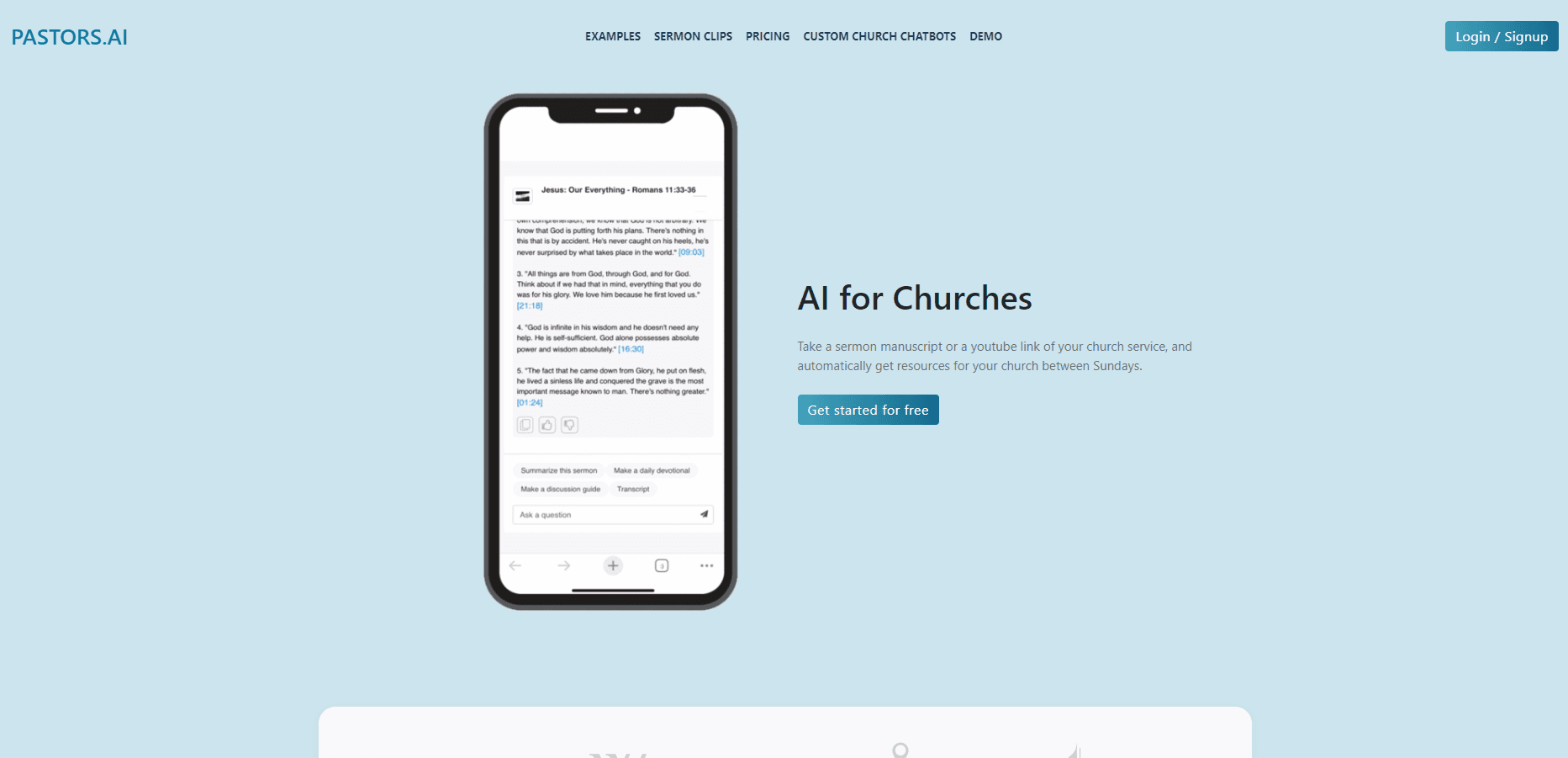
About PASTORS.AI
What Is PASTORS.AI
PASTORS.AI is a web service that takes a recorded sermon and breaks it into the pieces a church needs each week. You paste the YouTube link of last Sunday's message, and the system returns short vertical clips, a five day devotional, a study guide with discussion questions, and a shareable sermon page. Everything lands in your inbox in about 30 minutes.
Most AI for churches stops at transcription, and sermon repurposing tools often hand back a wall of notes. The pitch here is narrower and more useful. It's aimed at churches without a video editor. Most congregations record a sermon and then post nothing, because cutting clips takes hours nobody has. AI sermon tools rarely fix that gap on their own. This tool skips the timeline entirely and picks the quotes itself, then centers the speaker, adds captions, music, and your logo.
Two limits matter up front. The free plan caps you at three sermons a month with three watermarked clips each, and the automatic selection means you get workable clips rather than a director's cut. Small groups also report that generated questions still need a read through before you hand them out.
Getting Started
- Sign up at pastors.ai with an email address or a Google account. No card is needed for the free tier.
- Paste the YouTube URL of a recent sermon, or upload a manuscript as PDF, DOCX, PPTX, RTF, or TXT up to 20MB.
- Wait for the email, then open the sermon page to review the clips, devotional, and study guide.
- Post the clips to Instagram Reels, YouTube Shorts, or Facebook in one click, or embed the chatbot widget on your church site.
Product Information
A quick look at PASTORS.AI's pricing, supported platforms, and performance.
Best for
The users, tasks, and scenarios where this tool fits best.
Users
- Solo pastors who preach weekly
- Church communications staff working alone
- Churches with multilingual congregations
Tasks
- Cutting sermon clips for Reels and Shorts
- Building small group material
- Answering visitor questions on the church website
- Filling the weekday gap on social media
Scenarios
- Monday morning content scramble
- A church with no video editor on staff
- A Sunday service with several language groups in the room
Key features
Sermon Clips From a YouTube Link
Paste the URL of a recent sermon and the service returns short vertical clips aimed at Instagram Reels, YouTube Shorts, and Facebook. The system picks the quotable moments, keeps the speaker centered in frame, then adds captions, background music, and your church logo. You review and post; there's no cutting or keyframing on your side.
Branded Sermon Page
Every sermon gets its own shareable page with your church logo, the clips, and the supporting resources. Pages are editable, so a wrong caption or a weak quote can be fixed before you send the link to the congregation. It works as a single destination for people who want the message without watching the full video.
Study Guide and Discussion Questions
Each message produces a ready to use study guide for small groups and Bible studies, with questions tied to specific moments in the sermon. Answers cite exact timestamps that link back to the YouTube video, which makes verification quick for a group leader. The output reads like a first draft, so plan on ten minutes of editing.
Church Chatbot Trained on Your Material
The chatbot learns from your sermon transcripts and your church website, not the open internet, and you embed it as a widget on your site. Visitors ask about service times, beliefs, or last month's message and get answers grounded in what your church actually published. Pastors use it the other way too, searching their own preaching history for illustrations and past positions on a passage.
Five Day Devotional and Manuscript Mode
Beyond clips, the service drafts Monday to Friday reflections drawn from the key points of each sermon, which fills the quietest part of a church social calendar. If your sermon isn't on YouTube yet, manuscript mode accepts a PDF, Word file, slide deck, RTF, or text file up to 20MB and builds the same set of resources from it.
Live Sermon Translation
A separate service takes audio from your soundboard and sends translated captions to congregants' phone browsers, with no app to install and no hardware to buy. English captions appear in about two seconds, translated captions in three, and audio translation in five, across 50 languages. Setup runs $1,000 and is credited toward the first months of the subscription.
Pros and cons
Pros
- The whole weekly content batch arrives by email, so a pastor with no editing skills can publish clips the same day.
- Clips, captions, hashtags, and a branded page come from one link, which removes the tool switching that stalls small teams.
- The chatbot is grounded in your own sermons and site pages, which cuts down on invented answers about church details.
- Tiered sermon and clip limits map cleanly onto church size, from a church plant to a multi staff team.
- Live translation needs no app or extra hardware, which matters for older congregants and first time visitors.
Cons
- Automatic clip selection is a time saver, not a substitute for taste; the strongest moments sometimes get skipped and there's no manual timeline to fix it.
- Watermarks on the free plan and a three sermon monthly cap push most active churches to a paid tier within the first month.
- Generated study questions and devotionals still need a theological read through, so the time saved isn't the full hour a volunteer would spend.
- Live translation is billed separately with a $1,000 setup fee, which puts it out of reach for small congregations.
Frequently asked questions
It repurposes a recorded sermon into short video clips, a study guide, a five day devotional, and a shareable sermon page, all from one YouTube link. The same material feeds a church chatbot you can embed on your website. Most churches use it as a weekly content engine rather than a one time experiment.
Related content
Explore related tools, skills, and articles for PASTORS.AI.
PASTORS.AI Alternatives

ngram 2.0
ngram · Video · Marketingngram 2.0 is an AI video generator for teams. It turns a prompt, a screen recording, or a product URL into a narrated explainer, product demo, or AI avatar video, and every scene stays editable.

shippedit.me
Krawlup · Marketing · Businessshippedit.me now redirects to Krawlup, a web platform that audits SEO, AEO and page speed every week, then hands the fixes to AI coding agents over MCP.

MePersona
MePersona, Inc. · Writing · Productivity · MarketingMePersona is an AI unified inbox for creators. It learns your voice, drafts replies to fan messages from 12 platforms, and sends only what you approve.