

Patch — Your Security Center
Patch Security · Marketing
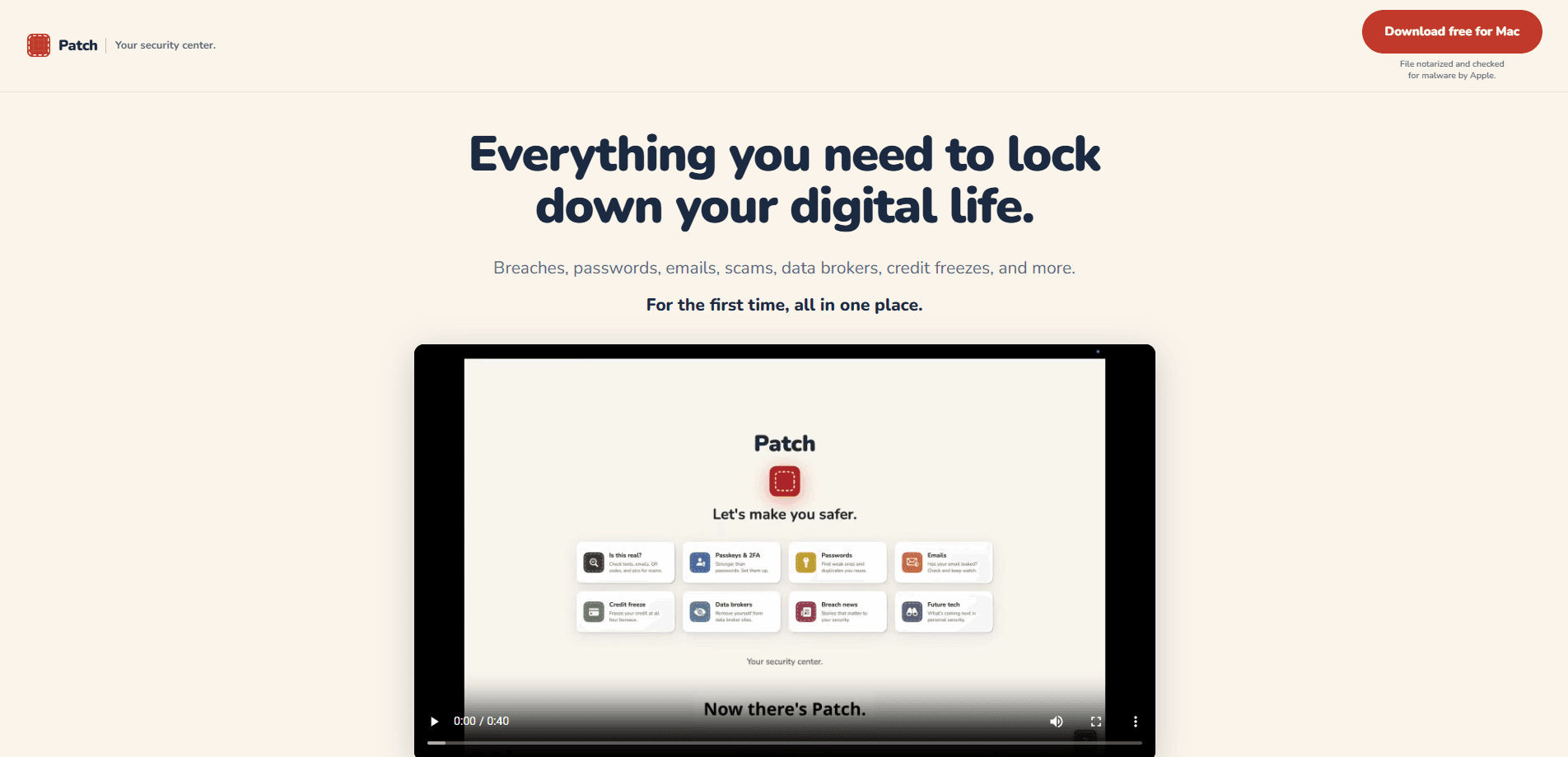
Patch is a personal security app for Mac and iPhone that finds the places your email, passwords, and personal data have leaked, then helps you fix each one step by step. It runs breach checks, reviews suspicious messages for scams, points out data brokers selling your details, and guides you through a credit freeze. A built-in advisor powered by Claude answers your security questions in plain English. No technical background needed.
About Patch — Your Security Center
What Is Patch
Patch is a security hub that covers the tasks most people put off: checking whether an account leaked, removing yourself from data-broker sites, and freezing your credit. Most tools stop at showing you a warning. Patch carries on from there and tells you what to click, what to reset, and in what order.
The app is built around a simple idea. Your passwords and credentials never leave your device. There's no database of secrets sitting on a server somewhere. Patch checks what's already on your machine against known breaches and reports back, which means there's far less for an attacker to steal.
The main limit is reach. Patch runs on Mac and iPhone only, and the Mac version needs an Apple Silicon machine (M1 or later). Windows and Android users are out of luck for now. The advisor also caps your monthly questions depending on the plan. So how many questions do you actually get? That depends on your tier. Heavy users may want the higher one.
Getting Started
- Download Patch for Mac from patch-security.com, or grab the iPhone version from the App Store. No account or credit card is needed to start.
- Open the app and let it scan for breaches tied to your email addresses and any weak or reused passwords already on your device.
- Review the results, which are sorted by what matters most, then work through each finding with the built-in fix steps.
- Paste a suspicious text, email, or photo into the "Is this real?" panel to have the advisor check it before you click or pay.
- If you want the full set of features, pick a paid plan and it unlocks across your Mac and iPhone through your Apple ID.
Product Information
A quick look at Patch — Your Security Center's pricing, supported platforms, and performance.
Best for
The users, tasks, and scenarios where this tool fits best.
Users
- Non-technical people who want online security explained without jargon. The advisor answers in plain English and the fix steps are written for beginners.
- iPhone and Mac owners. One subscription covers both devices and keeps them in sync. Just note the Mac app needs an Apple Silicon (M1 or later) machine.
- Families. The Family plan protects up to 5 people, each with the app on their own devices.
Tasks
- Finding out whether an email or password has leaked. Patch runs monthly breach checks on the free tier, or unlimited checks on paid plans.
- Checking a suspicious message for a scam before clicking or replying. Paste the text, photo, or email and the advisor flags it.
- Getting removed from data-broker sites that sell your name, address, and phone number.
- Freezing your credit at all four bureaus, which many people treat as the best identity theft protection you can set up on your own.
Scenarios
- A text claims a package is stuck and asks for a small fee. Run it through the scam check first.
- You spot a news story about a company breach and want to know if your account is affected.
- You're setting up two-factor authentication but aren't sure where to start on each account.
- You want one place to watch for new leaks instead of checking several sites by hand.
Key features
Breach and password checks
Patch scans the email addresses and passwords already on your device against known breach data. It then sorts the results by how much they matter. On the free tier you get one email check and one password check a month. Paid plans remove that limit. Nothing about your passwords is uploaded, which matters because it means a leak on your end can't expose the very credentials you're trying to protect.
Scam checking with the advisor
The "Is this real?" tool lets you paste a message, email, or photo and get a read on whether it's a scam. It checks the sender domain, the wording, and the links. Then it tells you not to click and to go to the site directly instead. This is the feature most people reach for when something feels off but they aren't sure why, and it's the one you'll probably open more than any other.
Data-broker removal
Data brokers collect your name, address, and phone number and sell them on. Patch finds the sites listing your details and walks you through getting removed. That's the tedious part most people never finish on their own, because each broker wants a different form, a different email, and sometimes a mailed request. Paid plans include this guidance.
Credit-freeze guidance
A credit freeze is one of the strongest ways to block someone from opening accounts in your name. Doing it across all four bureaus is fiddly. Patch walks you through each bureau step by step so you can lock your credit without hunting through four separate websites.
Passkeys and 2FA setup
Patch helps you turn on stronger sign-in, including passkeys and two-factor authentication, account by account. It gives you the steps for each service rather than a generic "enable 2FA" nudge. That's where a lot of people give up, since every bank, email provider, and store seems to bury the toggle in a slightly different menu.
Claude-powered security advisor
The advisor runs on Claude, Anthropic's AI assistant, and answers questions like whether a password really needs changing or what a credit freeze actually does. It sees only the tab you're on and the question you ask, not your passwords or account list. According to Patch, anything you send isn't used to train an AI model, and that promise comes from Anthropic's terms rather than Patch's own wording. Your plan sets how many questions you get each month.
Synced across Mac and iPhone
One subscription covers both apps and keeps them in sync. What you fix on your Mac shows up on your phone. It's meant to cover your desk and your pocket without you managing two separate setups, which is the kind of thing you stop noticing only when it's missing.
Pros and cons
Pros
- Skips the usual dead end where a tool tells you a password leaked and then leaves you on your own.
- Passwords and credentials stay on your device, so there's no central store of secrets to leak.
- The advisor answers in plain English, which makes it usable for people with no security background.
- One price covers Mac and iPhone, and the Family plan protects up to 5 people.
Cons
- Mac and iPhone only. The Mac app needs an Apple Silicon (M1 or later) machine, so older Macs and all Windows and Android devices are left out.
- The advisor caps your monthly questions, and the cap varies by plan. People who check every message may run out.
- Data-broker removal and credit-freeze help sit behind paid plans, so the free tier is mostly just the monthly checks.
Frequently asked questions
It finds where your email and passwords have leaked, spots scams, identifies data brokers selling your details, and guides you through a credit freeze. The difference from most tools is that it tells you how to fix each problem, not just that the problem exists.
Related content
Explore related tools, skills, and articles for Patch — Your Security Center.
Patch — Your Security Center Alternatives

Emailwritr
Emailwritr · Writing · MarketingEmailwritr is an AI email copywriting tool built for affiliates, course creators, and online businesses that want more revenue from the list they already own. Instead of blank pages or generic chatbot prompts, this AI email writer generates welcome sequences, launch campaigns, cart recovery emails, and promo series from frameworks modeled on well-known direct-response copywriters. You connect your autoresponder, answer a few questions about your offer, and it writes the copy for you.

Prosp
Prosp · Writing · Voice & Language · MarketingProsp is an AI LinkedIn outreach tool built for agencies and sales teams, and it writes the message and the voice note in your own voice for each prospect so they actually reply. You connect your accounts, find leads, and let the AI draft and send personalized messages at scale, all from one inbox. It's built for people running outbound at volume. That's the whole pitch. Every touchpoint still has to feel human.

On Model
On Model · Image · MarketingOn Model is an AI fashion model tool that places your clothing on virtual models so online stores can get on-model product photos without booking a photoshoot. It runs as a Shopify app, letting you swap the model in an existing image, change backgrounds, and generate faces for cropped or headless shots. The goal is simple: match your product photos to your customers and stand out from competitors using the same supplier images.